View the agency audit log
See who signed in, who got access and which security settings changed in your agency and client workspaces over the last 12 months.
The audit log in the agency cockpit records who signed in, who got access to what and which security settings changed, in your agency workspace and every client workspace. Use it to check what happened when a client or auditor asks, or when something looks wrong.
3 steps · About 3 minutes
Open Audit log
In the agency cockpit, click Audit log. It lists what happened in your agency and client workspaces over the last 12 months, newest first: the Time, the Event, Who did it, the Workspace, the IP address and Details. For a sign-in, the details show the Method, such as Email link or Passkey, and whether a passkey was used as the second step (MFA). Entries can't be changed afterwards.
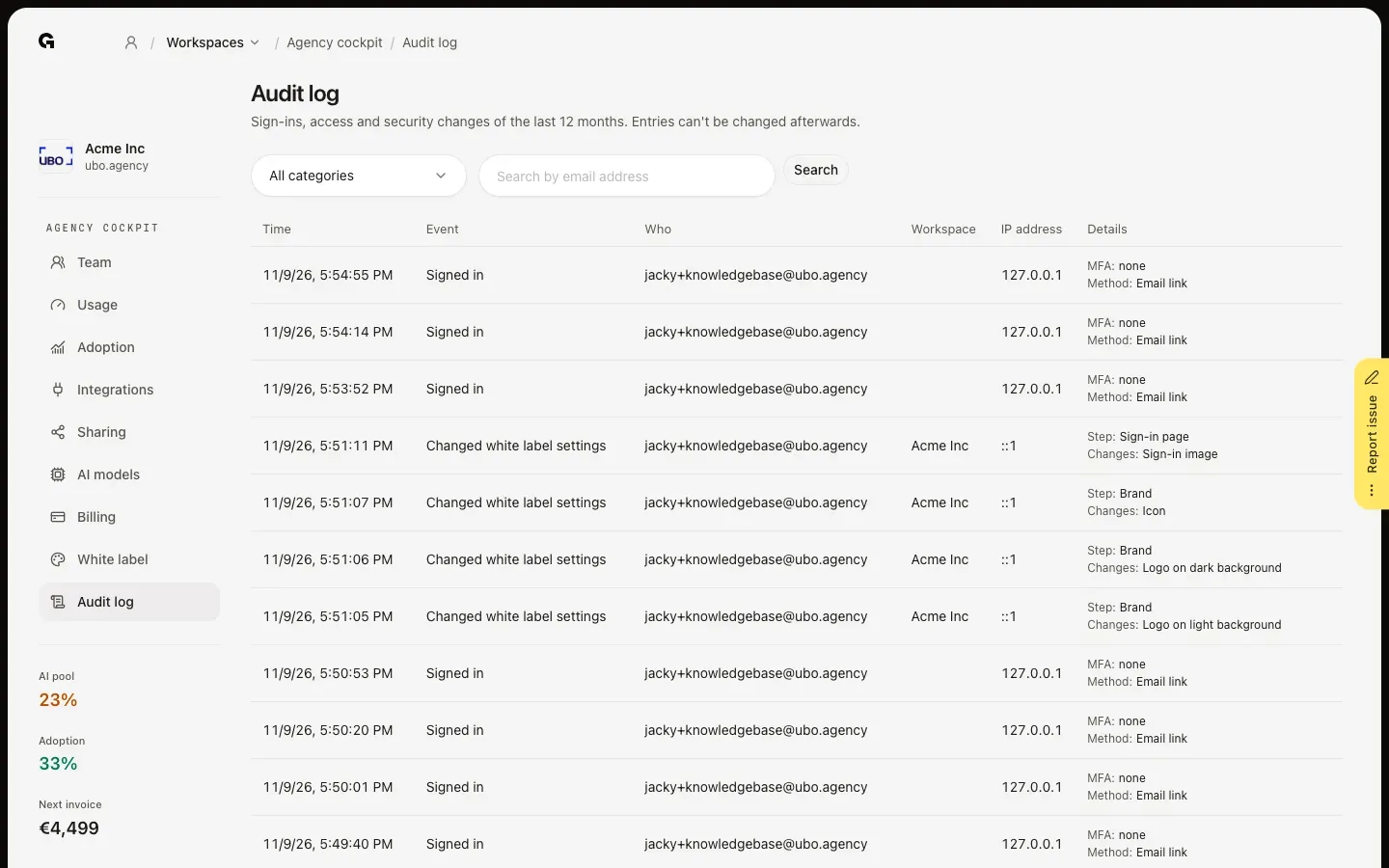
Filter by category
Open All categories and choose what you want to check, such as Sign-in and MFA, Members, Roles, Integrations, Security settings, Exports or White label. Members, for example, shows who was invited and whose role changed, with the old and new role in Details. Growf support is the category for actions by the Growf team in your account, such as opening it to help you.
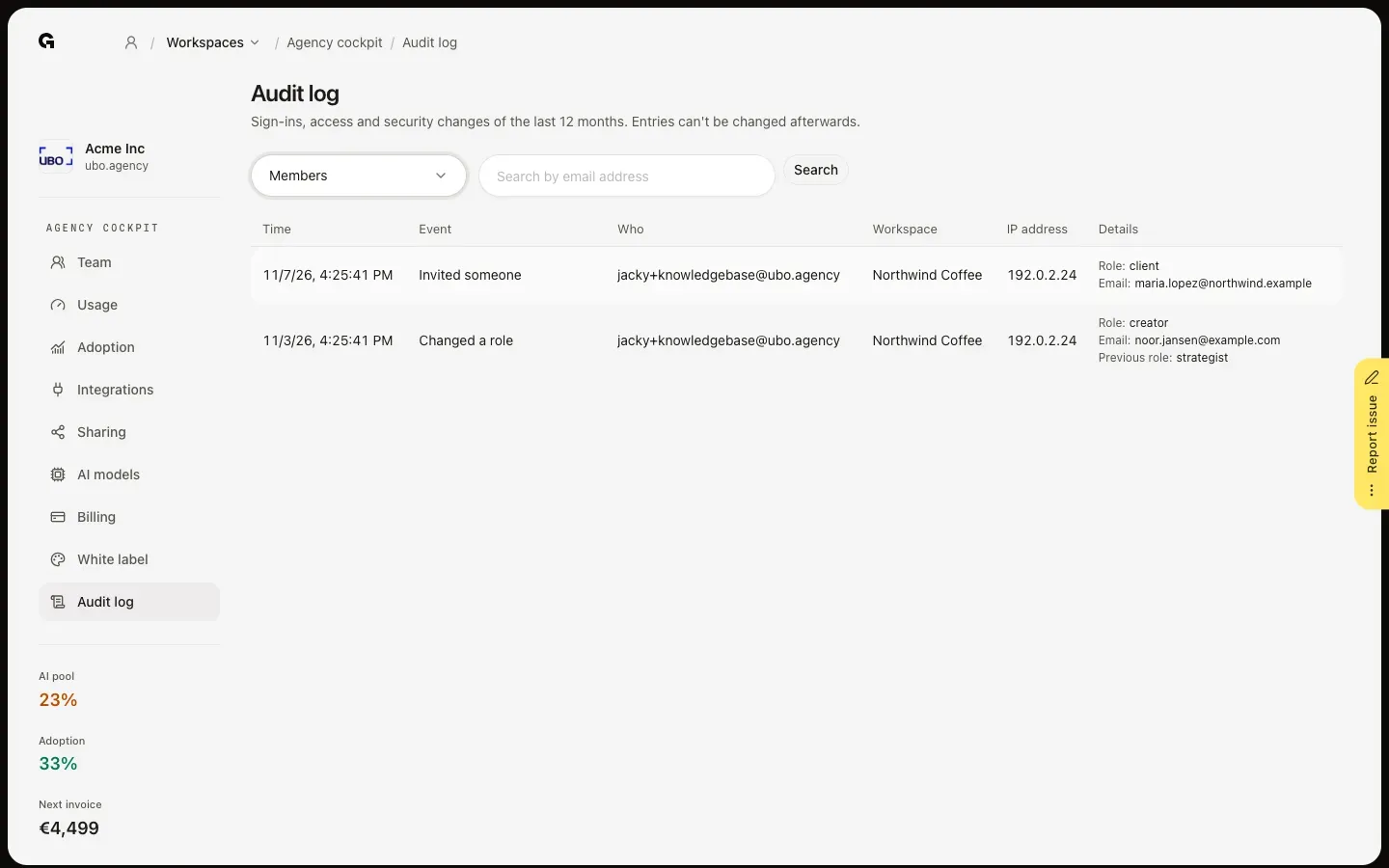
Search for one person
Type an email address in Search by email address and click Search to see everything one person did, such as their sign-ins, passkeys and the integrations they connected. Clear the field and search again to see everyone. The category and search work together, and the list shows 50 entries per page.
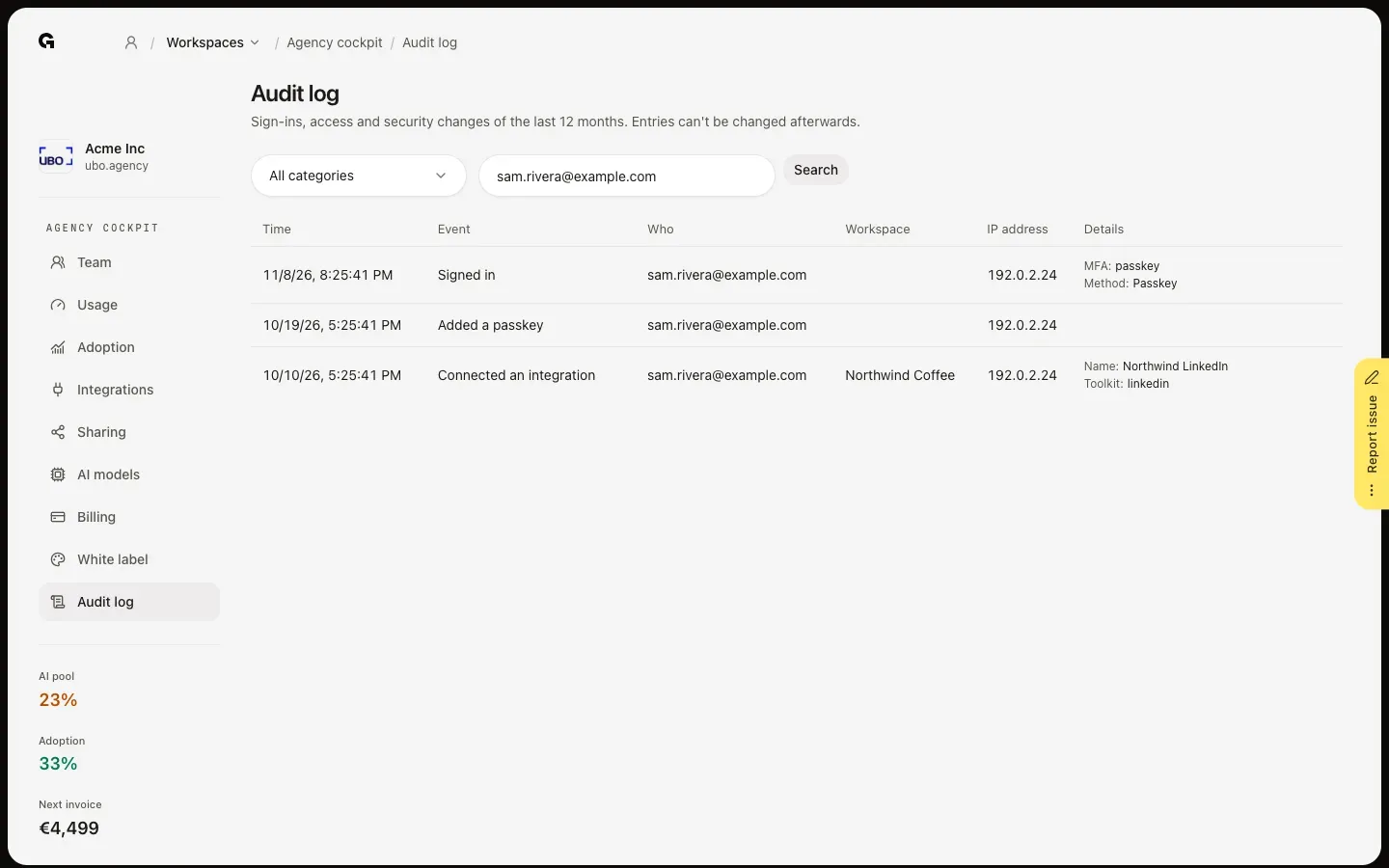
FAQ
What does the audit log record?+
Sign-ins and failed sign-ins, sign-in codes, passkeys added or removed, invitations, accepted invitations, role changes and removed members, changes to roles and permissions, connected and disconnected integrations and MCP servers, security settings such as the passkey requirement and AI hosting, workspaces created or deleted, exports and public links, billing changes and white label changes.
How long are entries kept?+
12 months. Older entries are removed automatically. Within those 12 months, nobody can change or delete an entry, also not the Growf team.
Who can see the audit log?+
The agency owner and people with the Admin role on the agency workspace, from the agency cockpit. It covers the agency workspace and every client workspace linked to it.
What are the entries under Growf support?+
When someone from the Growf team opens your account to help you, the log shows Growf support opened this account and Growf support left this account. Everything they do in between shows via Growf support next to the email address in Who.