




Ga naar de hoofdinhoud

FOR IMPLEMENTATION & INTEGRATION AGENCIES

Run every project
on your own methodology.

Growf turns the way your team scopes, documents and delivers into workflows anyone can run, with each client’s systems, requirements and decisions already behind them.

  • No blank pages to start from

  • One workspace per client system

  • The same standard on every project

THE TEAMS ALREADY RUNNING ON GROWF

  • consellium-grey
  • campagne-grey
  • UBO-grey
  • canvass-grey
  • oddgrips-grey
  • CX-grey

The expertise is real. The leverage isn't.

Your best process
isn't a system yet.

Discovery notes in one place, requirements in another, decisions in someone’s inbox. Every project quietly rebuilds what the last one already worked out.

  • RE-EXPLAINING

    Every project starts by re-explaining the client.

    Systems, history and past decisions get gathered again from scratch, meeting after meeting.
  • ADMIN LOAD

    Documentation is the tax on delivery.

    Notes, specs, mappings and handovers eat the hours you sold as expertise.
  • KEY-PERSON RISK

    The method lives with two or three seniors.

    Everyone else waits on answers only those people can give.
  • AFTER GO-LIVE

    The automation breaks and the client finds out first.

    Support arrives as an angry email instead of a signal, and every fix starts with re-opening the whole setup.

EXAMPLES OF WHAT YOU CAN BUILD

Systems your team
sets up once and keeps using.

From the first kickoff to the months after go-live, Growf puts each client’s systems, decisions and data behind every workflow your team runs.

  • Less setup. More billable work icon

    One source of truth per client system.

    Setup, decisions, documents and live CRM data in one workspace your team and your AI both work from.
  • Consistent delivery on every account icon

    Your playbook on every project.

    Audit, build, training and handover run the same way, whoever delivers.
  • Knowledge compounds instead of resetting icon

    Agents on the night shift.

    Hygiene checks, QA and reports run on a schedule, so your hours go to delivery.

1 / 6

Turn a discovery call into a scoped proposal icon

CLIENT SYSTEM BRAIN

Every client's setup, decisions and history, one question away.

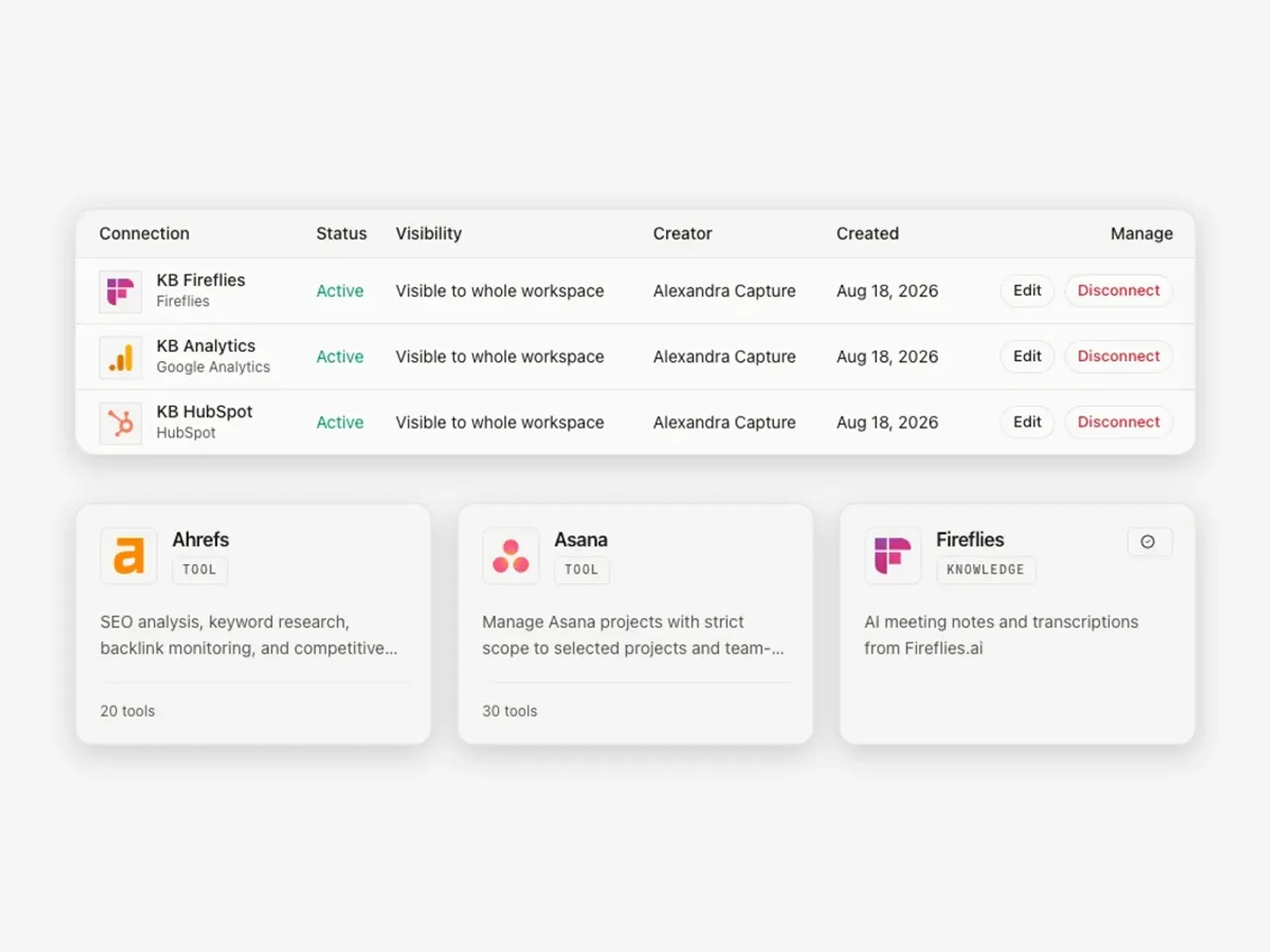
Kickoff transcripts from Fireflies, specs from Drive and the live CRM data land in one workspace per client. Ask in chat why leads are routed the way they are, and get the answer with its source.
  1. Client comments icon

    Sync the sources

    Fireflies, Drive, HubSpot

  2. Scope icon

    Structure it

    rules, products, context

  3. Prospect brief icon

    Ask in chat

    with the full picture

  4. Approved icon

    Every deliverable

    inherits it

Output

  • CLIENT WORKSPACE
  • SYNCED KNOWLEDGE
  • DECISION LOG
  • ANSWERS WITH SOURCES
Connected integrations in a Growf client workspace: Fireflies, Google Analytics and HubSpot, with the toolkit library
Start with a requirements doc, not a blank page icon

CRM BUILT FROM THE ICP

Lifecycle stages, lead scoring and segments from a documented ICP. Not from a guess.

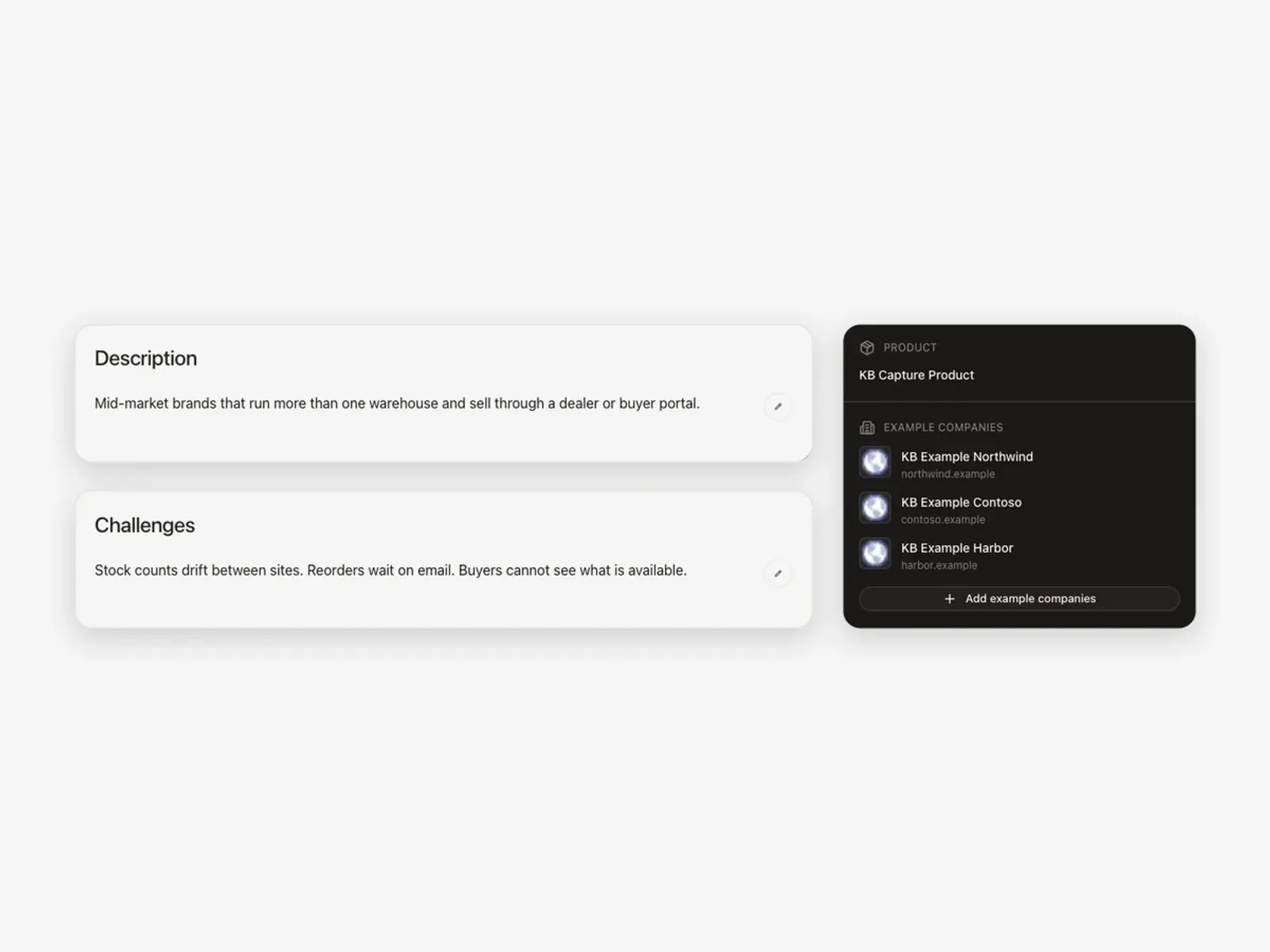
The client's ideal customer profile, personas and products live in the strategy layer. The configuration brief comes from there: stages, scoring, segments, automations. When the ICP changes, the brief changes with it.
  1. Calls & files icon

    Capture the ICP

    and personas

  2. Structured icon

    Derive

    stages, scoring, segments

  3. Gaps icon

    Build it

    in the CRM

  4. Prospect brief icon

    Client signs off

    in the workspace

Output

  • ICP & PERSONAS
  • CONFIGURATION BRIEF
  • SCORING & SEGMENTS
  • CLIENT SIGN-OFF
An ideal customer profile in Growf with description, challenges, linked product and example companies
Run every implementation the same way icon

ONE WAY OF IMPLEMENTING

Your rollout playbook, run identically on every client.

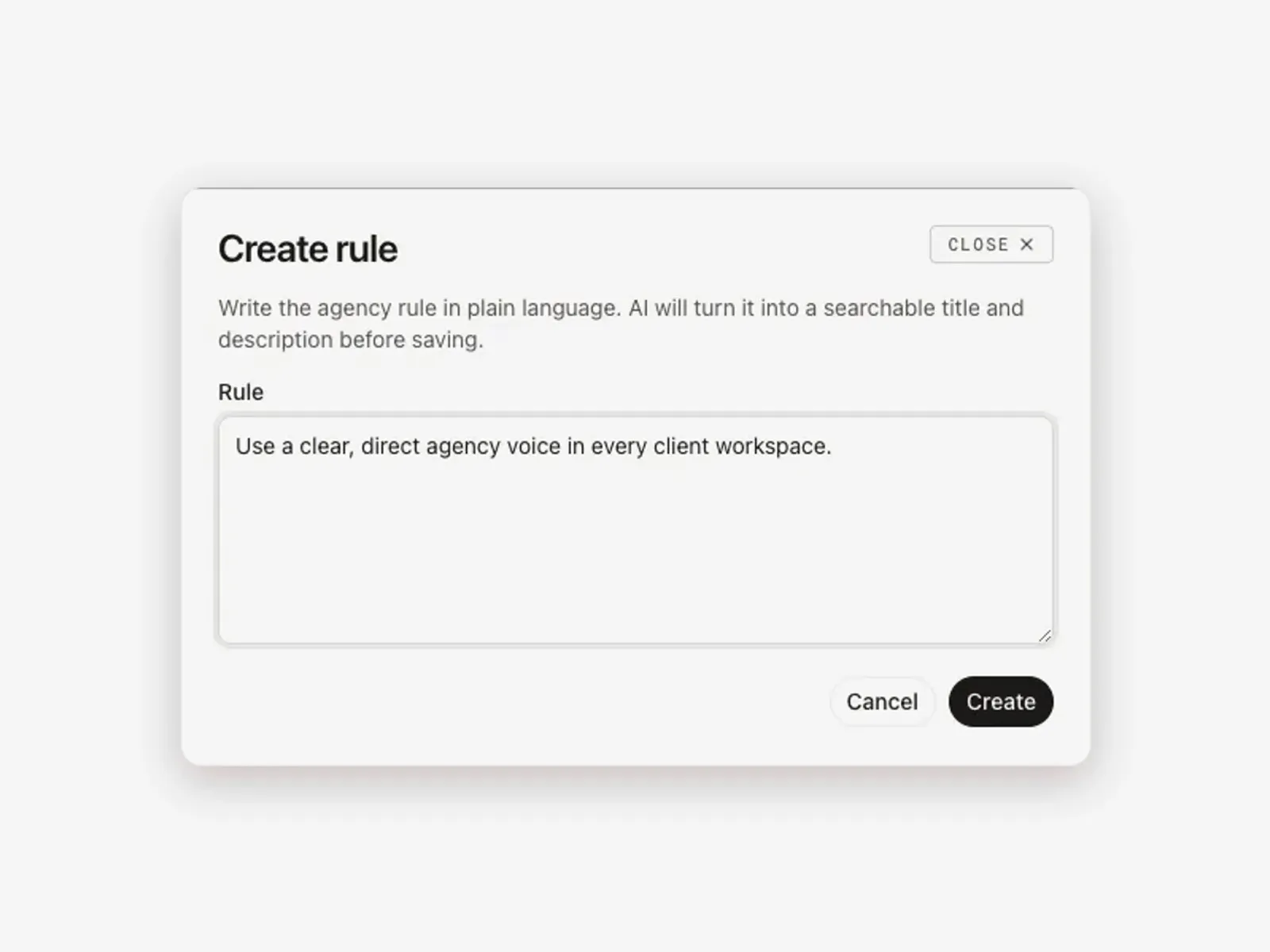
Audit, data model, automations, training, handover: captured once as agency rules and reusable agent briefs. Every workspace runs the same steps, and a junior delivers work a senior would sign.
  1. Requirements icon

    Capture the playbook

    once

  2. Calendar icon

    Save it

    as rules and briefs

  3. Build notes icon

    Run it

    in every workspace

  4. QA & handover icon

    Improve once

    everywhere

Output

  • AGENCY RULES
  • REUSABLE BRIEFS
  • EVERY WORKSPACE
  • ONE STANDARD
Creating an agency rule in Growf that applies to every client workspace
Turn an integration brief into a real spec icon

THE NIGHT SHIFT ON THE CLIENT'S STACK

AI AGENTS

Data hygiene, automation QA and adoption checks, run weekly by agents with CRM access.

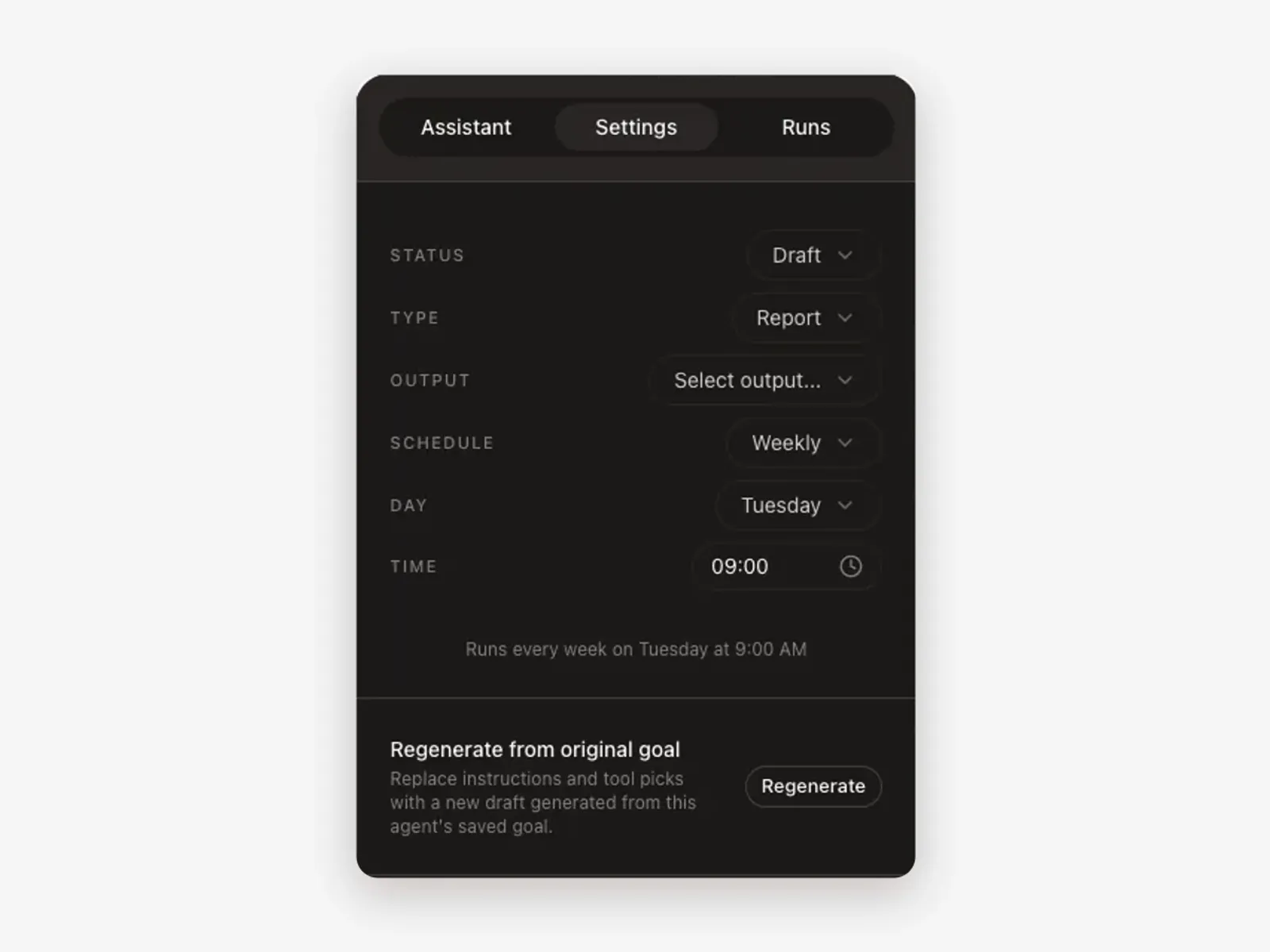
Give an agent the client's HubSpot toolkit and the checks you define: duplicates, empty properties, broken workflows, stalled deals. It runs every week and the findings are waiting on Monday morning.
  1. The systems icon

    Give the agent

    the toolkit

  2. Data mapping icon

    Define the checks

    your standard

  3. Build notes icon

    Schedule it

    weekly

  4. Test cases icon

    Monday

    findings and fixes

Output

  • AGENT WITH TOOLKIT
  • WEEKLY CHECKS
  • FINDINGS
  • PROPOSED FIXES
Growf agent settings: a weekly report that runs every Tuesday at 9:00 AM
Keep every review attached to the work icon

SIGNAL TRACKER FOR MANAGED CLIENTS

DASHBOARD

Know a workflow broke or a pipeline stalled before the client emails you.

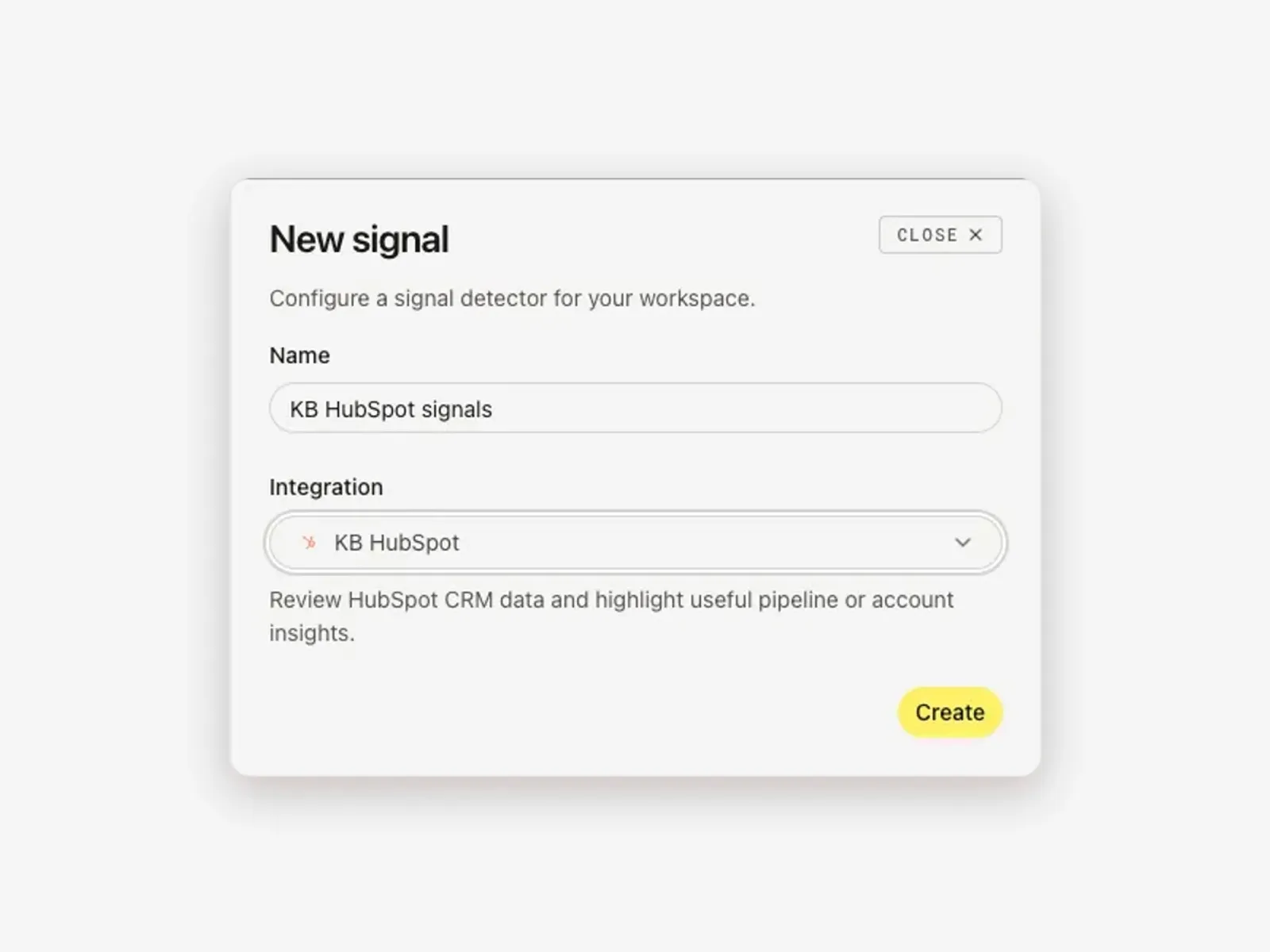
Signal detectors watch the client's connected HubSpot, analytics and other tools and turn what they find into a proposal in the dashboard. Support becomes proactive management, and proactive management is a retainer.
  1. Kickoff icon

    Connect the tools

    the client already runs

  2. Prospect brief icon

    Set the detectors

    what to watch

  3. Test cases icon

    A signal

    becomes a proposal

  4. Revise icon

    Your team

    ships the fix

Output

  • SIGNALS PER CLIENT
  • PROPOSALS
  • IN THE DASHBOARD
  • PROACTIVE RETAINER
Creating a signal detector in Growf on a connected HubSpot account
Check the work against your own standard icon

HANDOVER IN THE CLIENT'S BRAND

DESIGN STUDIO

Documentation, training decks and status reports, generated on the client's design system.

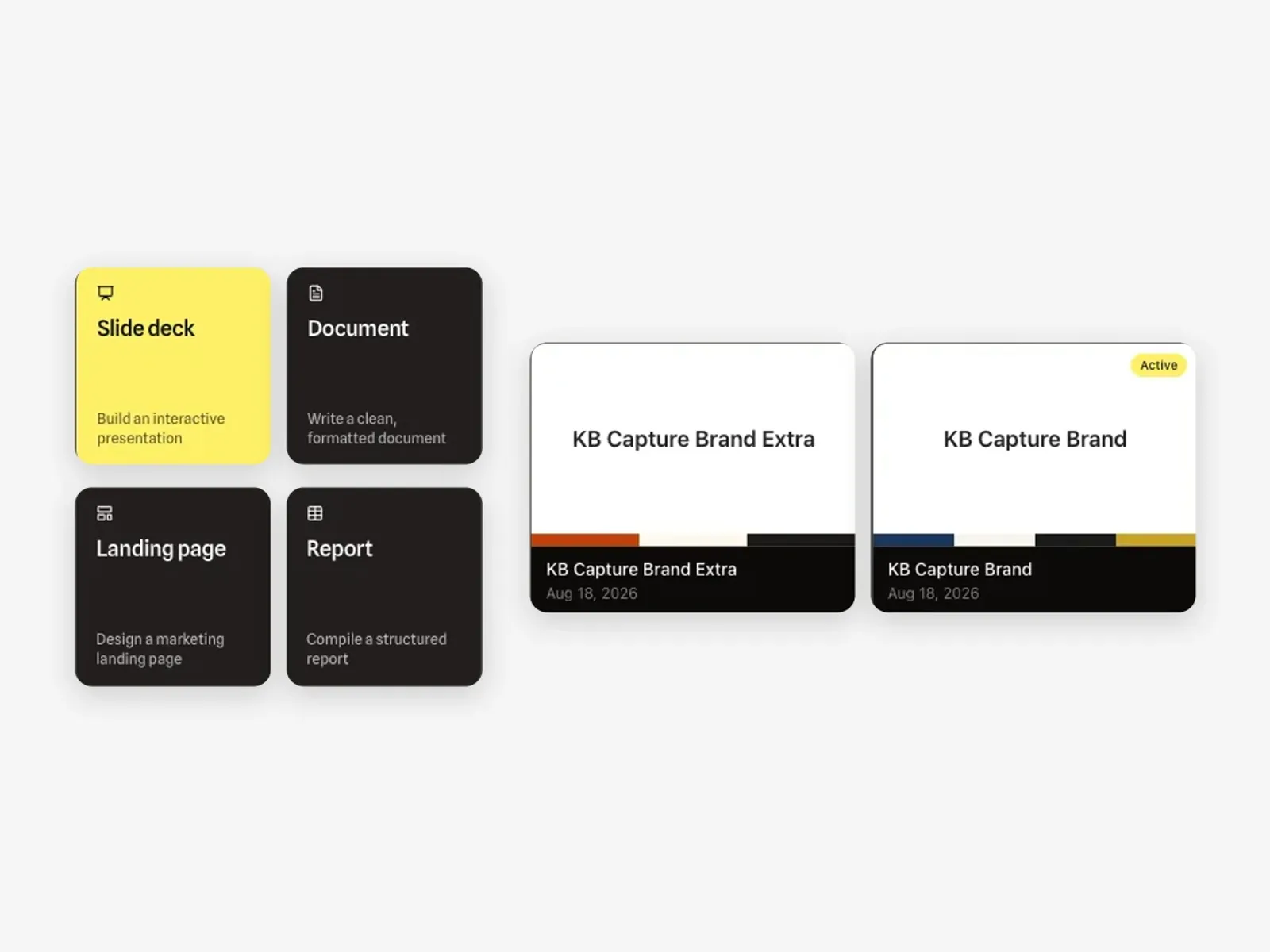
Handover documents, SOPs, training slide decks and monthly adoption reports are generated from the live data, on the client's design system. Ready to send, nothing rebuilt by hand.
  1. Your standard icon

    Pull the live data

    from the client's tools

  2. Research icon

    Apply the design system

    the client's brand

  3. Gaps icon

    Generate

    docs, decks, reports

  4. Approved icon

    Review & send

    to the client

Output

  • HANDOVER DOCS
  • TRAINING DECK
  • ADOPTION REPORT
  • CLIENT DESIGN SYSTEM
Growf Design Mode format templates next to the client brand design systems

The agency that gets better with every rollout.

These are six examples of what implementation teams build with Growf. Create workflows around your own methodology, your stack and the way you deliver.

Every workflow. One connected system icon

Every workflow. One connected system.

They all run on the same client context: the systems, requirements and decisions of that account. So what one workflow works out, the next one already knows.
  • Client data stays in its own workspace.

  • Built with delivery teams, not for demos.

  • Scales with your project load, not your headcount.

CLIENT WORKSPACES

Every account gets
its own workspace.

Each account holds its systems, requirements, decisions, documents and meeting history. Open it and Growf already knows what is live, what was agreed and what is still open.

  • No re-gathering.

    The workspace carries the client's systems and decisions, not one consultant's memory.
  • A new consultant is useful on day one.

    They open the account and see what was decided, and why.
  • Hand a project over in an afternoon.

    The context stays with the account, not in someone's inbox.
  • Client data stays inside its own workspace.

    SOC 2 and ISO 27001 controls, GDPR compliance and a DPA.

GROWF · WORKSPACES

12 ACTIVE

  • C1Client Account 1REQUIREMENTS · 3 INTEGRATIONS · 42 DOCS · CRM + ERPOPEN
  • C2Client Account 2REQUIREMENTS · 1 INTEGRATION · 28 DOCS · CRMBUILD
  • C3Client Account 3SCOPING · 2 INTEGRATIONS · 12 DOCS · CRM + SHOPSCOPING
  • C4Client Account 4ONBOARDING · DISCOVERY · 7 DOCS · DRIVESETUP
Every workflow. One connected system icon

Every workflow runs inside a client workspace.

The client context powers everything, from the first discovery call through build, QA and handover.

A CLIENT WORKSPACE HOLDS

  • Strategy iconMethodology
  • Requirements iconRequirements
  • Systems iconSystems
  • Knowledge iconDecisions
  • Documents iconDocuments
  • Connected data iconConnected data

POWERING EVERY WORKFLOW

  • Proposals
  • Requirements
  • Implementation
  • Integrations
  • Meetings
  • QA
  • + yours

YOUR METHODOLOGY

Build it once.
Run it on every project.

The way your team scopes, documents and QAs a project becomes a workflow anyone can run, and every new hire inherits on day one.

  1. Do it once, properly

    Run the task on a live project and shape it until the output is something you would send.
  2. Save it as a team workflow

    The method moves out of a senior's head and into the system everyone works in.
  3. Anyone runs it, on any project

    One click inside a client workspace. No setup, no re-briefing, no waiting on a senior.
  4. The client's context does the rest

    Fifteen projects, fifteen outputs. Each one already matches that client's systems and decisions.

Update the workflow once. Every project gets the new version.

The work didn't get smaller. The re-explaining did.

THE SWITCH

Same team.
Different Monday.

Growf sits alongside the platforms you implement on and the models your team already trusts. What changes is everything around them.

WITHOUT GROWF

WITH GROWF

  • Re-explain the client's setup at the start of every project

    Open the account: systems, decisions and history are already there

  • The method lives in two or three people's heads

    The method is a workflow the whole team runs

  • Every spec, plan and QA list rebuilt by hand

    One workflow, every project, the same standard

  • Meeting notes become deliverables on someone's evening

    The call ends and the summary, decisions and actions already exist

  • More clients means more project admin

    More clients means more delivery, not more overhead

  • A broken automation is found by the client

    Signals flag it first and propose the fix

  • Handover docs written by hand on the last day

    Docs, decks and reports generated on the client's brand

WORKS ALONGSIDE THE TOOLS YOU ALREADY RUN · ON THE MODELS YOUR TEAM TRUSTS

integrates with

HubSpot
Simplicate
Notion
Google Drive
Trello
Google Sheets
+800

WHAT ACTUALLY CHANGES

Less rebuilding.
More delivery.

Not a promise about speed. A change in where the work starts and what it is checked against.

  • EVERY DELIVERABLE

    0

    blank pages. Every document starts from your methodology and the client's context.

    REQUIREMENTS · SPECS · REPORTS

  • PER CLIENT ACCOUNT

    1

    workspace holding the systems, decisions, documents and history.

    CLIENT WORKSPACES

  • BEFORE HANDOVER

    1

    standard, applied to every project, whoever happens to deliver it.

    QUALITY CONTROL

QUESTIONS DELIVERY TEAMS ASK

Before you move a project.

Still something open? Bring it to the demo. We run it on one of your own projects.

  • Does it connect to HubSpot, Salesforce and our custom tools?

    Yes. HubSpot, Salesforce, GA4 and 1500+ other tools connect in a few clicks, and your own systems come in through a custom or MCP toolkit. Agents and chat use whatever is connected to the client's workspace.
  • Does this replace the platforms we implement on?

    No. Growf sits beside them. It is where your methodology, requirements, decisions and documentation live, whatever stack you deliver on.
  • Can it work from our methodology instead of generic answers?

    That is the point. Load your frameworks, SOPs, specs and past projects, and every output is grounded in how your team actually works.
  • Can we keep each client's project separate?

    Yes. Every account is its own workspace with its own systems, documents and decisions. Nothing created in one surfaces in another.
  • What does it need before we start on a project?

    A discovery call, the client's documents and whatever you already know about their setup. Setting up an account takes an afternoon.
  • Who checks what it produces?

    Your team. Growf writes the first version and shows what it is based on; the consultant reviews, corrects and signs off before anything reaches the client.
  • What happens to our IP and our clients' data?

    It stays inside the workspace it belongs to, with SOC 2 and ISO 27001 controls, GDPR compliance and a DPA in place.

START WITH ONE PROJECT

Bring your next project.
We'll scope it live.

Twenty minutes, one real project, your own discovery notes. You leave with a requirements draft your team can actually use, or with a very clear no.

20 MINUTES · YOUR OWN PROJECT