View agency adoption
See which agency and client workspaces are really used, how far each one got with its setup, and who in a workspace needs attention.
Adoption shows whether your agency and client workspaces are really used: who is active, who got stuck after logging in, and which workspaces use credits without people using them. It looks at memberships, visits in the last four weeks and real work in the workspace.
4 steps · About 3 minutes
Open Adoption
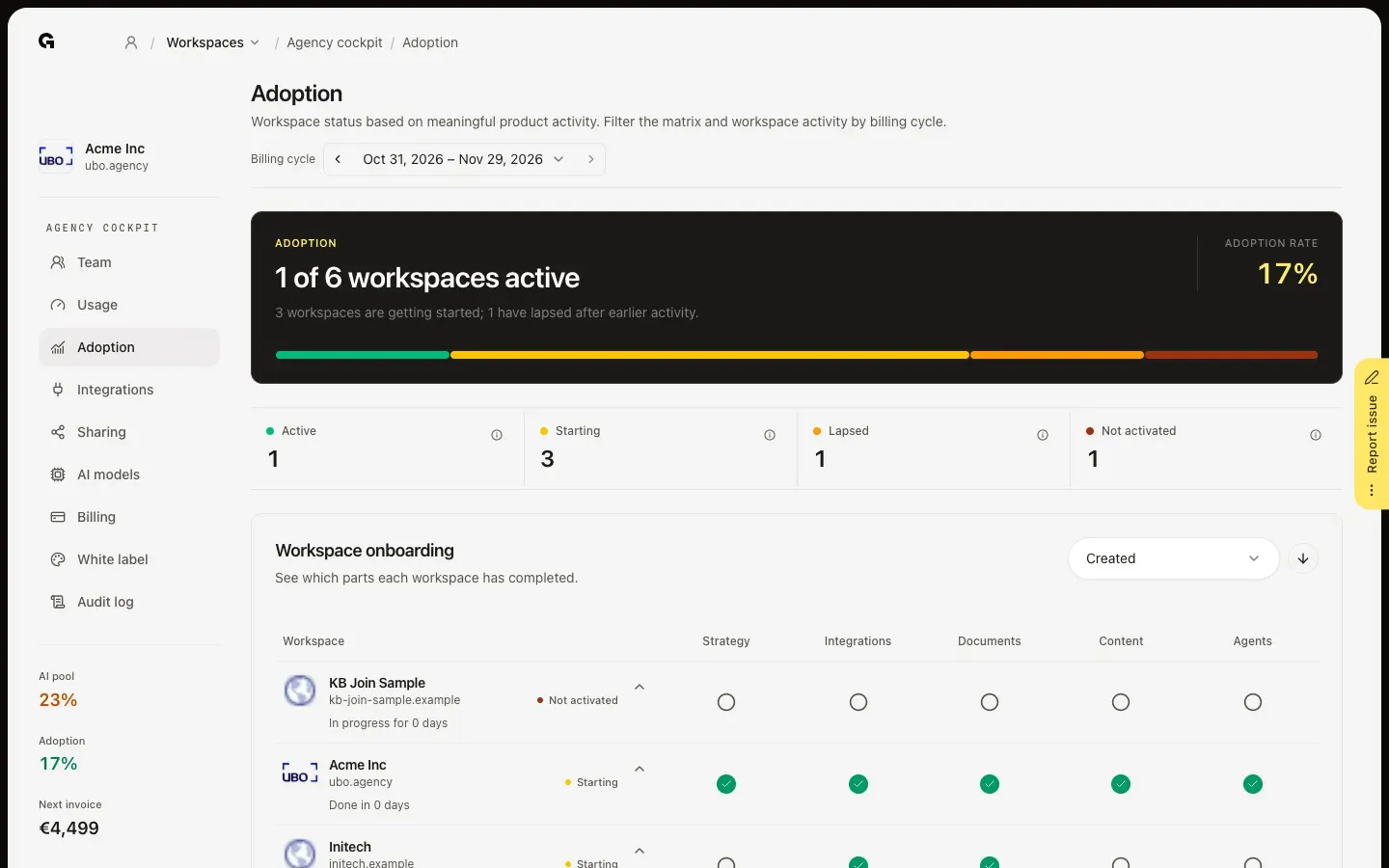
In the agency cockpit, click Adoption. The top shows how many workspaces are active and your adoption rate. Every workspace gets a status: Active (someone did real work in it and visited it in the last four weeks), Starting (members joined but did no real work yet), Lapsed (work was done before, but nobody visited in the last four weeks) or Not activated (no members yet). Click the i next to a status for its definition, or click a status to filter the figures below to those workspaces.
Check each workspace's setup
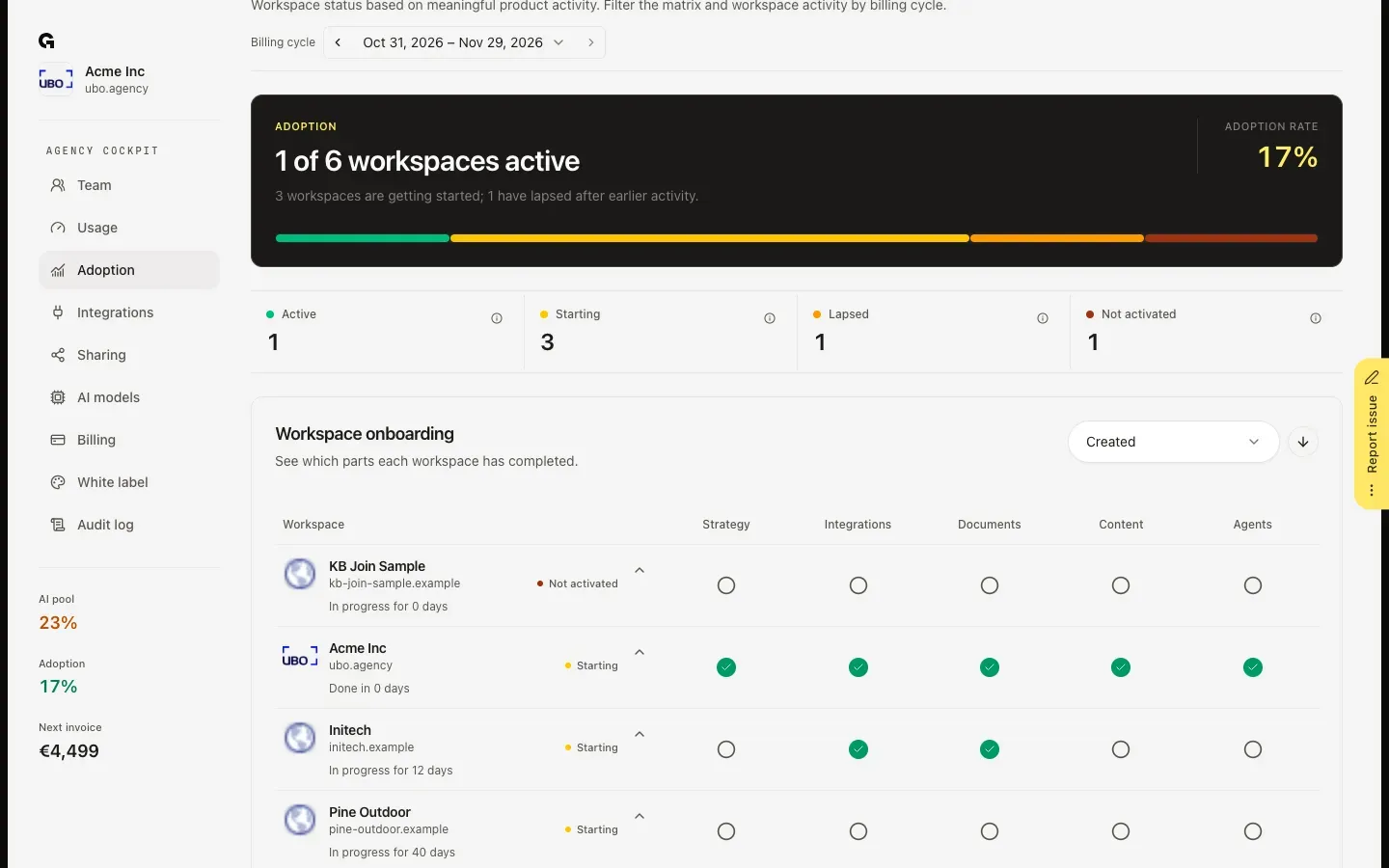
Workspace onboarding shows per workspace which parts are done: Strategy, Integrations, Documents, Content and Agents. A check mark means done; point at it for the date. Below the name you see how long the setup took, or how long it has been in progress. Sort the list by Created, Progress or Name.
Spot where workspaces get stuck
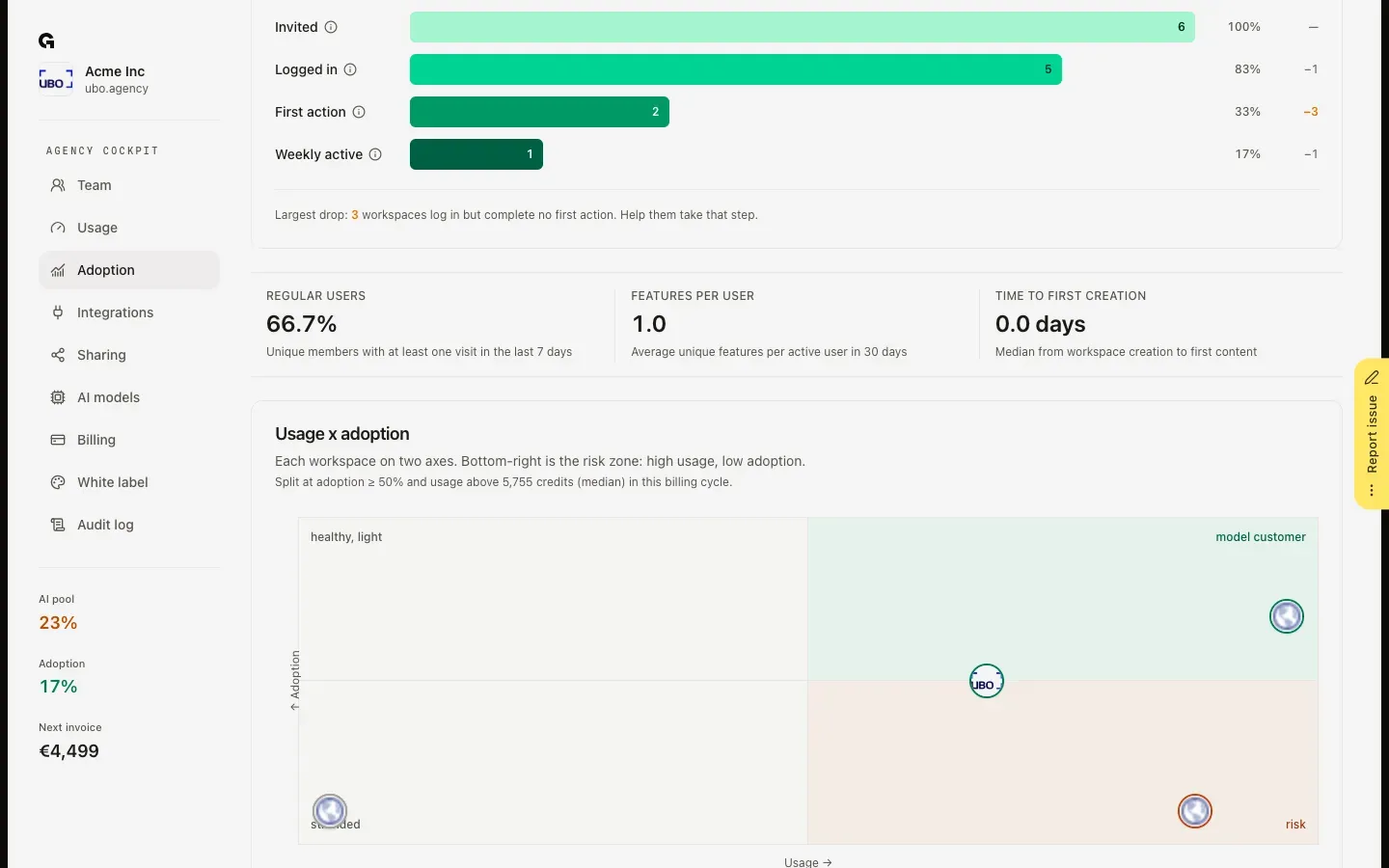
Activation follows the workspaces from Invited and Logged in to First action and Weekly active, and names the largest drop. Usage x adoption places every workspace on credits used and adoption: bottom right is the risk corner, with high usage and low adoption, for example a client whose agent keeps running while nobody logs in. Which features are used most? shows which parts of the app your workspaces use, and which lag behind.
See who needs attention
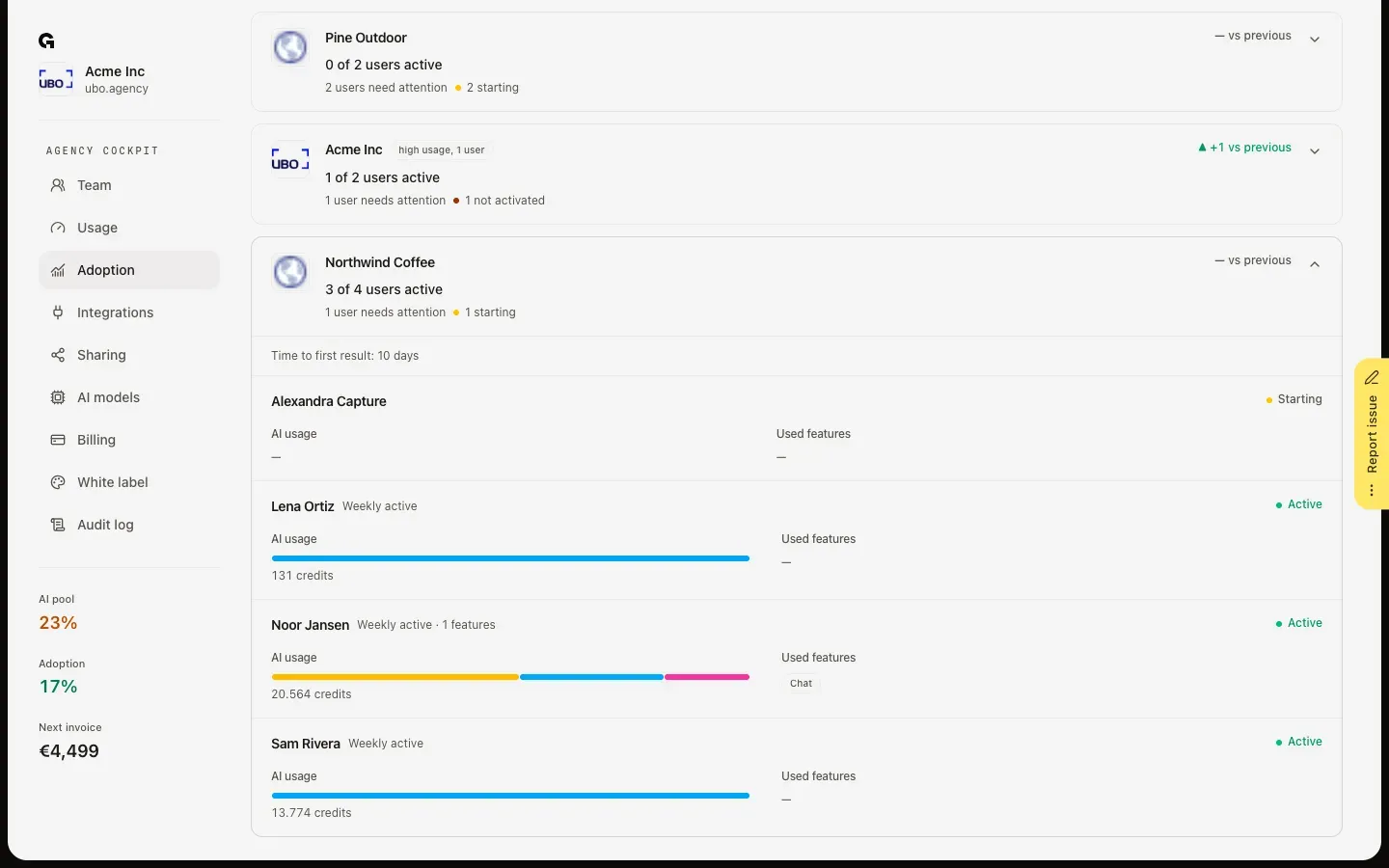
Under Adoption by workspace, each workspace shows how many of its users are active and how many need attention. Click a workspace to see every member, with their status, such as Weekly active, their AI usage and the features they used. Use the billing cycle at the top of the page to compare with an earlier cycle.
FAQ
What counts as real work?+
Publishing a product, ICP or persona, creating a profile or connecting a channel to it, creating or scheduling content, publishing through an integration, starting a chat, an agent run that completes, and uploading a document. Once such work was done, a visit in the last four weeks keeps the workspace Active.
Why does Team say Never active while Adoption says Active?+
Team looks at the last AI action of each person. Adoption looks at visits and work in the workspace, also work without AI. Someone who reviews and publishes without using AI is active here and Never active on Team.
What does Weekly active mean?+
Someone visited the workspace in each of the past four weeks; it can be a different person each week. The first three steps of Activation (Invited, Logged in and First action) count all time.
What do I do with a workspace in the risk corner?+
It uses many credits while few people use it. Open it under Adoption by workspace to see who is silent, and finish the parts that are still open in Workspace onboarding. To keep its usage in check meanwhile, set a cap: see **Set workspace credit caps**.