View a design system style guide
Open a brand card to read colours, type, spacing, and voice, and copy a colour hex.
The style guide is the readable form of a workspace brand: colours, type, spacing, radii, motifs, voice, and imagery. Anyone who can open Design Mode can read it.
2 steps · About 2 minutes
Open the style guide
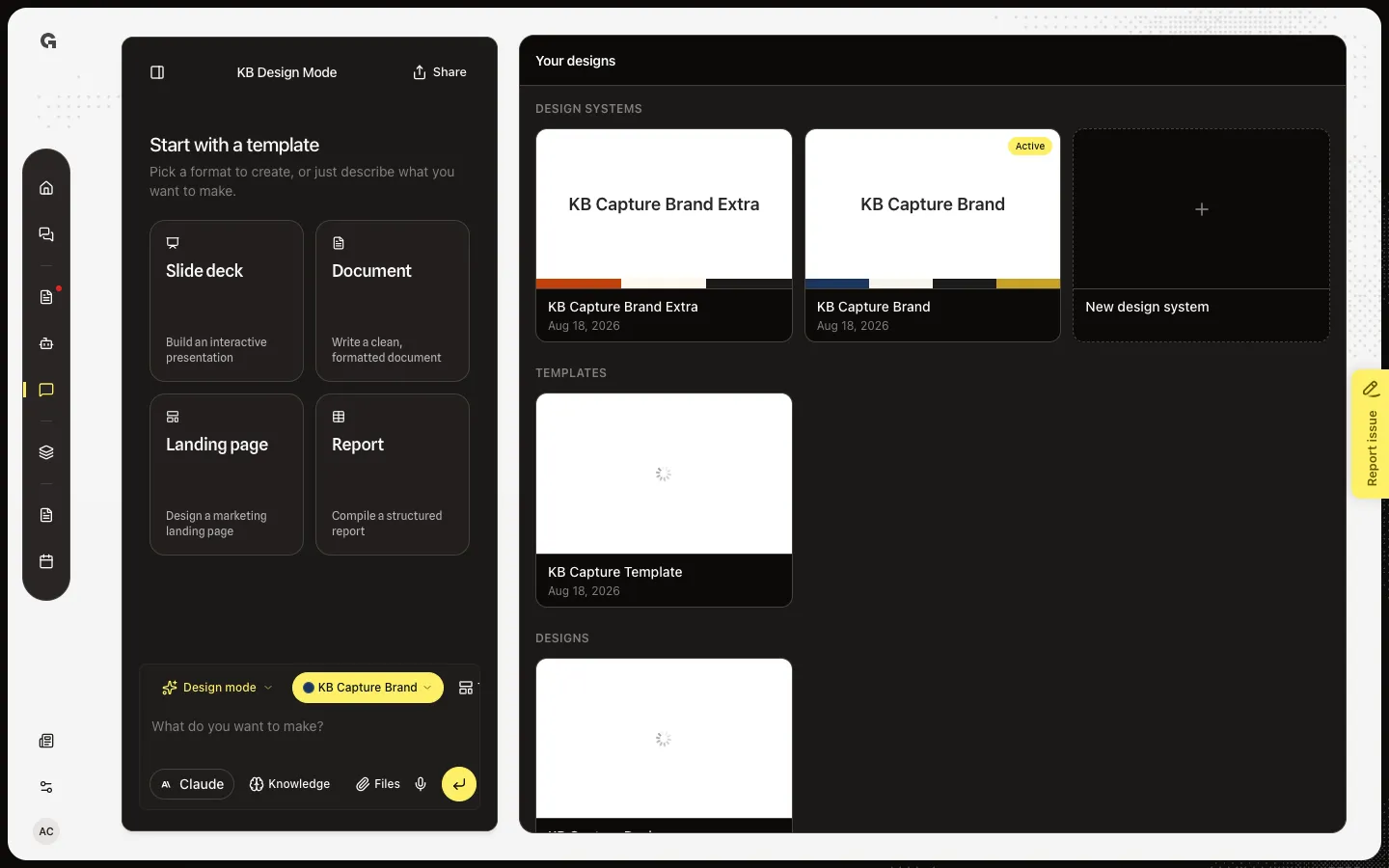
Open Design Mode. Choose KB Capture Brand. The right panel leaves Your designs and shows that brand’s guide. Talking in chat now edits this system — close the guide before you ask for a new brand. Sections include Colors, Typography, Spacing, Radii, Voice & tone, and Imagery. Motifs appear when the brand has them.
Copy a colour
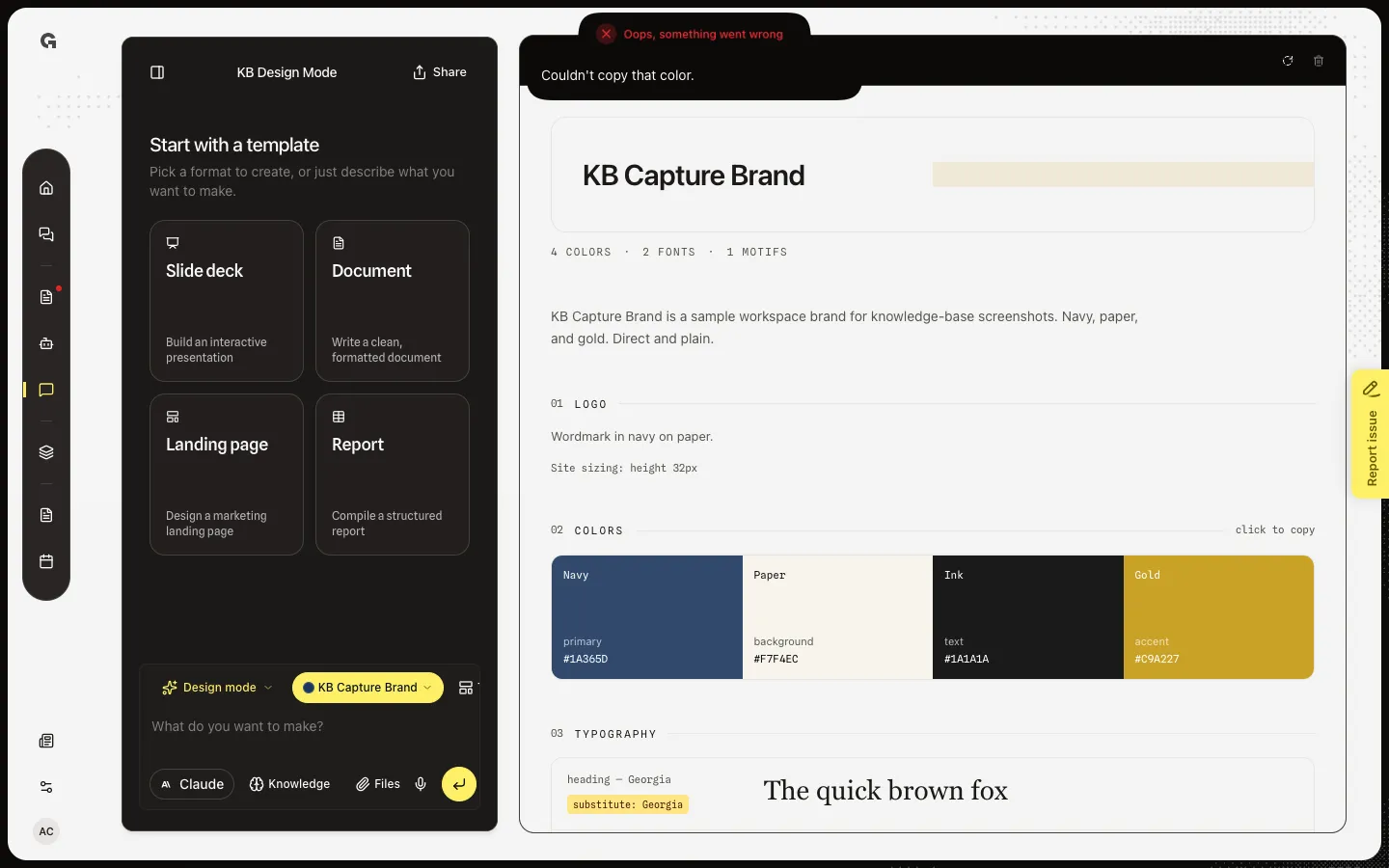
Colors says click to copy. Choose Navy. The hex lands on your clipboard and Copied #1A365D appears. Use this when you need the token outside Growf. Brand assets and Example pages, when present, are reference for the builder — assets can be embedded; example pages are layout only.
FAQ
The panel says This design system is still generating…+
Extraction is not finished. Wait, then reload the guide with the refresh control. Generation failed means you should ask the chat to try again or create a new system.
Why did my brand request change this system?+
An open style guide is the brand the agent edits. Close it with the back arrow, then ask for a new design system. See Create a design system.
I see Couldn't load this design system.+
The guide request failed. Reload the panel. The gallery card can still be ready while this fetch fails.
Who can see the style guide?+
Anyone in the workspace who can open Design Mode. The tokens are shared, not private to your chat.