Use the Inbox
See the requests and updates from all your workspaces in one list in My work, filter them and mark them read.
The Inbox in My work collects the requests and updates for you from all your workspaces in one list, so you don't have to open every workspace to see what needs you. The number beside Inbox in the sidebar of My work is how many you haven't read. Everyone with My work has an Inbox.
4 steps · About 3 minutes
Open the Inbox
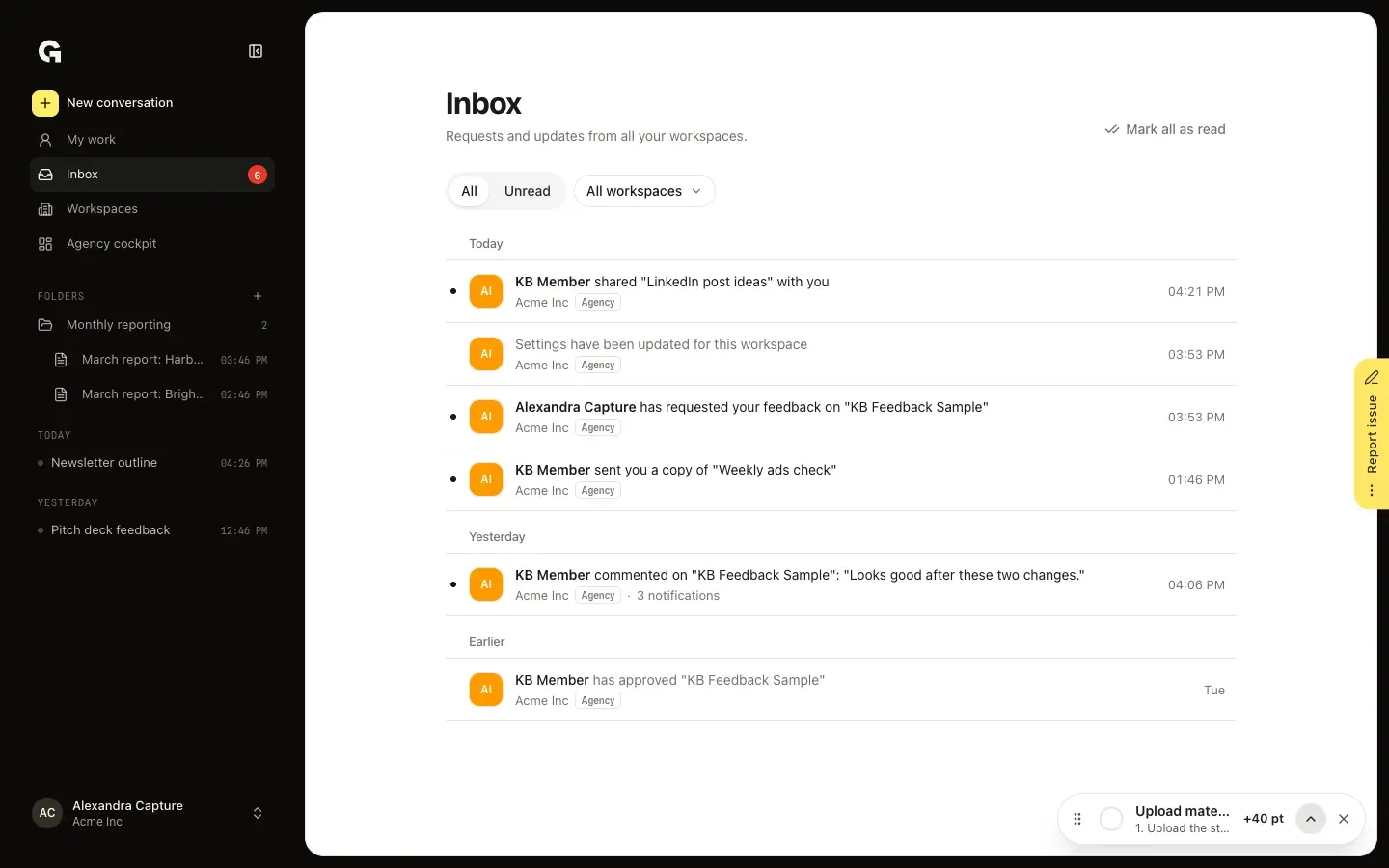
In My work, click Inbox in the sidebar; the number beside it is how many notifications you haven't read. The Inbox lists the newest notifications from all your workspaces under Today, Yesterday and Earlier, each with its workspace. Unread rows have a dot. Notifications about the same item, such as three comments on one post, share one row that says how many there are.
Show only unread notifications
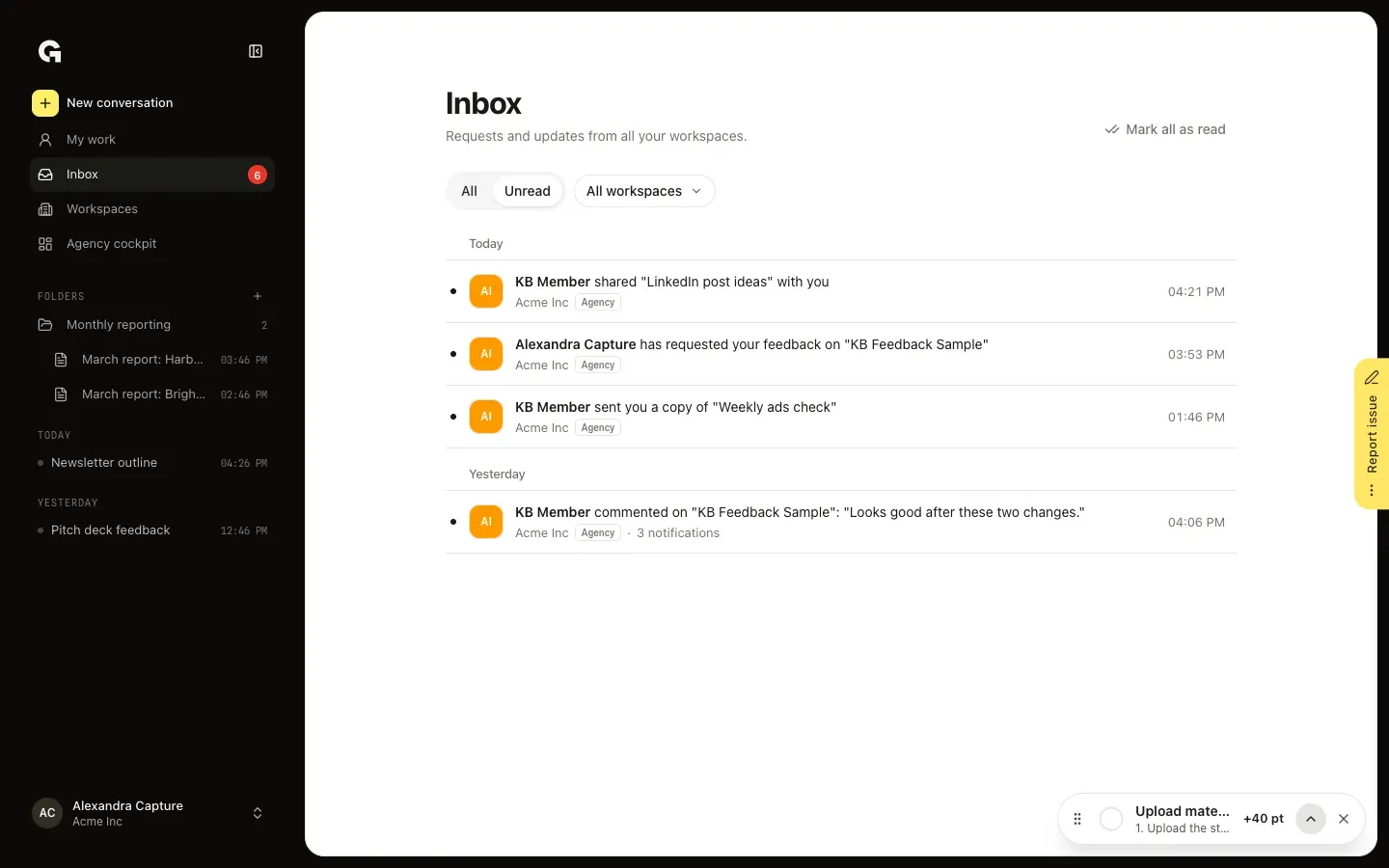
Click Unread to see only what you haven't read yet. When you come back to the Inbox in the same browser tab, it opens on the filter you picked last.
Filter on one workspace
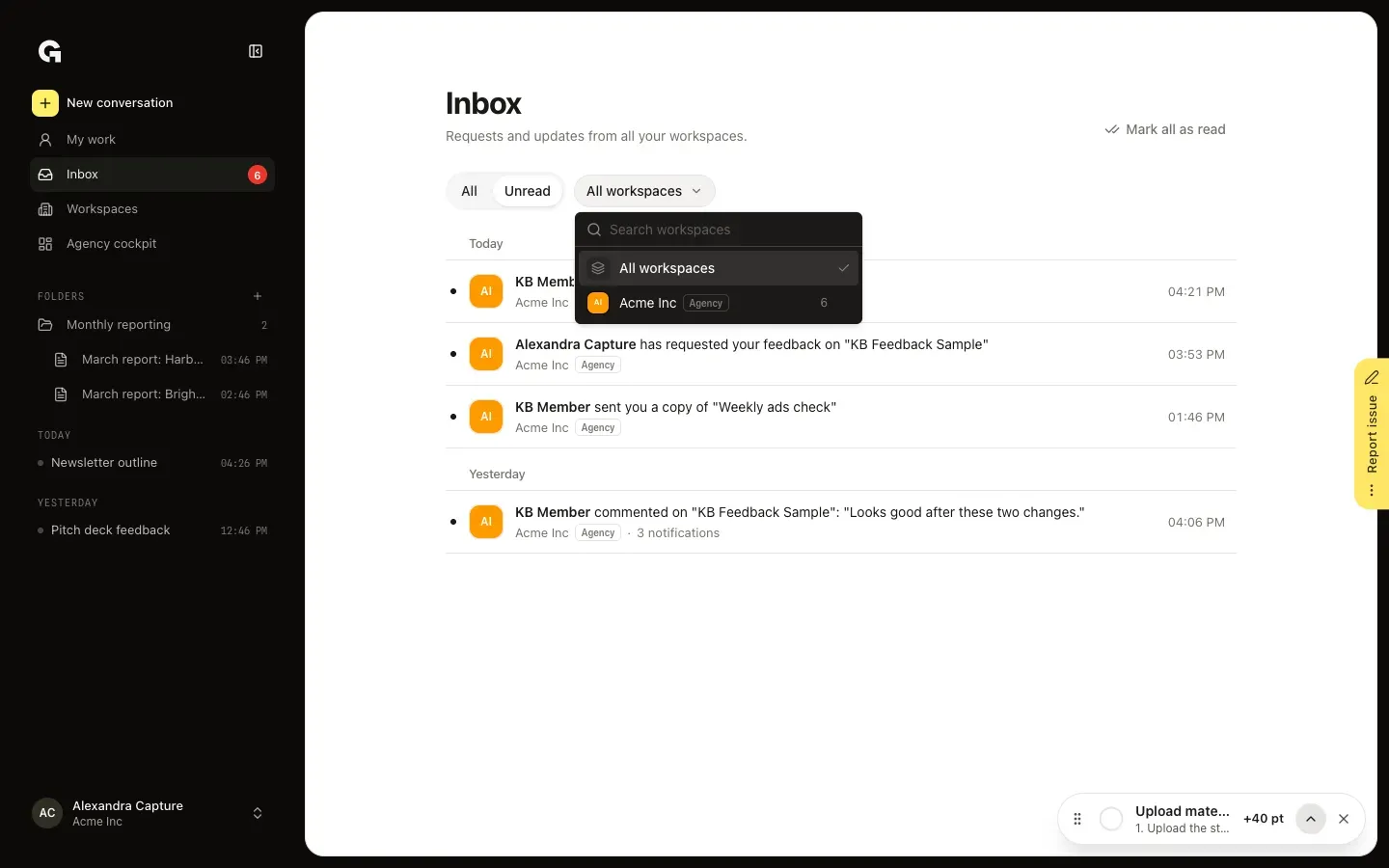
Click All workspaces and pick a workspace to see only its notifications. Each workspace shows how many unread notifications it has, and Search workspaces finds one by name.
Open or mark read
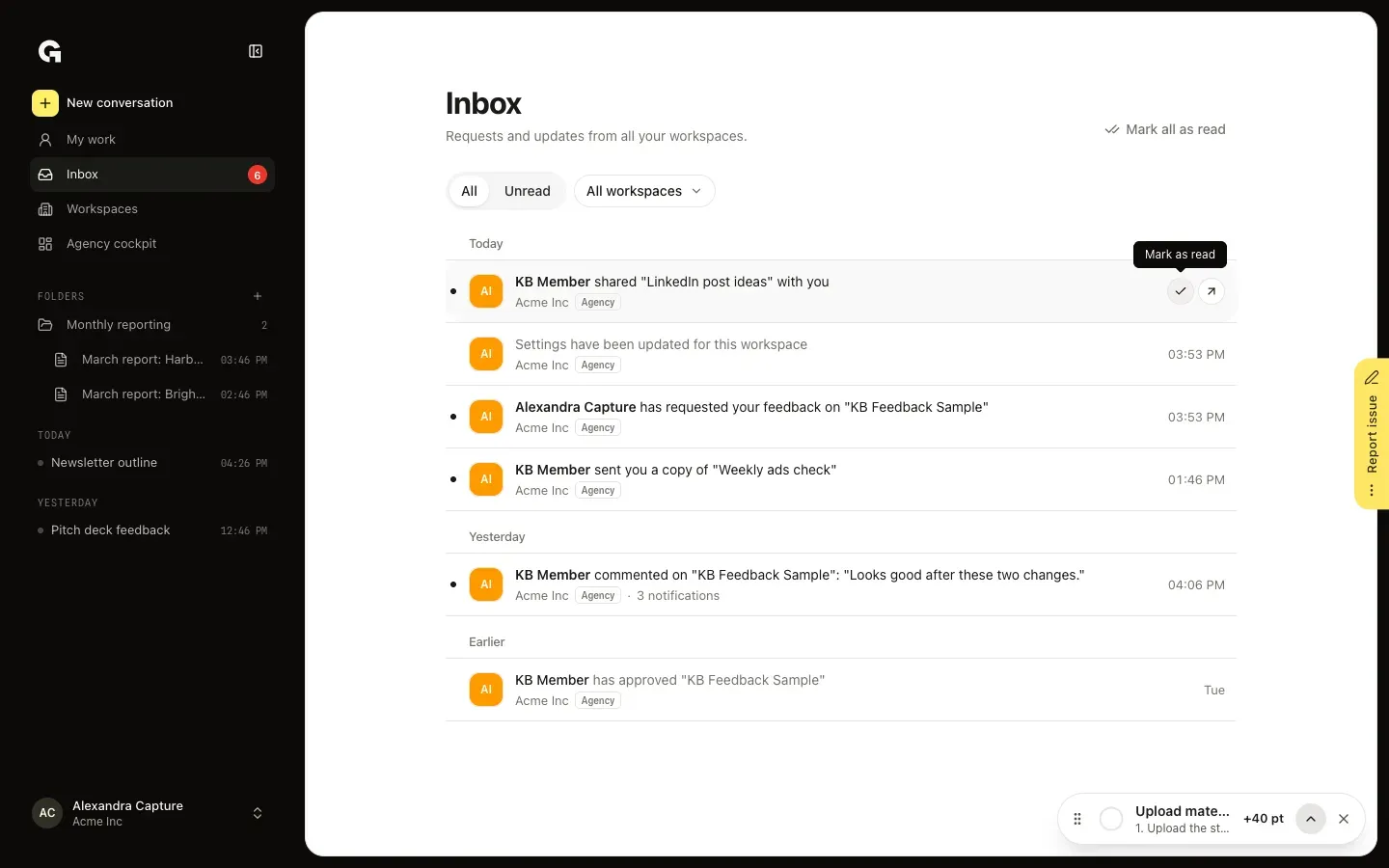
Click a row to open what it is about; the row is marked read on the way. Point at a row for Mark as read, which only marks it read, and Open. Mark all as read at the top marks everything read, or only the notifications of the workspace you picked.
FAQ
What shows up in the Inbox?+
Every notification for you from the workspaces you can reach here, such as feedback requests and verdicts, comments and mentions, chats shared with you, skills colleagues send you, invites and changes to a workspace.
How is the Inbox different from Notifications in a workspace?+
The Inbox shows the notifications of all your workspaces together; Notifications in a workspace shows only that workspace's. Reading one in either place marks it read in both. See **View notifications**.
What does Mark all as read mark?+
Everything unread in your Inbox, or, when you picked a workspace, everything unread in that workspace. The button only shows while something is unread.
My Inbox says You're all caught up.+
You are on Unread and have read everything. Click All to see the notifications you already read.