Use strategy models
Open Models under Strategy, read the status and version of each model, and open one to view or fill it in.
Strategy models are the marketing frameworks your agency works with, such as Dunford, the Value Proposition Canvas and the Buyer Loop. Models, under Strategy in the sidebar, lists the models your agency put on its stack, and each workspace fills in its own version of them. You need permission to view strategy to open Models; Admin, Strategist and Creator have it by default. Saving, publishing and reverting need permission to update strategy, which Admin and Strategist have.
2 steps · About 2 minutes
Open Models
In the sidebar, click Strategy, then Models. The list shows every model on your agency's stack, sorted by group: Positioning, Value proposition, Ideal customer and Marketing strategy. Status reads Not configured until someone saves a version, Draft when the latest version is not published and Published when it is. Next to Published sit the photo or initials of who published it; point at them to see the name and date. Version shows the number of the latest version, such as v2, or a dash when nothing is saved yet.
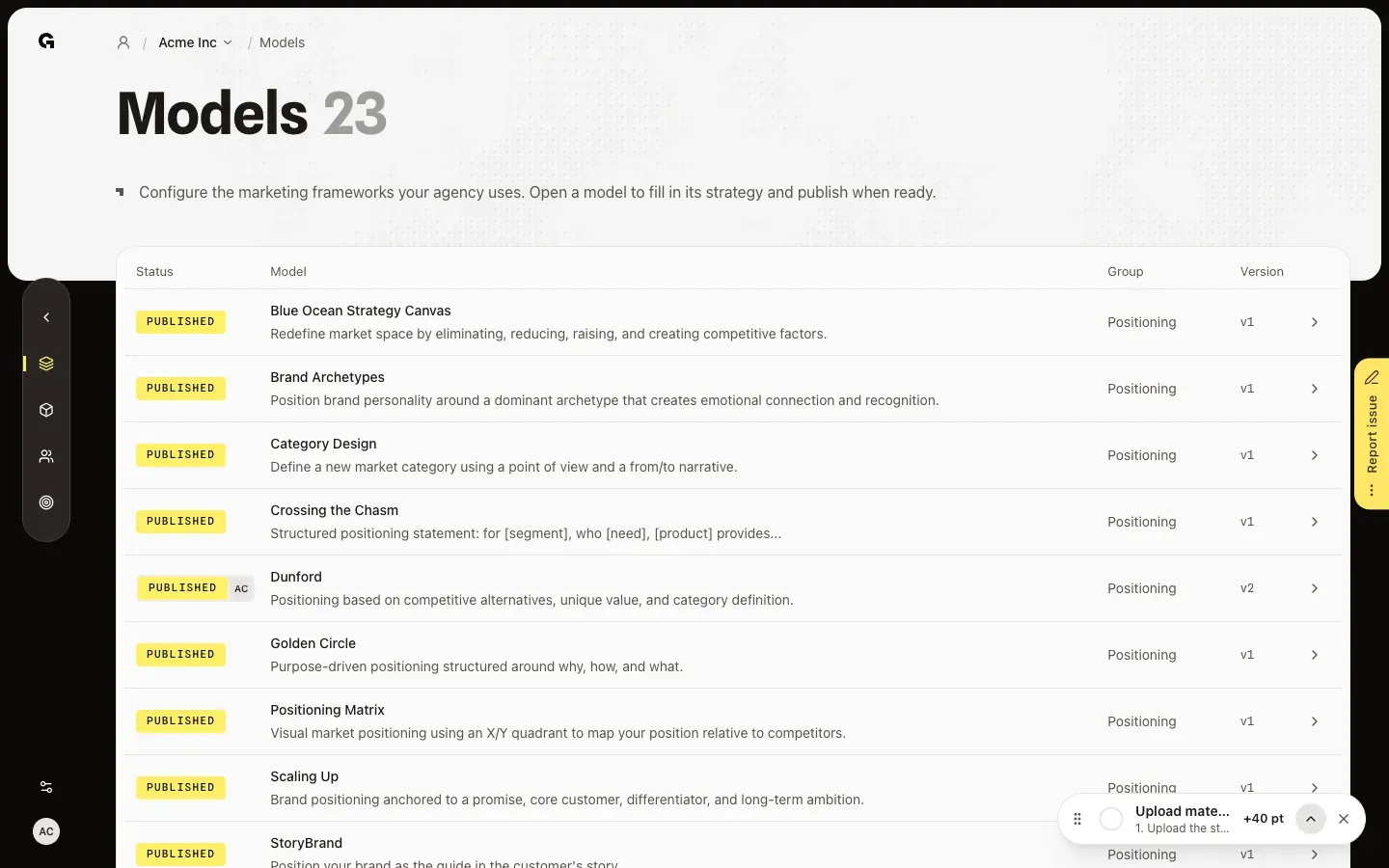
Open a model
Click a model to open it. A model with a saved version opens in Display: the filled-in canvas, which you can only read. Click the pencil (Edit) to change the fields and the eye (Display) to go back. A model without a saved version opens straight in the form. The panel on the right has two tabs: Assistant, where Growf AI fills in or rewrites the model with you, and Versions, with every saved version.
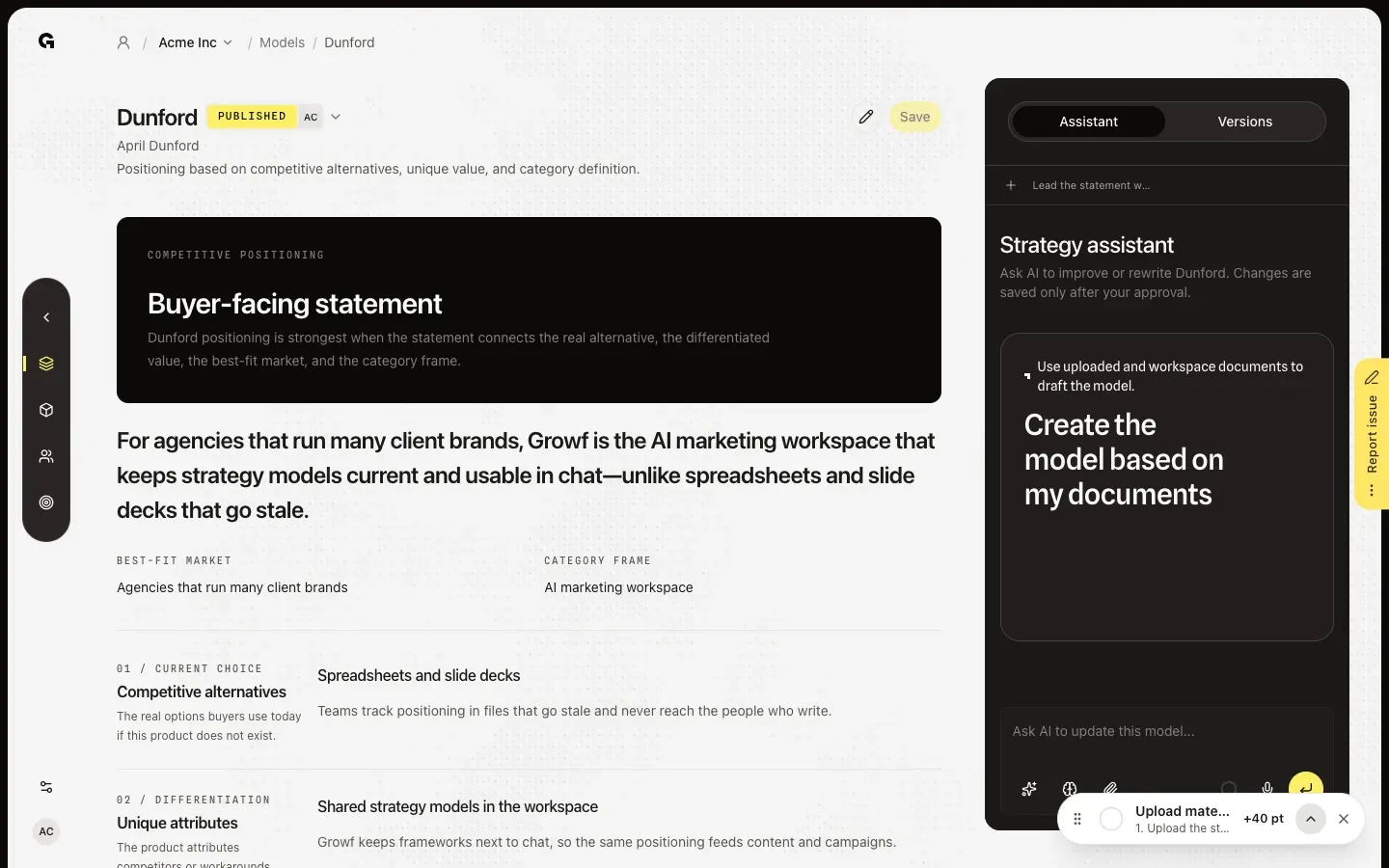
FAQ
The list says No models configured yet. How do models get on it?+
Your agency picks the models every workspace uses. In the agency workspace, someone with permission to update strategy chooses them under Settings › Marketing models; on an empty list they see Open model settings, which goes there. A client workspace always uses the models of its agency. See **Manage agency marketing models**.
I can open a model, but there is no Save button. Why?+
Saving needs permission to update strategy, which Admin and Strategist have by default. A Creator can view models and ask the assistant for ideas, but cannot save, publish or revert. Ask an admin for the permission. Clients cannot open Models.
What do Not configured, Draft and Published mean?+
Not configured: nobody saved a version yet. Draft: the latest version is not published. Published: the latest version is live, and the chat uses it when someone mentions the model with @. Every save starts a new Draft version, so a published model goes back to Draft until someone publishes it again.
If I fill in a model here, does it change other workspaces?+
No. The agency decides which models are on the list, and each workspace saves its own versions. Filling in a model for one client never changes it for another.
A model I worked on is no longer on the list.+
Your agency removed it from its stack. The saved versions are kept and come back when the agency adds the model again. Until then you cannot open or change it. See **Manage agency marketing models**.
I opened a model from the chat. How do I get back?+
Click Back to chat at the top right of the model page. It shows when you open a model from the Models panel in a chat, and it takes you back to that conversation.
Can Growf fill in models from our documents?+
Yes. When you set up a workspace from documents in Get started, Growf fills in the models on your agency's stack that the documents work out, and publishes them. Models that already have a saved version stay as they are. You can also ask the assistant on a model page to use your documents; see **Use the strategy model assistant**.