Use recommended focus items
Open this week’s suggested next steps on Home, mark them done, or jump to the work.
Recommended this week is a short list of next steps on Home. Growf builds it for you from workspace activity. Types include Identity, Scheduling, Content, and Feedback.
2 steps · About 2 minutes
Open Recommended this week
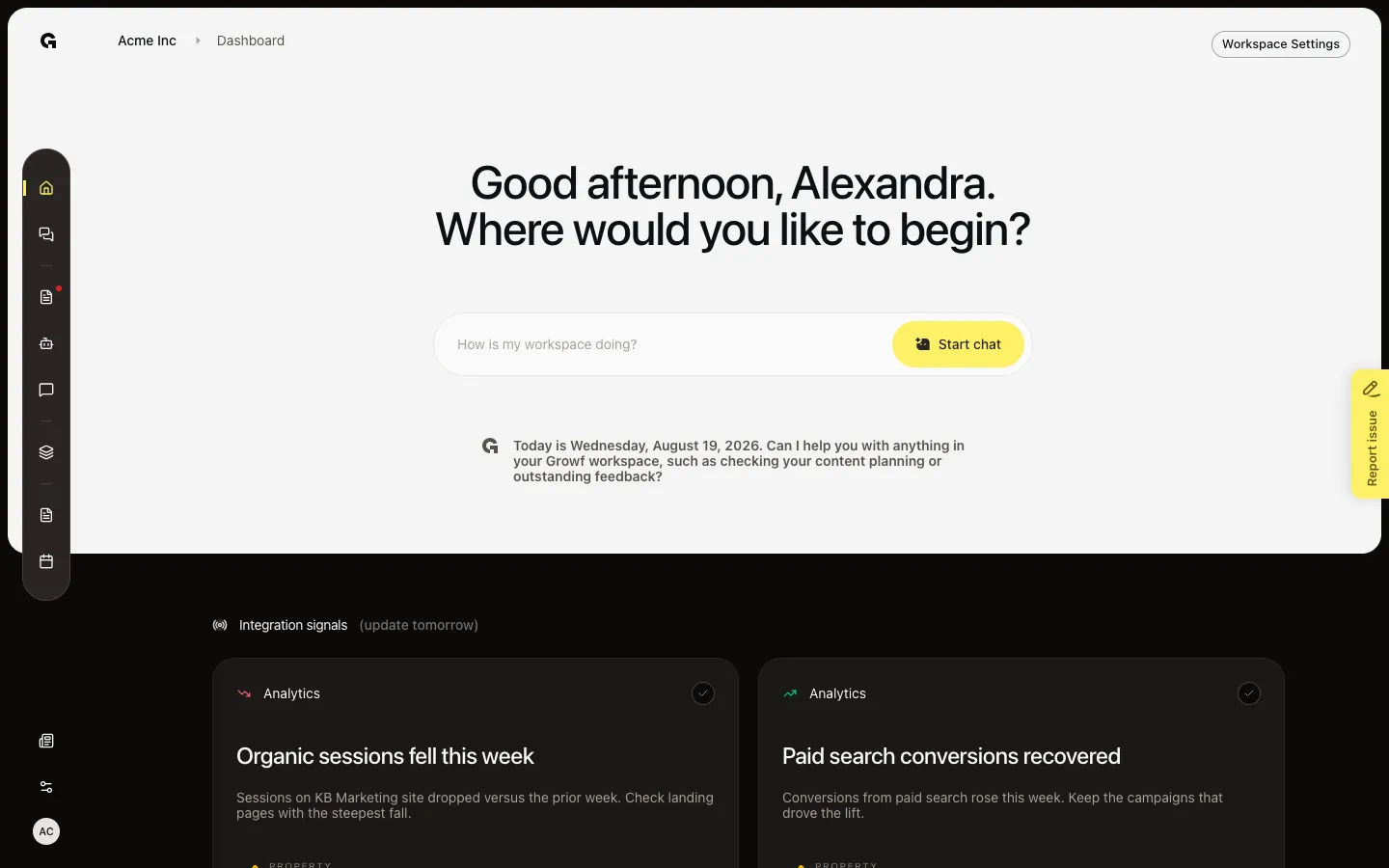
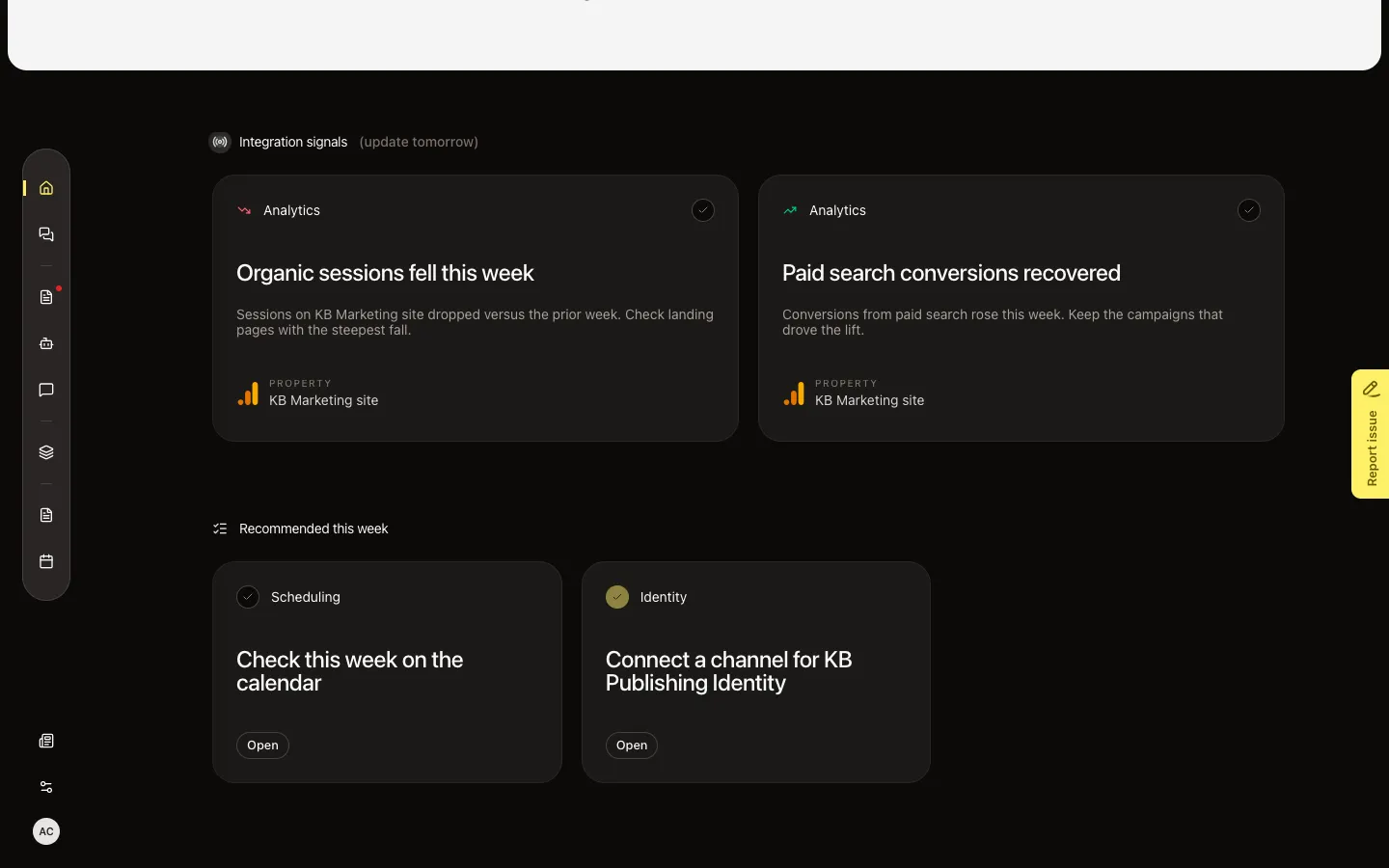
On Home (Dashboard), scroll to Recommended this week. The section is for you, this week (Monday to Sunday). Each card has a type (Feedback, Content, Scheduling, Identity, Strategy, Agent, or General), a title, and Open when there is a link. The list hides when Growf has nothing for you. Capture seed includes Connect a channel for KB Publishing Identity.
Mark an item done
Choose the checkbox (Mark as done). The card stays until the end of today so you can Mark as not done if you clicked too soon. Open goes to the work (an identity, the calendar, a draft). This list is not Phase & progress — that card is onboarding phases on Home.
FAQ
I do not see Recommended this week.+
The section hides when you have no open items and no item you marked done today. It is per person, not per workspace. A teammate can see a different list.
Is this the same as Phase & progress?+
No. Phase & progress is Onboarding, Strategy, and Marketing setup. Recommended this week is suggested work for the current week. See Use the home dashboard for Phase & progress.
Why did my items change or vanish?+
Growf can refresh the list during the week (at most a few items). Done items drop off after today. A new week starts on Monday.
Who can use the checkboxes?+
Anyone who can open Home. The items belong to the signed-in member. Marking done does not complete the work for other people.