Use the RACE Planning model
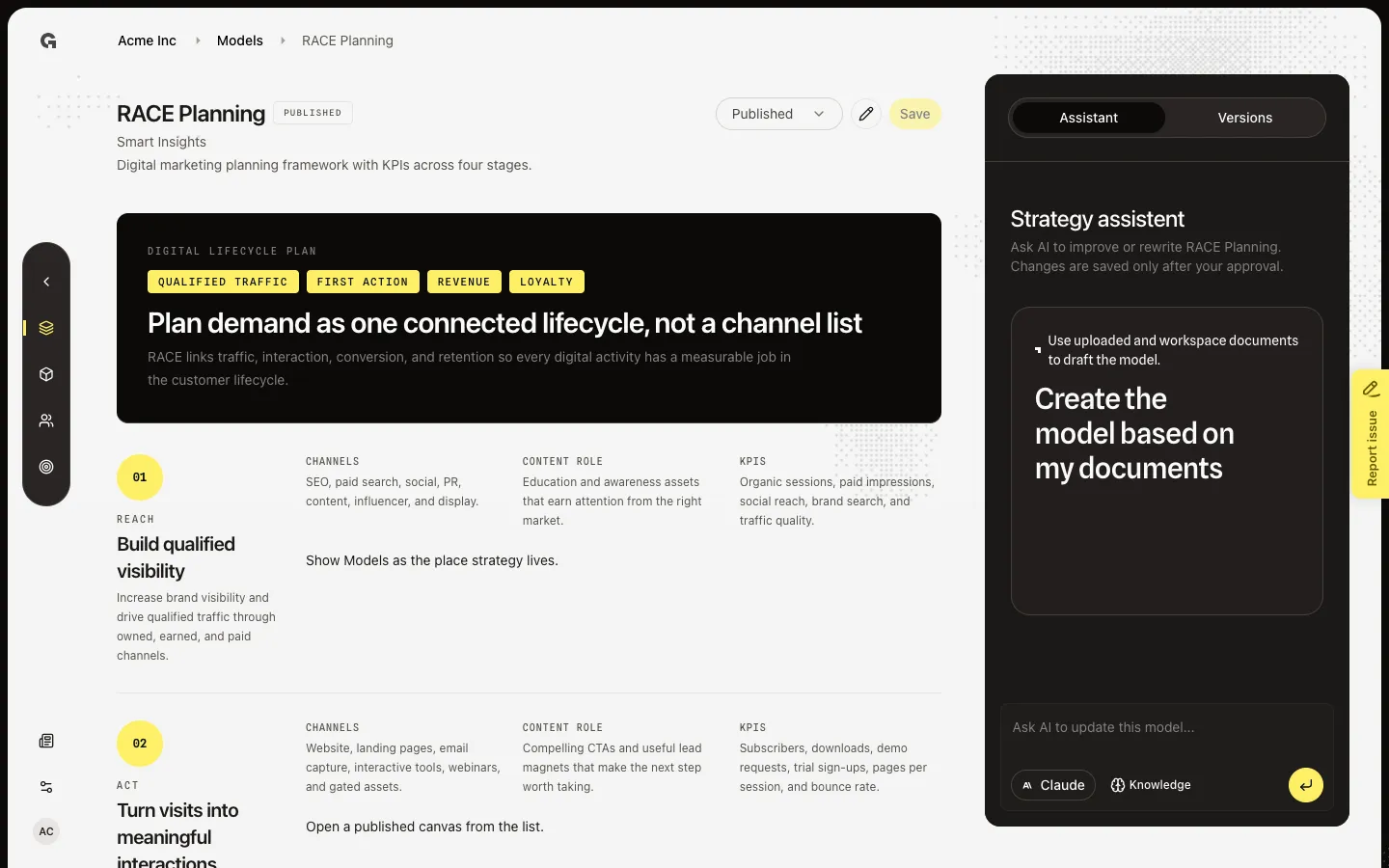
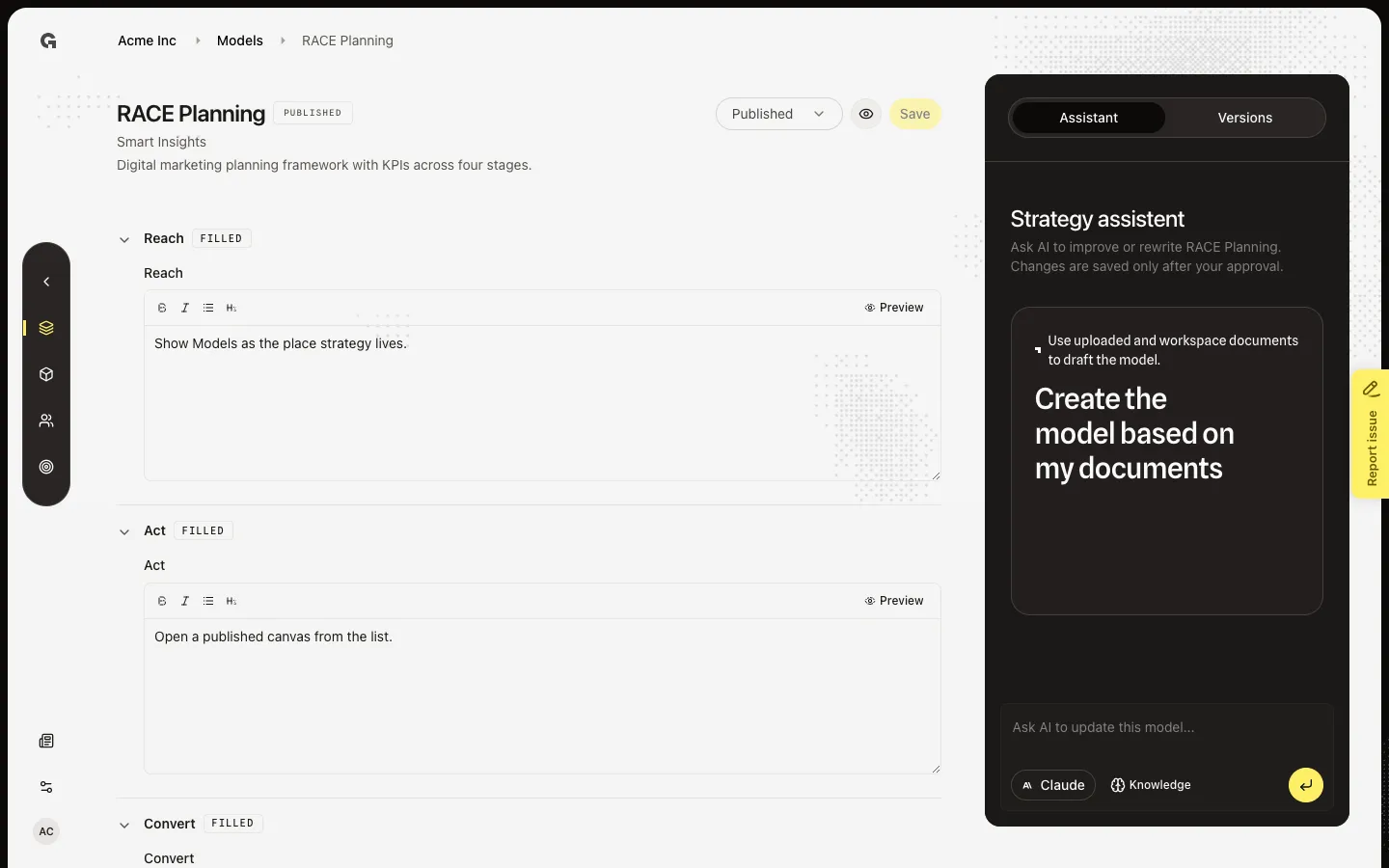
Preview Reach, Act, Convert, and Engage, then open Edit to plan each digital stage.
RACE is a digital marketing plan with KPIs across Reach, Act, Convert, and Engage — one connected lifecycle, not a channel list. This is Smart Insights’s framework in the Marketing strategy group.
2 steps · About 2 minutes
Preview RACE Planning
Open RACE Planning from Models. A saved version starts in Display: the read-only canvas, not the form. Anyone with strategy read can view it. This is the same published view chat preview uses. You cannot save here — choose Edit (pencil) to change fields.
Edit RACE Planning
A saved RACE Planning model starts in Display. Choose Edit (pencil) to show the form. Change the Reach field (or any other), then use Save if you have strategy update. Save writes a new draft version. Publish is a separate job — see Save and publish a strategy model.
FAQ
The RACE stages are empty. Do I need Plan as well?+
Fill Reach, Act, Convert, and Engage. Display also has a Plan layer in the canvas when you have content. Save a version so the list leaves Not configured.
If I fill RACE Planning here, does it change other workspaces?+
No. The agency picks which frameworks exist (Settings → Agency → Marketing models). Each workspace saves its own versions. Filling RACE Planning for this client does not overwrite another client.
Does Edit also publish RACE Planning for chat?+
No. Edit then Save writes a draft version. Chat preview and @mentions of strategy models use a published version. See Save and publish a strategy model. Revert a strategy model version and Use the strategy model assistant are separate jobs on the same page.
I can preview RACE Planning but I cannot save. Why?+
Viewing needs strategy read. Save, publish, unpublish, and revert need strategy update. Ask an admin. The assistant on the right can draft a change; applying it also needs strategy update.