Use the Jobs-to-be-Done proposition model
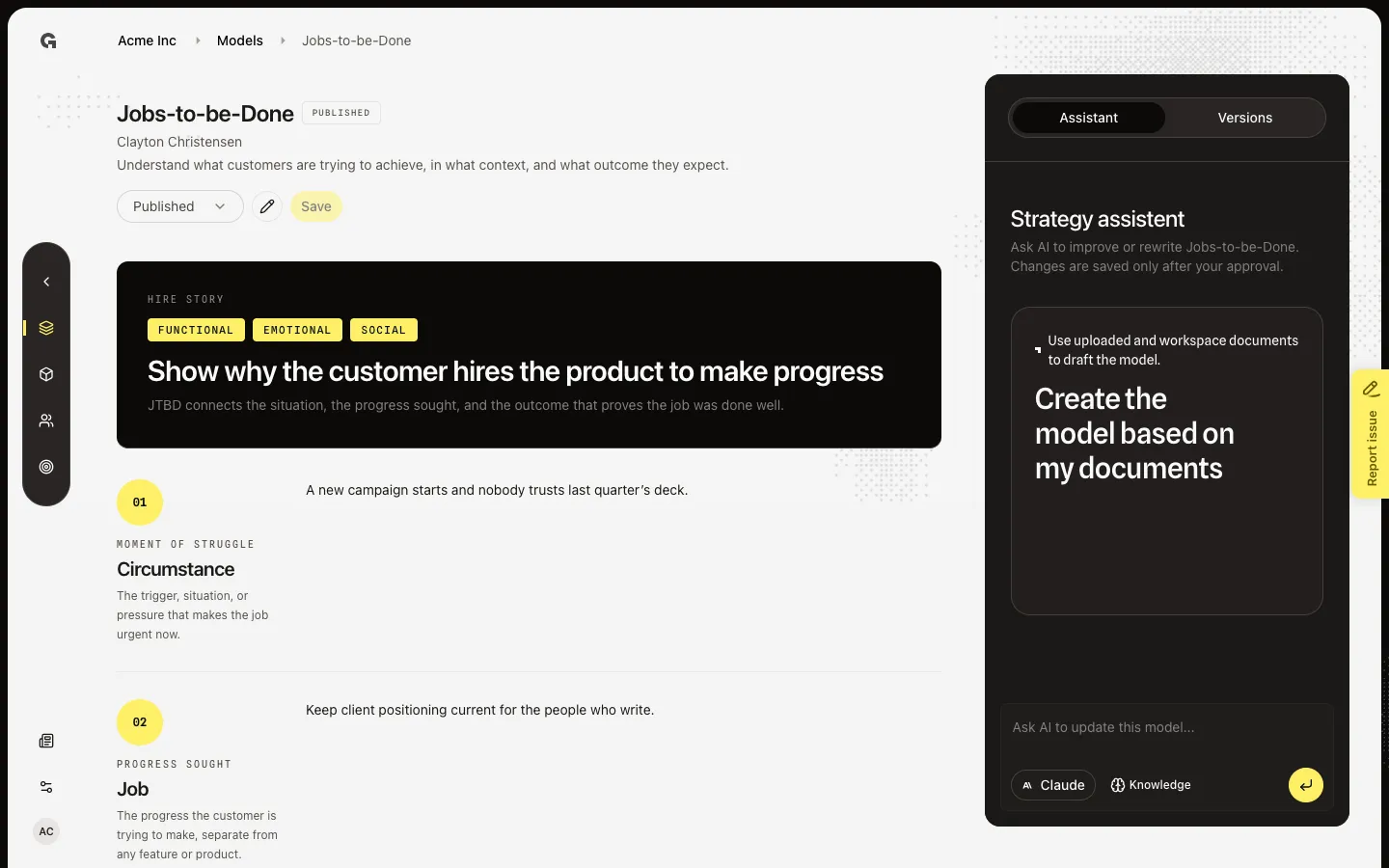
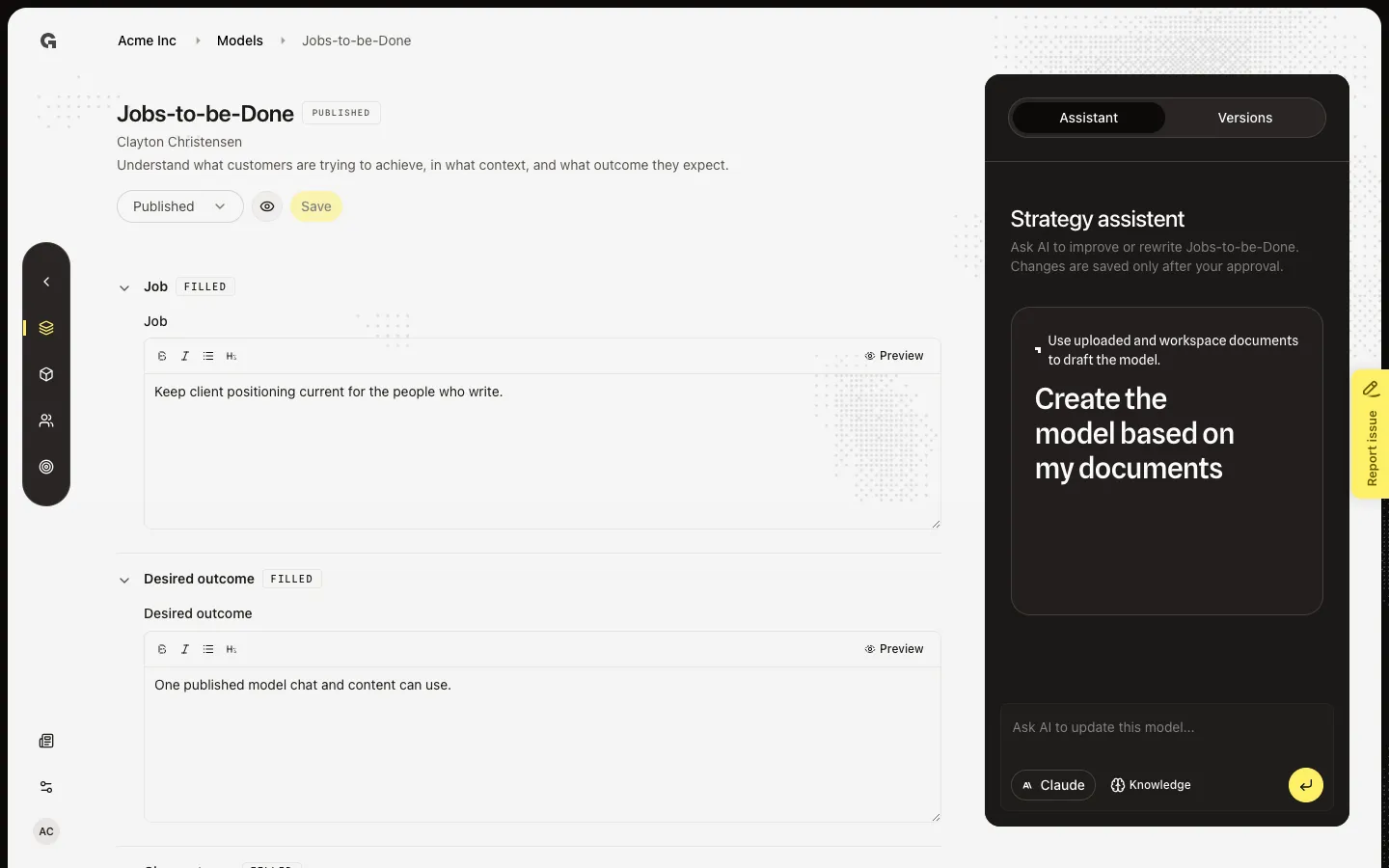
Preview the job story, then open Edit to set the job, desired outcome, and circumstance.
Jobs-to-be-Done names the progress a customer hires you for: the job, the circumstance that makes it urgent, and the outcome they count as success. This is Clayton Christensen’s framework in the Value proposition group.
2 steps · About 2 minutes
Preview Jobs-to-be-Done
Open Jobs-to-be-Done from Models. A saved version starts in Display: the read-only canvas, not the form. Anyone with strategy read can view it. This is the same published view chat preview uses. You cannot save here — choose Edit (pencil) to change fields.
Edit Jobs-to-be-Done
A saved Jobs-to-be-Done model starts in Display. Choose Edit (pencil) to show the form. Change the Job field (or any other), then use Save if you have strategy update. Save writes a new draft version. Publish is a separate job — see Save and publish a strategy model.
FAQ
The job fields are empty. What is the minimum?+
Write the circumstance, the job, and the desired outcome. That is enough to save a first version. Display stays empty until those fields have text.
If I fill Jobs-to-be-Done here, does it change other workspaces?+
No. The agency picks which frameworks exist (Settings → Agency → Marketing models). Each workspace saves its own versions. Filling Jobs-to-be-Done for this client does not overwrite another client.
Does Edit also publish Jobs-to-be-Done for chat?+
No. Edit then Save writes a draft version. Chat preview and @mentions of strategy models use a published version. See Save and publish a strategy model. Revert a strategy model version and Use the strategy model assistant are separate jobs on the same page.
I can preview Jobs-to-be-Done but I cannot save. Why?+
Viewing needs strategy read. Save, publish, unpublish, and revert need strategy update. Ask an admin. The assistant on the right can draft a change; applying it also needs strategy update.