Use the home dashboard
Open Home after you switch workspace, start a chat, and continue setup from Phase & progress.
Home is the first screen in a workspace. Anyone in the workspace can use it. You land here after **Switch workspace** or **Complete workspace onboarding**, or when you choose Dashboard in the sidebar.
4 steps · About 3 minutes
Open Home
Choose Dashboard in the sidebar, or open a workspace from Switch workspace. Home greets you by name and asks Where would you like to begin? The Start chat field sits under that line. Below it, Growf shows a short AI summary for the week, or a date hint while it is still reading the workspace.
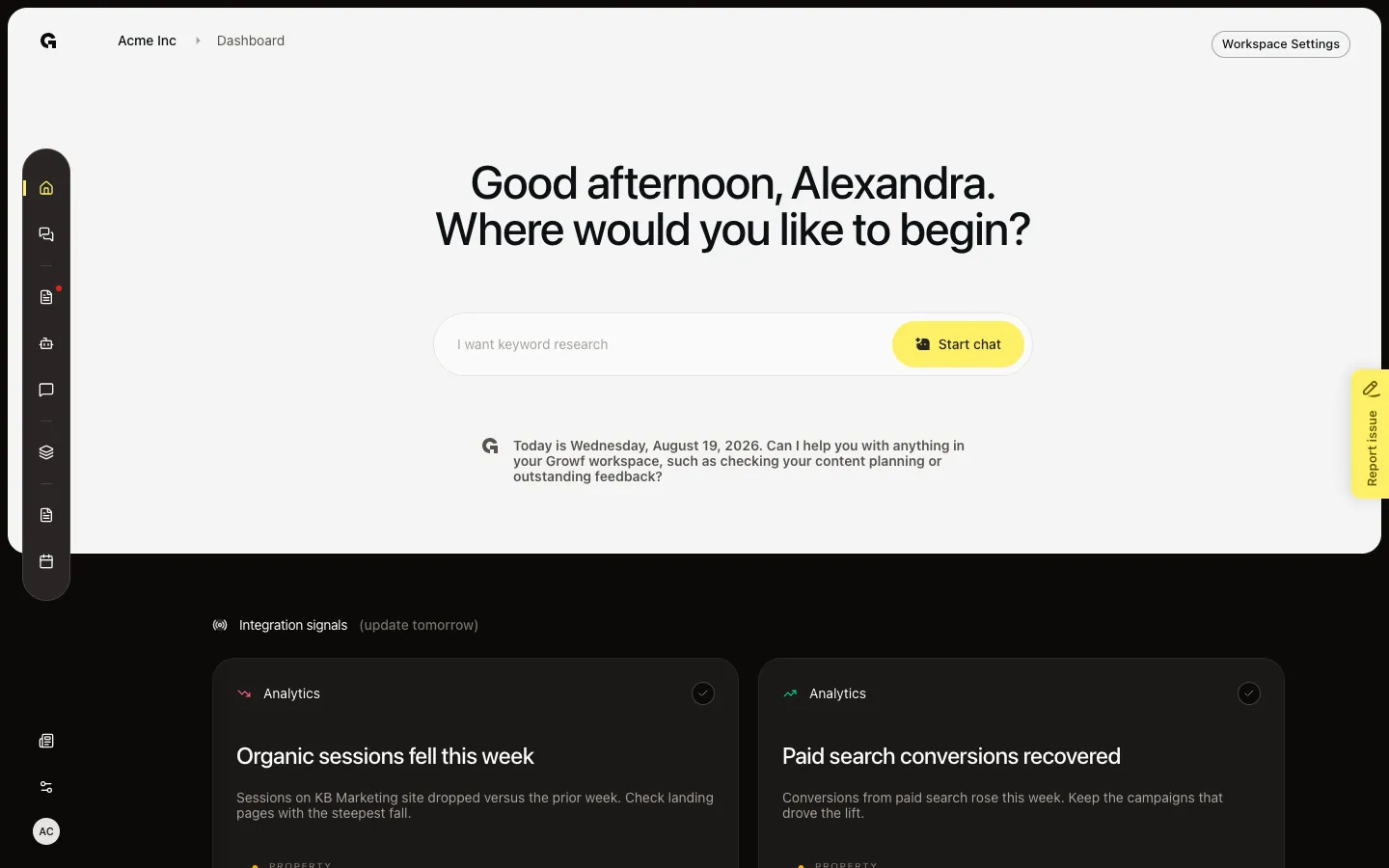
Read Phase & progress
Scroll to Phase & progress. The card lists Onboarding, Strategy, and Marketing. The current phase is highlighted. A finished phase is a label only. An open phase is a link: Onboarding returns you to workspace setup, Strategy opens the next product, ICP, or persona step, and Marketing opens identities or content. The card hides when Marketing is done (an identity, a social post, ad, or article, and one scheduled item). The full setup checklist lives on View performance stats, not here.
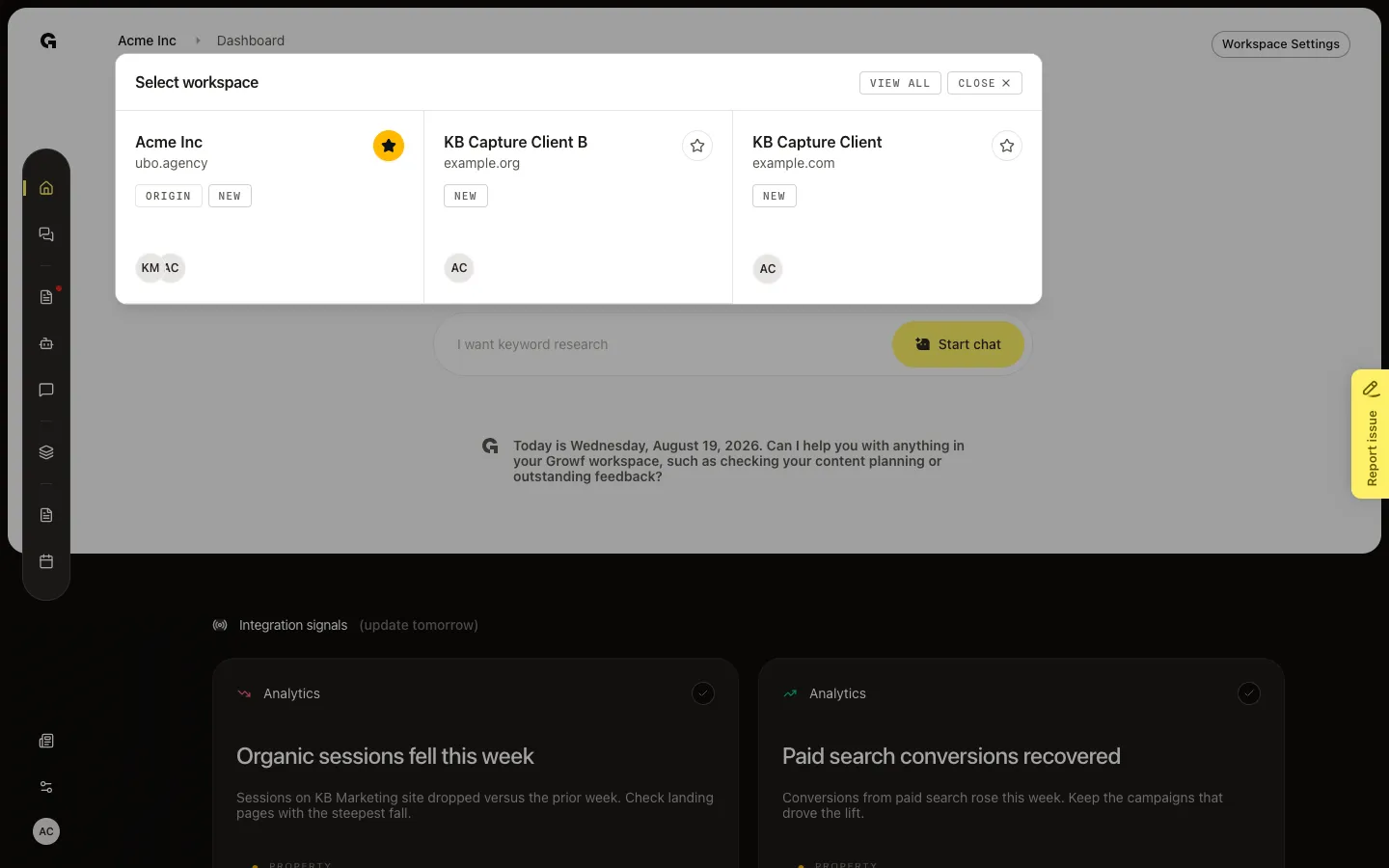
Open Select workspace
In the breadcrumb, choose the workspace name (before Dashboard). Select workspace lists the workspaces you can open. Choose a row to switch. View all opens the workspaces list. This is the same switcher as Switch workspace, from Home.
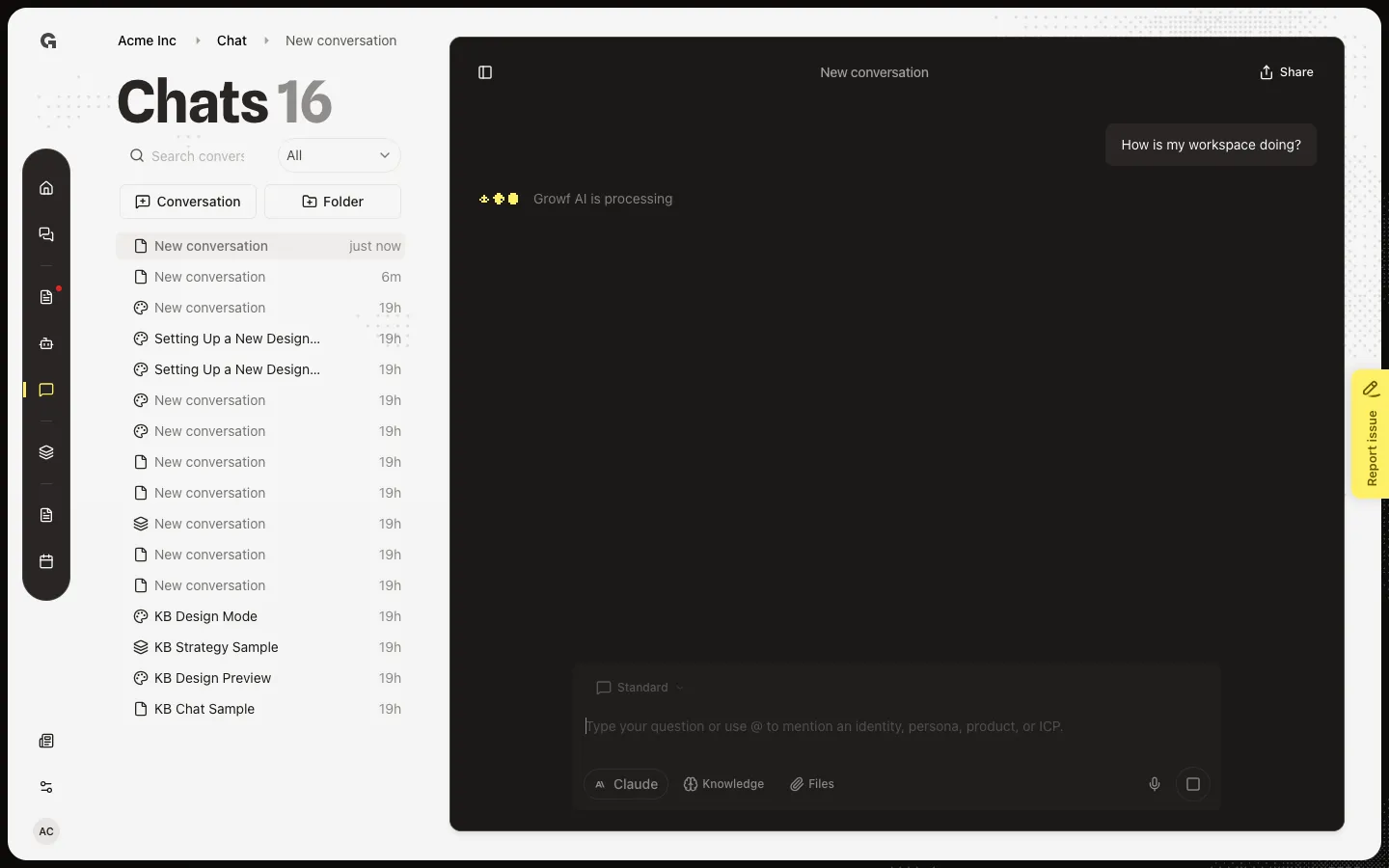
Type a Start chat prompt
Click the field. The rotating examples stop so you can type. Start chat stays off until the field has text. Choose Start chat or press Enter to open a new chat and send that message. Sending leaves Home. See Chat in a workspace for the thread.
FAQ
How do I get to Home?+
Finish Complete workspace onboarding, or choose a workspace in Switch workspace. In a workspace, choose Dashboard in the sidebar. Sign-in also opens Home when you already have an active workspace.
I do not see Phase & progress. Is something wrong?+
No. The card hides when Marketing is done: you have an identity, a social post, ad, or article, and one scheduled item. Onboarding and Strategy can already be finished and the card still shows until Marketing is done. For the full product, ICP, persona, identity, draft, and schedule checklist, see View performance stats.
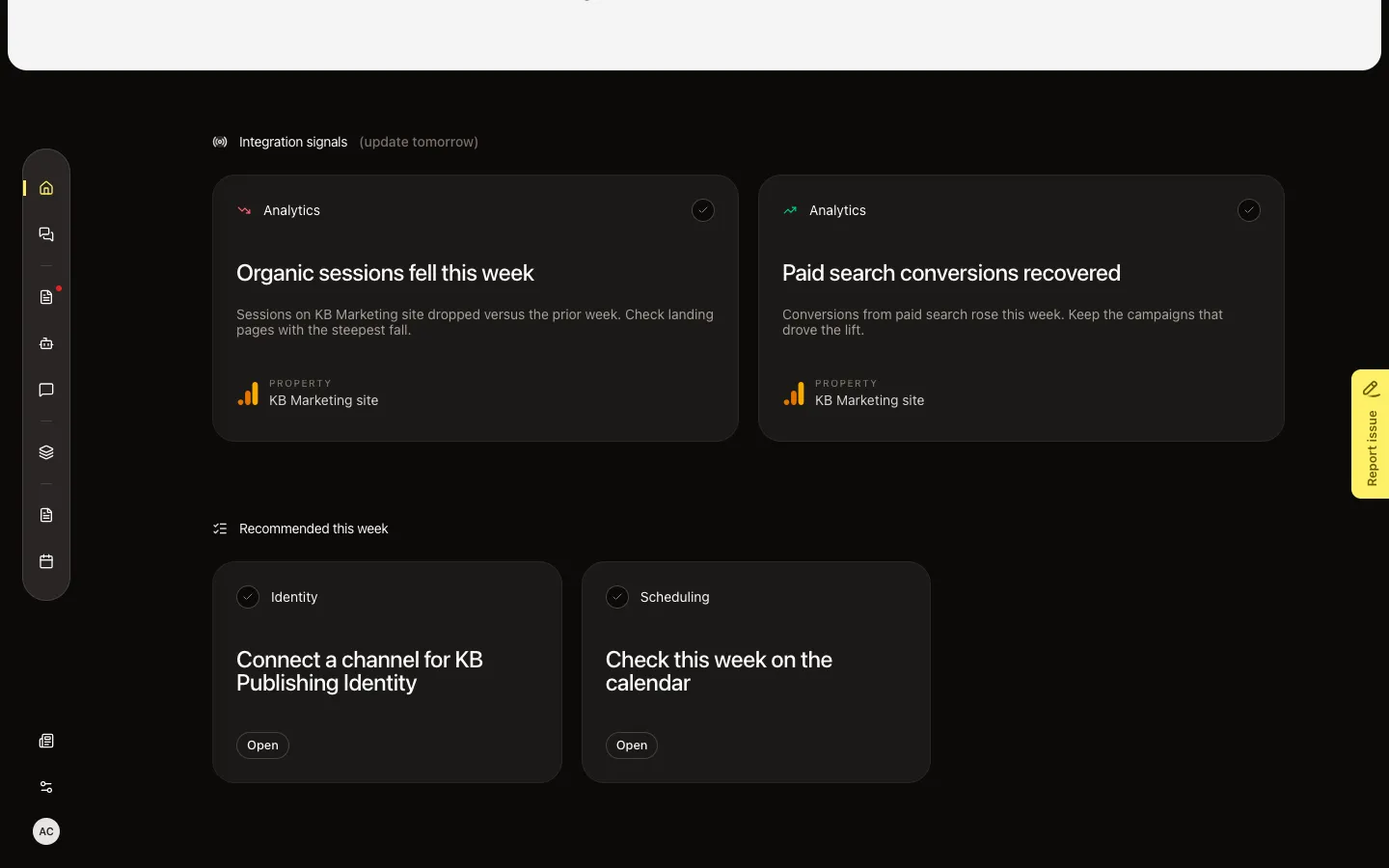
What are Recommended this week and Integration signals?+
They are separate Home sections, not part of this how-to. Recommended this week lists focus items for you. Integration signals lists findings from connected tools. See Use recommended focus items and Review home integration signals. Either section can be missing if Growf has nothing to show this week.
Why is Start chat grey, and what happens when I send?+
Start chat stays off until you type. Send opens a new chat and posts your text. It does not stay on Home. Use Chat in a workspace for the thread. Knowledge, content, strategy models, and agents have their own how-tos. Workspace Settings on Home is only for people who can update content — see Edit workspace settings.