Use a saved design template
Open a workspace template to edit the snapshot, or start a new design from it.
A saved template is a workspace copy of a design’s HTML. Anyone who can open Design Mode can open it from **Your designs**.
3 steps · About 3 minutes
Find the template
Open Design Mode. Under Templates, open KB Capture Template. That card is a saved snapshot, not a format starter. Opening it attaches this chat to the template itself. Later messages edit that snapshot for everyone who uses it.
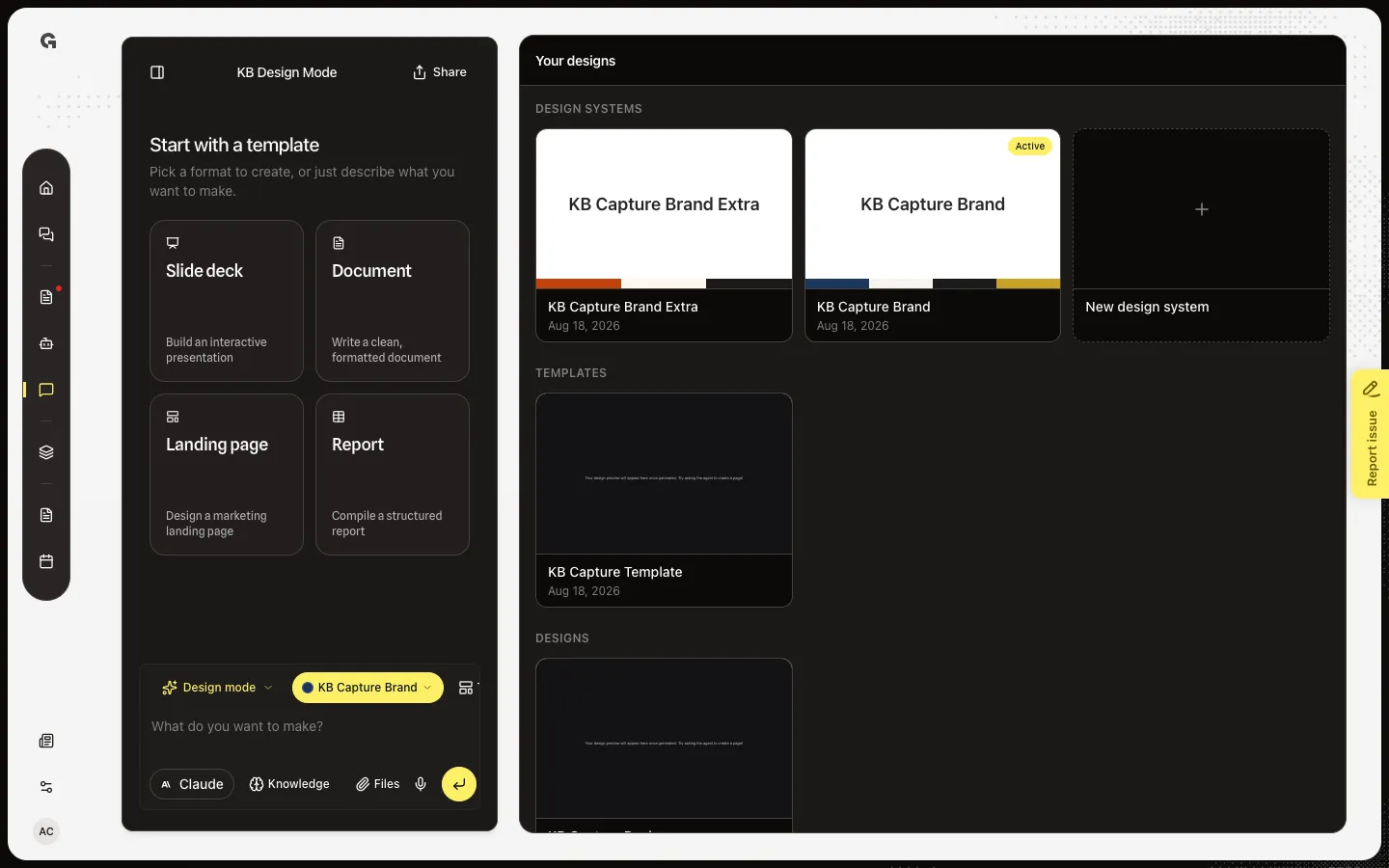
Open the template
Choose KB Capture Template. The preview title is the template name. Editing template marks that you are changing the snapshot, not a one-off design. Talk in the chat to update it. Those edits land on the template row.
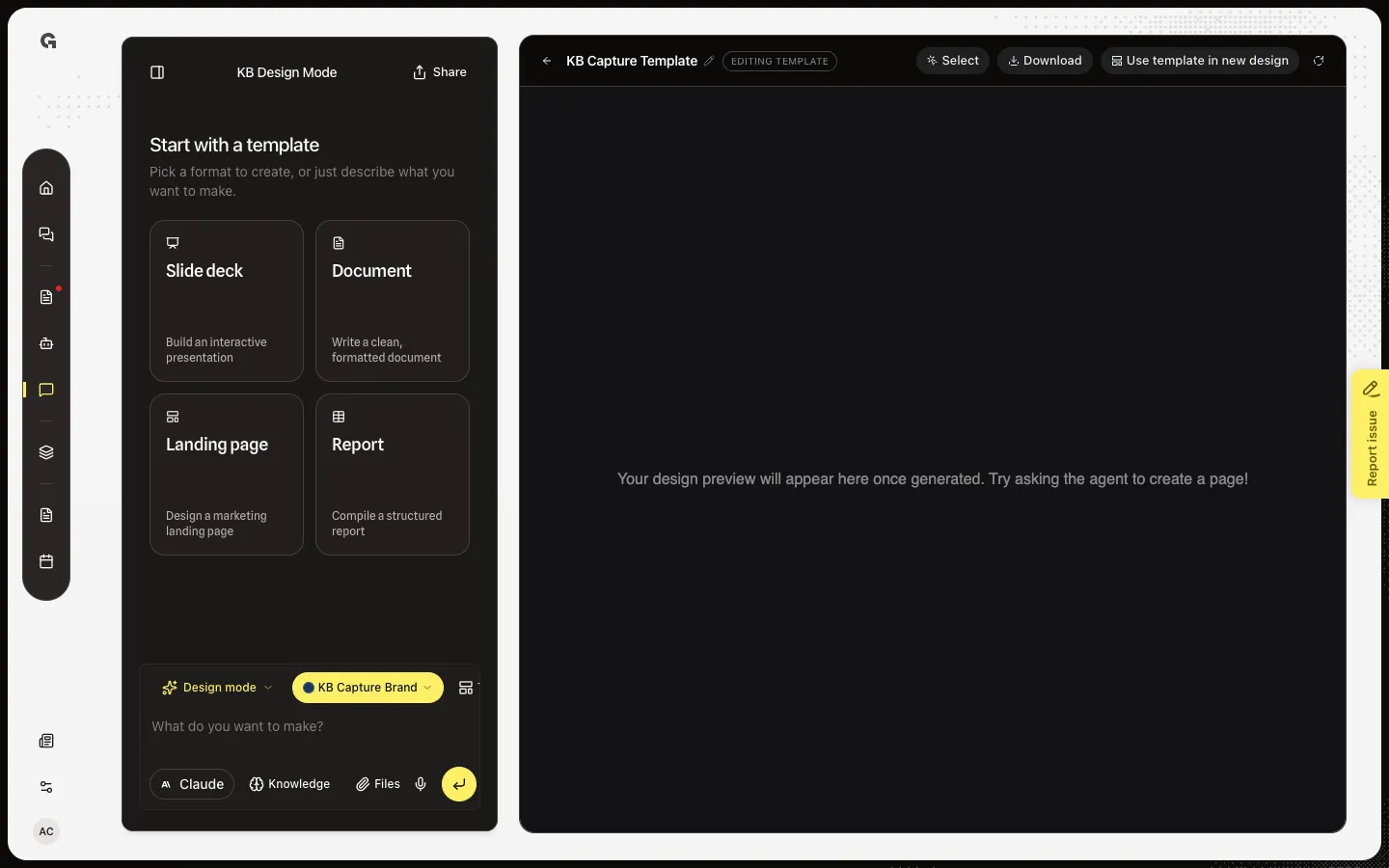
See Use template in new design
Use template in new design sits where Save as template would be on a design. It starts a new Design Mode chat and copies the snapshot into a new design, leaving the template unchanged. A forked chat looks like Design Preview: Save as template comes back, Editing template does not. Stay on the template preview when you mean to update the shared snapshot.
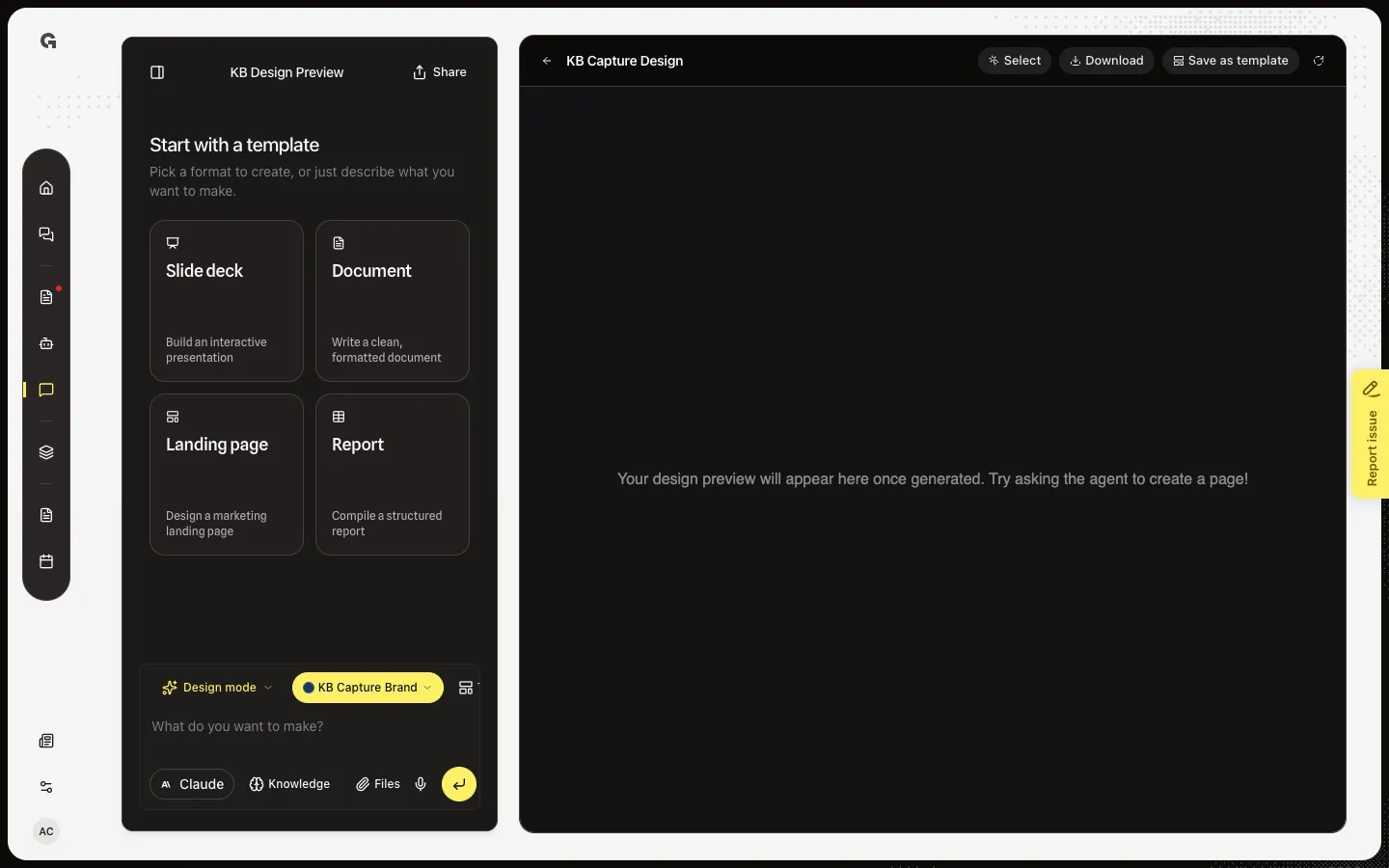
FAQ
When should I use Use template in new design?+
When you want a new design from the snapshot and you do not want this chat to change the template. Opening the card and talking edits the shared snapshot.
Templates says Save a design as a template to reuse it.+
The workspace has no saved templates yet. Open a finished design and use Save as template. Slide deck and the other format cards are not this list.
I see Couldn't start a design from this template.+
The copy into the new chat failed. Often the template file is missing. Open the template, wait for the preview, then try again.
What does Currently open mean on the card?+
This chat is already editing that template. Choose the card again to return to its preview.