Tag documents
Group documents by topic, such as a campaign, so the chat searches the right documents when a question is about that topic.
A tag groups documents by topic, such as a campaign, a product or a brand. The chat uses tags to find the right documents: when a question is about a topic, it searches that tag's documents. In Documents you also use tags to show only the documents of one topic. You can tag documents you uploaded; Admin and Strategist can tag every document by default.
4 steps · About 3 minutes
Add a tag to a document
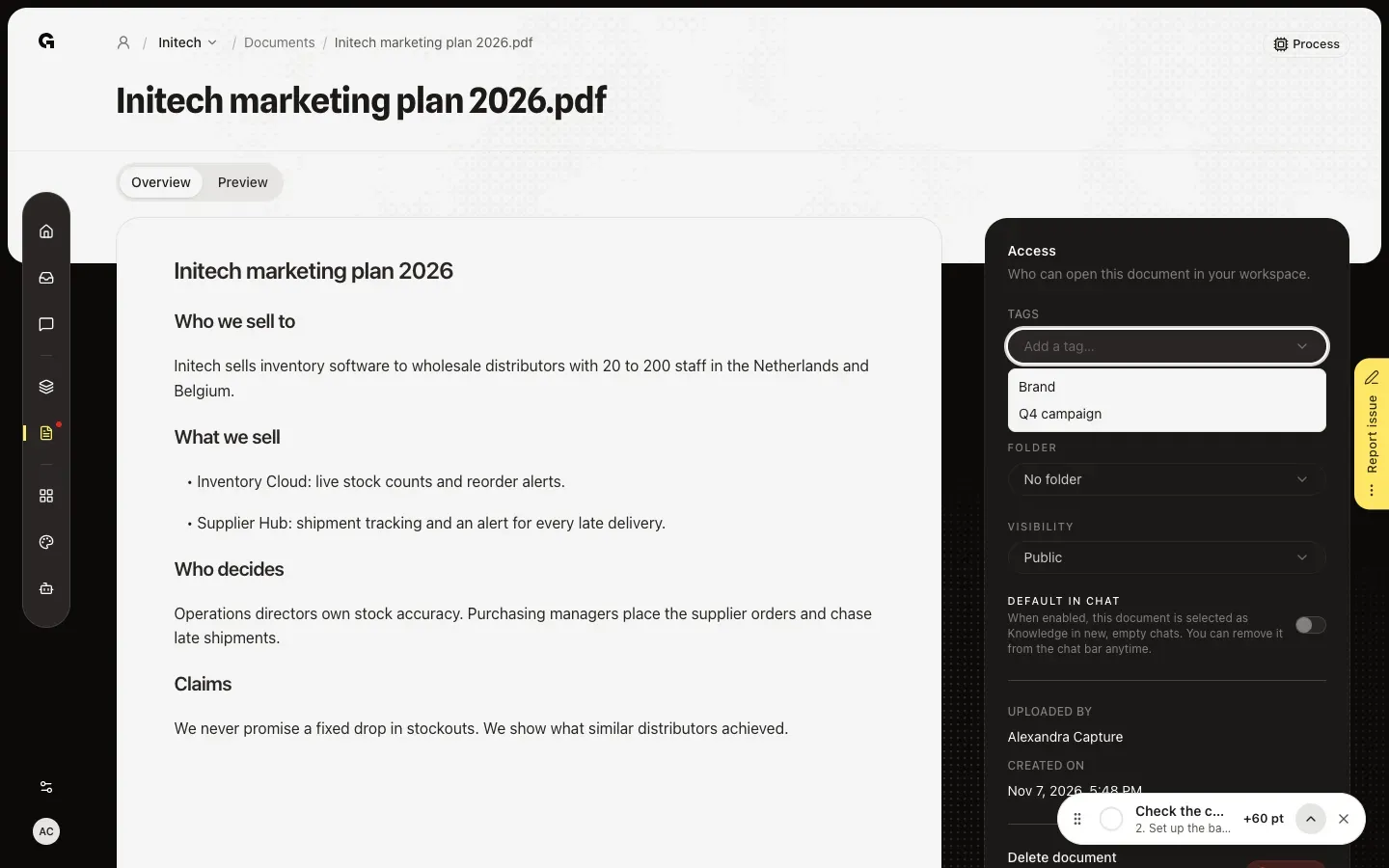
In Documents, open a document and click Add a tag… under Tags in Access. The list shows the tags of this workspace. Choose one and it becomes a chip on the document; the card and the list show it too. Remove a chip to take the tag off again.
Create a new tag
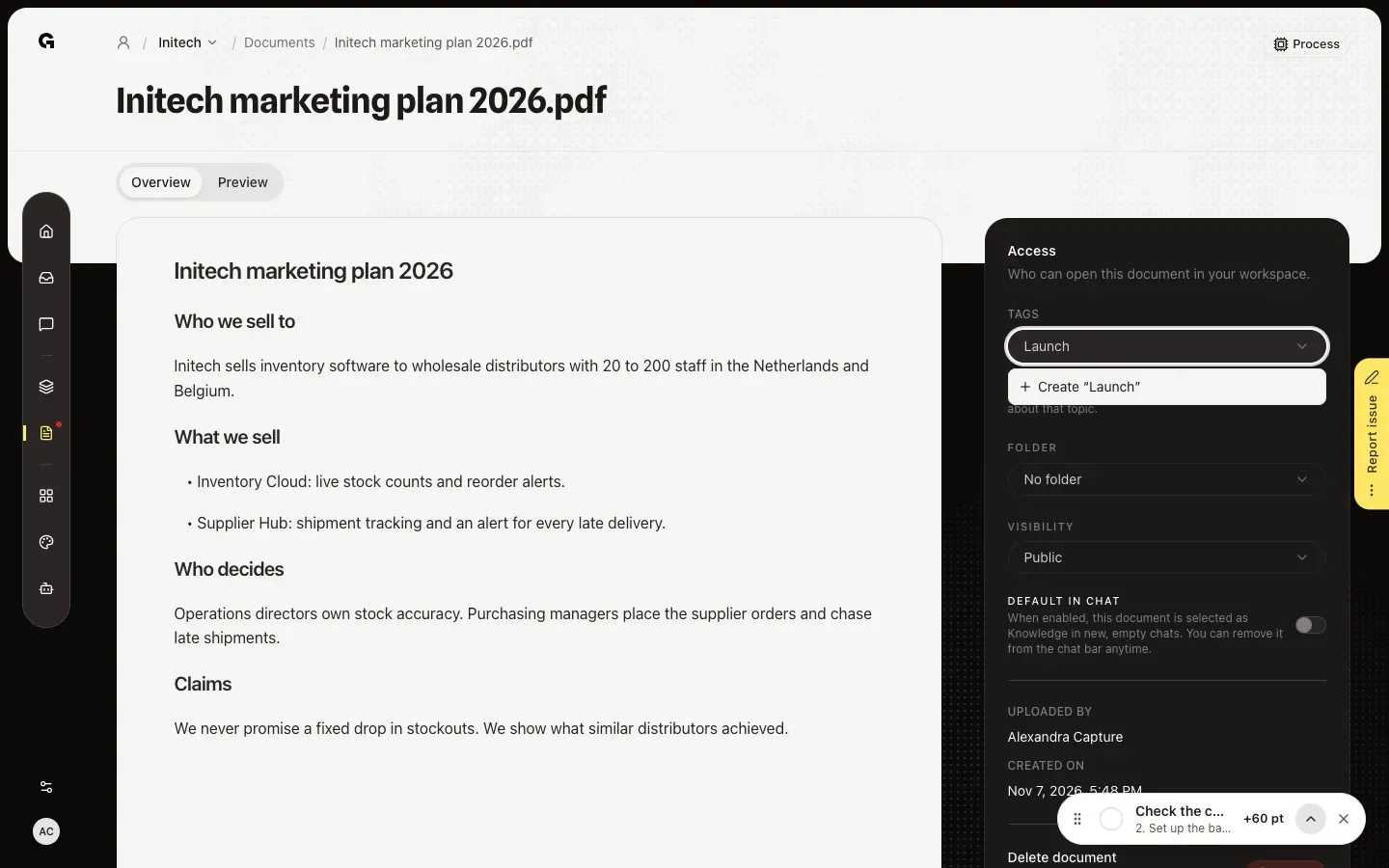
To start a new topic, type its name, such as a campaign or a product. Create “Launch” adds the tag to the workspace and to this document at once. Use a name that people would use in a question, because that is how the chat recognises the topic.
Tag several documents at once
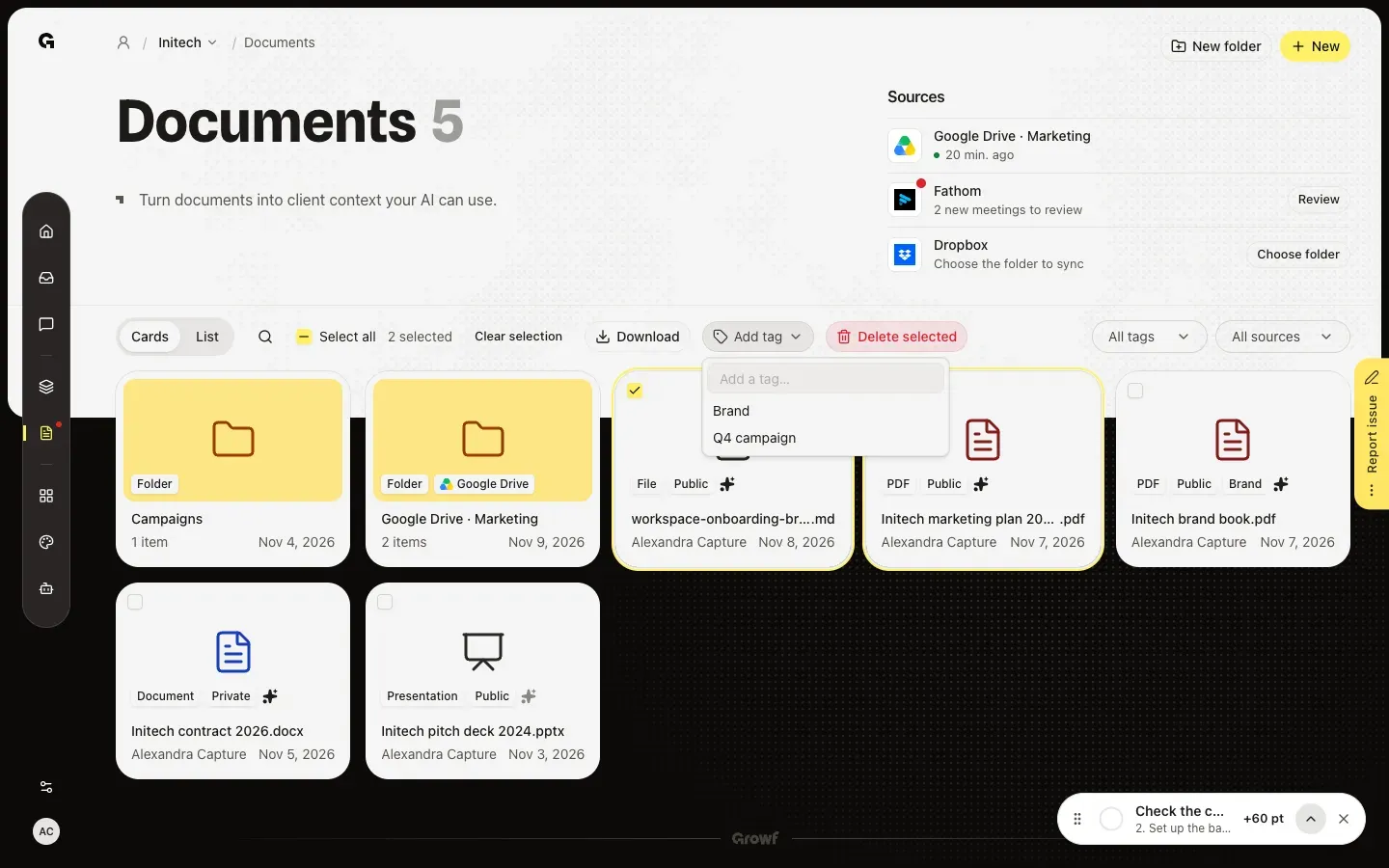
In Documents, tick the box on each document and choose Add tag in the bar that appears. Pick a tag or type a new one: Growf adds it to every selected document you may tag.
Show the documents of a tag
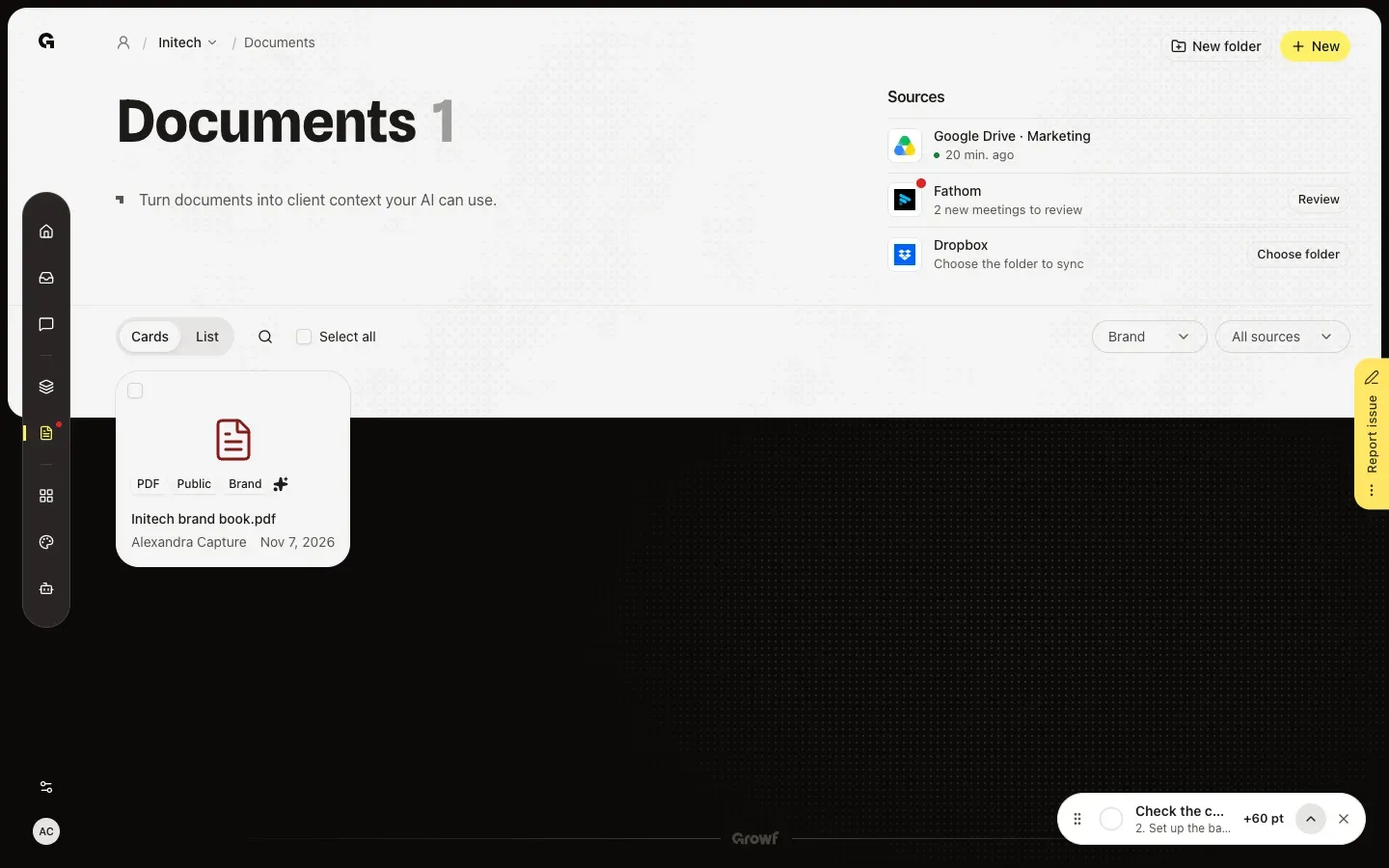
Choose All tags at the top of the list and tick one or more tags. Documents then shows only the documents with those tags, across all folders. Untick them to see everything again.
FAQ
How does the chat use tags?+
The chat knows which tags the workspace has and which documents carry them. When a question is about one of those topics, in any language, it searches the documents of that tag first and builds its answer on what it finds there. A question about the Q4 campaign, for example, uses the documents tagged Q4 campaign.
I cannot add a tag.+
You can tag documents you uploaded. To tag documents of others, you need permission to edit documents, which Admin and Strategist have by default.
Should I use a tag or a folder?+
A document sits in one folder, but it can have several tags. Use folders to keep the library tidy, and tags for topics that cross folders, such as a campaign that has briefs, plans and meeting notes.
What does Added by Growf mean on a tag?+
Growf added that tag itself when it stored the document. You cannot remove it from the document like your own tags.