Sync knowledge from an integration
Pull Fireflies transcripts into Incoming so the team can accept them as workspace knowledge.
Knowledge sync copies transcripts from a connected source into Incoming. Anyone who can connect integrations can start a sync. Accepting those items into Documents needs permission to create documents.
3 steps · About 3 minutes
Open Integrations
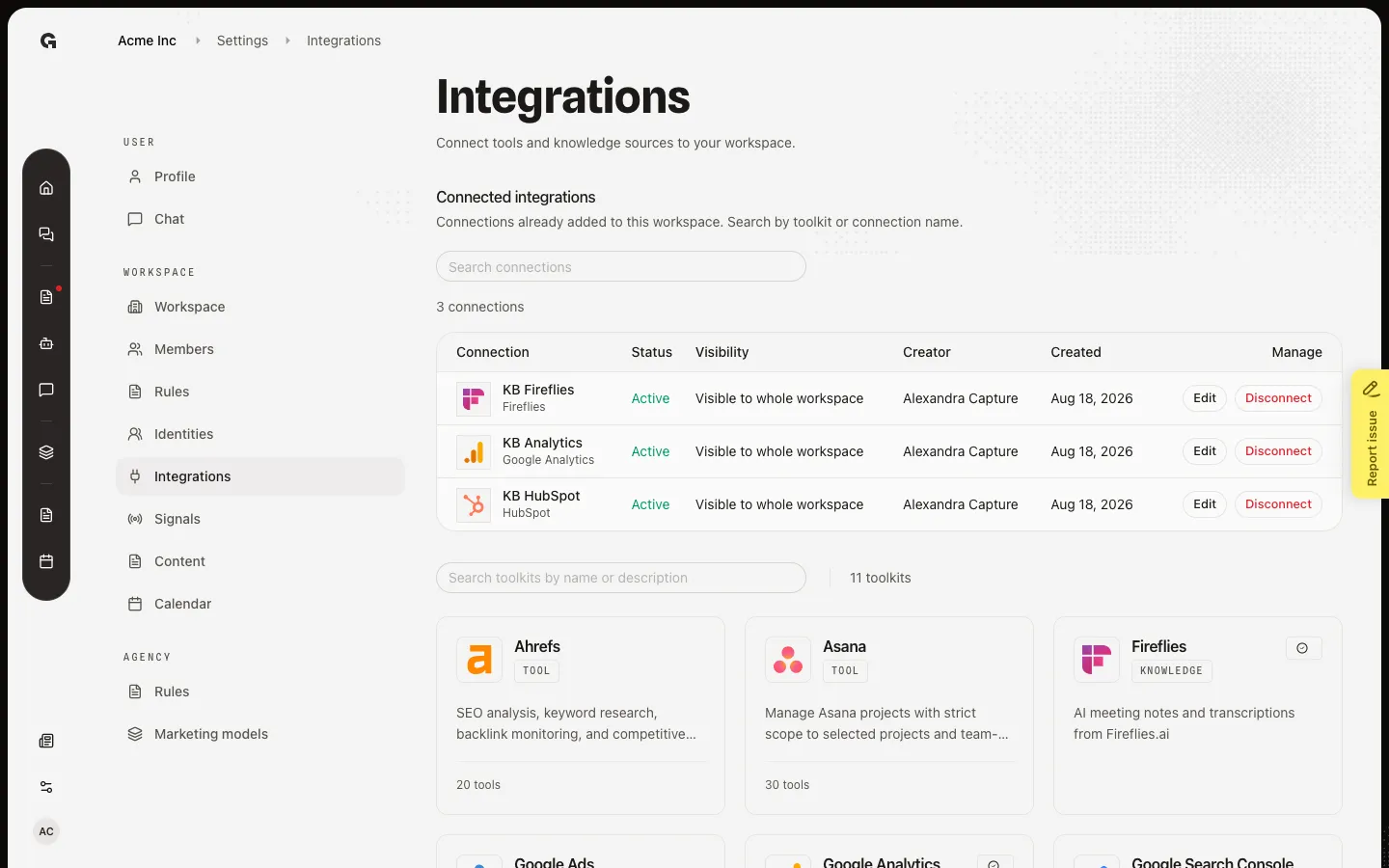
Open Settings → Integrations. Connected integrations lists accounts already added. Capture includes KB Fireflies. Knowledge sources sync transcripts into Incoming. Tools add actions in chat.
Find Fireflies
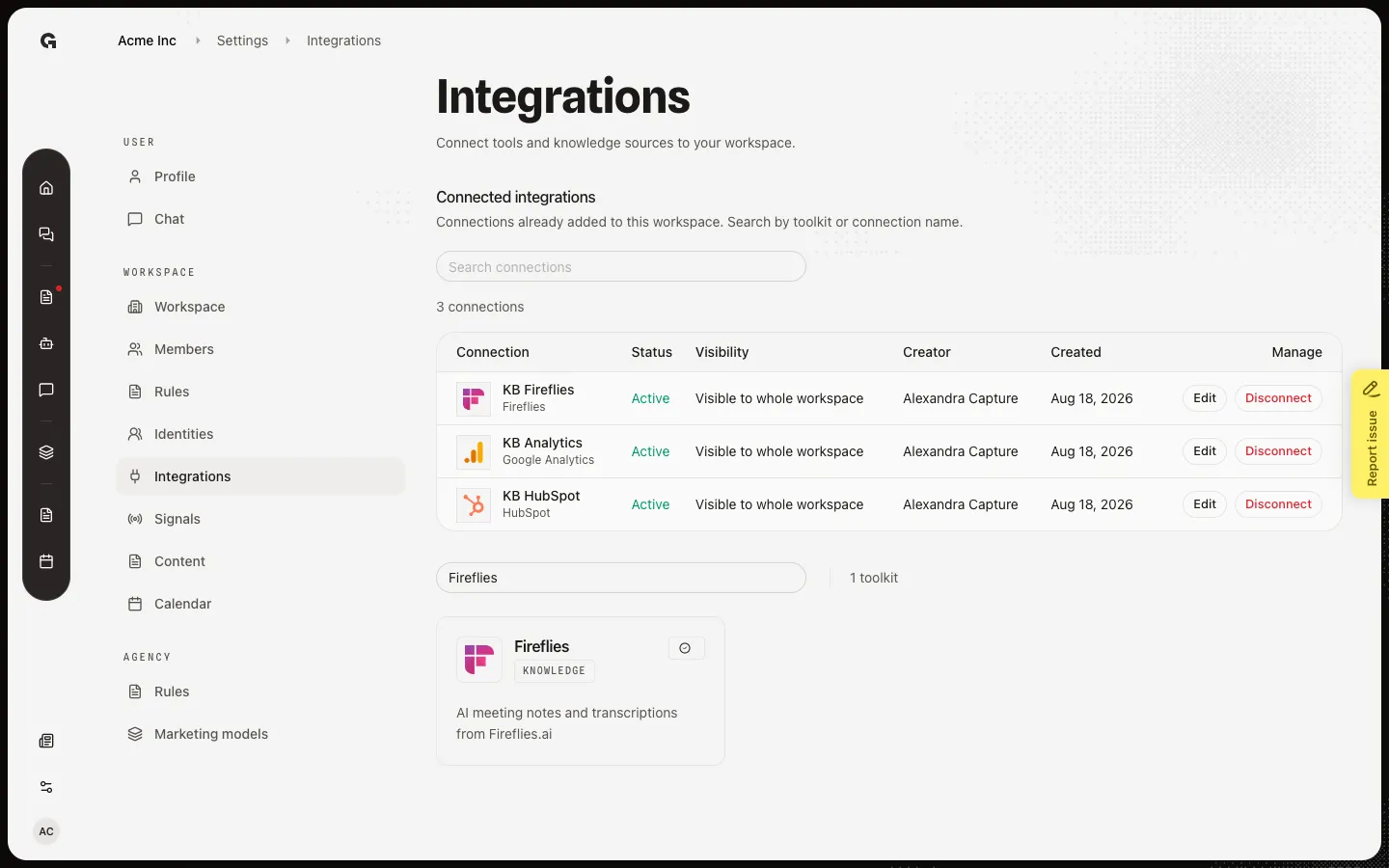
Use Search toolkits by name or description. Type Fireflies. The card is Knowledge, not Tool. A check means the workspace already has a connection. Click the card to see Knowledge sync, last synced, and Sync now. Documents from this integration sync automatically every day.
Review Incoming after a sync
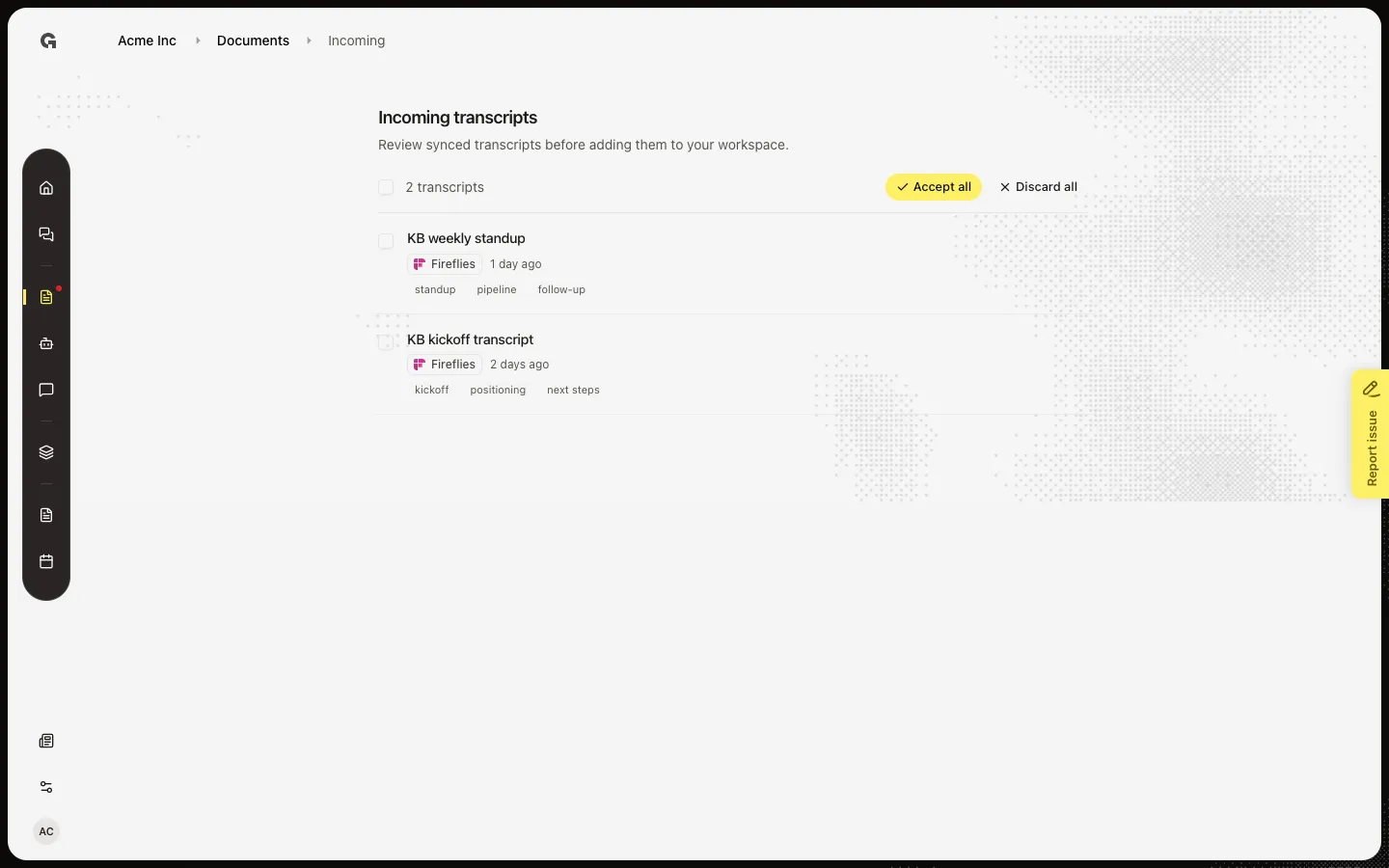
Sync now starts a run at once. New transcripts wait in Incoming until someone accepts them. They do not become workspace knowledge on their own. Capture already completed a sync, so Incoming lists KB kickoff transcript and KB weekly standup.
FAQ
I connected HubSpot. Where is Knowledge sync?+
Only Fireflies syncs documents today. HubSpot and other tools add chat actions or signals, not Incoming transcripts.
I ran Sync now. Why is Documents still empty?+
Synced items wait in Incoming first. Open Incoming and Accept the transcripts you want. See Review incoming knowledge.
Sync now is off and the badge says In progress.+
A run is already going. Wait for Completed or Failed. Starting another run is blocked until this one finishes.