Start a design from a format template
Pick Slide deck, Document, Landing page, or Report before you write the brief.
Format templates tell Design Mode whether to build a slide deck or a single page. Anyone in a Design Mode chat can pick one before they write.
3 steps · About 3 minutes
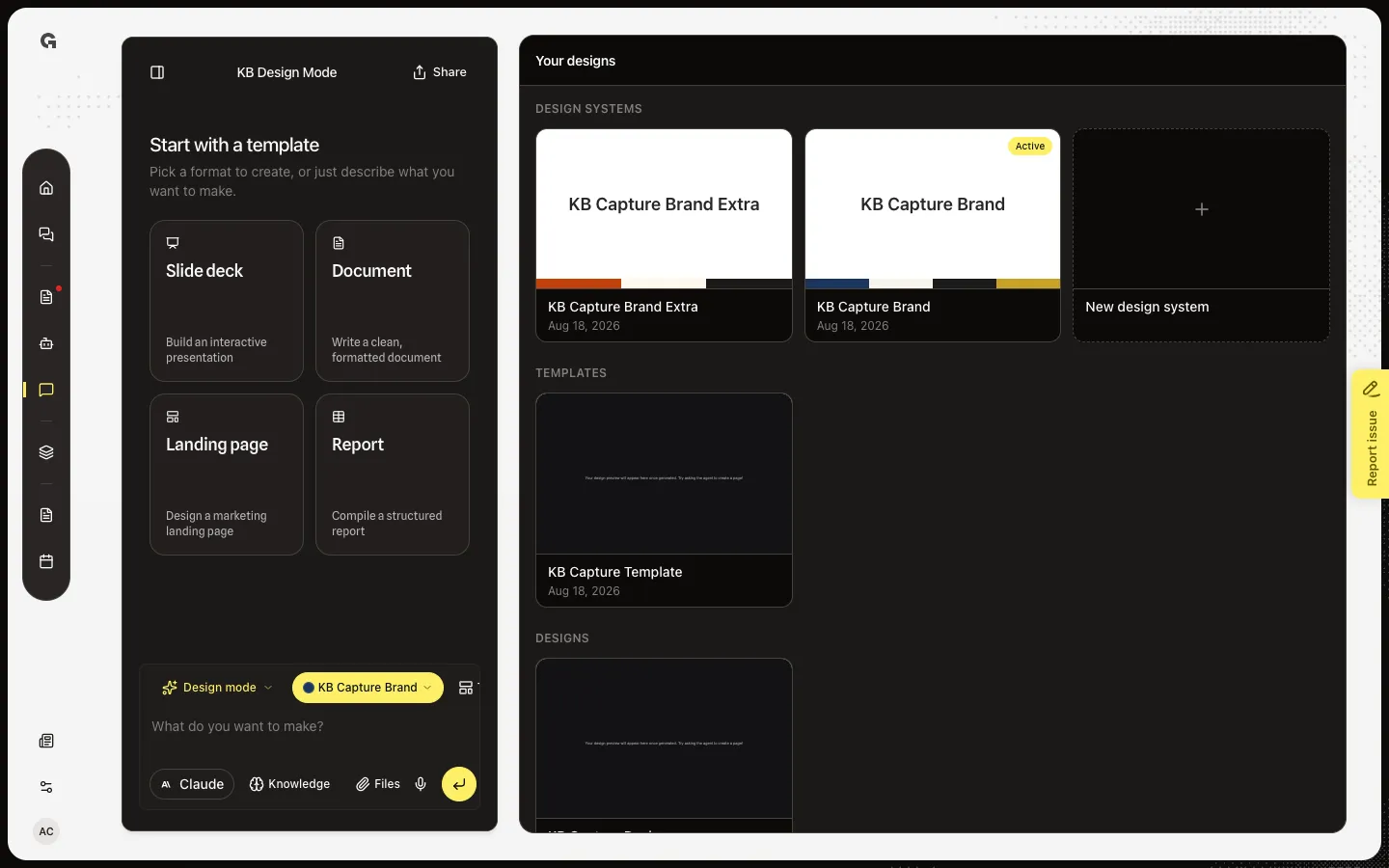
Open Start with a template
Open Design Mode with no messages. Start with a template replaces the usual chat suggestions. Slide deck builds an interactive presentation. Document, Landing page, and Report build a single HTML page. Picking a card does not send. It fills Templates on the composer so you still write the brief.
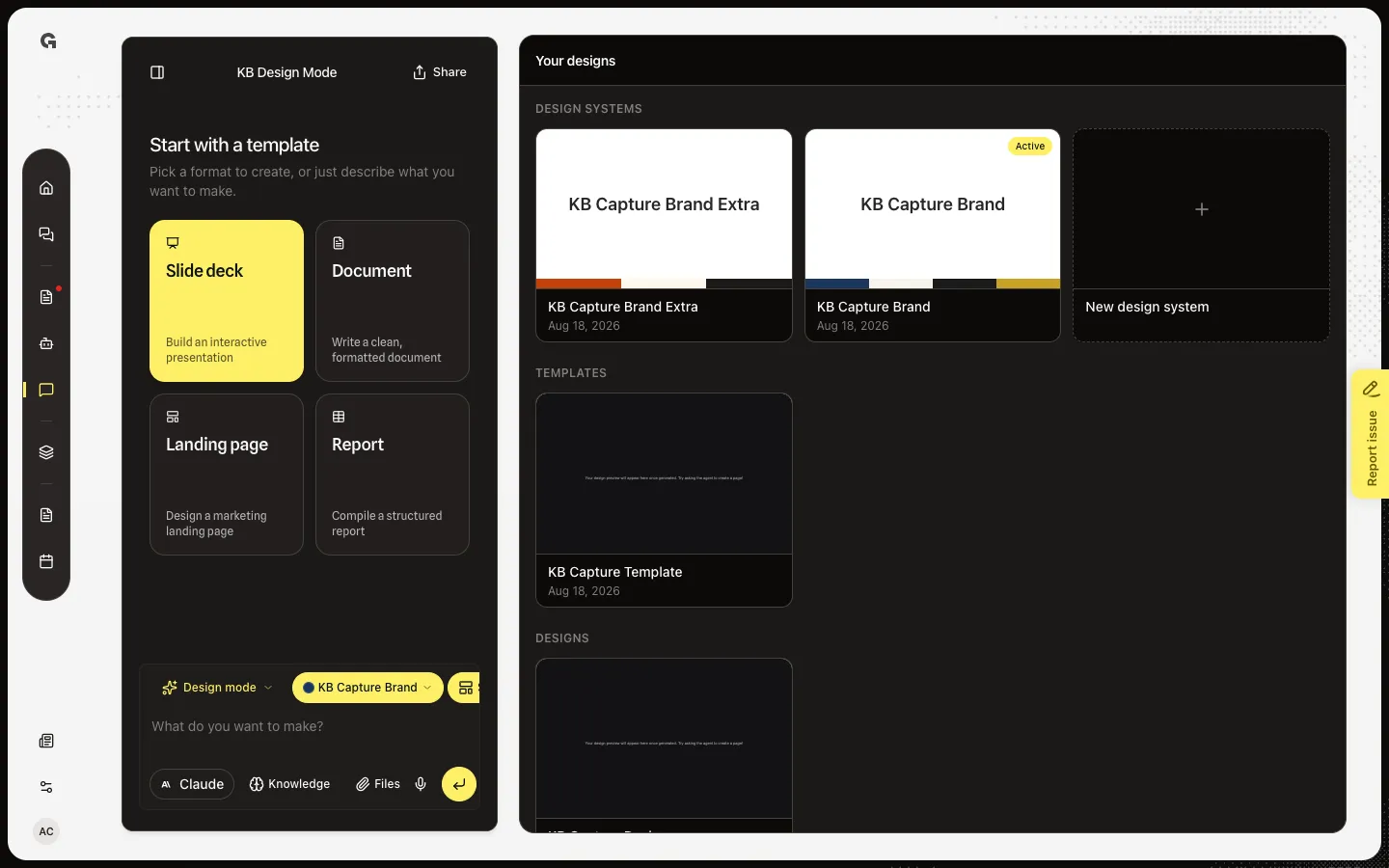
Pick Slide deck
Choose Slide deck. Templates on the composer changes from Templates to Slide deck. Use this when you want paging slides and a PDF download later. Document, Landing page, and Report stay single pages and download as HTML only.
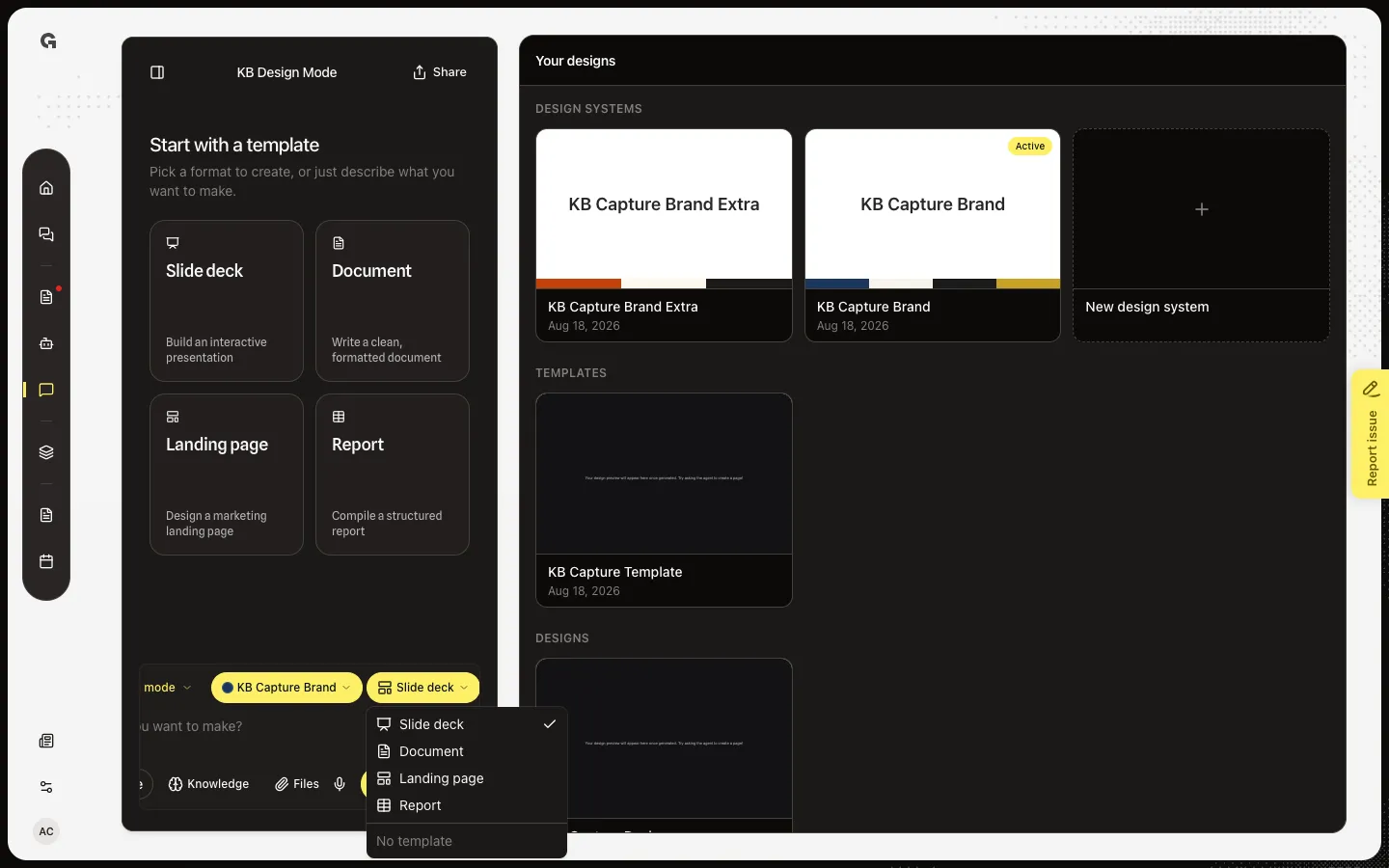
Open Templates
Open Templates to confirm Slide deck or switch to Document, Landing page, or Report. No template clears the format. Send still needs your own text. The format is prepended to that message so the builder uses deck or page mode.
FAQ
Is the empty-state card different from Templates?+
No. Both set the same format for the next message. The cards are only shown on an empty Design Mode chat. After you send, use Templates on the composer.
Does picking a format start the build?+
No. You still type what the piece is about and send. Without a format, the agent picks page or deck from your wording.
Is this the same as a saved template in Your designs?+
No. These four are built-in formats. A saved template is a copy of a design you already made. See Save a design as a template.
Which format can I download as a PDF?+
Slide deck. A page has no slides to paginate, so Download offers HTML only. See Download a design.