Share a skill with colleagues
Send colleagues at your agency their own copy of a personal skill, or show your skills on your team profile so they copy them with one click.
A personal skill is only yours, but your colleagues at the agency can get their own copy. Send a copy to the people you pick, or show your skills on your team profile, where colleagues copy them with one click. Every colleague at an agency can do both.
4 steps · About 3 minutes
Send a copy
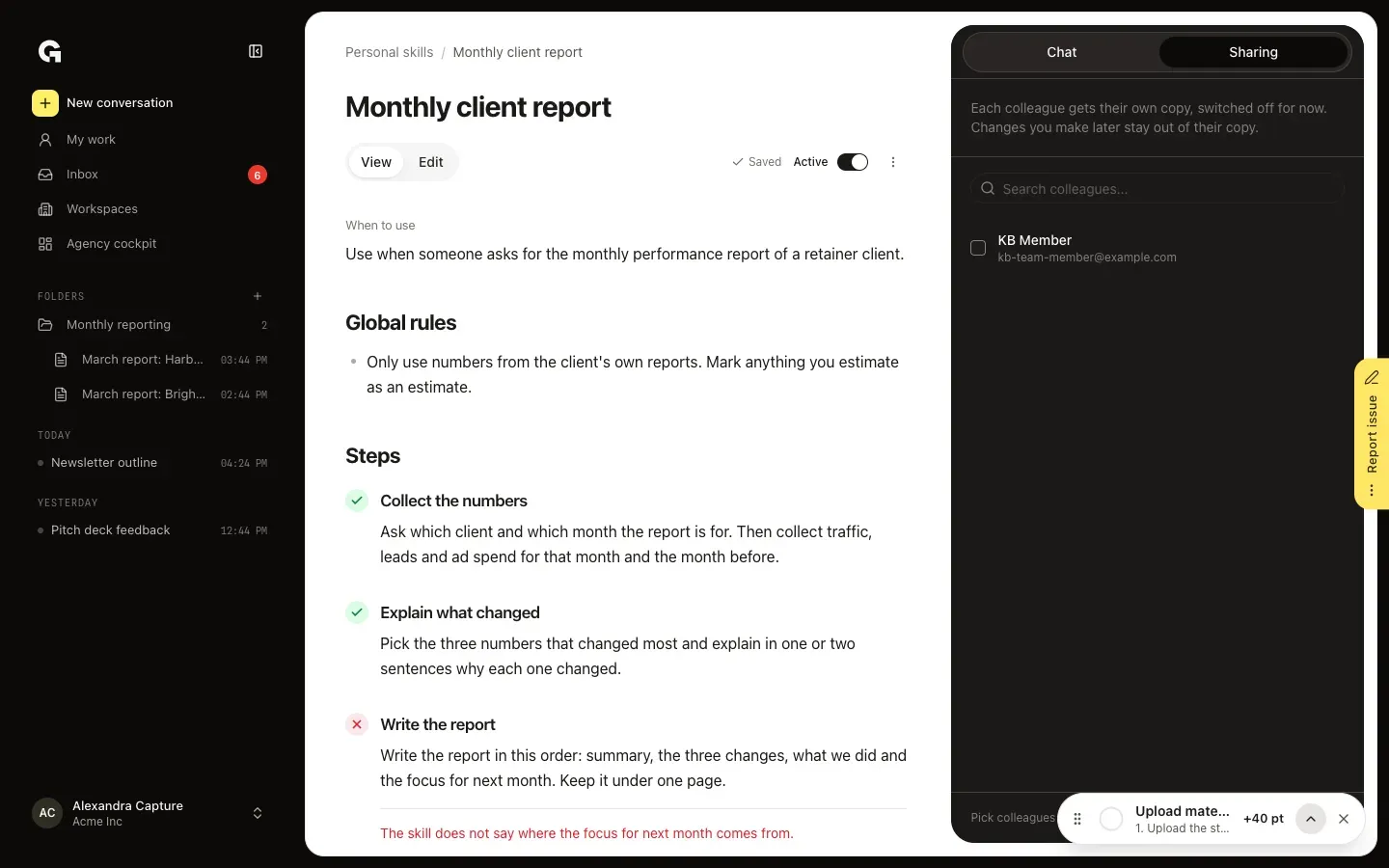
Open a personal skill and click Sharing beside Chat. The list has your colleagues at the agency. Tick the people who should get the skill and click Send copy. Each of them gets their own copy, switched off for now, plus a notification and an email with a link to it. Changes you make later don't reach their copy.
Show skills on your team profile
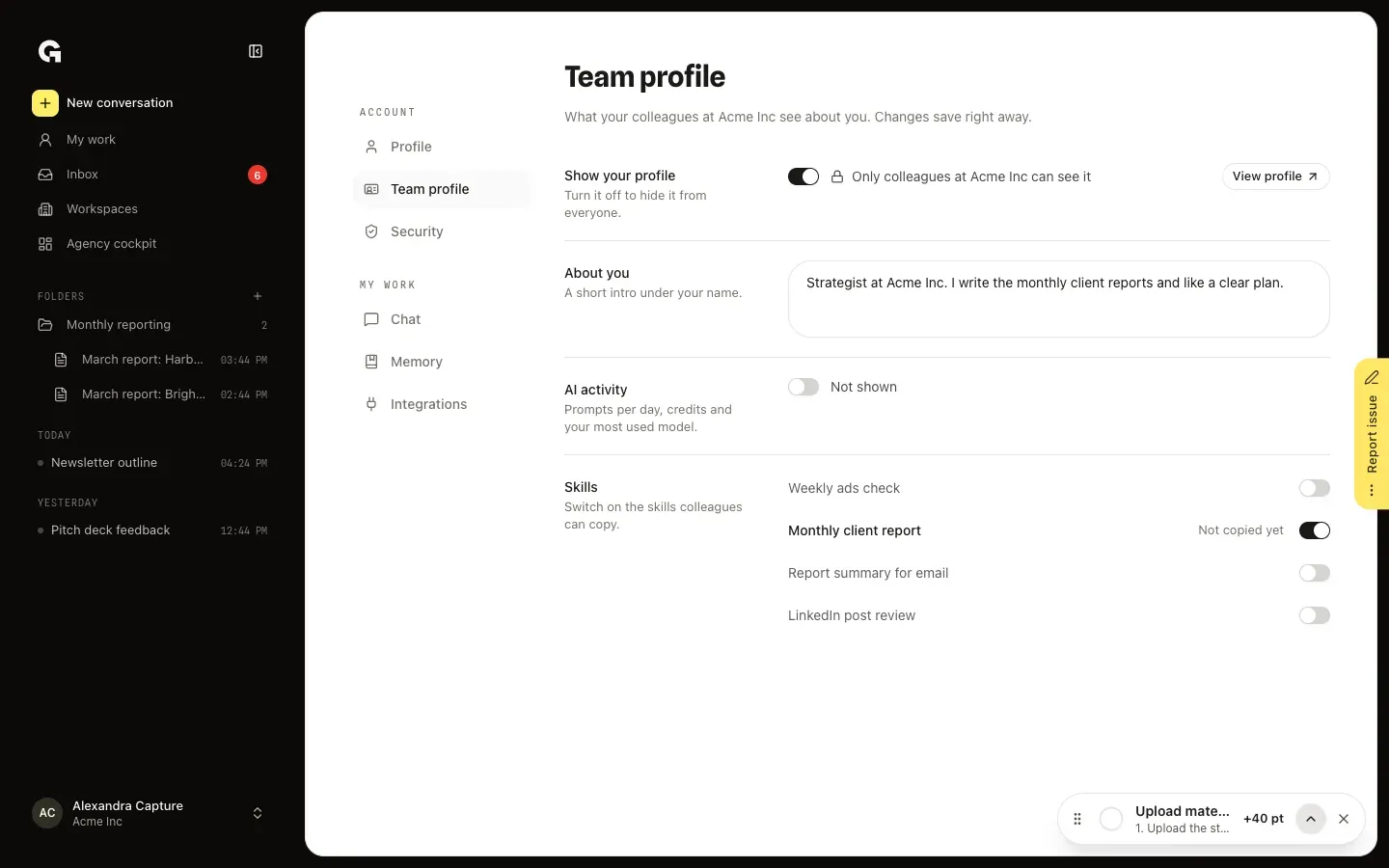
In the account menu, click Settings and then Team profile. Switch on Show your profile; only colleagues at your agency can see it. Under About you, write a short intro, and switch on AI activity if colleagues may see your prompts per day, credits and most used model. Under Skills, switch on the skills colleagues may copy. Changes save right away.
Send colleagues your profile
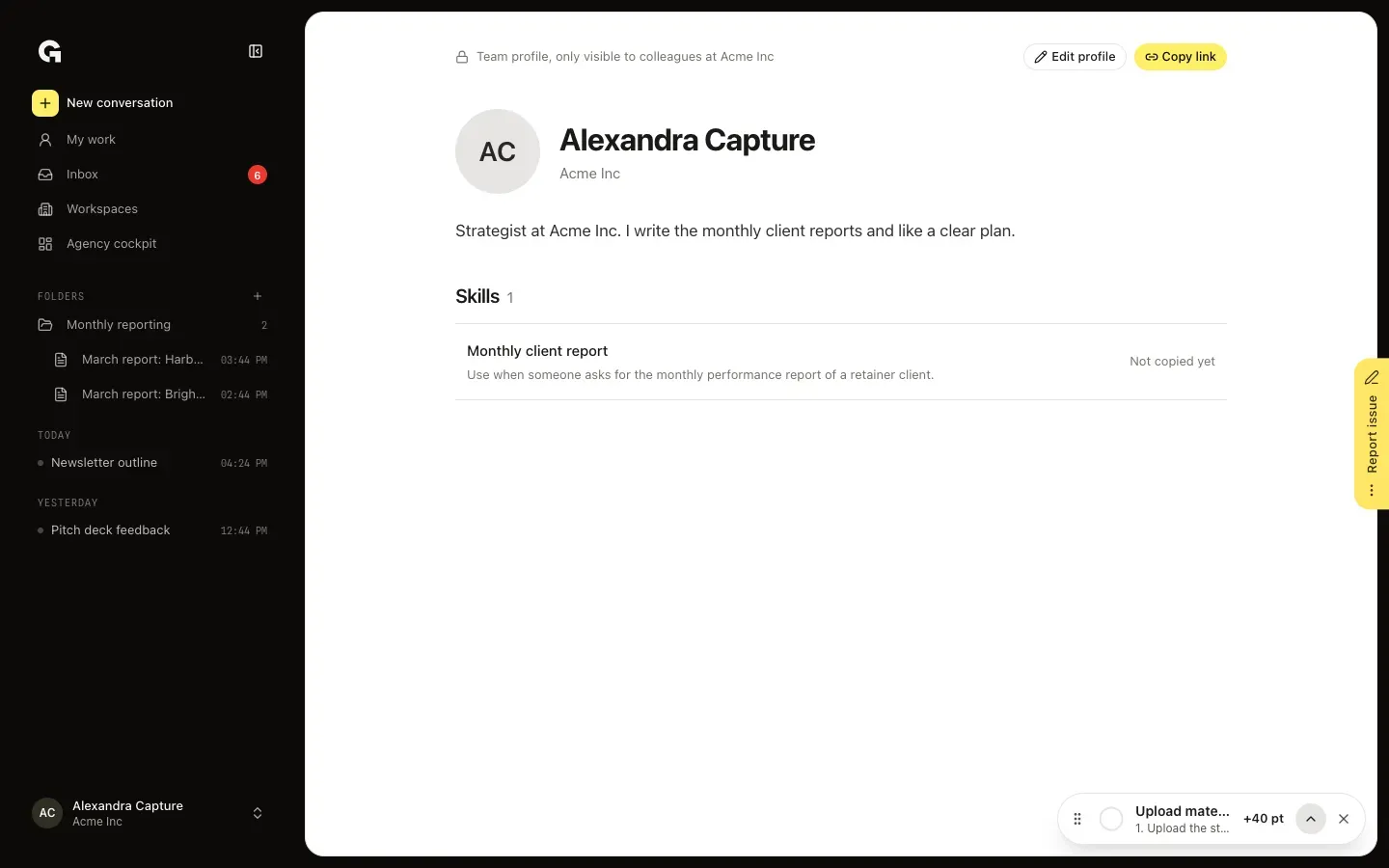
On Team profile, click View profile to see the page as colleagues do. Click Copy link and send the link to your colleagues. Beside each skill you see how many colleagues copied it, and Edit profile takes you back to the settings.
Copy a skill from a colleague
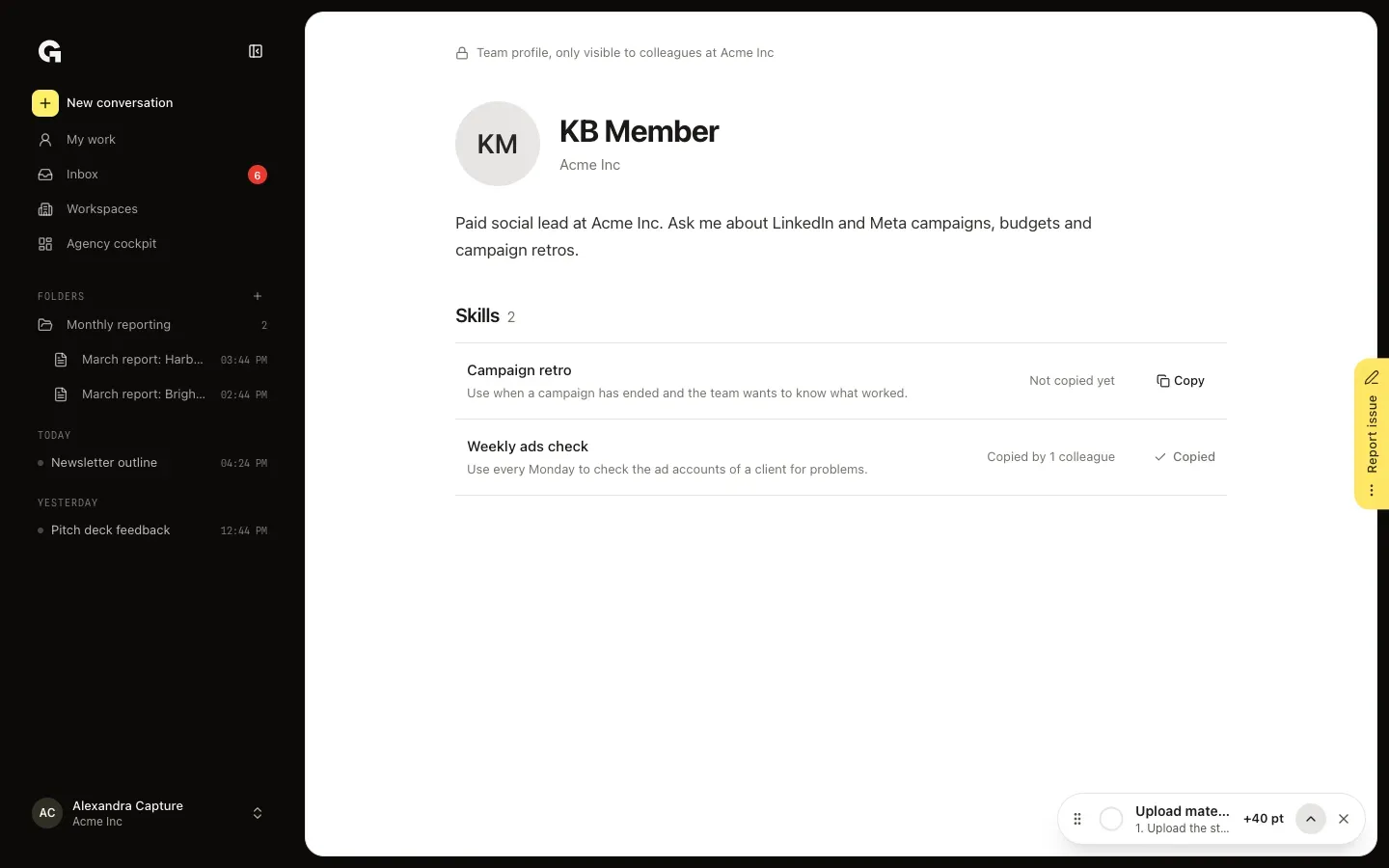
Open the link to a colleague's team profile and click Copy beside a skill. The copy lands in your Personal skills, switched on, so you can use it with / right away. A skill you already copied shows Copied; click it to open your copy.
FAQ
What does a colleague get?+
Their own copy of the skill as you last saved it. It is theirs from then on: they can change it, and changes on either side stay apart. A copy you send starts switched off, so they review it first; a copy taken from your team profile starts switched on.
Who can see my team profile?+
Only colleagues at your agency, and only while Show your profile is on. Clients don't see it. When the profile is off, colleagues can't open it or copy your skills.
I can't send or show a skill.+
The skill isn't finished yet. Give it a name and fill in every step; on Team profile an unfinished skill says Not finished.
How do I share a skill with a client workspace?+
That works with workspace skills, not personal ones: a skill of the agency workspace can be shared with your client workspaces from its Sharing tab. See **Set up skills for a workspace**.