Share a conversation
Copy a conversation link or send it to people in the same workspace.
Share lets you pass a thread to someone in the same workspace. Anyone who can open the conversation can copy the link. Sending picks people from the member list.
2 steps · About 2 minutes
Find Share
Open a conversation. Share sits in the header next to the title. Anyone who can open the thread can copy the link. Sending it to people is for members of this workspace.
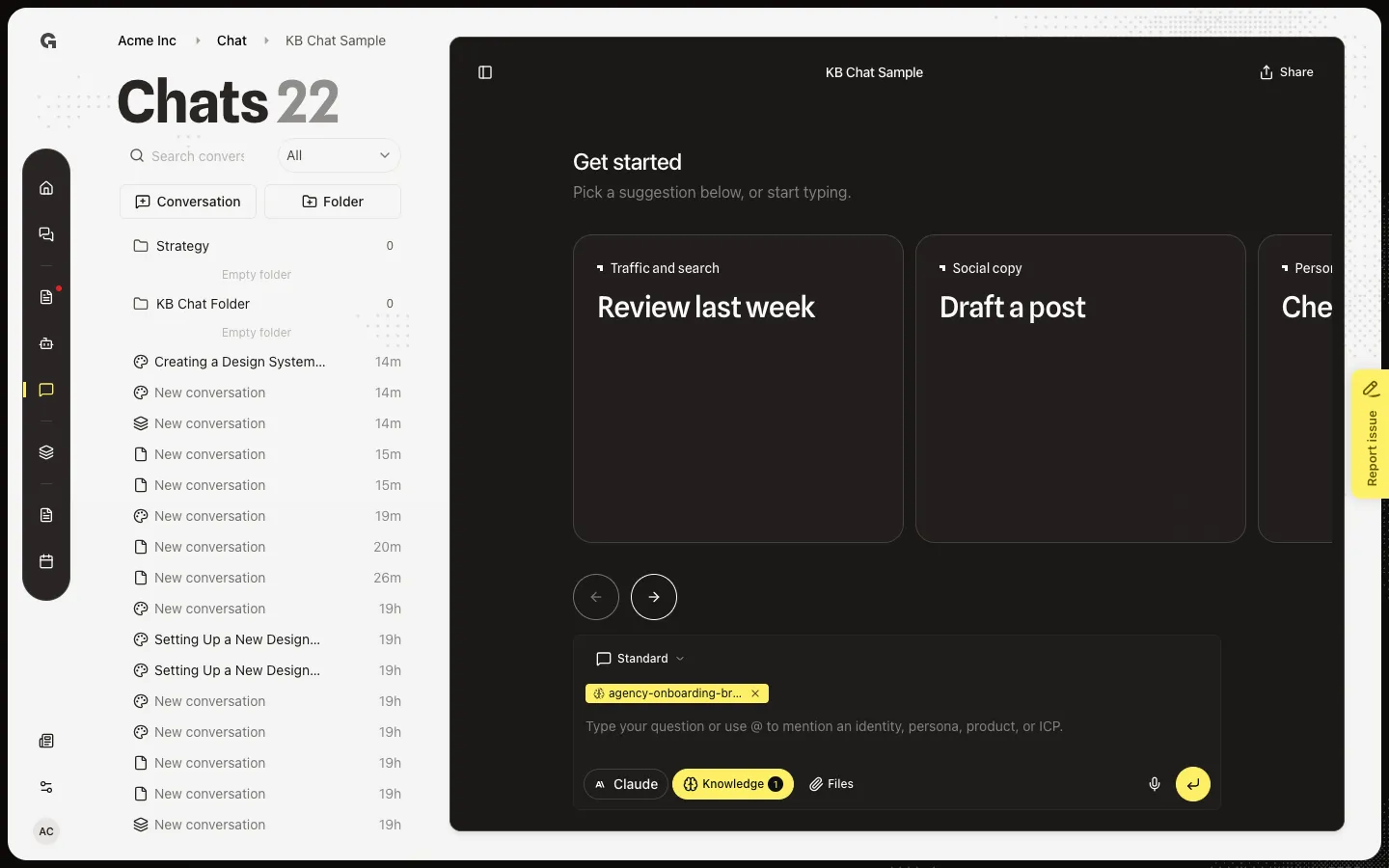
Open Share conversation
Choose Share. Share conversation says Copy the link or send it to people in this workspace. Copy copies the URL. People searches members. Choose names, then Send. Shared with lists who already has it. Stop sharing with a name removes them. People outside the workspace cannot be added here.
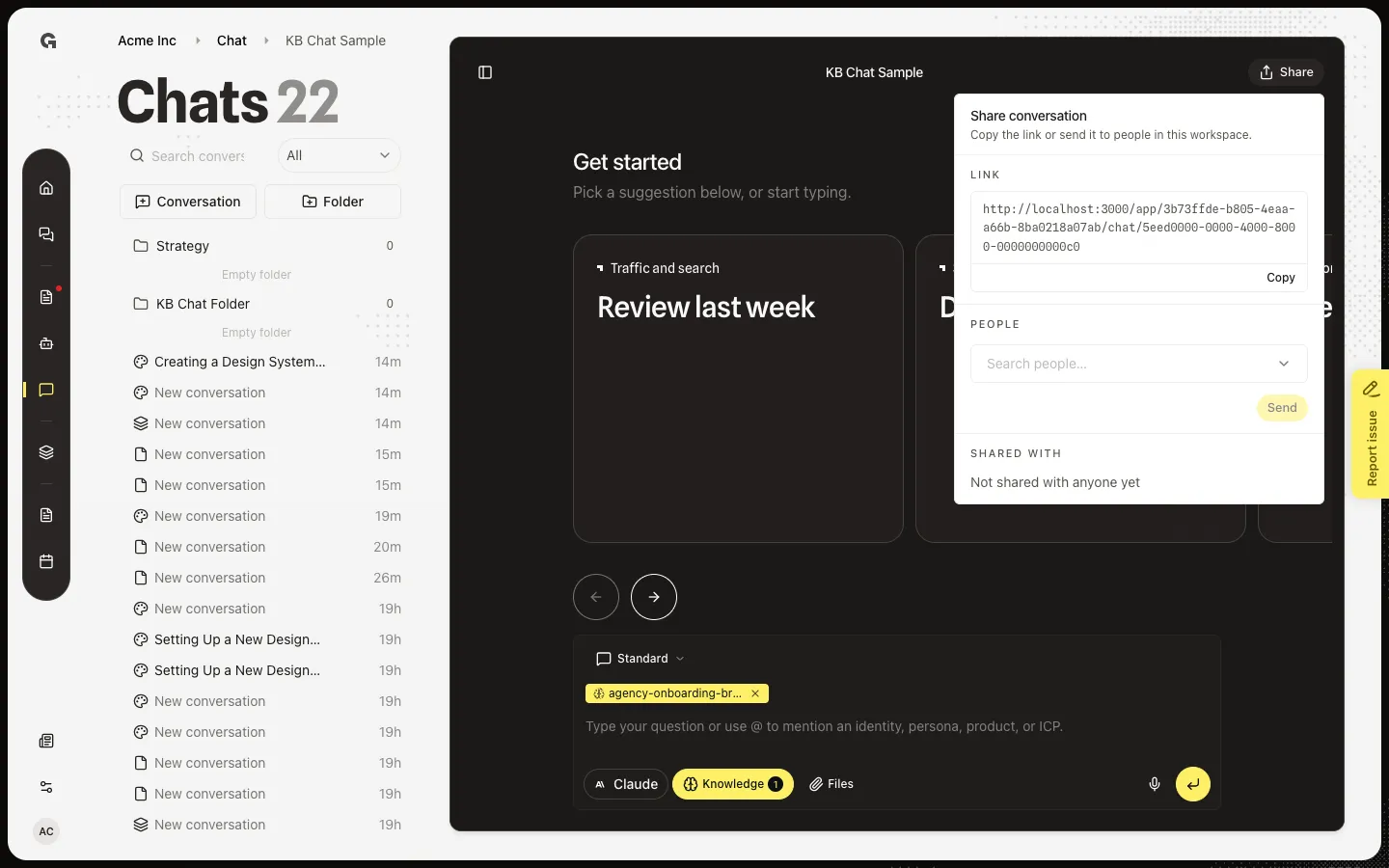
FAQ
Who can open the link?+
People who already belong to this workspace and can read chat. The link does not invite someone new. Use a workspace invite if they are not a member.
I see Couldn't copy the link.+
The browser blocked clipboard access. Copy the URL from the Link field by hand, or allow clipboard access and try Copy again.
I see Couldn't share the conversation.+
The send did not finish. Check you picked a member, then try Send again. You cannot share with an email that is not in this workspace.