Set workspace credit caps
Cap monthly AI credits for one workspace so it cannot consume the whole agency pool.
A workspace credit cap is a monthly ceiling for one agency or client workspace. Agency owners and admins set it so one client cannot spend the whole shared pool.
3 steps · About 3 minutes
Open Usage
Choose Usage. Caps live on a workspace row, not on the forecast. Agency and client workspaces can both have a cap. The cap cannot be higher than the shared pool limit.
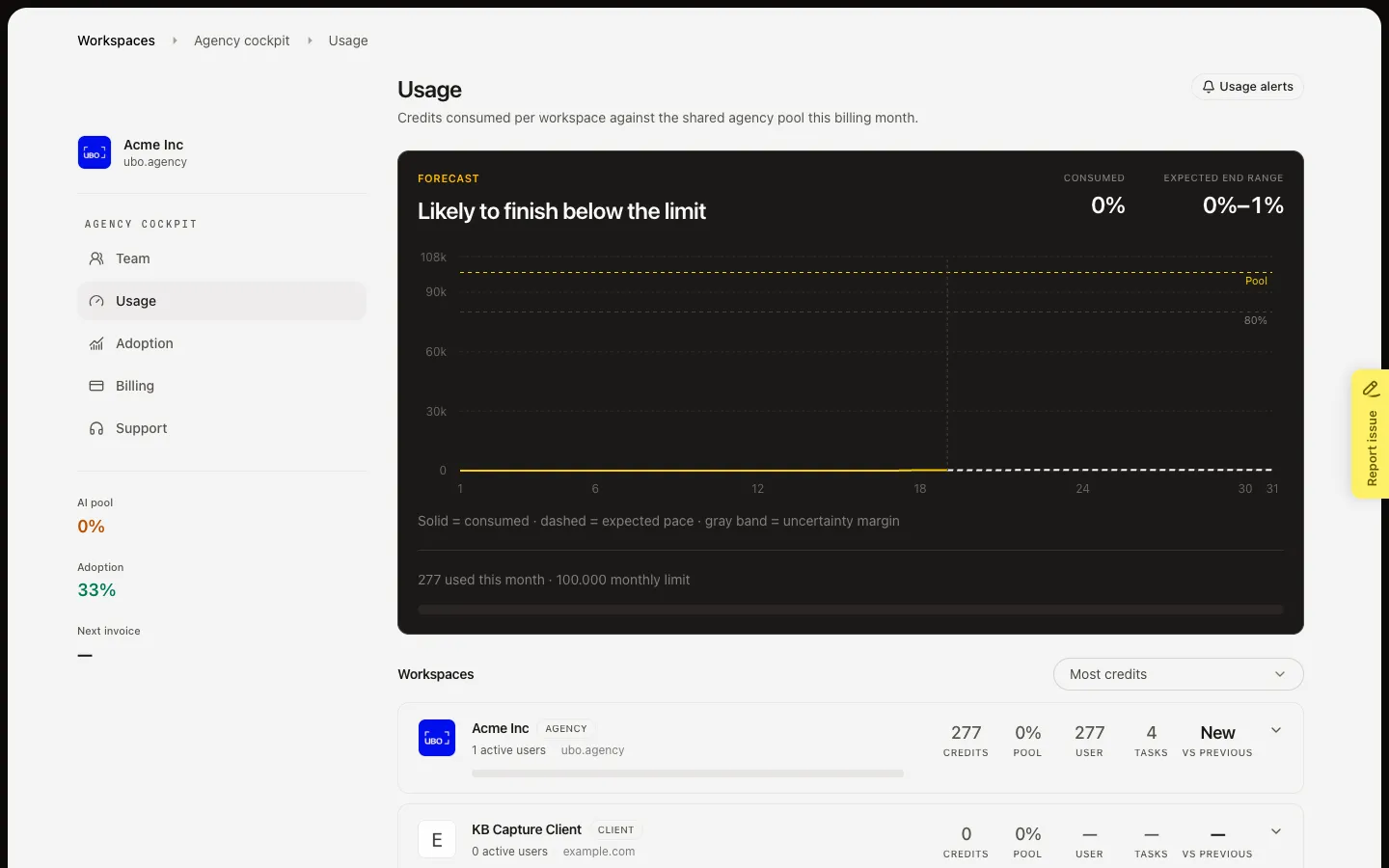
Open the workspace row
Choose the workspace you want to limit. Set cap appears when there is no cap. Change cap appears when one is already on. Usage alert stays off until a cap exists. A workspace without a cap is limited only by the shared pool.
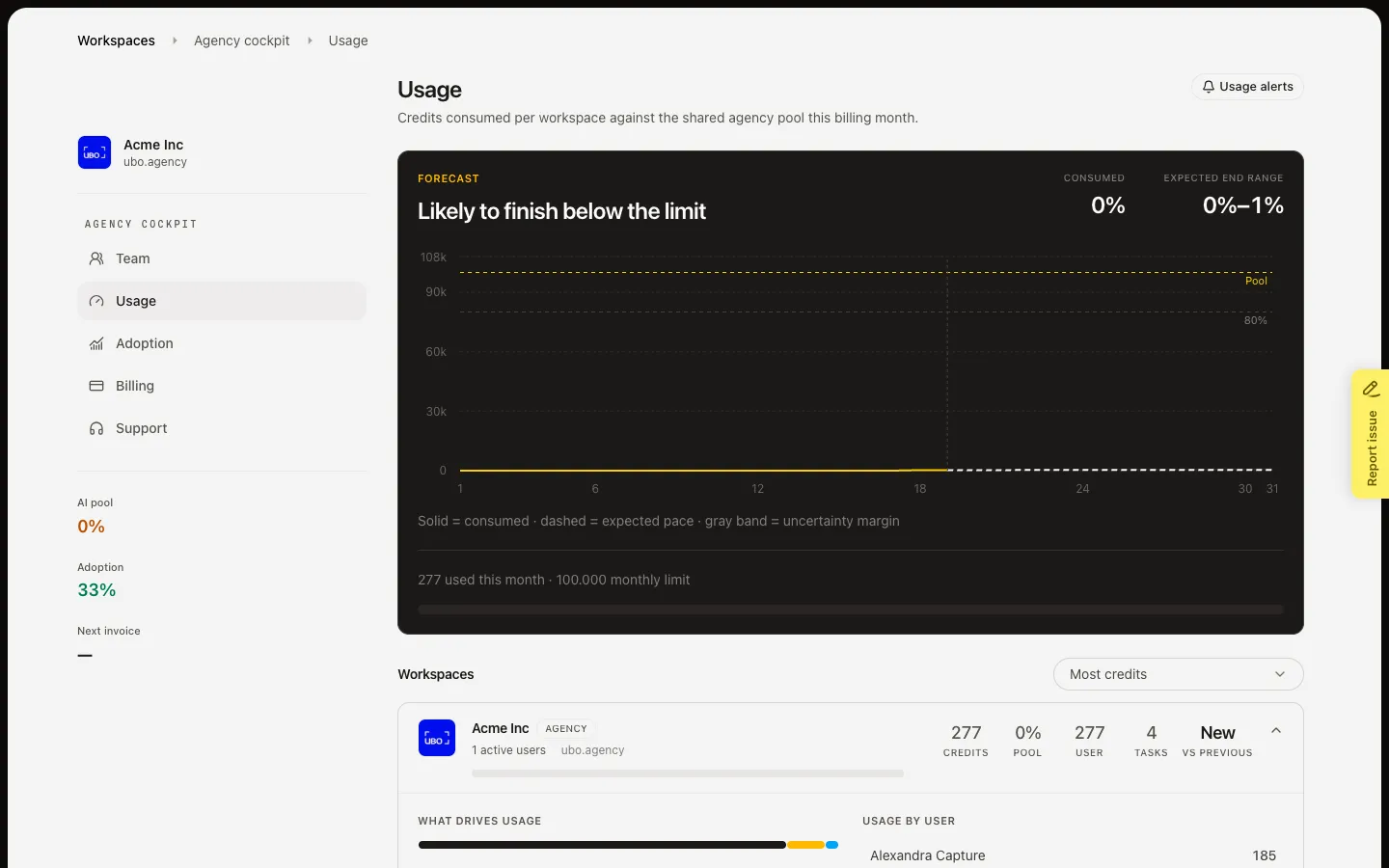
Set or change the cap
Choose Set cap or Change cap. Monthly cap (credits) is the ceiling for this workspace this billing month. Note is optional (why you set it). Save cap writes the change and adds a Cap history row. Disable cap removes the workspace limit after you confirm — the pool still applies. Do not save during this walk unless you mean to change the live cap.
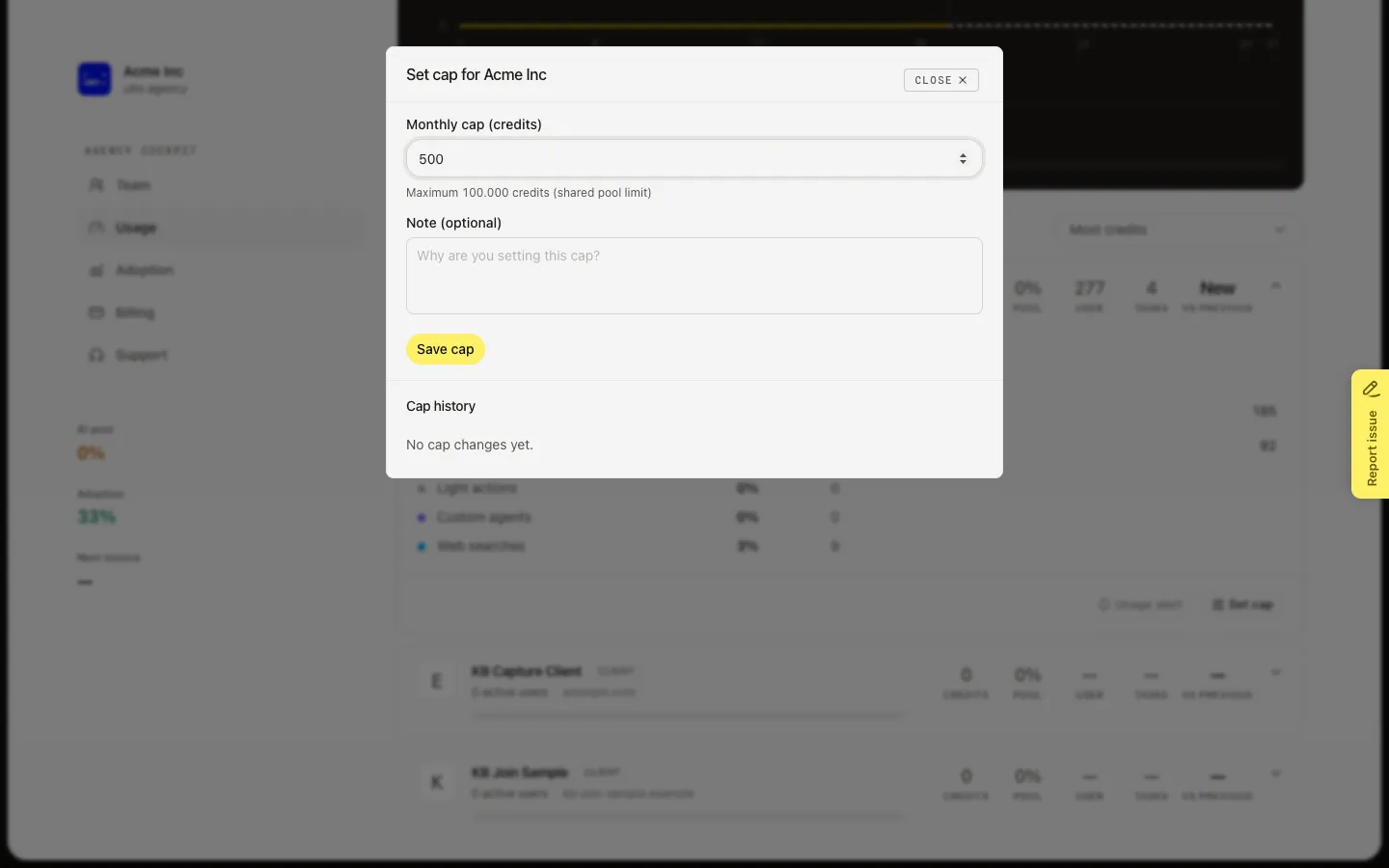
FAQ
What happens when a workspace hits its cap?+
That workspace cannot spend more AI credits this month. Other workspaces can still use the shared pool. If the pool itself is full, every workspace is blocked.
Can I set a cap when the agency has no pool limit?+
Yes. The help text only shows a maximum when a pool limit exists. Without a pool limit, the workspace cap is the only ceiling for that workspace.
When should I disable a cap?+
Disable when the workspace should share the pool with no private ceiling. History stays. Usage alerts on that workspace pause until you set a cap again.
Who can set a cap?+
Anyone who can open the agency cockpit. There is no per-workspace cap permission beyond that.