Schedule agent runs
Set Daily, Weekly, or Monthly in Settings so an Active agent runs on its own.
Schedule is when an Active agent runs on its own. Anyone who can update agents can set it.
3 steps · About 3 minutes
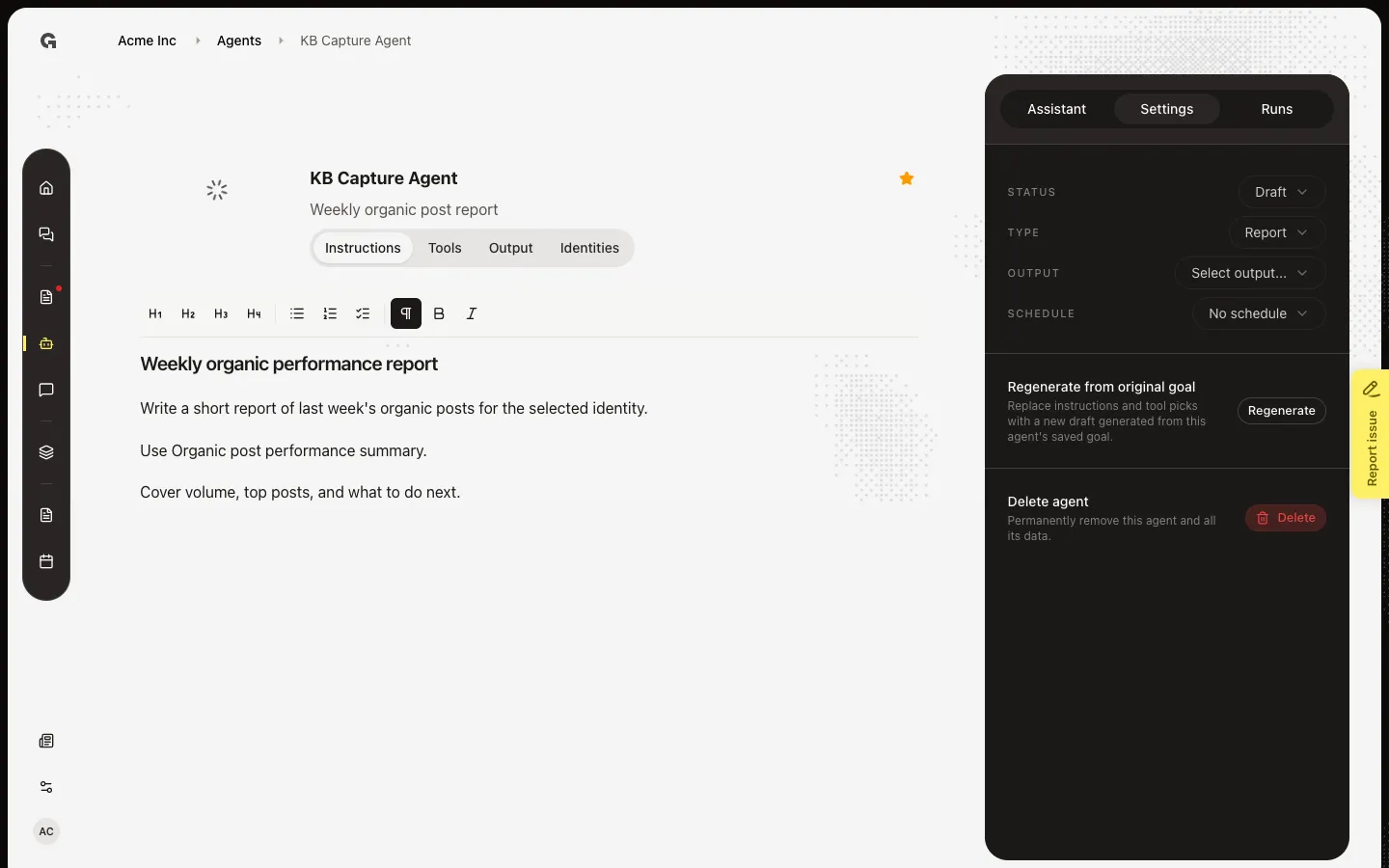
Open Schedule
Open **KB Capture Agent**. In the sidebar, choose Settings. Schedule starts as No schedule. A schedule does not run until Status is Active. Test Run on Runs still works while the agent is Draft.
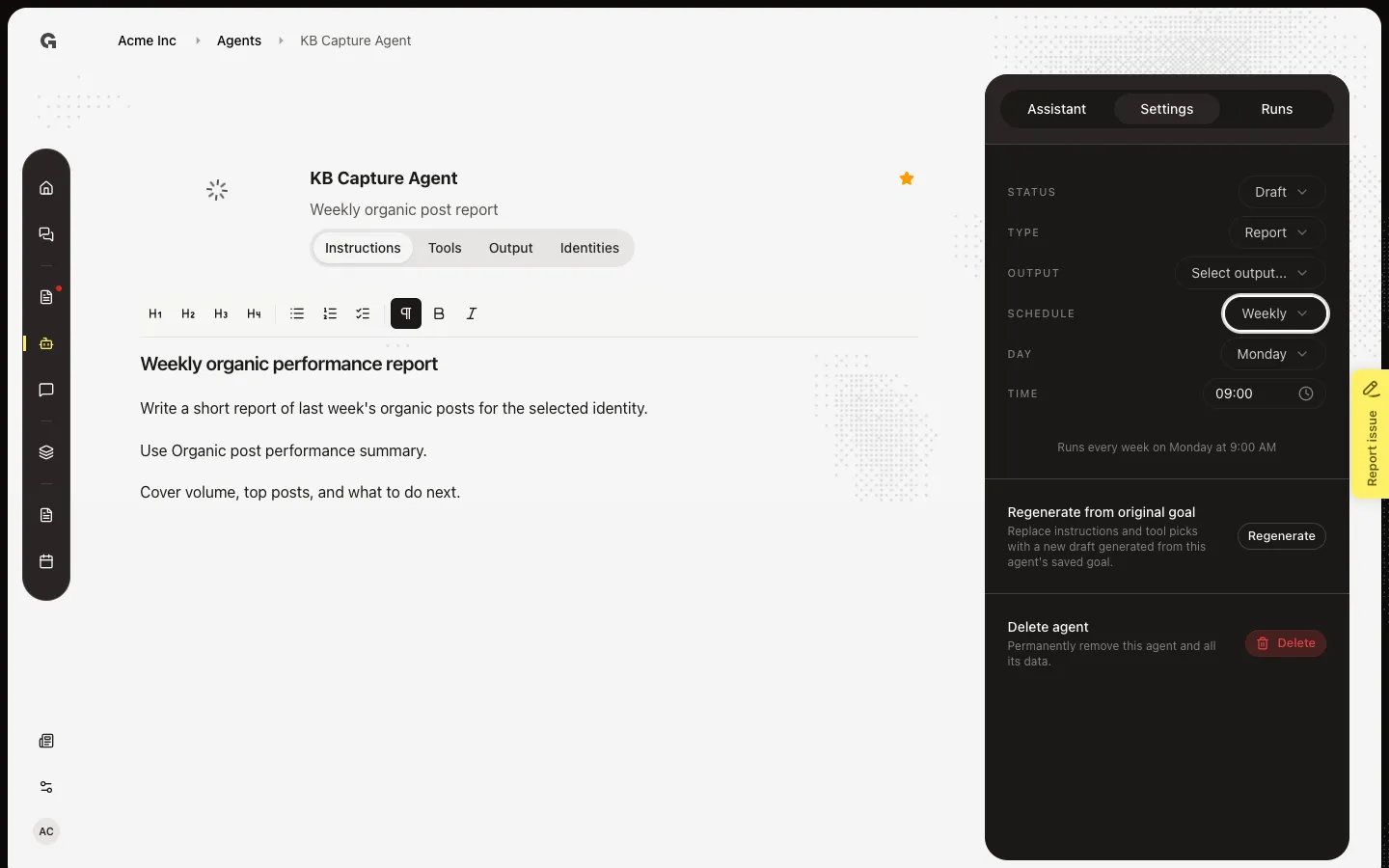
Set Weekly
Choose Schedule, then Weekly. Daily runs every day. Monthly asks for a day of the month. Weekly asks for a weekday. Time appears for any schedule other than No schedule. The default time is 9:00 AM.
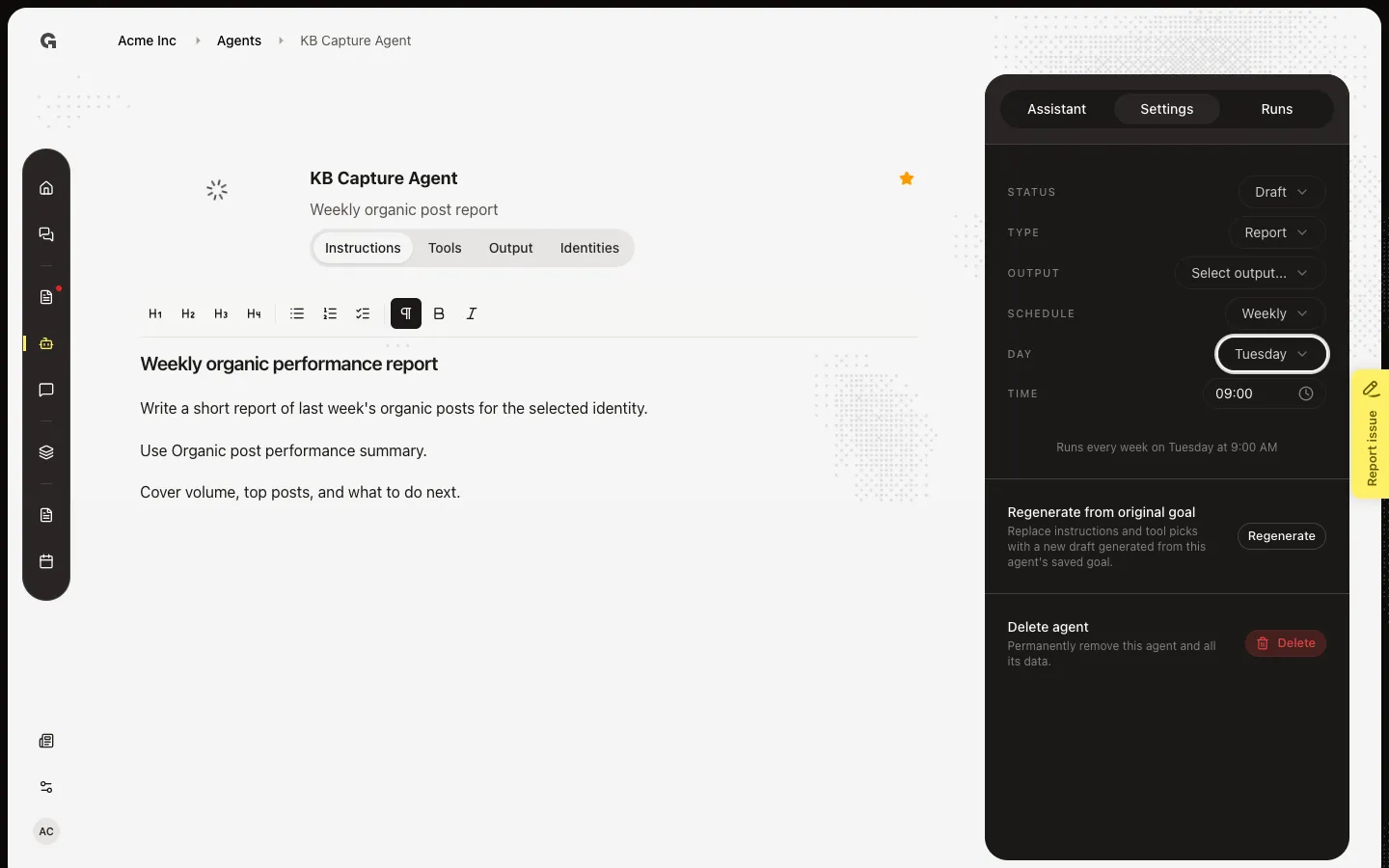
Pick the weekday
Choose Day, then Tuesday. Monday is the default. The summary under the fields updates, for example Runs every week on Tuesday at 9:00 AM. Change Time if you want a different hour.
FAQ
The schedule does not run.+
Status must be Active. Active also needs Type, Output, identities if the toolset needs them, recipients if a schedule is set, and a connection on every external tool. In local development the schedule cron is off; use Run Test instead.
How many emails does a scheduled run send?+
One run per linked identity. Each run emails the people on Output. Add recipients before you activate a scheduled agent — see Manage agent output recipients.
How do I stop scheduled runs without deleting the agent?+
Set Status to Draft, or set Schedule to No schedule.
I cannot change Schedule.+
You need permission to update agents.