Save a design as a template
Snapshot the open design so you can reuse its HTML in later Design Mode chats.
Save as template copies the open design’s HTML into a reusable workspace template. Anyone who can update chat can do it.
3 steps · About 3 minutes
Find Save as template
Open Design Mode. Your designs lists KB Capture Design. Open that card to reach the live preview. Save as template is in the preview header when this chat is editing a design, not a template. It copies the current HTML into a new workspace template. The original design stays where it is.
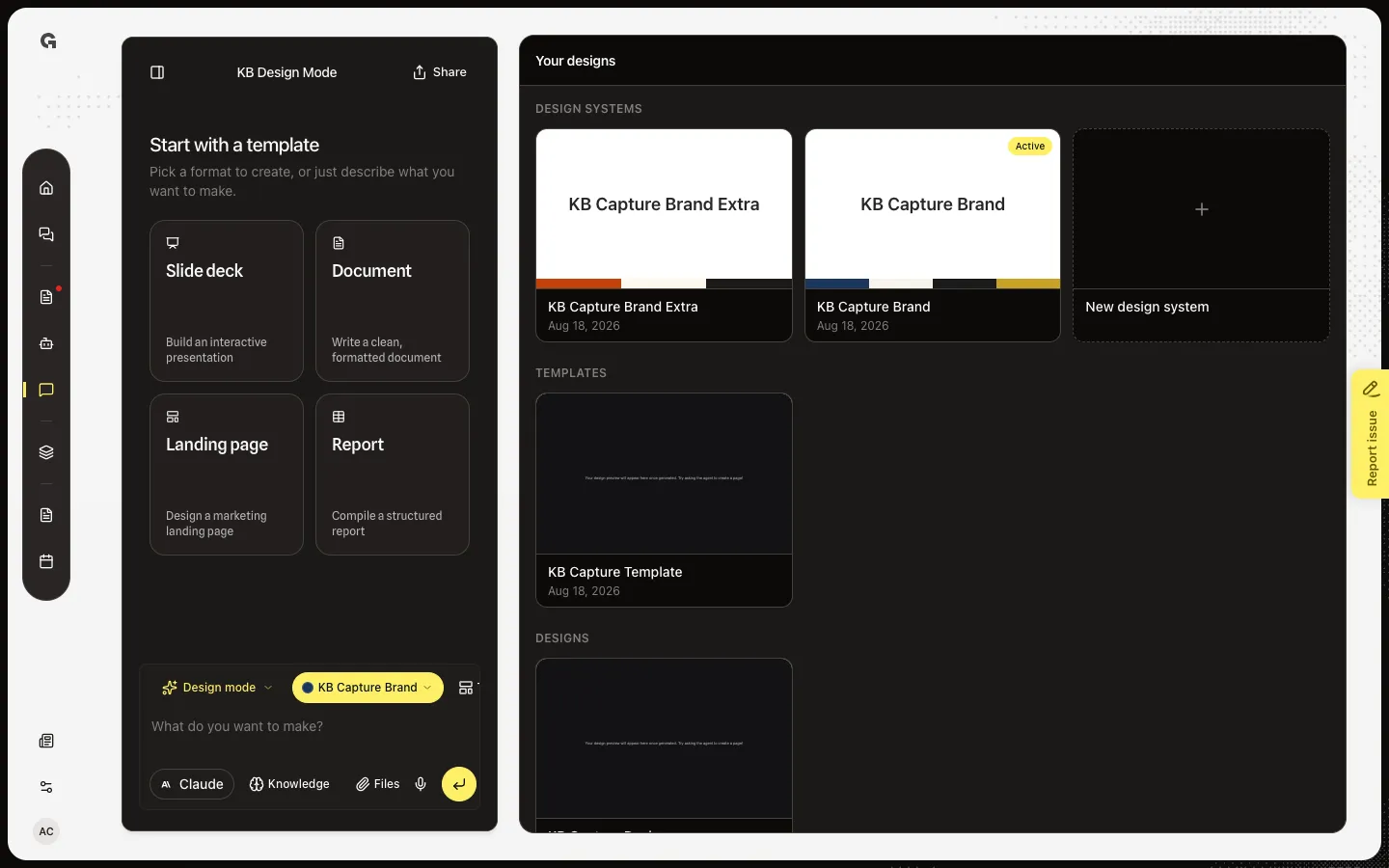
Open Save as template
Choose Save as template. The dialog says Create a reusable copy of this design's html. The name field starts as the design title. A template already open here shows Use template in new design instead — you edit that snapshot in place, you do not snapshot it again.
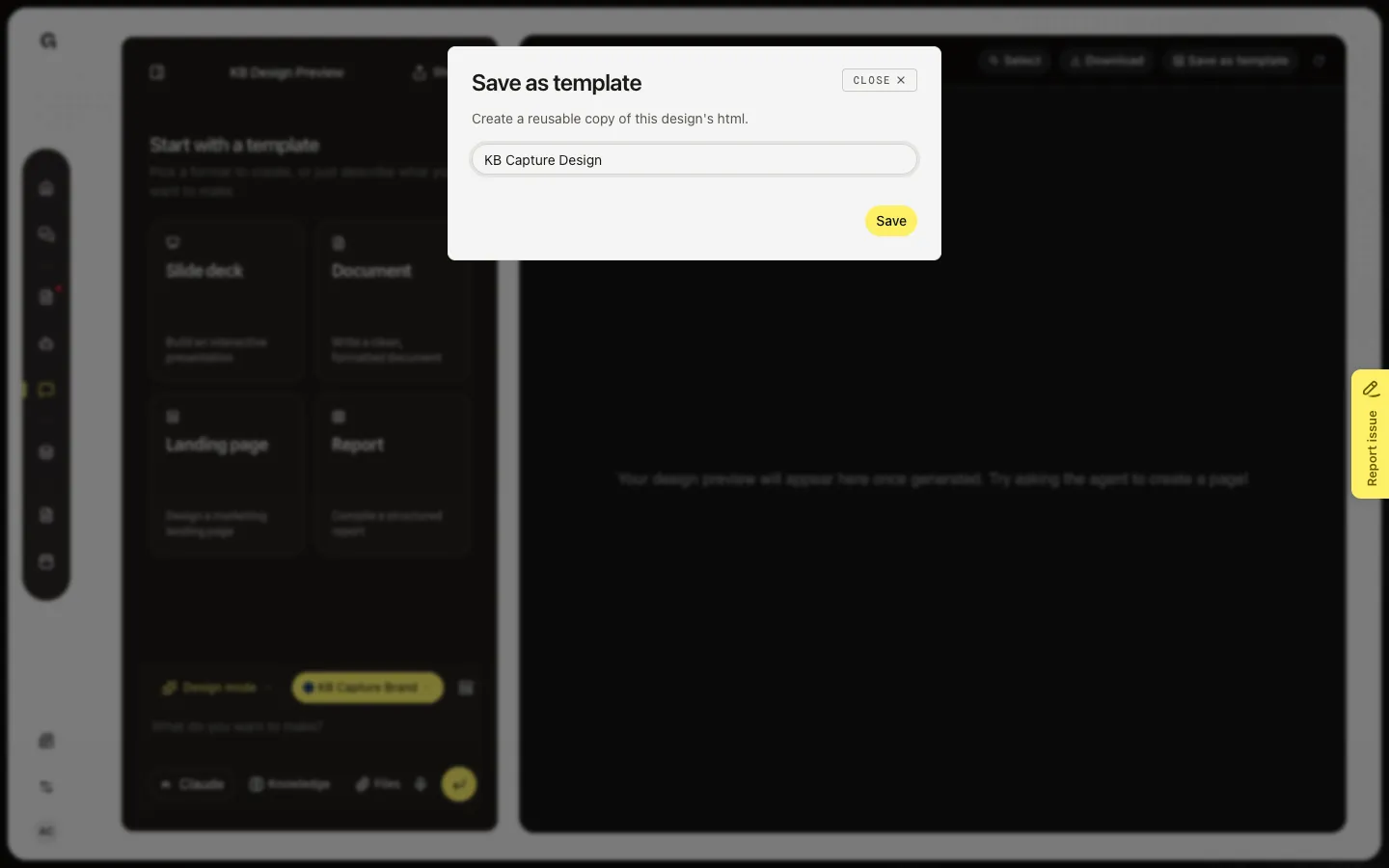
Name the template
Type a name. Save stays off until the field has text. Save writes a new row under Templates in Your designs. Anyone in the workspace can open it. This workspace already has KB Capture Template from an earlier save — open that card to confirm the snapshot landed.
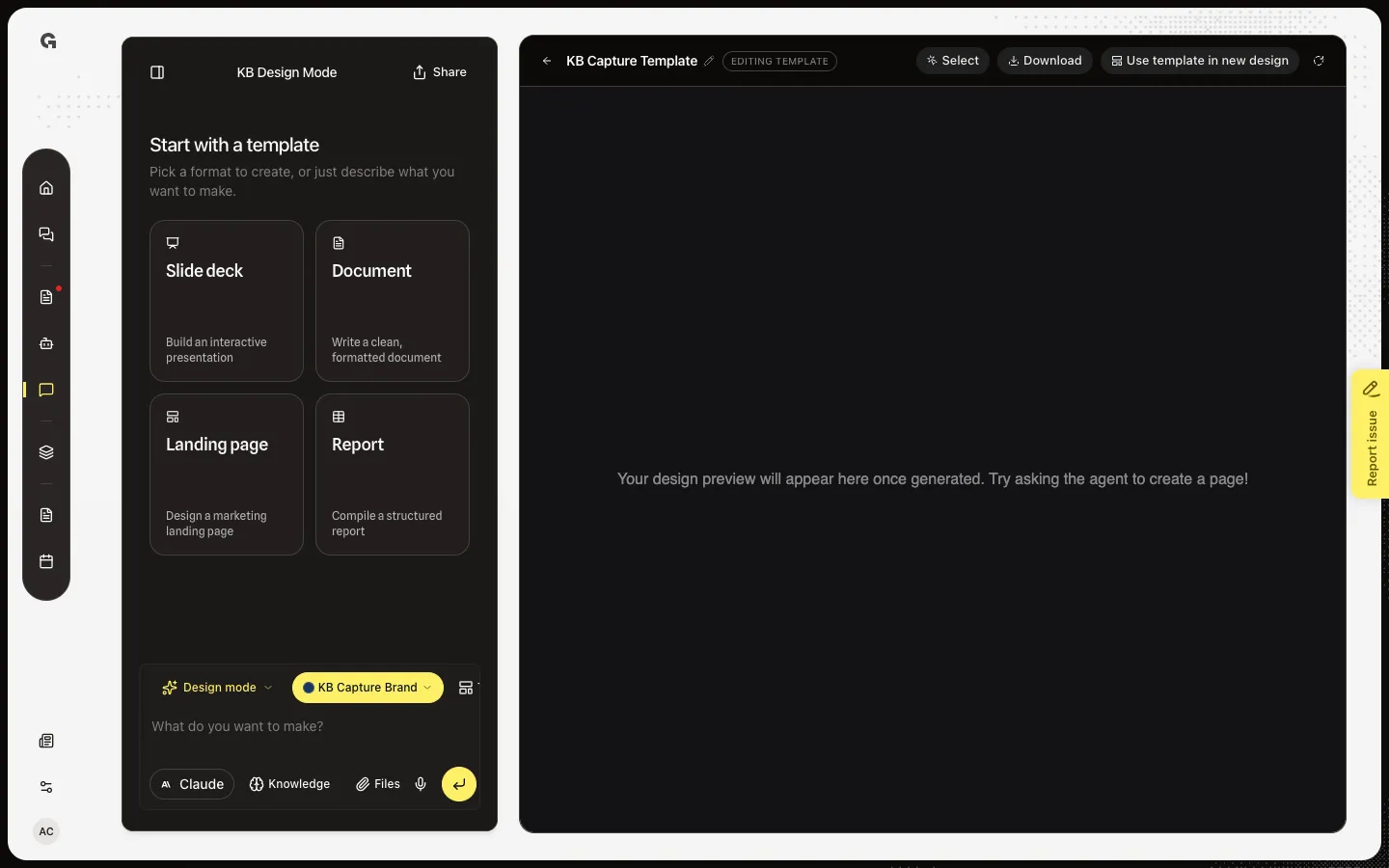
FAQ
Does saving a template replace the design?+
No. The design stays. The template is a separate copy of the HTML at that moment. Later edits to the design do not update the template unless you save again.
I do not see Save as template.+
This chat is editing a template, or you are on Your designs with nothing open. Open a design from the Designs list. On a template, use Use template in new design instead.
I see Couldn't save the template.+
The copy failed — often because the design file is not ready yet. Wait for the build to finish, then try again.
Who can use the new template?+
Everyone in the workspace who can open Design Mode. See Use a saved design template.