Review home integration signals
Read this week’s integration findings on Home and mark the ones you have handled.
Integration signals are this week’s findings from detectors you configured. Anyone in the workspace can read them on Home and mark them done.
3 steps · About 3 minutes
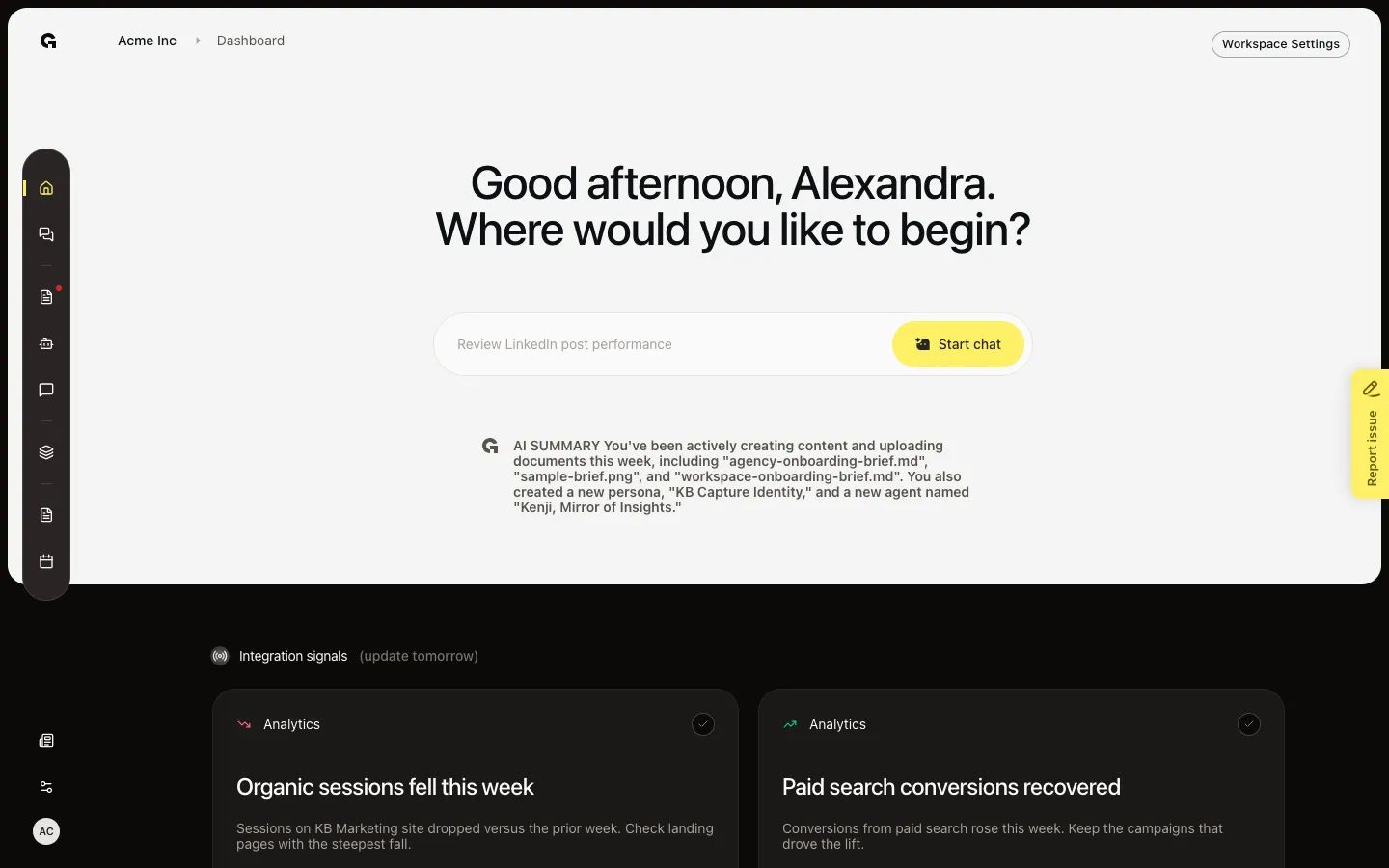
Open Integration signals
Open Home (Dashboard). Scroll to Integration signals. This section is not Recommended this week. Cards come from detectors you turned on in Signals, after a generation run. Capture shows Organic sessions fell this week (negative, Analytics) and Paid search conversions recovered (positive, Analytics). The header can also say update this afternoon or update tomorrow.
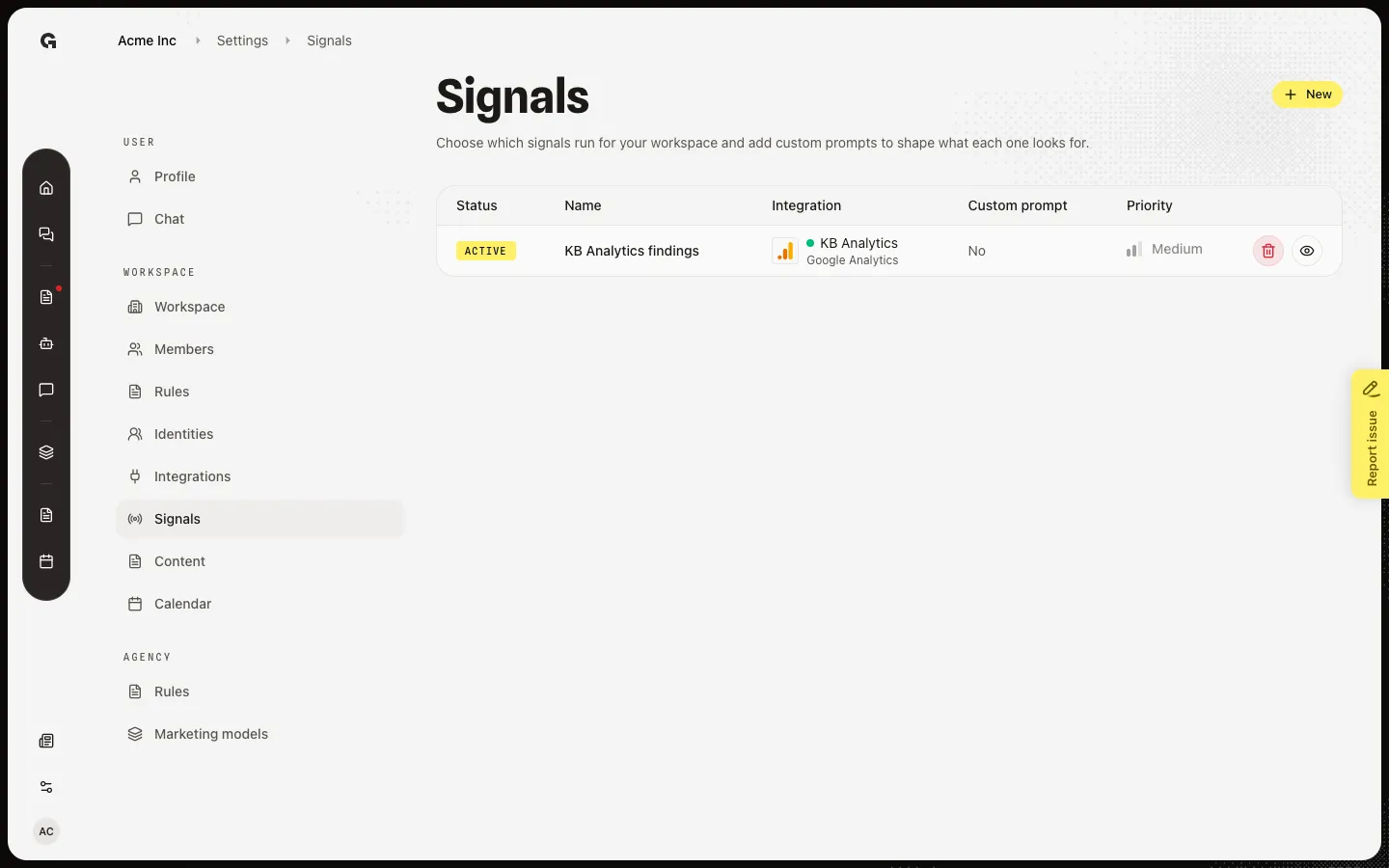
Open Signals
Each card has a type, a title, a short description, and the property the finding came from. A down arrow is a negative signal. Cards come from detectors on Settings → Signals. Open Signals to see which audit wrote the card. Capture includes KB Analytics findings.
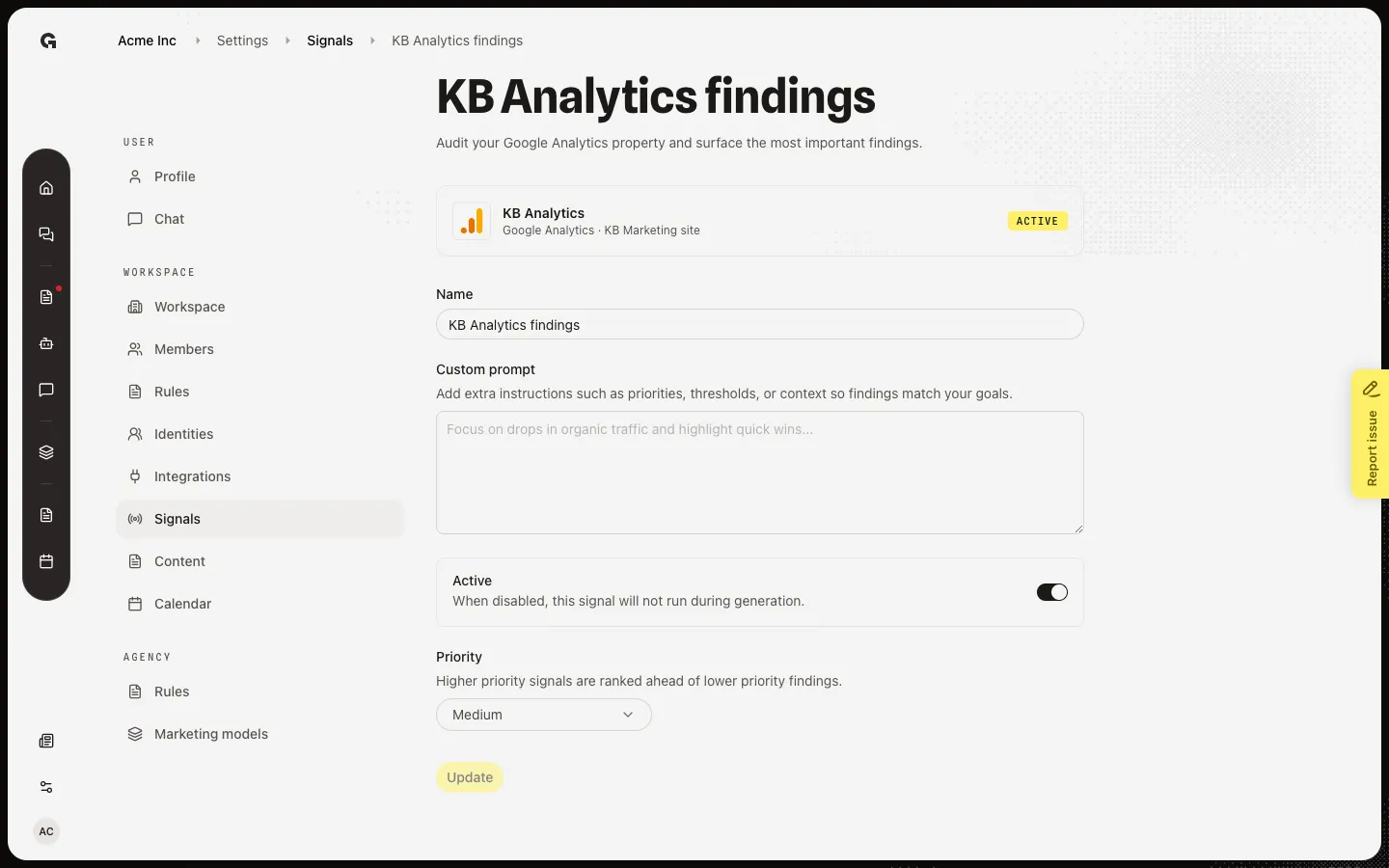
Open the detector
Choose KB Analytics findings. The detector page is where you change the prompt, Active switch, or priority. Mark as done on Home does not delete this detector. After you mark a card done, the carousel moves to the next open finding.
FAQ
I do not see Integration signals on Home.+
The section hides when there are no findings for this week. Connect a supported toolkit, create a detector, and wait for a run. Recommended this week can still show even when this section is hidden.
Is this the same as Recommended this week?+
No. Recommended this week is personal next steps (connect a channel, schedule a post). Integration signals are audit findings from connected tools. Both use Mark as done.
Who writes these cards?+
A scheduled job, not a button on Home. You only choose which detectors run (Signals) and mark findings done here. See Configure integration signals.