Revert a strategy model version
Open Versions and restore an older snapshot as a new draft without deleting history.
Revert copies an older saved snapshot into a new Draft. It is for people with strategy update who need last week’s positioning back without losing the versions in between.
2 steps · About 2 minutes
Open Versions
Open the model (Dunford), then choose Versions. The list is newest first. Each row shows Version n, Draft or Published, a date, and Latest on the current tip. Reverting creates a new version from the selected snapshot. It does not delete or rewrite the old row.
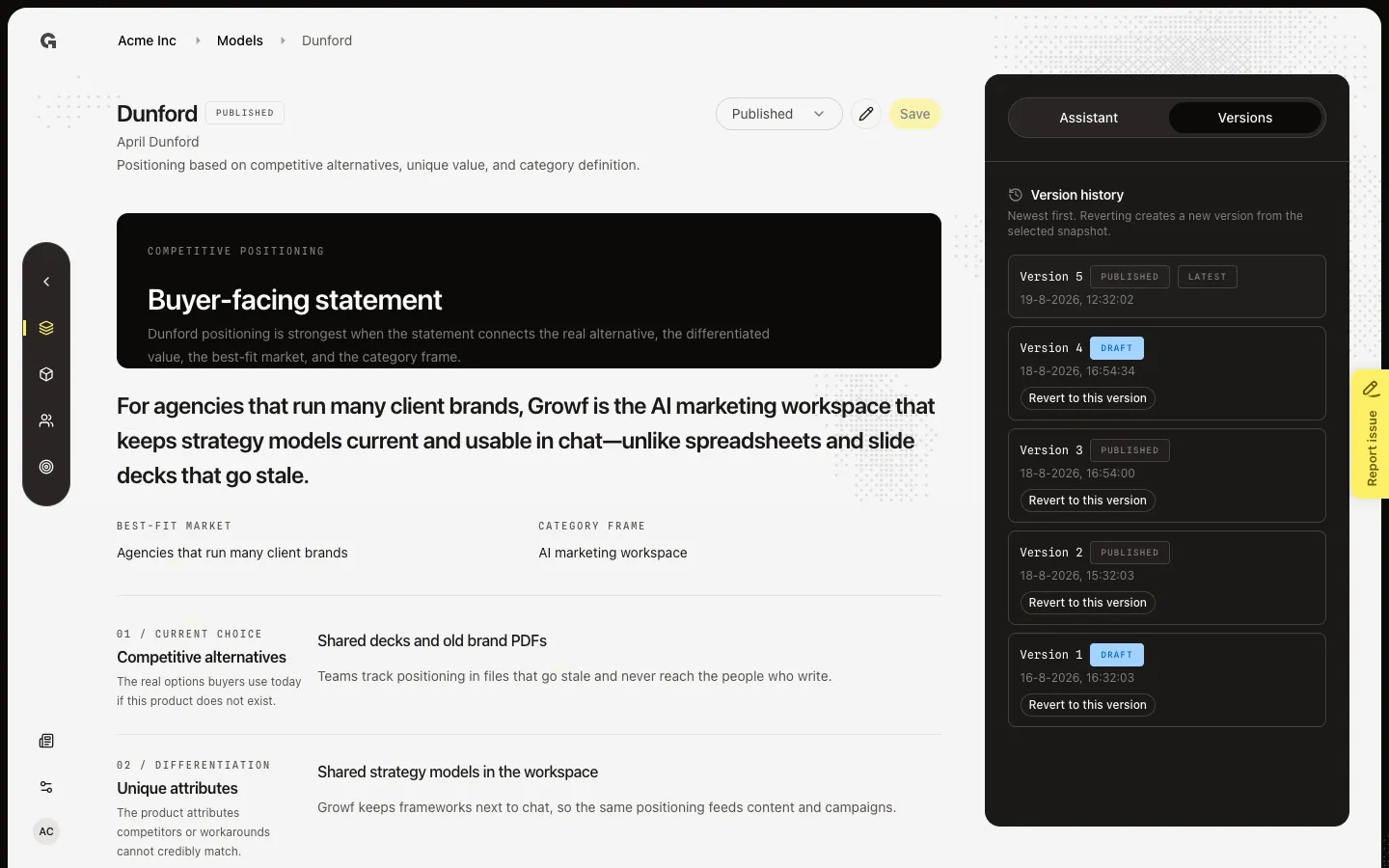
Revert to an older version
On a row that is not Latest, choose Revert to this version. You need strategy update. Growf copies that payload into a new Draft at the top of the list and shows Reverted to selected version. The model editor reloads that content. Publish again if you want the restored snapshot live. Latest never shows Revert — it is already the tip.
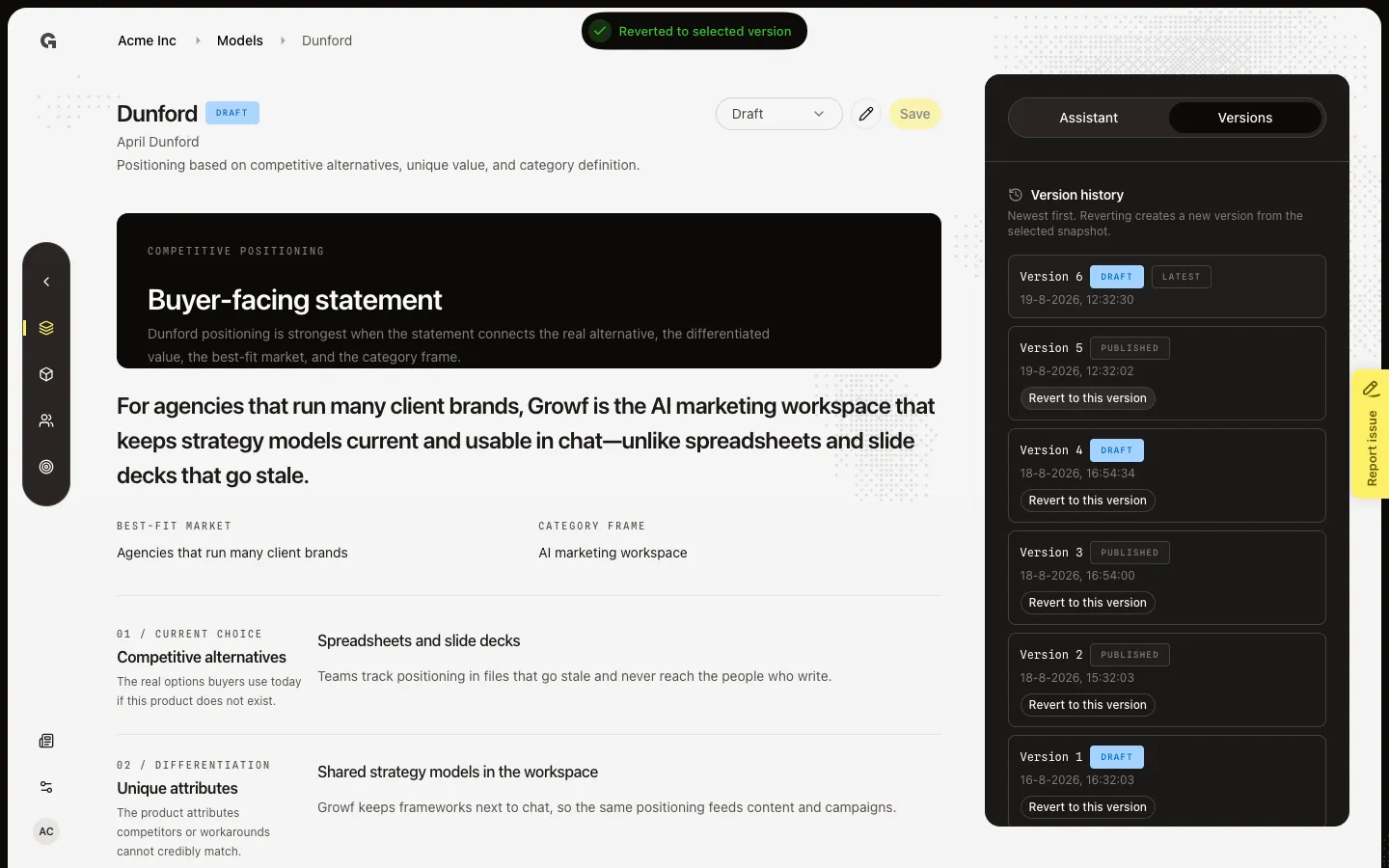
FAQ
Versions says No versions yet. What do I do?+
Save once first. Revert needs at least two versions — an older snapshot and a Latest tip. See Save and publish a strategy model.
Does revert remove the version I leave?+
No. History stays. Revert copies the chosen snapshot into a new Draft. You can revert again to any older row, including the version you just left.
Is the reverted version published?+
No. The new version is Draft, even if you reverted from a Published row. Use the status control to publish when you want it live.
Why is Revert to this version missing?+
It is hidden on Latest, and hidden if you lack strategy update. Viewers can still read the history.