Restore an earlier version of a design
Look at earlier versions of a design and bring one back, while the later versions stay in the history.
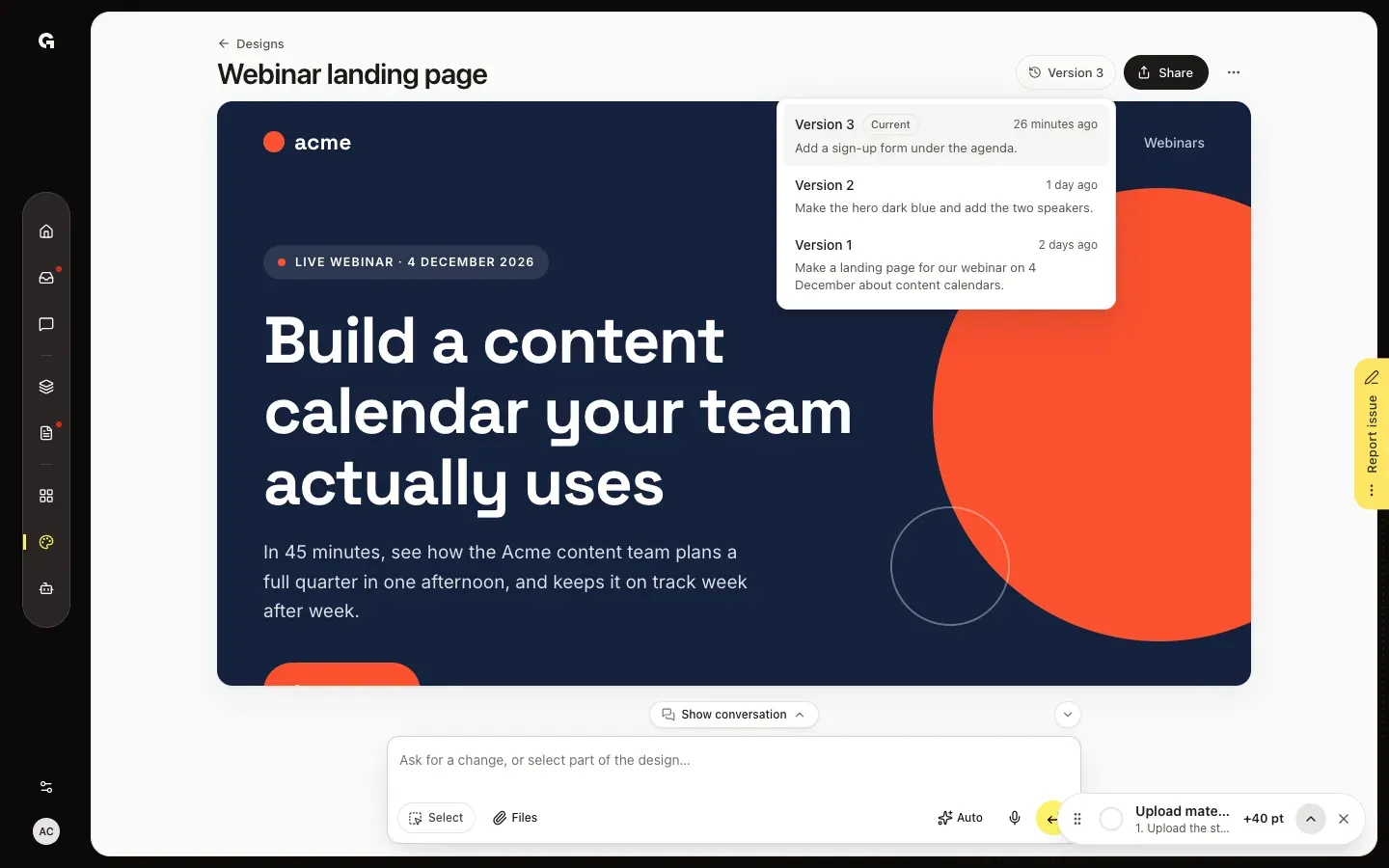
Every request in the chat that changes a design saves a new version, named after what you asked. The version button at the top of an open design, such as Version 3, lists them all. Everyone who can open the design can look at its versions; restoring one takes permission to edit chats, which Admin and Strategist have by default.
2 steps · About 2 minutes
Open the versions
Open the design in Design and click the version button at the top right, next to Share, such as Version 3. It lists every version, newest first, with what you asked the chat for and when. Current marks what the design holds now.
Look at a version and restore it
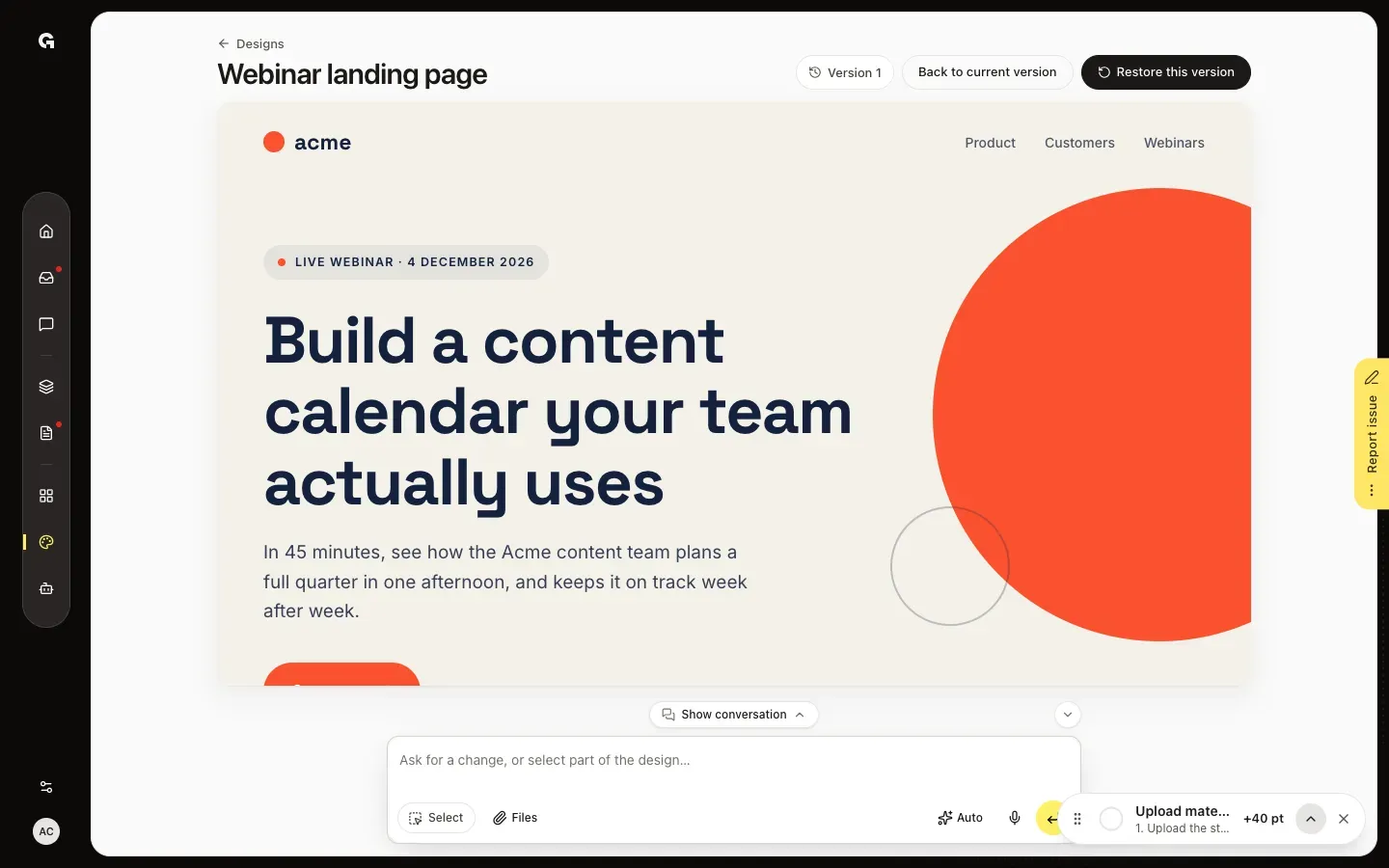
Click an earlier version. It takes the place of the design on the page so you can look at it, and the button shows its number. Back to current version puts the current design back. Restore this version brings the one you see back; Growf confirms it with, for example, Version 1 is back. Later versions stay in the history.
FAQ
What happens when I restore a version?+
It comes back as the newest version, so the list grows by one and nothing is lost. The chat knows which of your requests the restore took out, and doesn't add them back unless you ask for them again.
I don't see a version button.+
Versions start with the first change you ask for in the chat. When a design changes for the first time, Growf keeps what it had before as Starting point, for example for a copy or a design started from a template.
Why is a whole request one version?+
Growf can save a design several times while it works on one request. Together those saves form one version, named after your request.
Do templates have versions?+
Yes. A template you open and change, with Editing template next to its name, gets versions too.
Who can restore a version?+
Everyone who can open the design can look at its versions. Restoring takes permission to edit chats, which Admin and Strategist have by default. Restore this version is grey while the chat is working on a request. The chat itself can't restore versions; ask it and it points you to the version button.