Restore a deleted post
Find a deleted post, email or article in the trash of the calendar and put it back as a draft in its project, within 30 days.
When you, a teammate or the chat delete a post, email, article or other item, it goes to the trash of the calendar for 30 days. From there you put it back in its project as a draft, with its text, date, channels and media. Restoring needs permission to create content; Admin, Strategist and Creator have it by default.
3 steps · About 3 minutes
Open the trash
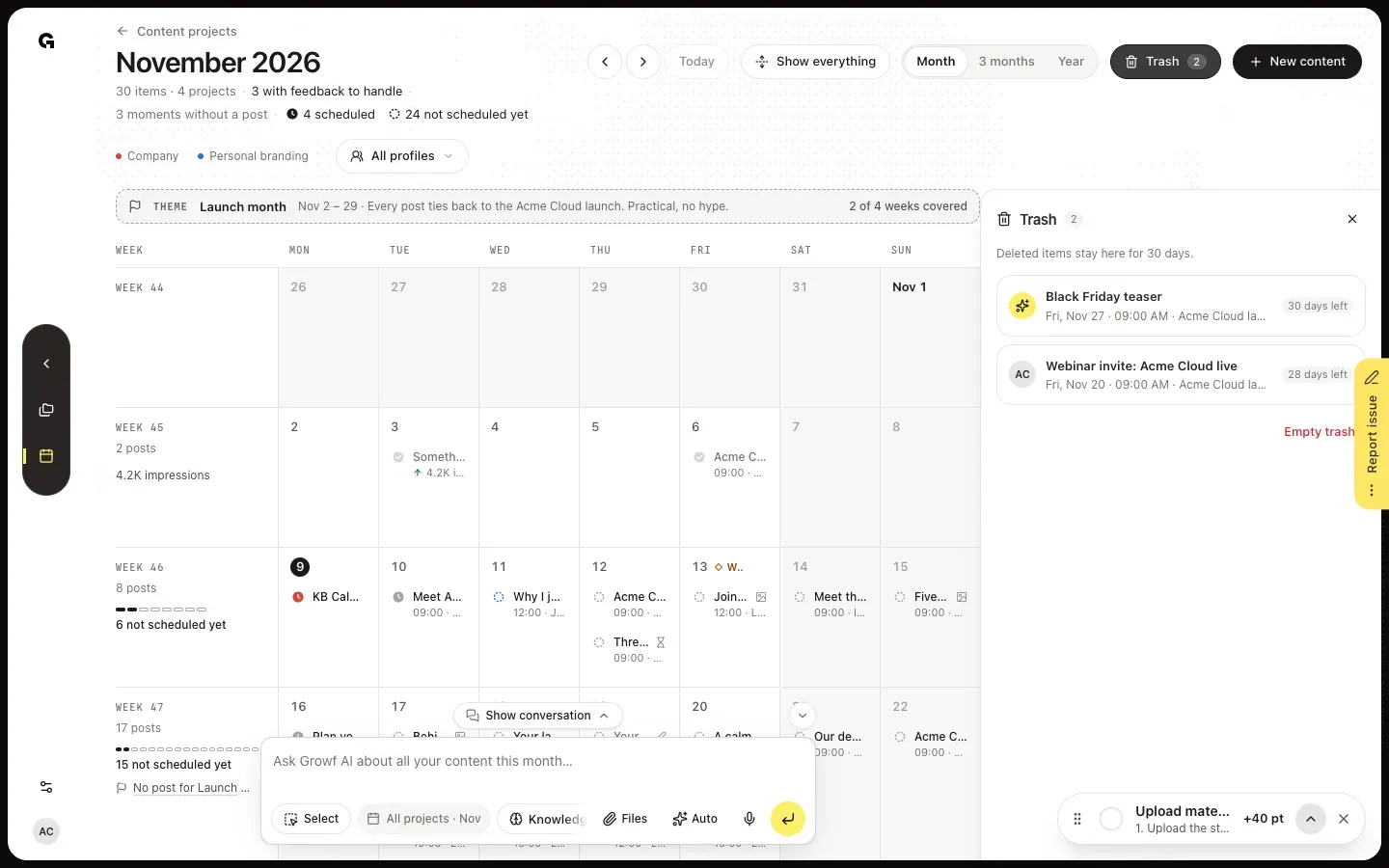
In the sidebar, click Content and then Calendar. Trash at the top right shows how many deleted items wait there; it only shows while the trash holds something. Click it: the trash opens beside the calendar with every item deleted in the last 30 days, newest first. Each row shows when the item was planned, its project and how many days it has left. A content calendar has a Trash button of its own, with only the items deleted from that calendar.
Check what you restore
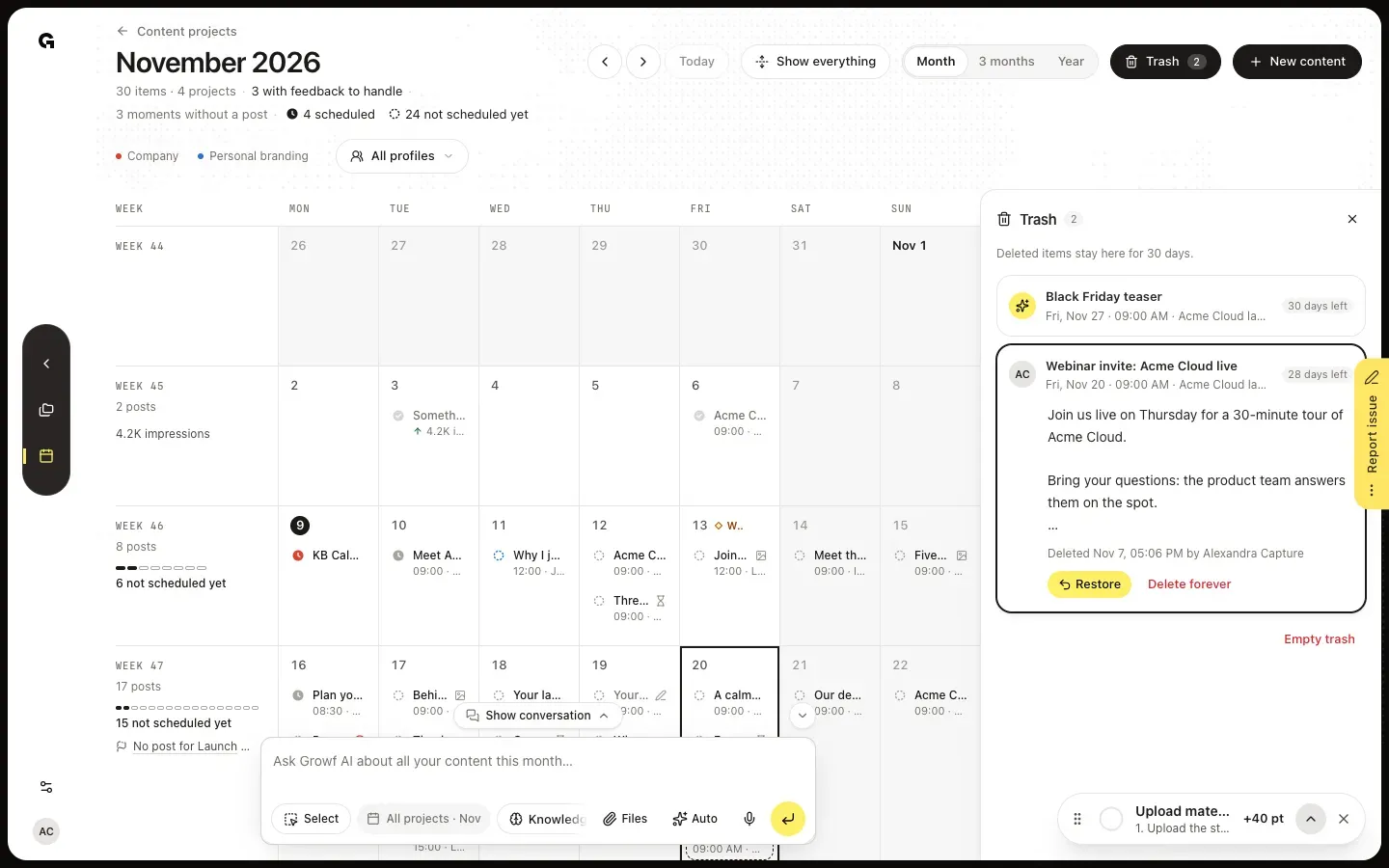
Click an item to open it. You see its text, and when and by whom it was deleted: you, a teammate, or Growf AI when the chat removed it. The calendar moves to the period the item was planned in and marks its day, so you see where it would come back.
Restore it
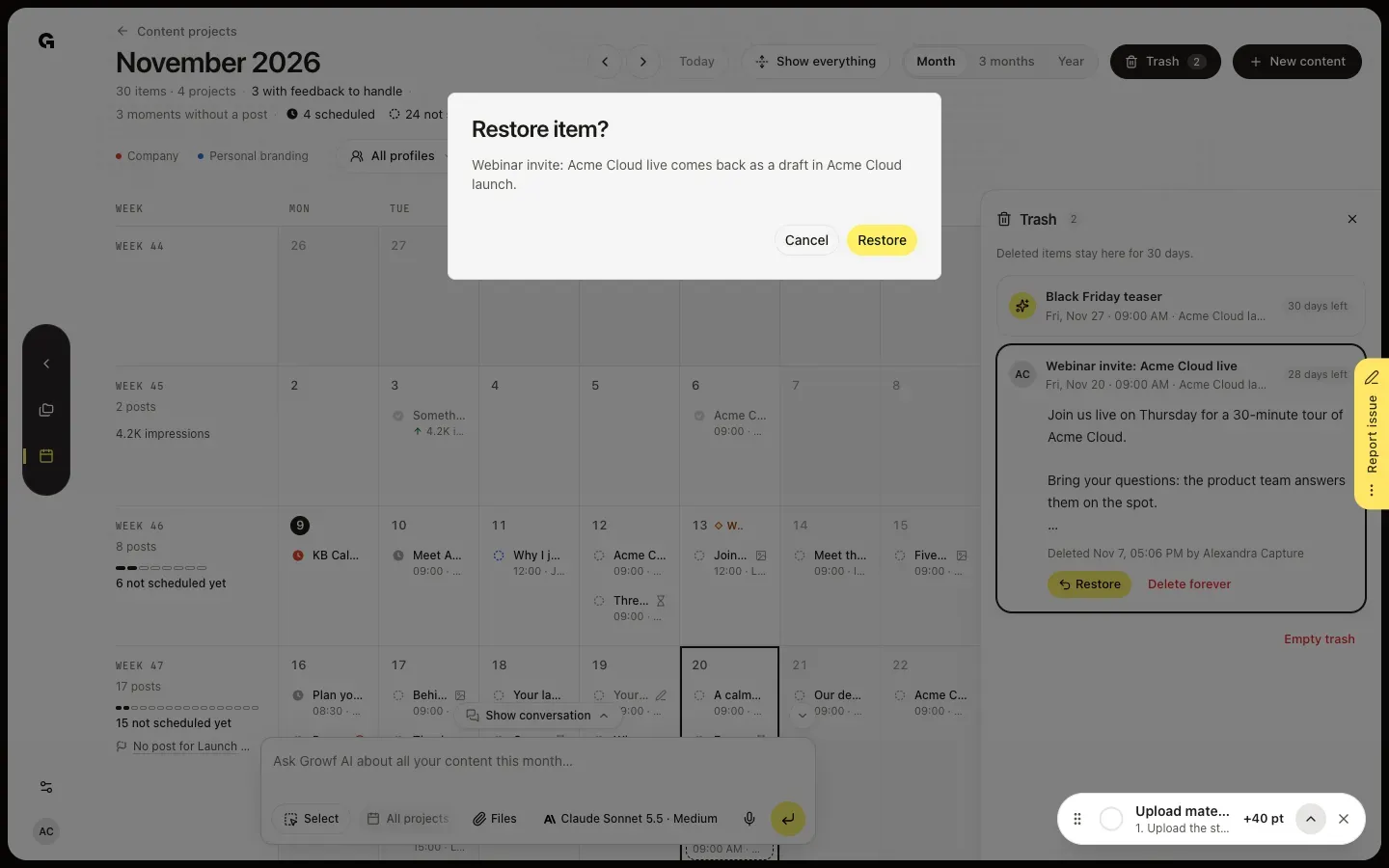
Click Restore. Restore item? tells you the item comes back as a draft in its project; click Restore to confirm. You see Item restored as a draft. It is back with its text, date, channels and media, but as a draft, so nothing goes out until you schedule it again. Comments and feedback requests do not come back. When its project was deleted in the meantime, Restore is greyed out: The project of this item no longer exists, so it cannot be restored.
FAQ
Can the chat restore a deleted post?+
Yes. Ask it, for example, to bring back the webinar post you deleted yesterday. The chat looks in the trash and shows a card that asks Bring 1 item back from the trash?, with the item and its project. Restore puts it back as a draft; Leave in trash keeps it there and shows Nothing restored. Every message to the chat uses AI credits.
How do I delete something for good?+
Open the item in the trash and click Delete forever, or click Empty trash under the list to clear it all. Both ask you to confirm, and then the item goes for good with all its versions; you cannot restore it after that. Items also leave the trash by themselves 30 days after they were deleted.
Is a deleted project in the trash too?+
No. The trash holds deleted posts, emails, articles and other items. A deleted project, and the items in it, cannot be restored. An item that was deleted before its project was deleted stays in the trash, but Restore is greyed out because its project is gone.
Who can restore or empty the trash?+
The trash shows in the calendar for everyone who can plan there. Restore needs permission to create content, and Delete forever and Empty trash need permission to delete content. Admin, Strategist and Creator have both by default. Clients see a view-only calendar without the trash.