Publish content now
Check publishing readiness, then post at once when Publish now is available and the piece is ready.
Publishing readiness is the check before a piece can go live. Anyone who can edit the draft can open the list. Posting now also needs calendar update permission.
3 steps · About 3 minutes
Open the draft
Open the piece from Content. The header shows a checklist count (for example 3/10) until every item is done. That list is Publishing readiness — identity, channels, persona, title, body, feedback, and schedule fields as they apply to this type.
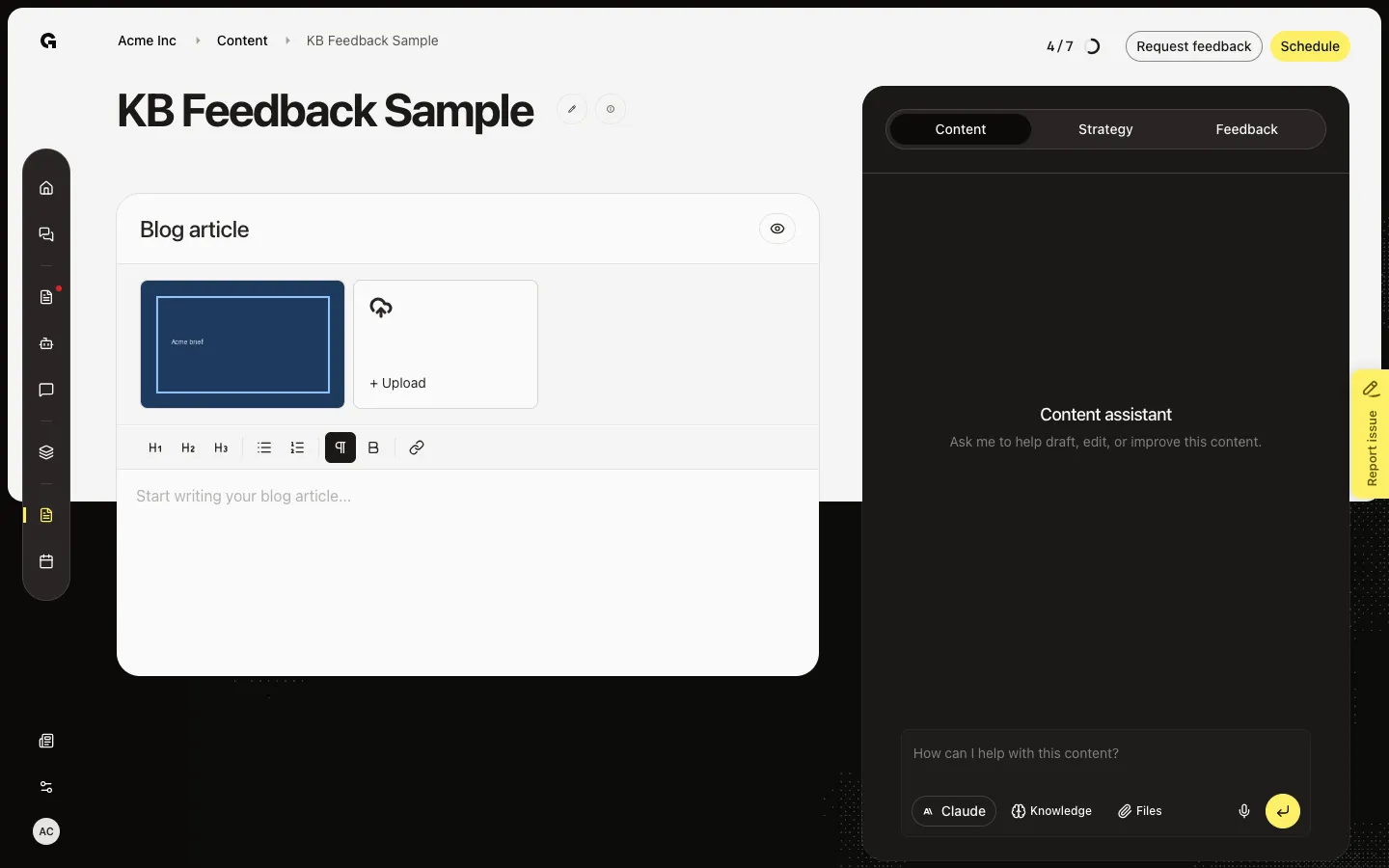
Open Publishing readiness
Click the ring. Done items are checked. For an article you need a persona, title, and body. For a social post you also need an identity, a platform, and text that fits each channel (Instagram needs an image; LinkedIn needs text). Request feedback and Get feedback approved appear when you use review. Locked pending feedback blocks posting.
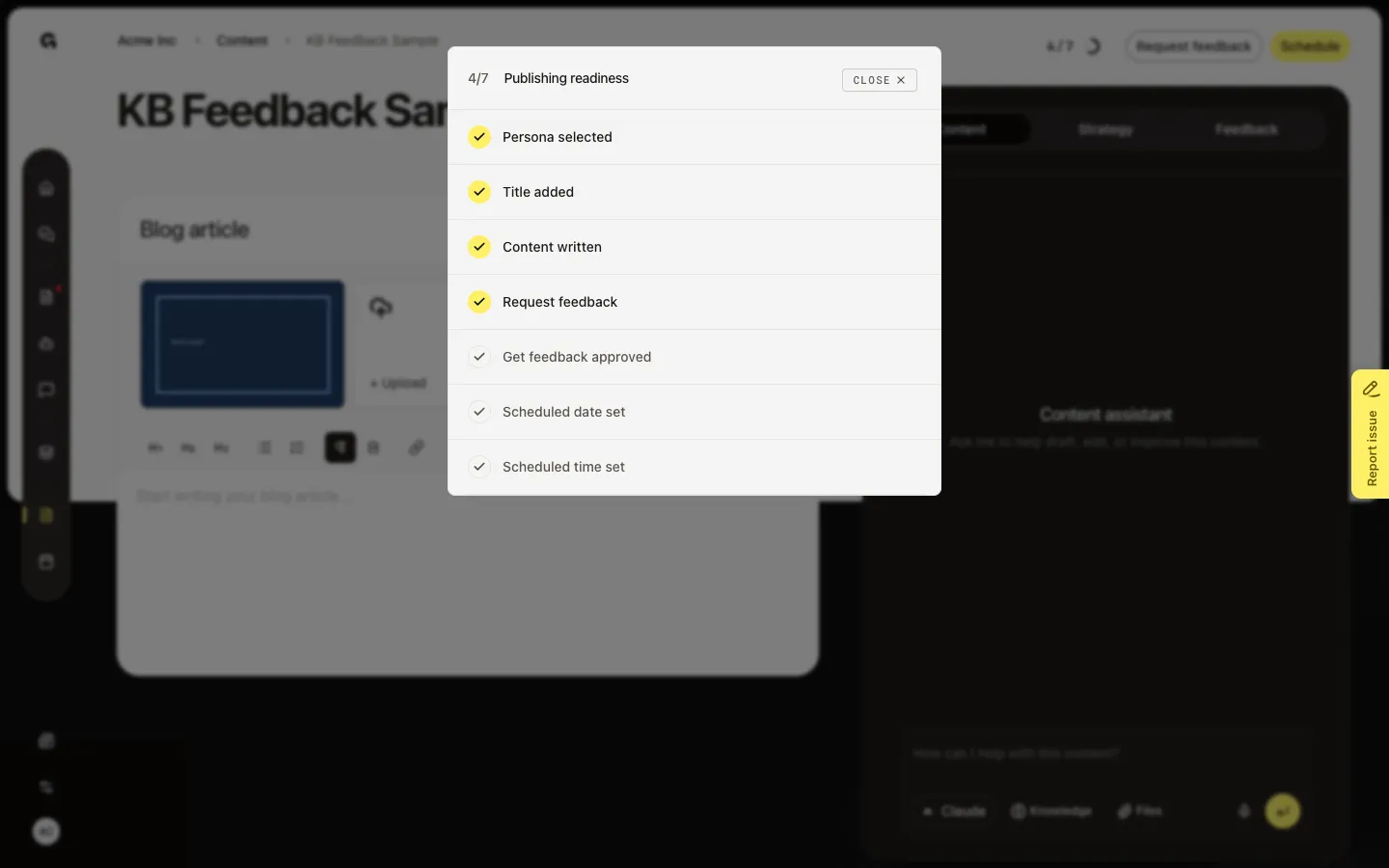
Post now or wait for the schedule
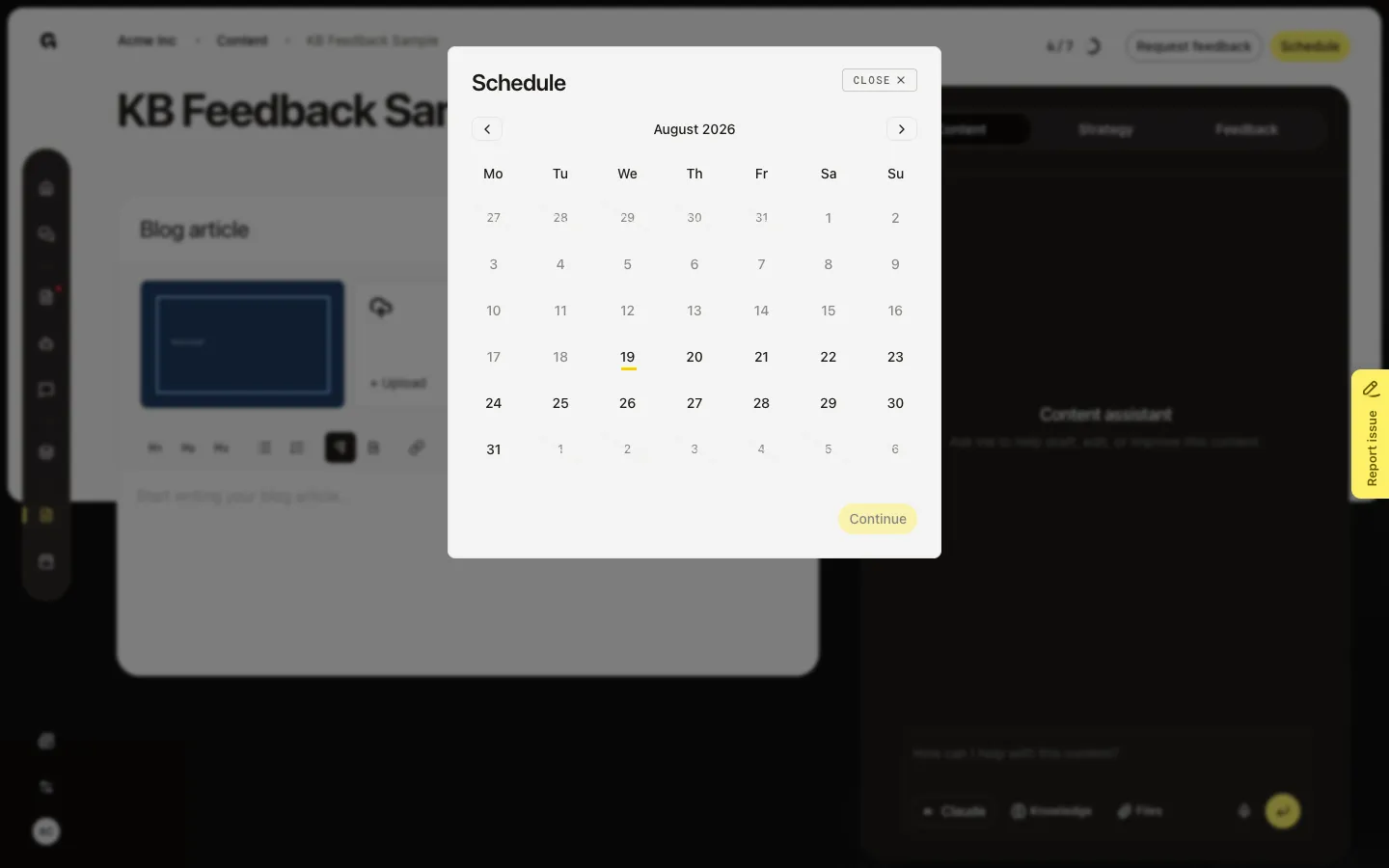
When the piece is ready and you can update the calendar, Publish now asks Are you sure you want to publish this content now? Confirm with Publish. That sends the post to connected accounts at once. If you do not see Publish now, use Schedule and a time — Growf posts then. A published post cannot be sent again from this control.
FAQ
I do not see Publish now.+
You need calendar update permission, and the piece must be ready. An article needs a persona and must not be published. A social post needs an identity, channels, and valid text. Use Schedule if you only need it to go out later.
The checklist ring is gone.+
Every item is done, or the post is already published. The ring only shows while work remains.
When should I use Schedule instead?+
Use Schedule when the post should go out at a set time in the workspace timezone. Use Publish now only when it should go out immediately.
Social Publish now stays off after I write the post.+
Assign an identity and at least one channel. See Assign identity and channels to content and Manage publishing identities.