Preview a strategy model in chat
Open a read-only model preview from the Strategy mode sidebar, pick a version, then jump to the full editor if you need to change it.
Preview opens a read-only snapshot of a strategy model beside the thread. Use it in Strategy mode when you need the canvas without leaving the conversation. Anyone who can open that chat can preview a model that already has a saved version.
3 steps · About 3 minutes
Open a Strategy conversation
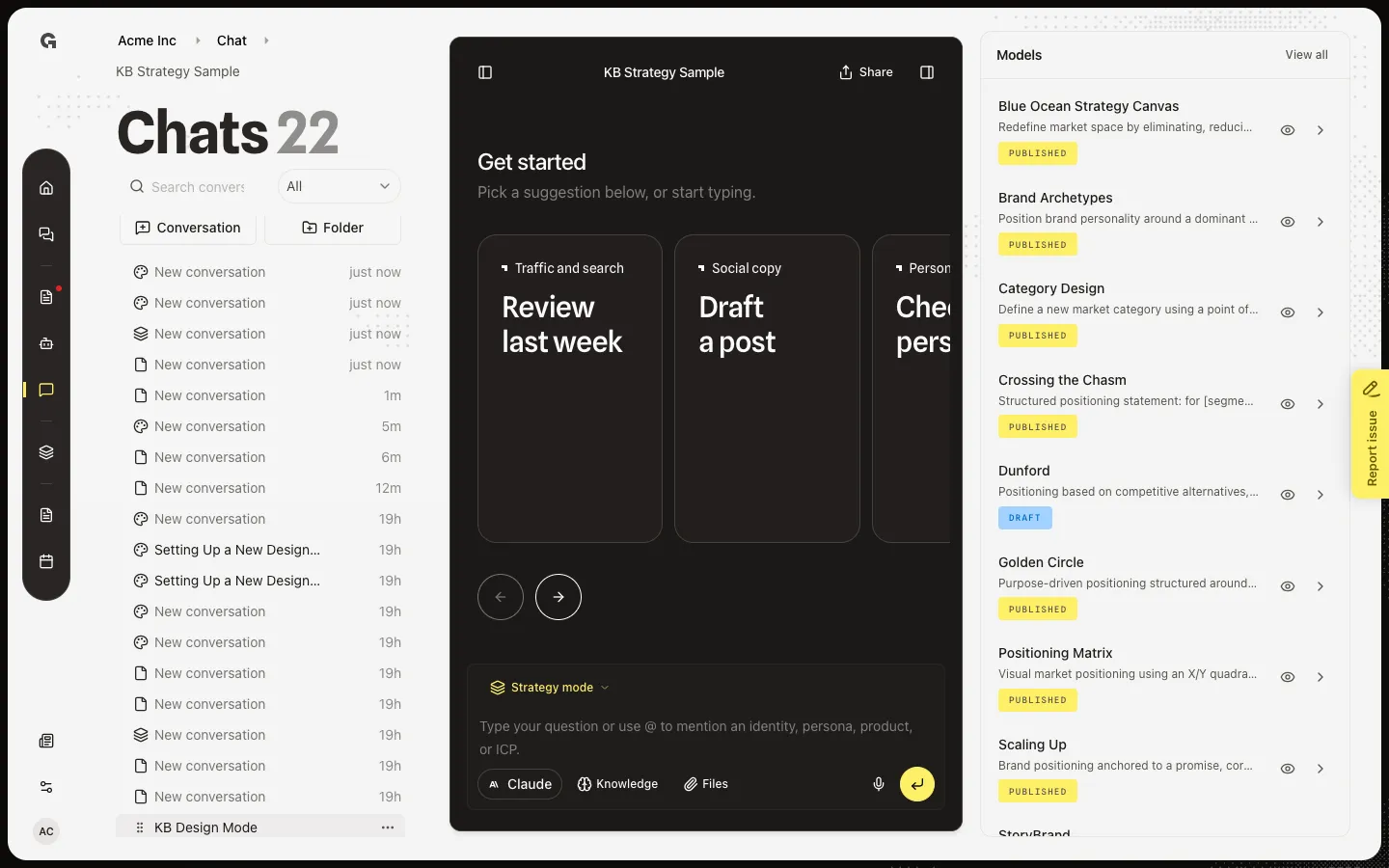
Open Chat and choose KB Strategy Sample (a Strategy mode thread). The Models sidebar lists the agency stack. A row without a saved version shows a disabled preview — tooltip No saved version available yet. Save a version on the model page first.
Preview Dunford
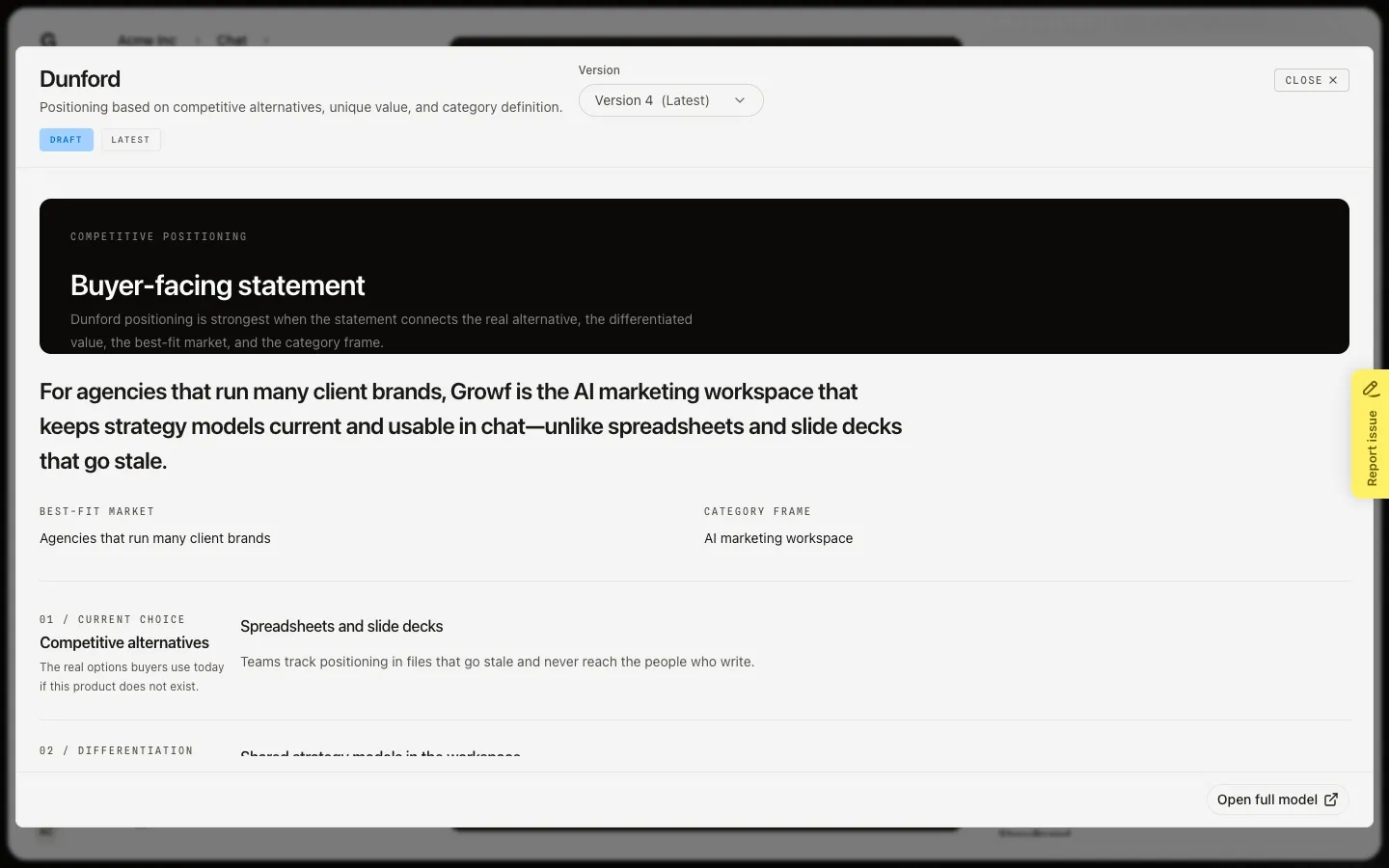
On the Dunford row, choose Preview model (eye). The dialog loads the latest version in Display when the framework has one, or a read-only form with Showing read-only form view. This is not the editor. You cannot save here.
Switch version and open the full model
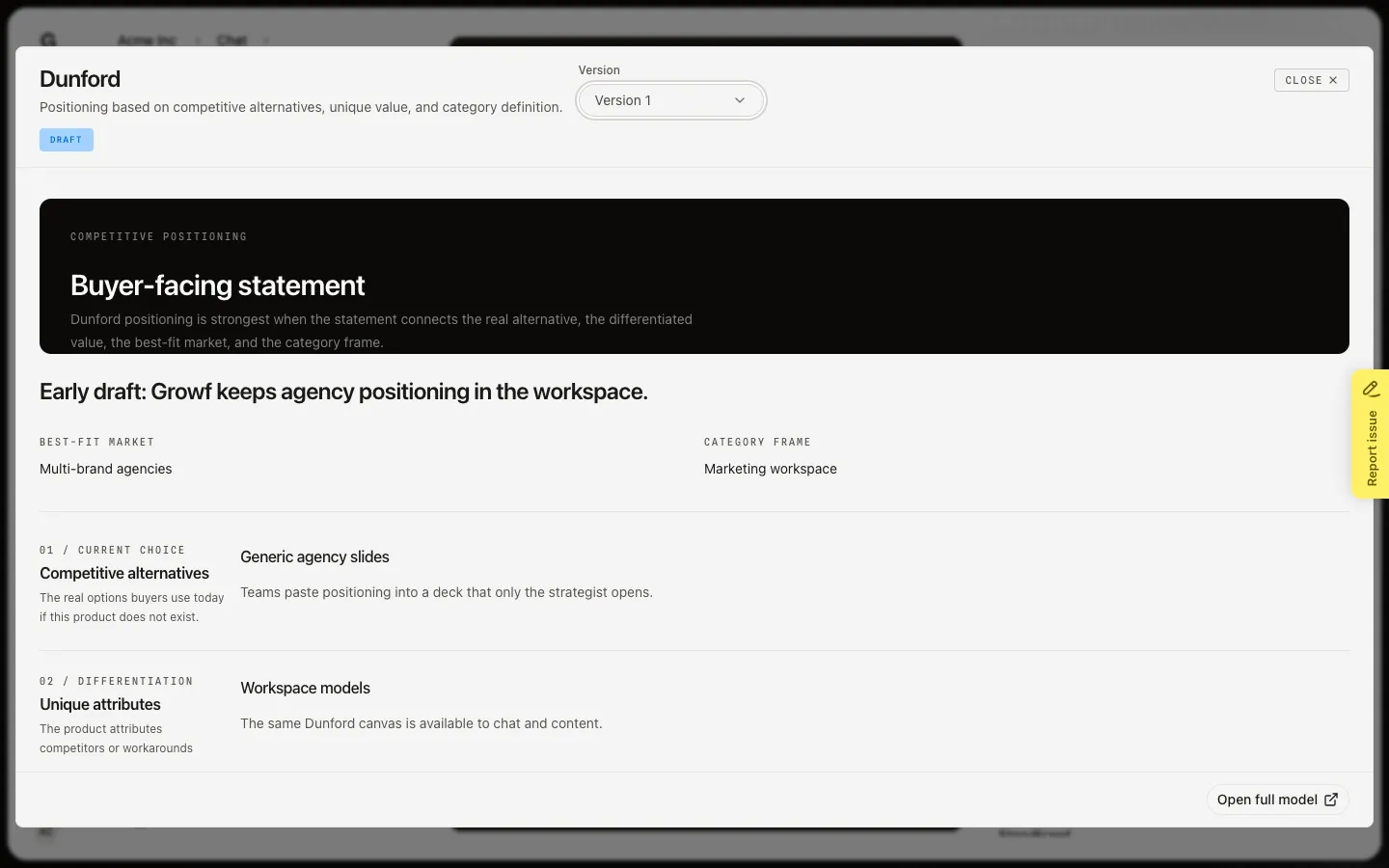
Use Version to pick an older snapshot. Draft and Published badges follow that version. Latest marks the tip. Open full model leaves chat and opens the editor, where you can save, publish, revert, or use the assistant. Close the dialog to stay in the thread.
FAQ
Preview model is grey.+
That model has no saved version (Not configured). Open it from Models or Open full model is unavailable until someone saves. See Save and publish a strategy model.
I am in Strategy mode but the sidebar is empty.+
No frameworks are on the agency stack. See Manage agency marketing models. If the panel is closed, open it with the header control on the right.
Can I edit inside the preview?+
No. Preview is read-only. Use Open full model to save, publish, revert, or talk to the assistant. Switching Version only changes what you are looking at.
Which version do @mentions use?+
Chat mentions of strategy models use published versions, not this dialog’s dropdown. Preview can show Draft and Published snapshots so you can compare before you publish.