Pick a design system in chat
Choose which workspace brand new designs use, or re-pin the design that is open.
Design systems on the composer is the brand control for Design Mode. Anyone who can update chat can use it.
3 steps · About 3 minutes
Find Design systems
Open Design Mode. On the composer, Design systems sits next to Chat mode. When nothing is open it shows the Active workspace brand — here KB Capture Brand — with a colour dot. If no system is active, the button says Design systems.
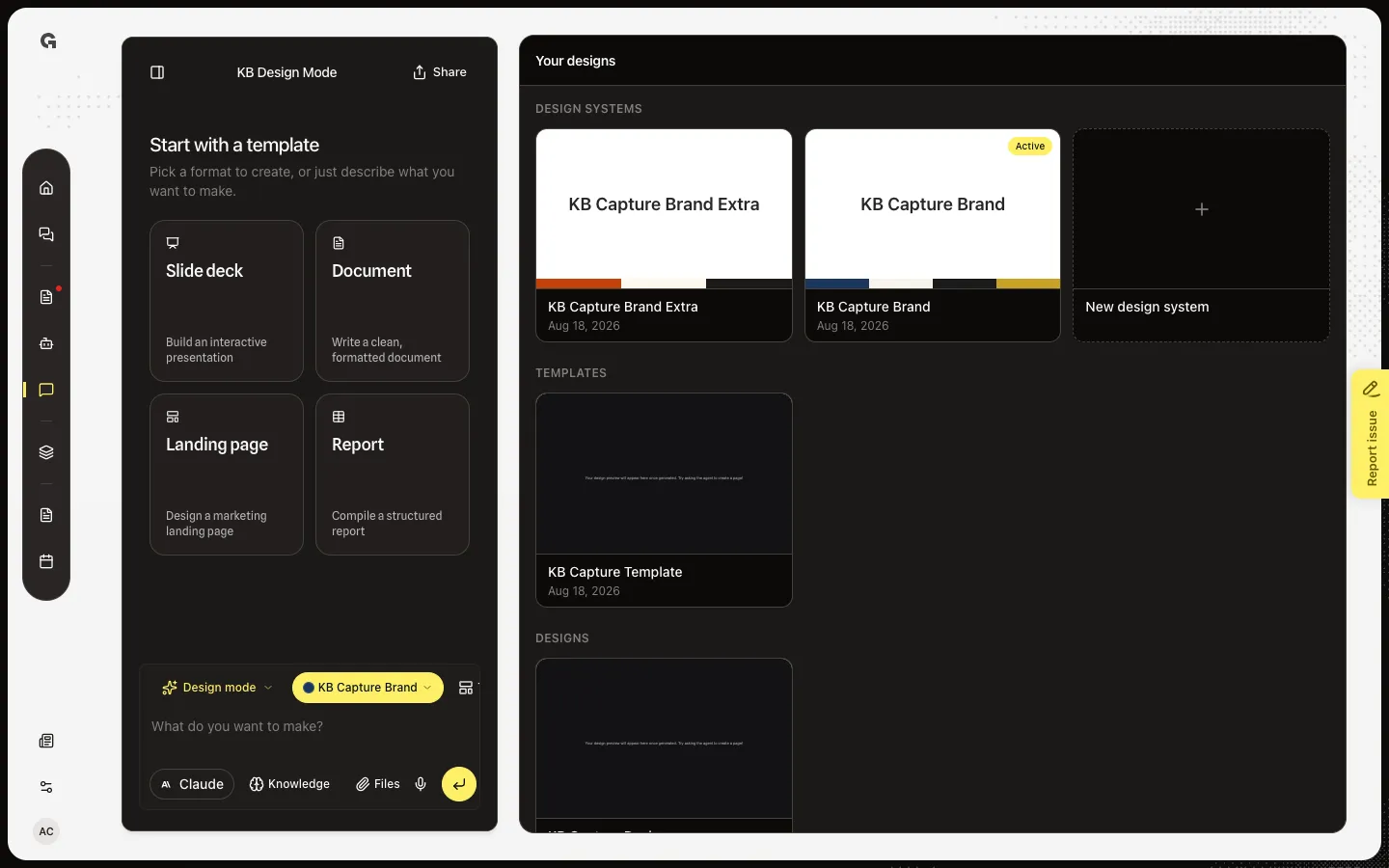
Open Design systems
Open the list. Ready systems are selectable. A system that is still generating is disabled. The check mark is the current choice: the Active workspace brand when the gallery is showing, or the brand pinned to the open design or template.
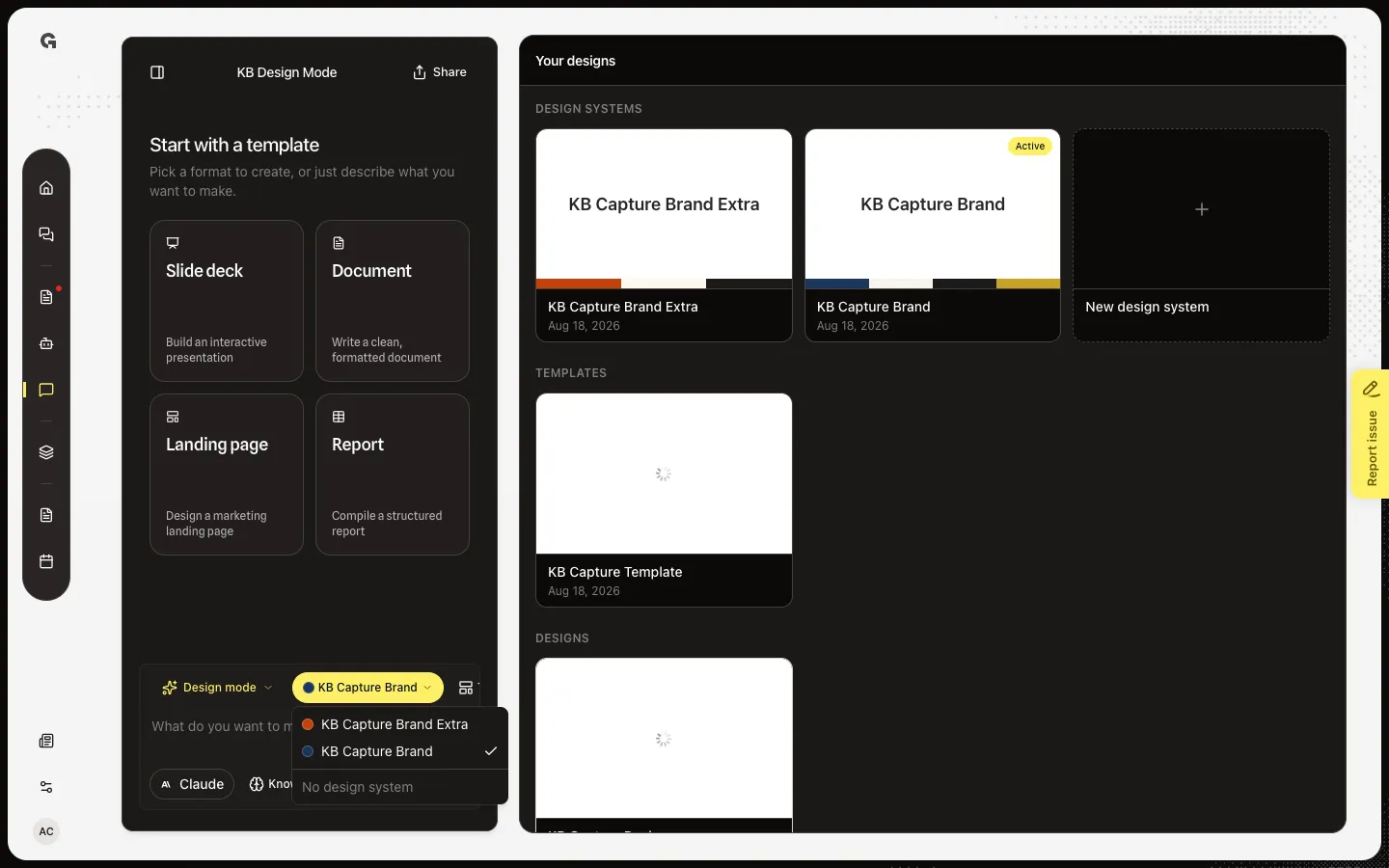
Choose KB Capture Brand Extra
Choose KB Capture Brand Extra. With the gallery open, that system becomes Active for new designs. Existing designs keep the brand they were built with. No design system clears the Active flag. If a design is open, this list re-pins that design instead of changing the workspace default.
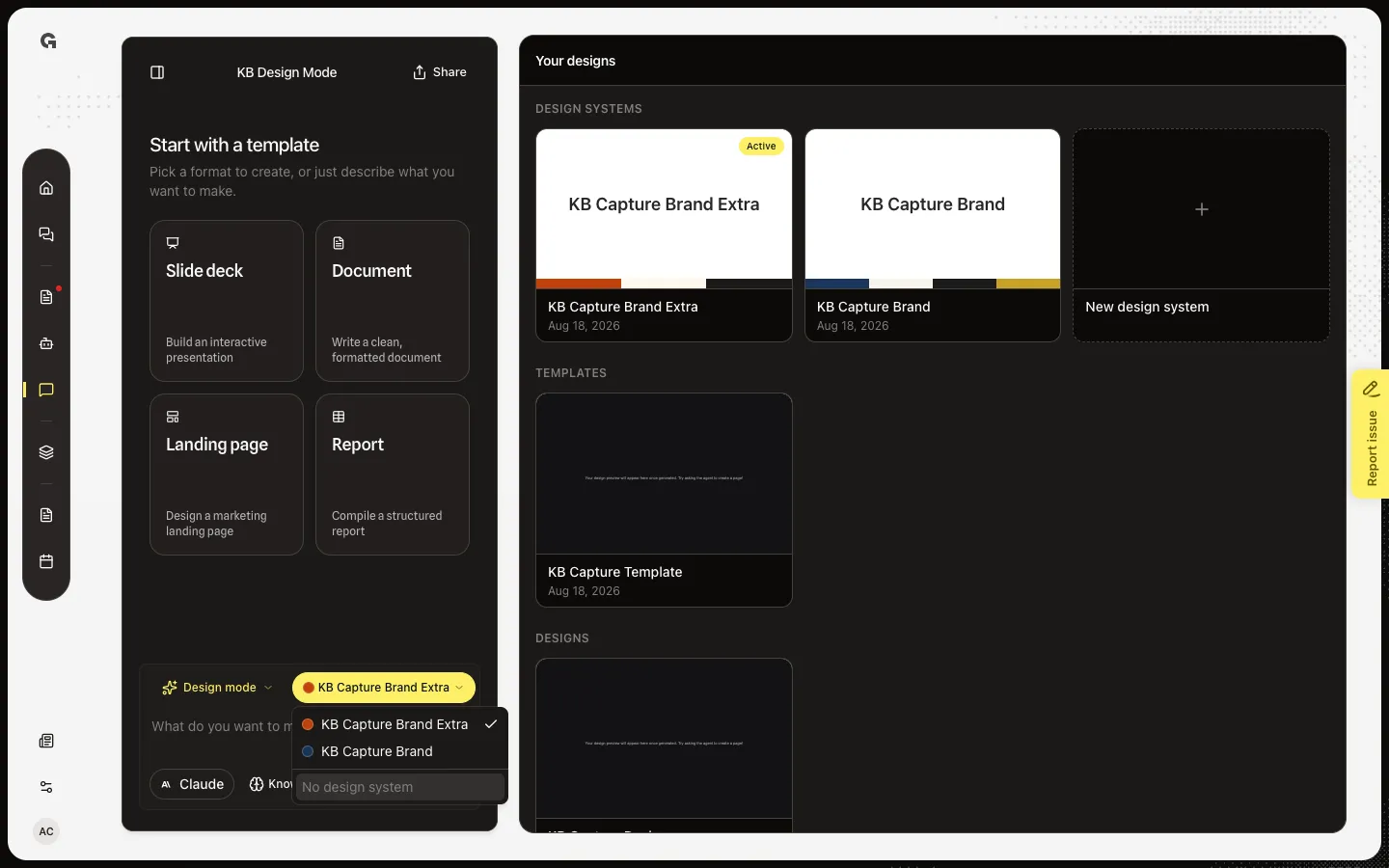
FAQ
The menu says No design systems yet.+
The workspace has none that are ready. Create one from Your designs. Systems that are still generating stay in the list but you cannot pick them yet.
Why did my old design stay on the previous brand?+
A finished design keeps the system it was built with. The picker only changes the workspace default when nothing is open. To re-brand work you already have, open that design first, then pick a system.
What does No design system do?+
It clears the Active workspace brand, or unpins the open design. New builds then have no brand tokens unless you pick a system again.
I see Couldn't switch the design system.+
The update failed. Try again. You need permission to update chat.