Organize chats in folders
Create folders in the Chats list, then rename or nest them, so threads are easier to find.
Folders group conversations in the Chats list. Anyone who can create chat can add a folder. Anyone who can update chat can rename or move a folder they are allowed to change.
3 steps · About 3 minutes
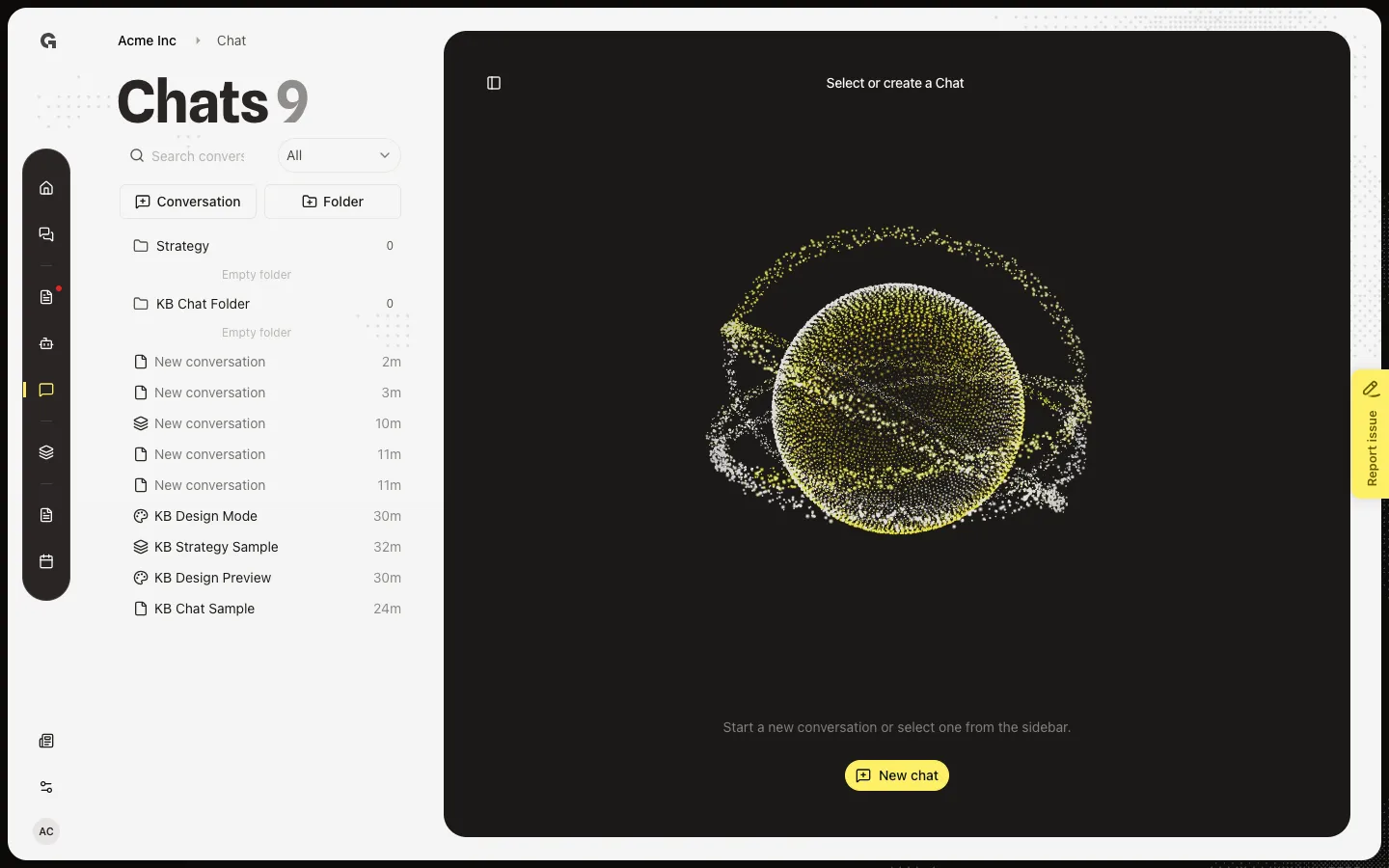
Open the Chats list
Choose Chat. The left panel is titled Chats. Conversation and Folder sit under search. Folders you create appear in this tree. Strategy is a system folder for strategy chats — you cannot rename, move, or delete it. You need permission to create chat to add a folder.
Start a folder
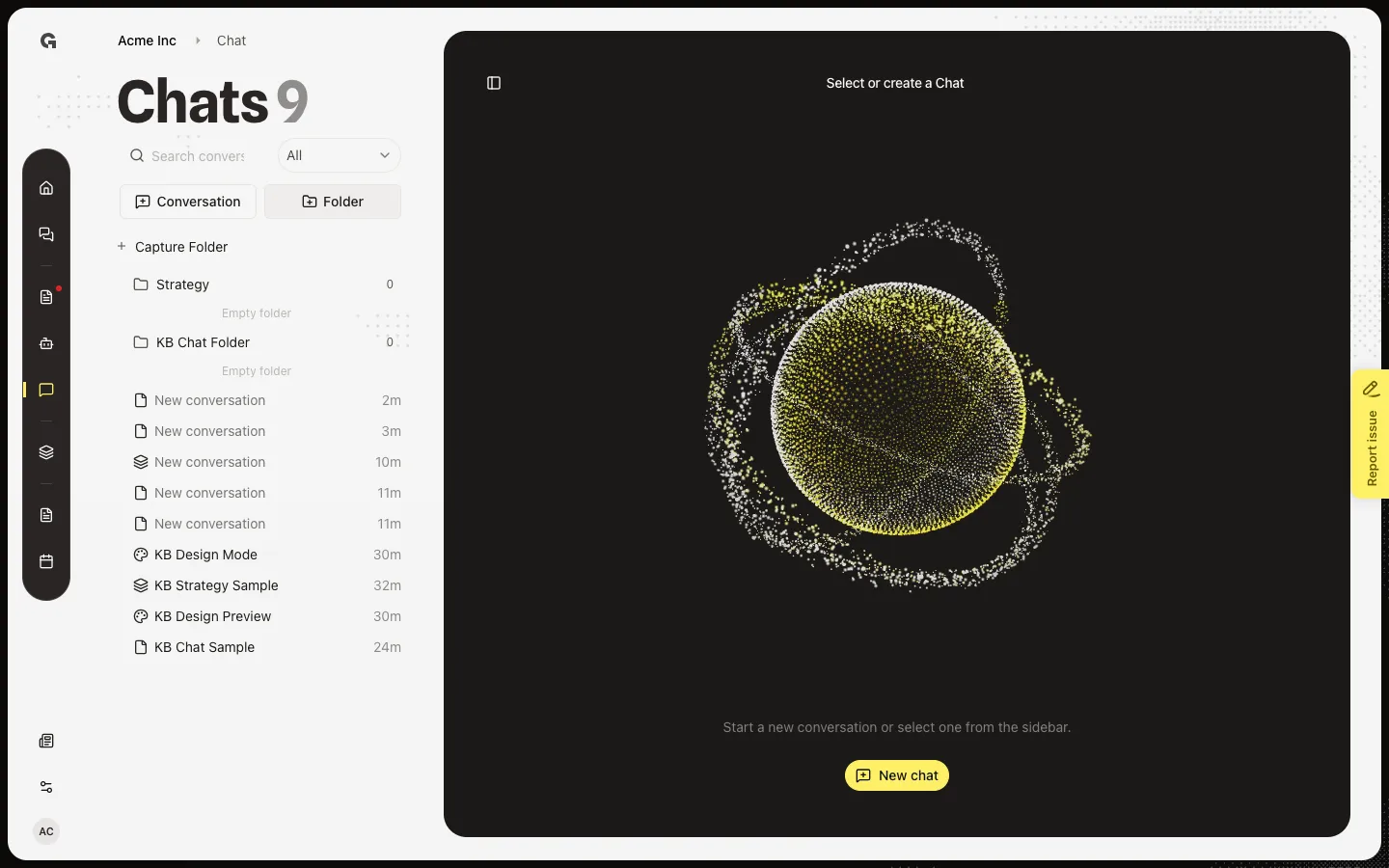
Choose Folder. An inline field with the placeholder Folder name appears. Type a name and press Enter, or click away to save. Escape cancels. You can also add a folder inside another from that folder's menu (New folder).
Rename a folder
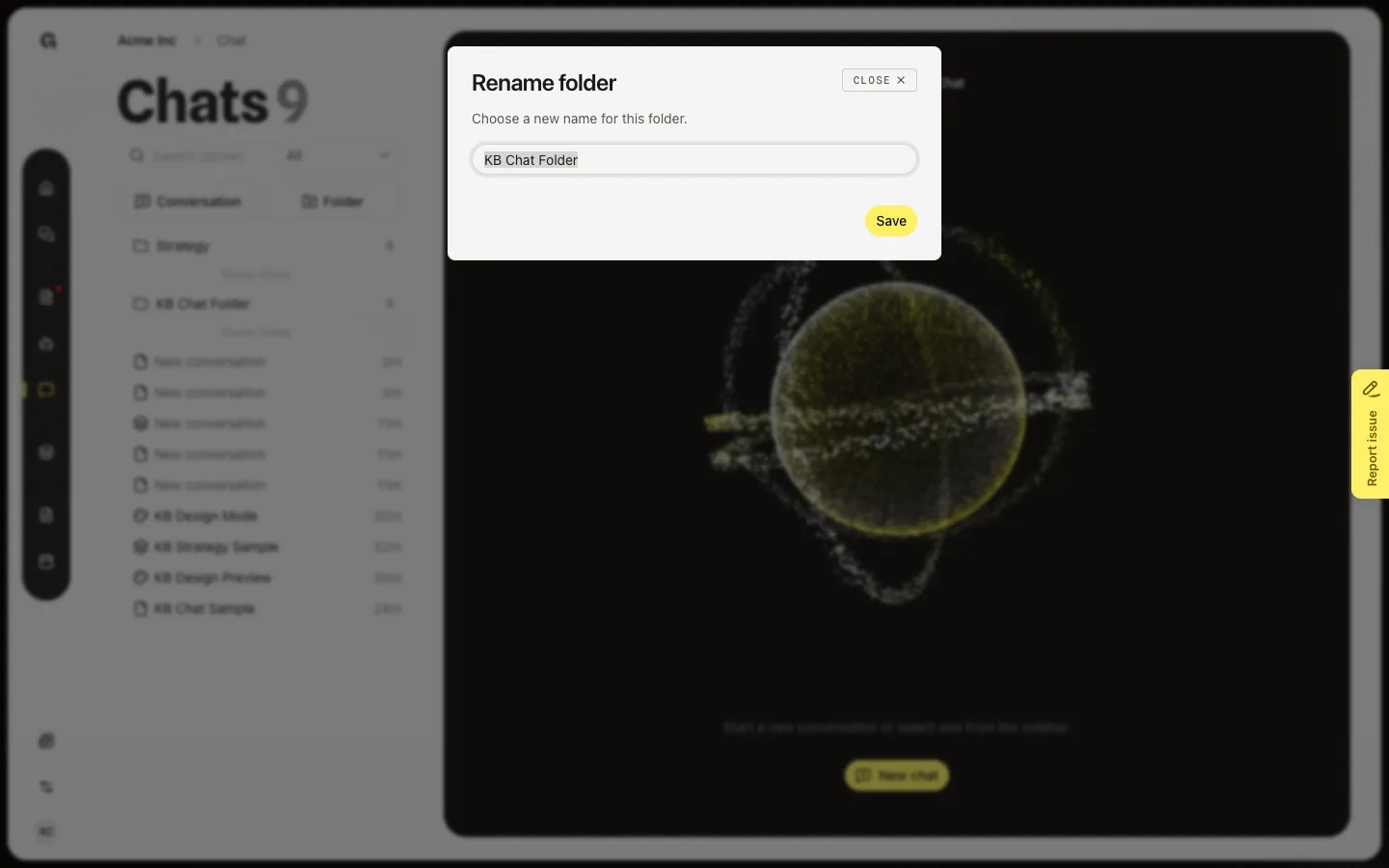
Hover a folder you created. Open the ⋯ menu. Rename, Move, Delete, and New folder appear. Rename folder asks for a new name. Delete is blocked while the folder still has chats or nested folders. Strategy stays locked. Drag a folder or a conversation to reorder — see Move a conversation for the move dialog.
FAQ
Why can I not delete Strategy?+
Strategy is a system folder for strategy chats. You can open it and drop strategy work there. You cannot rename, move, or delete it. User folders you create have the full menu.
Delete says the folder is not empty.+
Move or delete the chats and nested folders first, then delete the folder. See Move a conversation and Delete a conversation.
I do not see Folder.+
You need permission to create chat. Ask a workspace admin. Search and filters still work without that permission.