Move a post to a content calendar
Move a loose post, email or article from its Standalone content project into one of your content calendars, and settle its date and profile on the way.
A post you made on its own, for example with New content on the calendar, sits in a Standalone content project. When it belongs in a campaign after all, move it into one of your content calendars: it then shows in that calendar's weeks, its chat and its selections. You need permission to edit content; Admin, Strategist and Creator have it by default.
3 steps · About 3 minutes
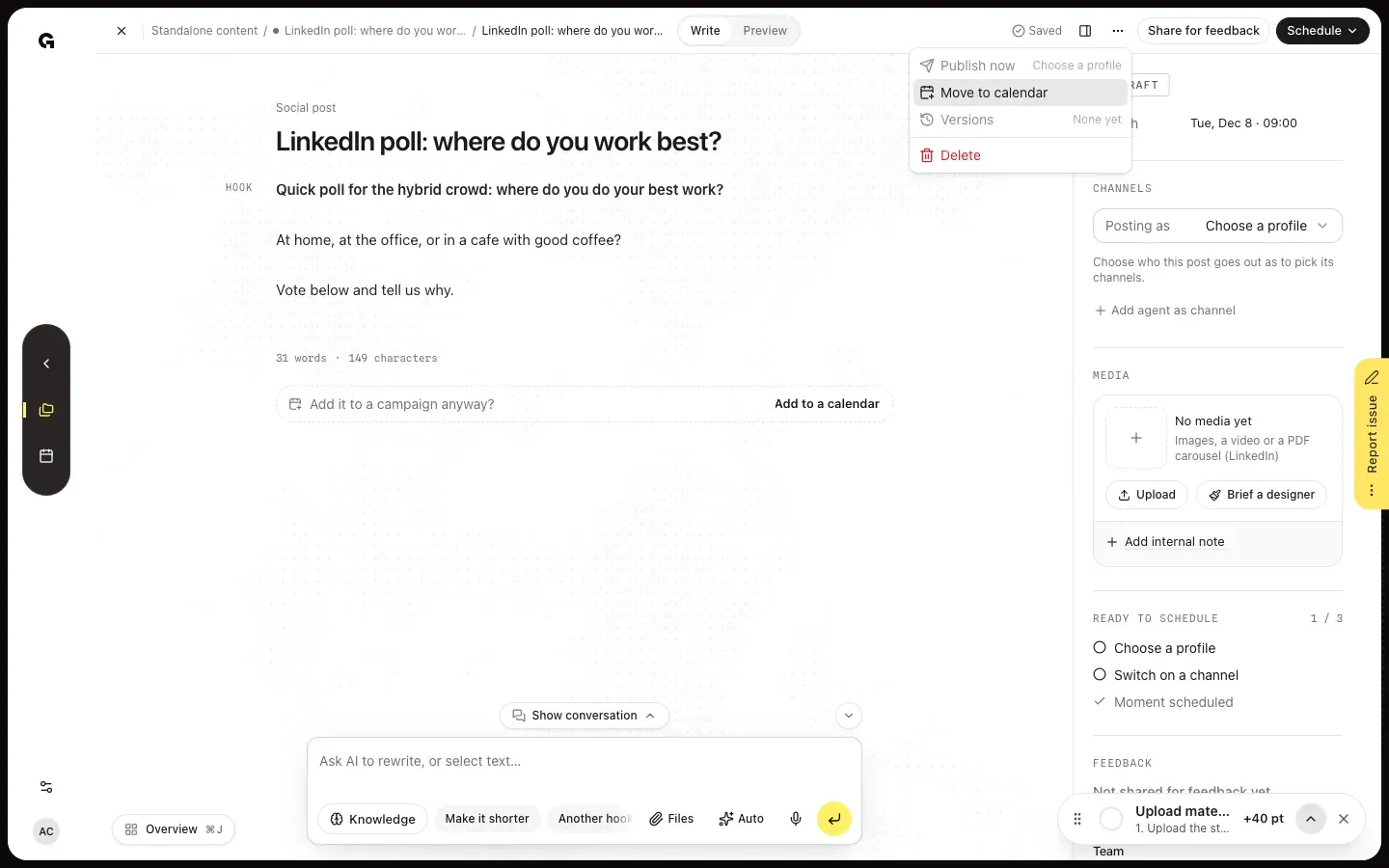
Choose Move to calendar
Open the loose post: a post, email or article in a Standalone content project, such as one you added with New content on the calendar. Click More actions, the … button in the top bar, and choose Move to calendar. The option only shows for loose content; items of a content calendar, blog series, whitepaper or web copy stay in their project.
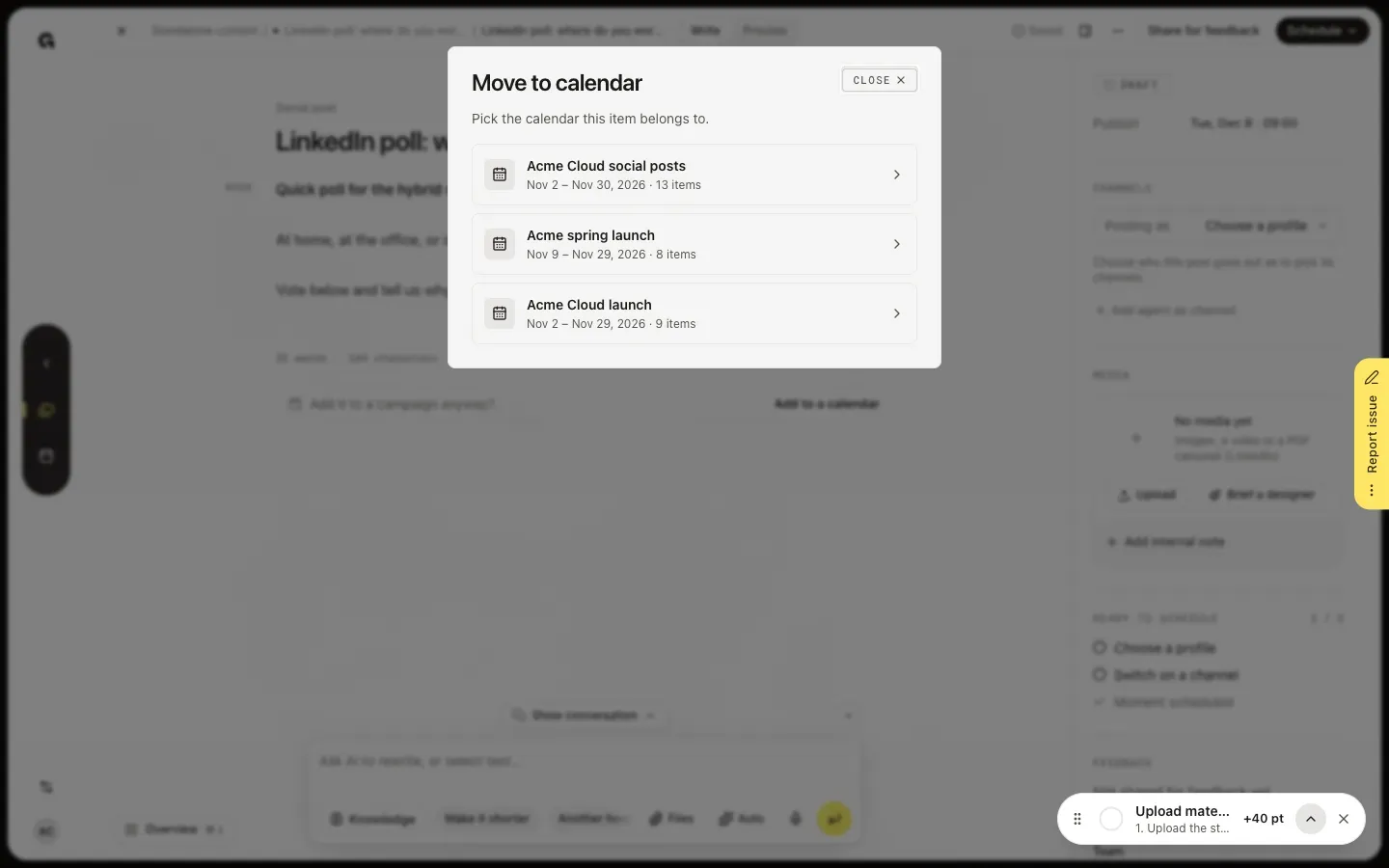
Pick the calendar
Move to calendar lists your content calendars, most recently edited first, each with its period and number of items. With many calendars, Search calendars finds the one you mean. Click the calendar the post belongs to. Without any content calendar, the dialog says so: create one first with New project on Content projects.
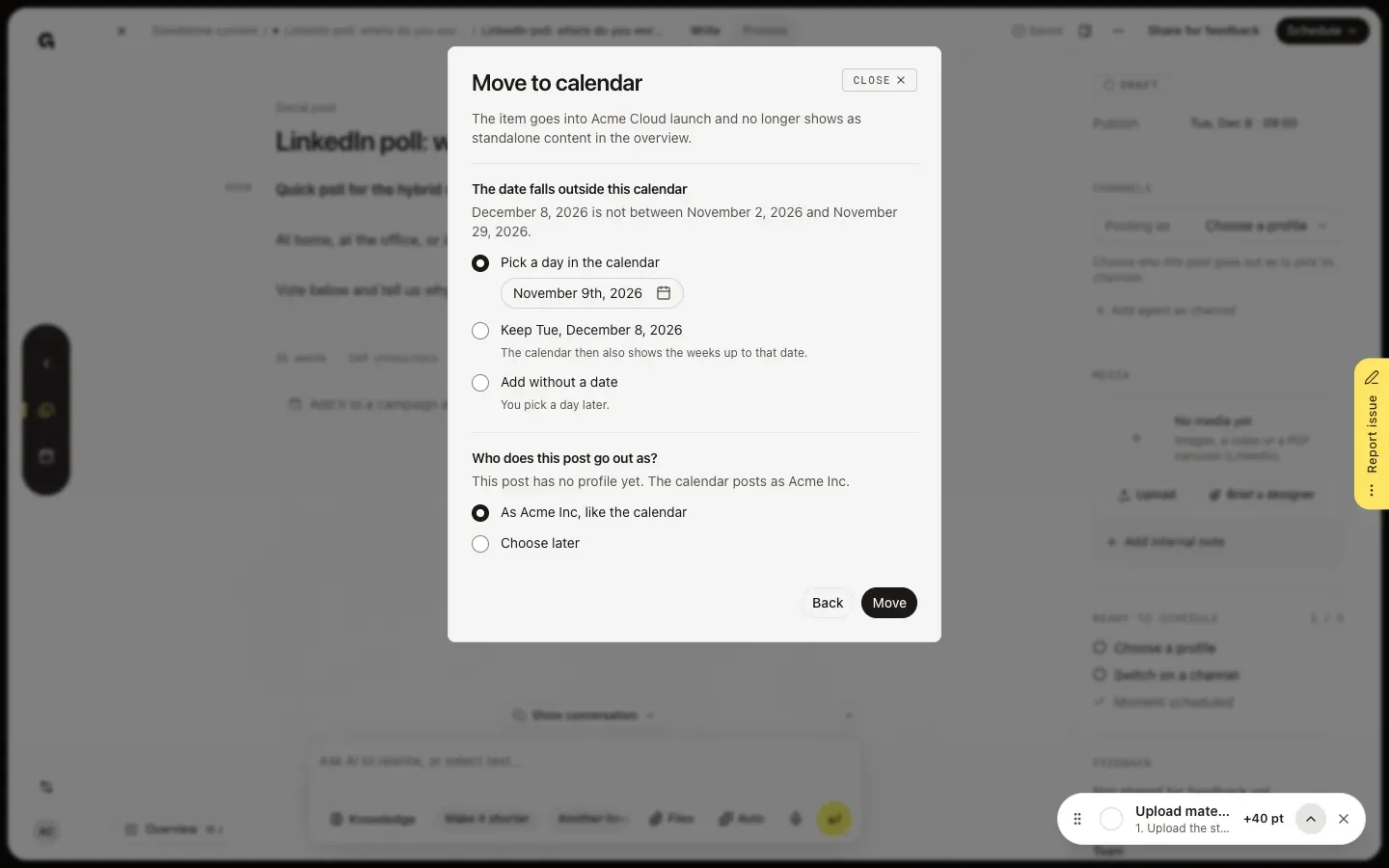
Settle the date and profile, then move
The next step names what does not fit the calendar yet. When the post's date falls outside the calendar's period, choose Pick a day in the calendar, Keep the date, which also shows the weeks up to that date, or Add without a date. When the post goes out as another profile than the calendar, or has none, choose who it goes out as: its own profile, the calendar's, or Choose later; the dialog says which channels a post would lose. When nothing clashes, it only says that the text, date and channels stay the same. Click Move: you see Moved to and the calendar's name, and the post opens in that calendar.
FAQ
Can the chat move a post for me?+
Yes. Under the text of a loose post, Add it to a campaign anyway? offers Add to a calendar, which asks the chat to move the post to a content calendar; you can also ask in your own words and name the calendar. When the date or profile does not fit, the chat's card reads Not moved yet: choose how it fits, followed by the calendar's name, and the chat asks you what to do. Once it is done, the card reads Moved to and the calendar's name. Every message to the chat uses AI credits.
What changes when I move a post?+
Only what you choose in the dialog: the date and who the post goes out as. Its text, channels and status stay the same, so a scheduled post still goes out at its moment. The post joins the calendar after its last item, in the week its date falls in. Its Standalone content project disappears from Content projects, because it only held this post.
Can I move a published post or one that waits for feedback?+
Yes, but its date and profile cannot change while it is published or locked for feedback, so the dialog only tells you what happens. A scheduled post that you move without a date no longer goes out by itself; you schedule it again later.
Who can move posts to a calendar?+
Everyone who can edit content: Admin, Strategist and Creator by default. Clients cannot open Content projects.