Move a conversation
Move a thread to a folder or back to Root from the conversation menu.
Move files a thread into a folder or back to Root. Anyone who can update chat can do it.
2 steps · About 2 minutes
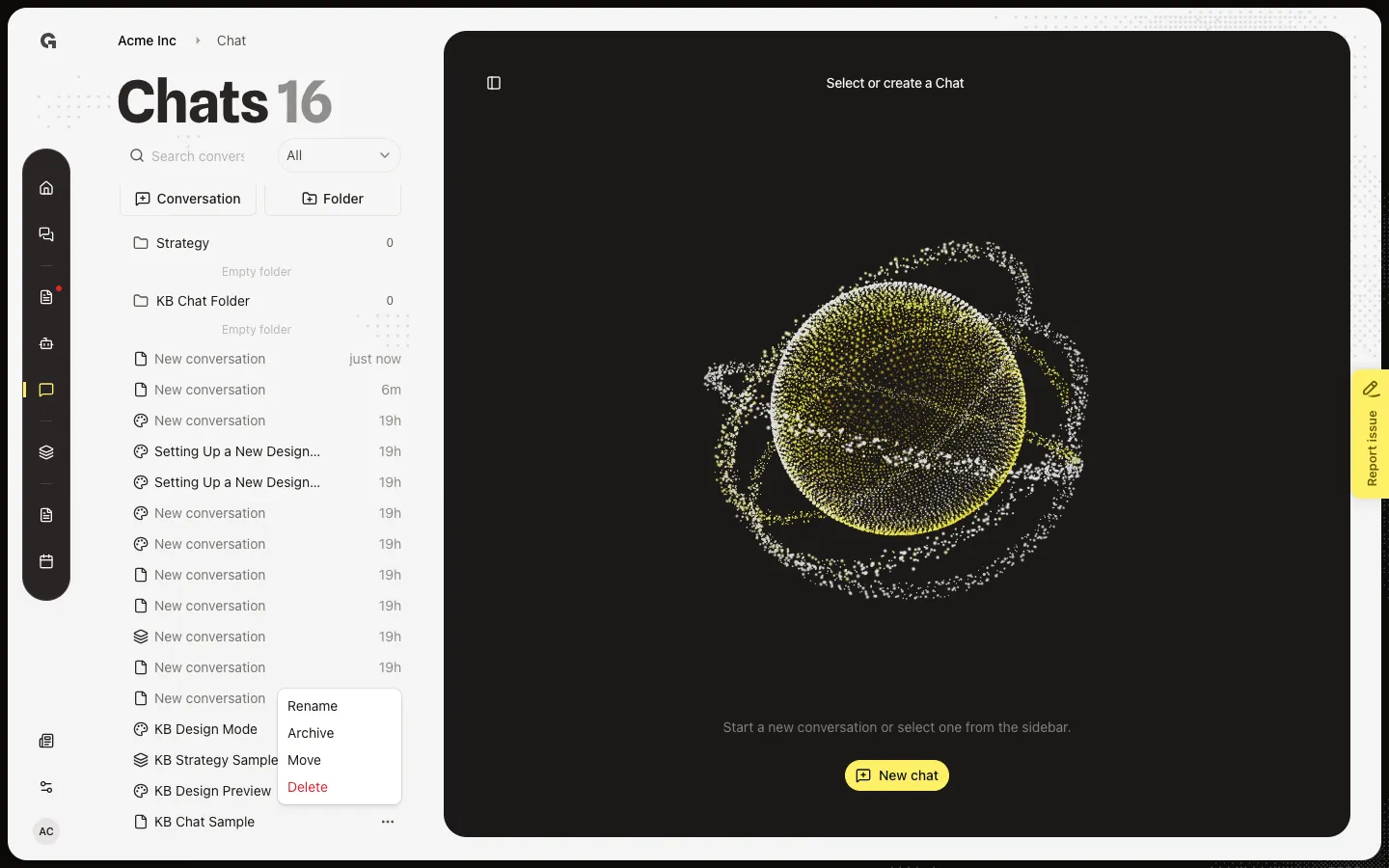
Open the conversation menu
In the Chats list, hover the thread. Open ⋯. Move sits with Rename, Archive, and Delete. You need permission to update chat. You can also drag the row onto a folder. A confirm dialog may ask Move conversation? unless you chose Don't ask again for conversation moves.
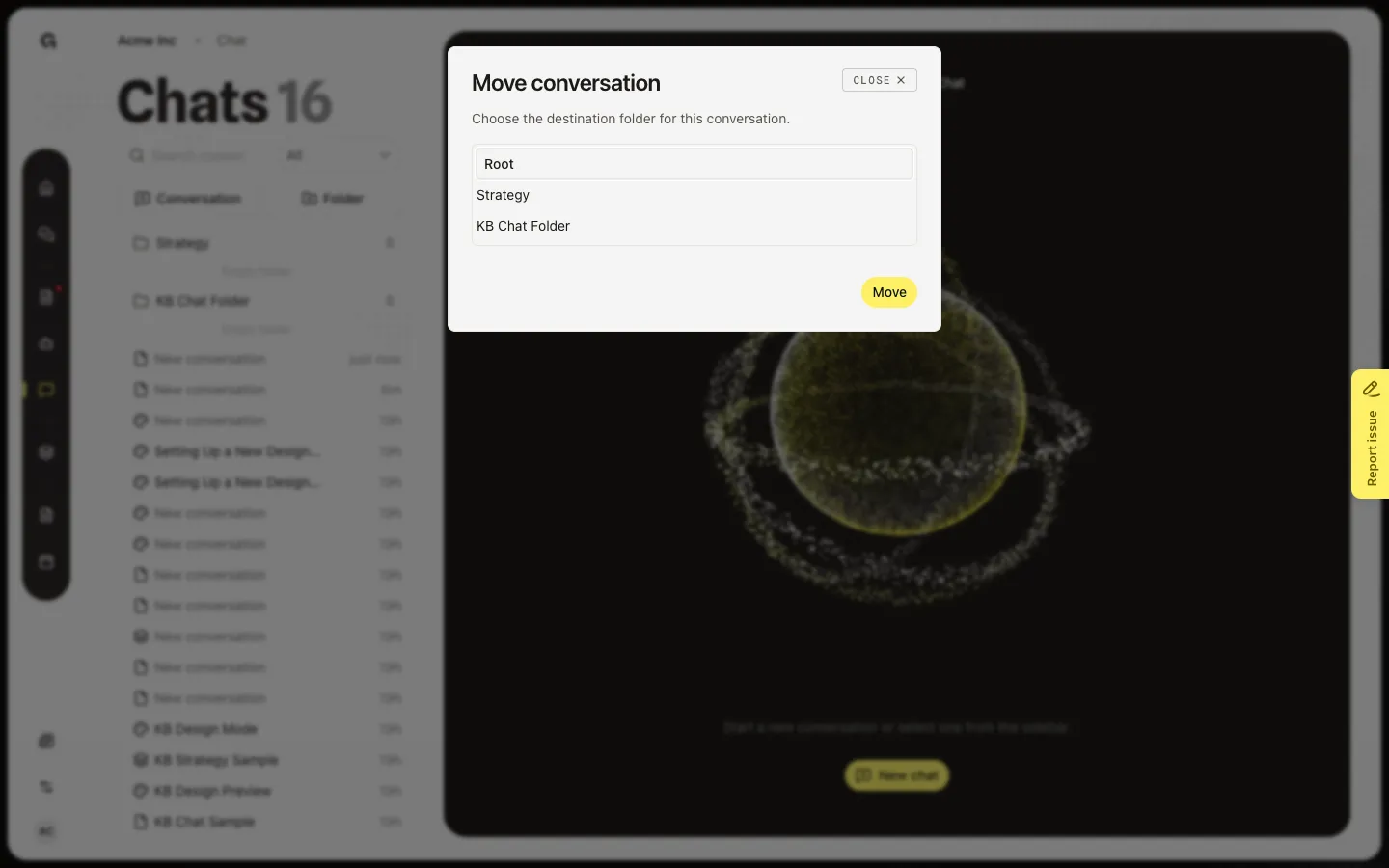
Choose a destination
Choose Move. Move conversation asks you to pick a folder. Root takes the thread out of any folder. User folders you created appear in the list — here KB Chat Folder. Strategy is the system folder for strategy work. Choose a row, then Move to confirm. Create folders first in Organize chats in folders.
FAQ
Should I move a chat to Strategy?+
Yes when the thread is strategy work. Growf can also suggest that move after a reply. Strategy tools follow that folder. See Choose a chat mode and Use Strategy Mode.
I only see Root.+
You have not created a user folder yet. See Organize chats in folders. Strategy still appears when that system folder exists.
Can I drag instead of using Move?+
Yes. Drag the conversation onto a folder or onto Root. You may see Move conversation? the first time. Don't ask again for conversation moves skips that confirm later.