Mention resources with @
Type @ in the composer to pin a product, ICP, persona, identity, integration, strategy, or custom agent to the message.
@ pins a workspace record to the message so the reply can use that product, ICP, persona, identity, integration, strategy, or custom agent. Anyone who can send in the thread can mention records they can see.
3 steps · About 3 minutes
Open the composer
Open a conversation. The placeholder says Type your question or use @ to mention an identity, persona, product, or ICP. Mentions tell the model which record to use. Knowledge documents are not in this list — use Knowledge. See Link knowledge in chat.
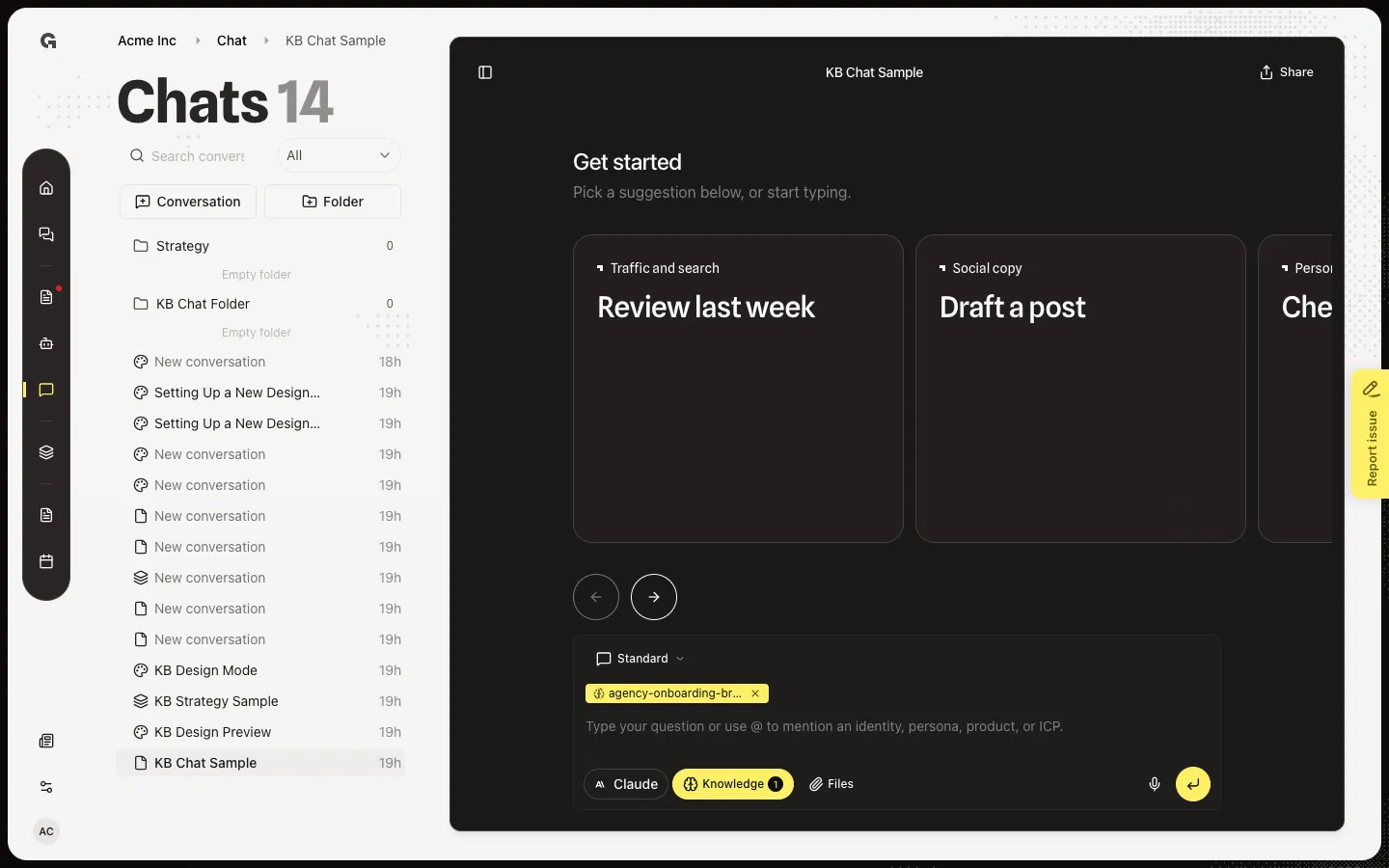
Type @
Type @. Mention suggestions lists matches grouped by type: Products, ICPs, Personas, Integrations, Identities, Strategy, and Agent. Integrations, identities, and knowledge chips stay sticky on later turns. Keep typing to filter. One custom agent per message.
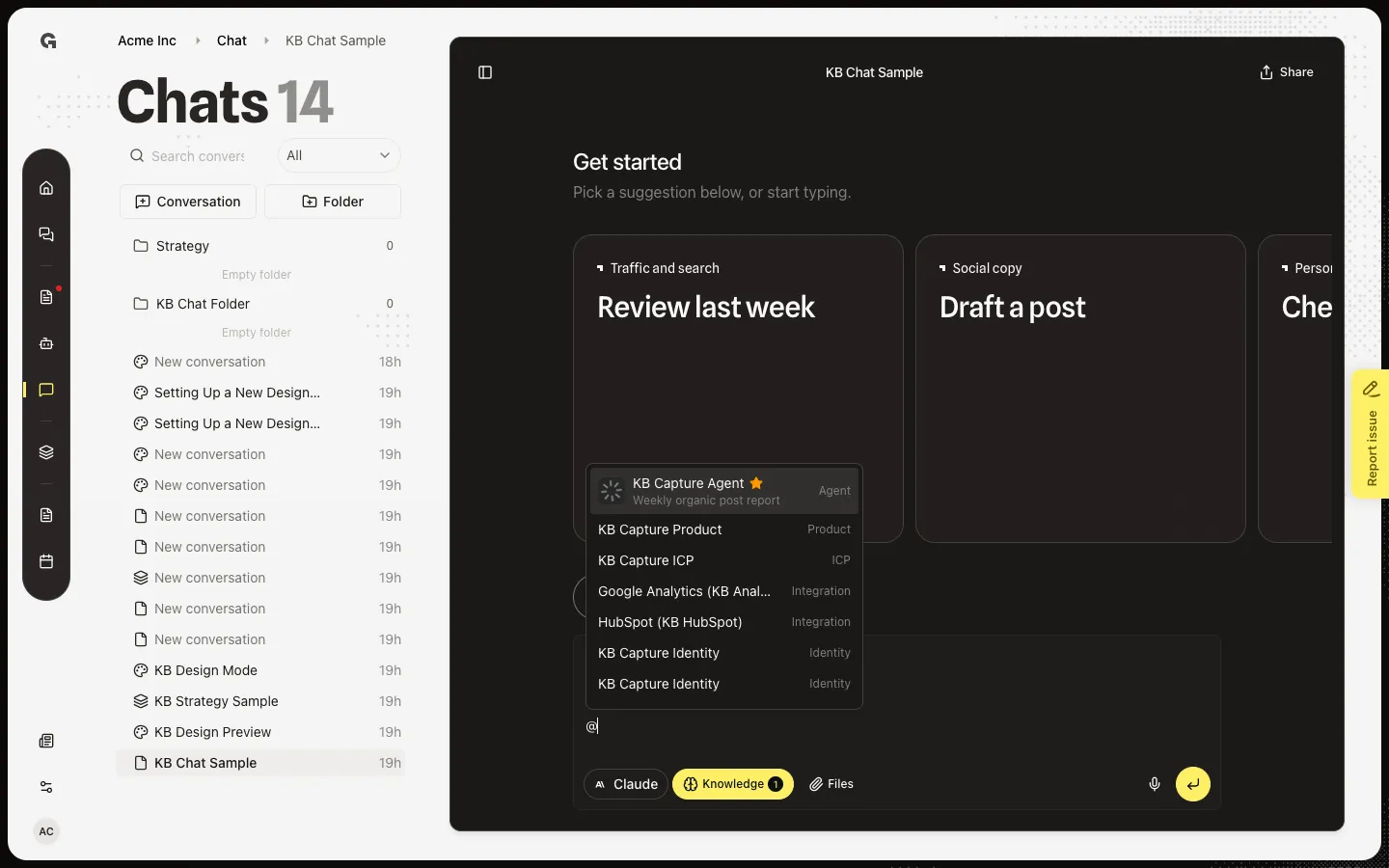
Choose a mention
Type a few letters of the name, then choose the row. A chip appears in the message. Remove it by deleting the chip. After you send, the reply uses that record. Mention a custom agent when you want it to run — see View a custom agent run in chat and Create a custom agent.
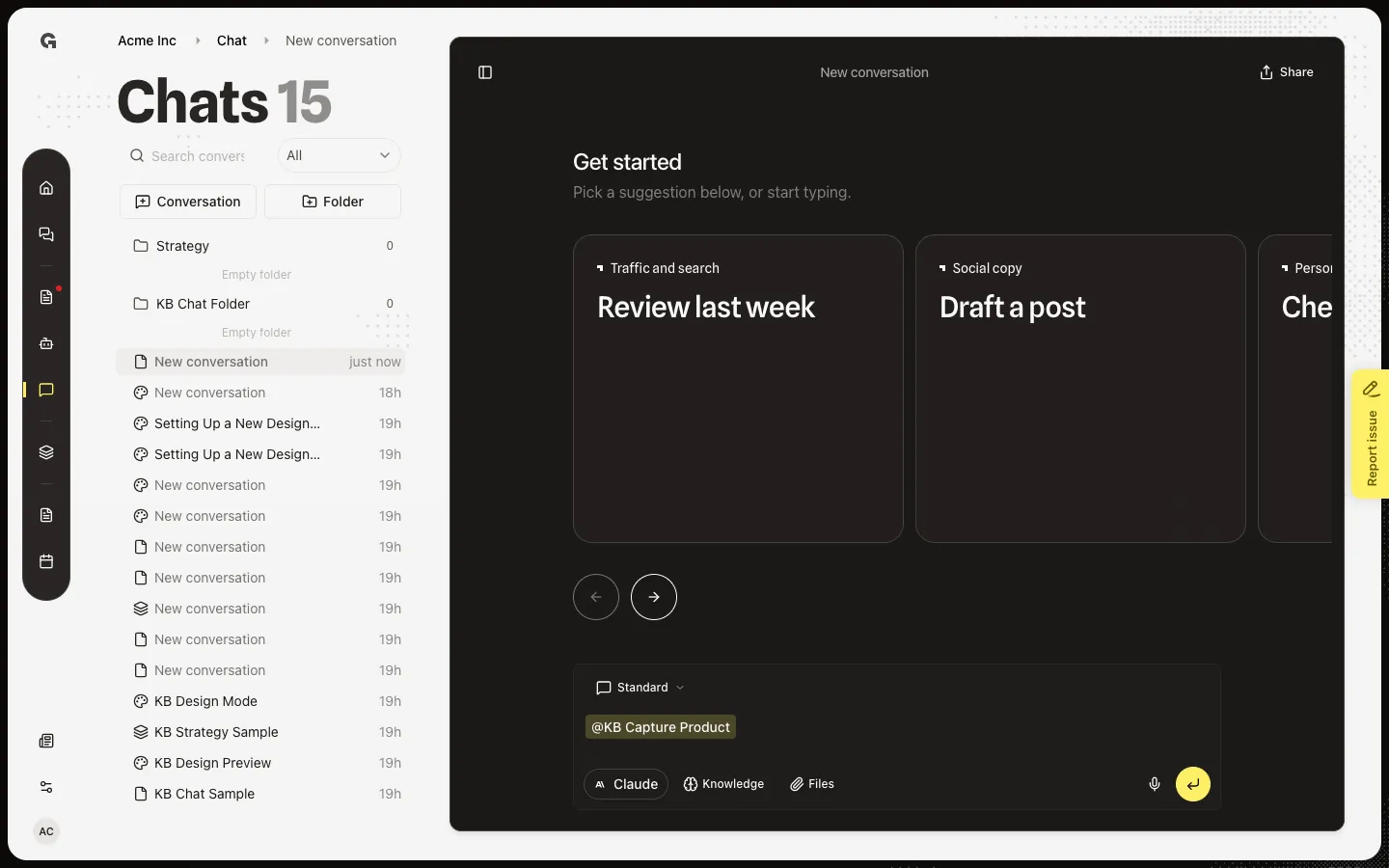
FAQ
I cannot mention a document with @.+
Knowledge is not in the @ list. Use Knowledge on the composer. See Link knowledge in chat.
Why can I not add a second agent?+
A message can mention one custom agent. Remove the first agent chip, then mention another. See Create a custom agent and View a custom agent run in chat.
The @ list is empty.+
Growf only shows records you can see. Add a product, persona, ICP, identity, published strategy, connected integration, or custom agent first. Keep typing to narrow the list.