Choose a subscription for your agency
Compare the Growf plans and start a subscription for your agency, for example when your trial ends, with optional add-ons.
A Growf subscription unlocks your agency and its client workspaces. You choose between Core, Scale and Pro, which differ in the number of active clients and the AI credits per month, and add capacity or white label as you need it. You pay through Stripe.
2 steps · About 2 minutes
Open Choose your subscription
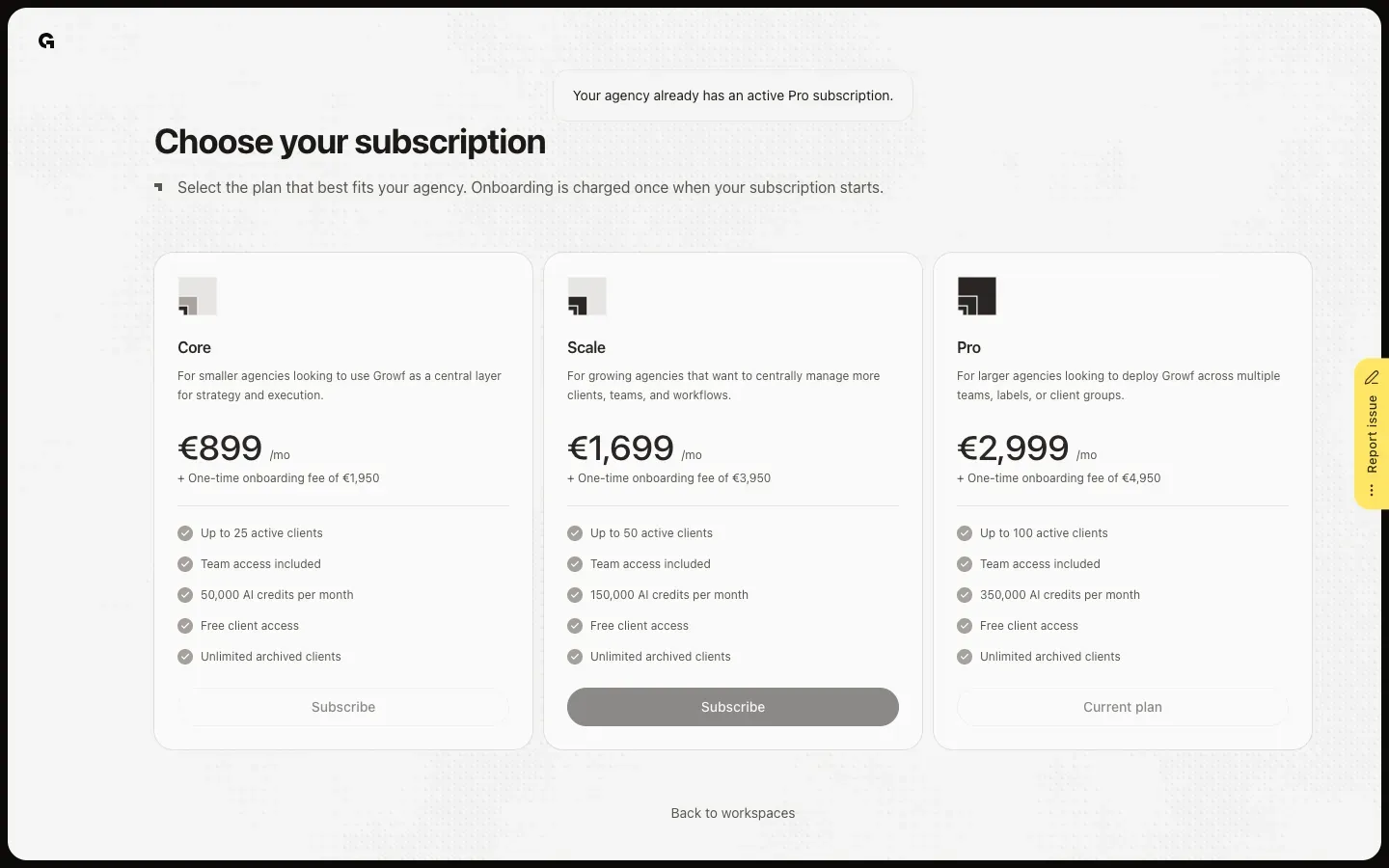
When your agency has no active subscription, for example after the trial, your workspaces show No active subscription with a Choose a plan button, and Billing in the agency cockpit shows the plans too. Choose your subscription lists Core, Scale and Pro, each with its price per month, the one-time onboarding fee and what it includes: the number of active clients, team access and the AI credits per month. When your agency already has a subscription, the page says so and marks your plan as Current plan.
Subscribe and check your plan
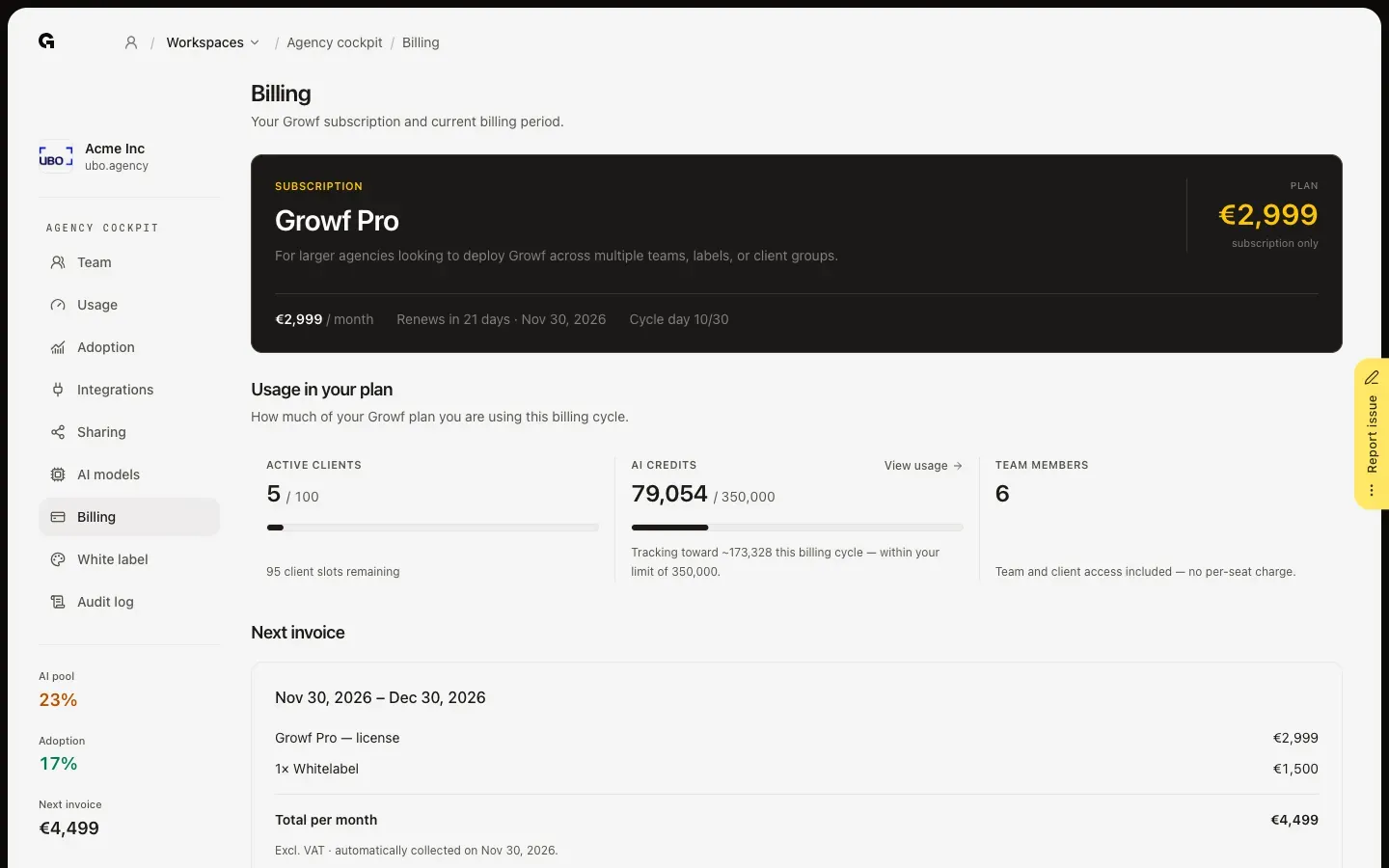
Click Subscribe on the plan you want. In Configure, add the add-ons you need, such as extra active clients, extra AI credits or Whitelabel, and check the Monthly total and the One-time onboarding. Click Checkout to pay in Stripe. Back in Growf, your subscription is activated, and Billing in the agency cockpit shows your plan, when it renews and your next invoice.
FAQ
Who can start a subscription?+
The agency owner and people with the Admin role on the agency workspace. Everyone else sees a notice that asks them to contact the agency owner.
Can I change my plan or add-ons later?+
Yes. In Billing in the agency cockpit you can upgrade to a higher plan and change add-ons when you pay by card through Stripe. Lower add-on quantities take effect at the start of the next billing cycle. See **Use agency billing**.
Can I buy extra AI credits during my trial?+
Yes. During the trial, the page offers Extra AI credits to buy once. They are added to your agency right after payment, but they don't extend the trial.
What is an active client?+
A client workspace of your agency that is not deactivated. Your plan sets how many you can have; archived clients don't count, and your clients get access for free.