Manage persona job titles
Open the Job titles tab of a persona to see its job titles and their LinkedIn audience, and change them in the persona's setup.
Job titles name the roles a buyer persona holds, such as Purchasing Manager. Growf uses them to write the persona's profile, and the Job titles tab shows how many LinkedIn members hold each title, so you see how big that audience is.
2 steps · About 2 minutes
Open Job titles
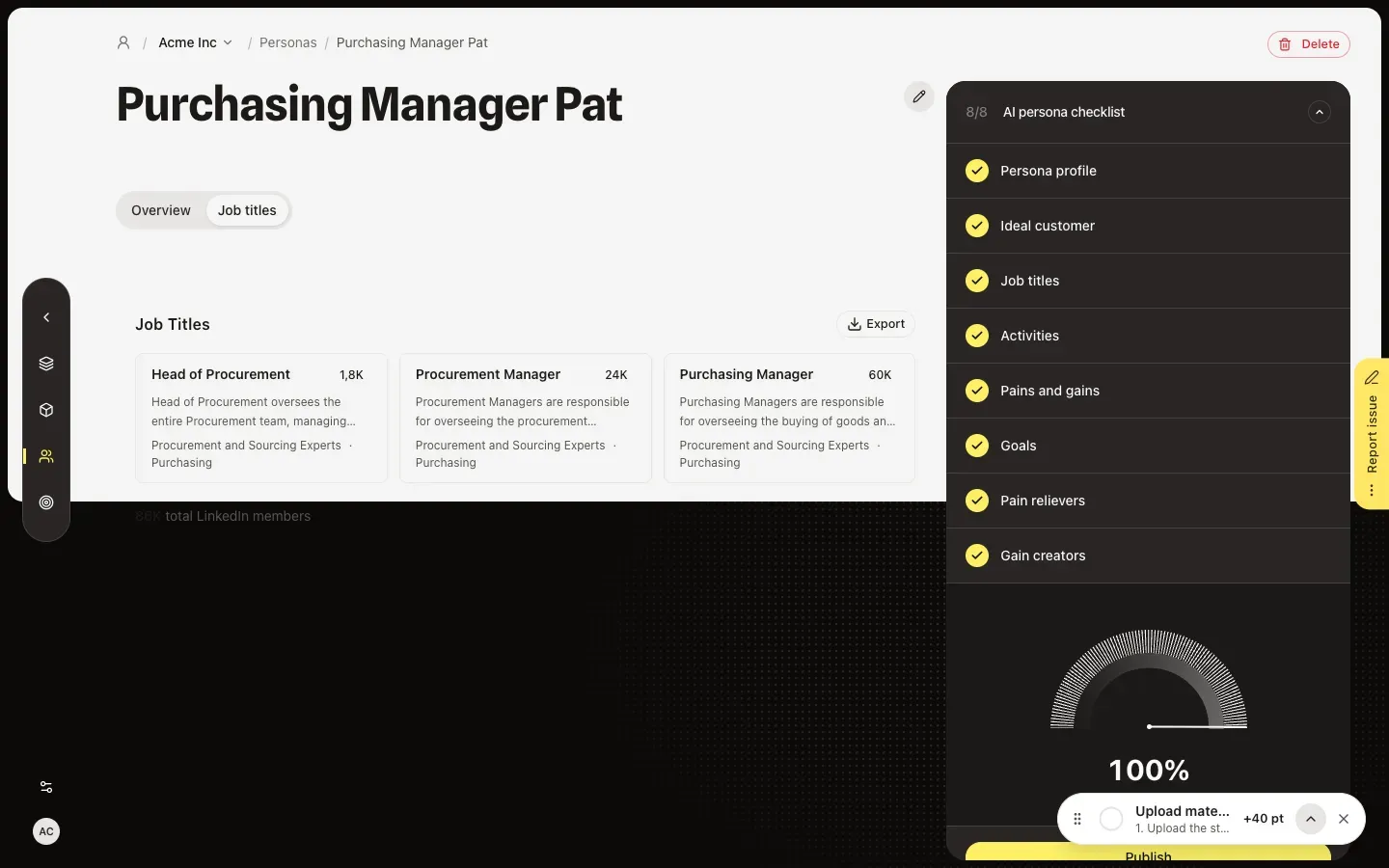
In the sidebar, choose Strategy, then Personas, open a persona and choose the Job titles tab. Each card shows a job title with its job group and function and how many LinkedIn members hold it, and the total sits under the list. Export downloads the titles as a CSV file.
Add or remove job titles
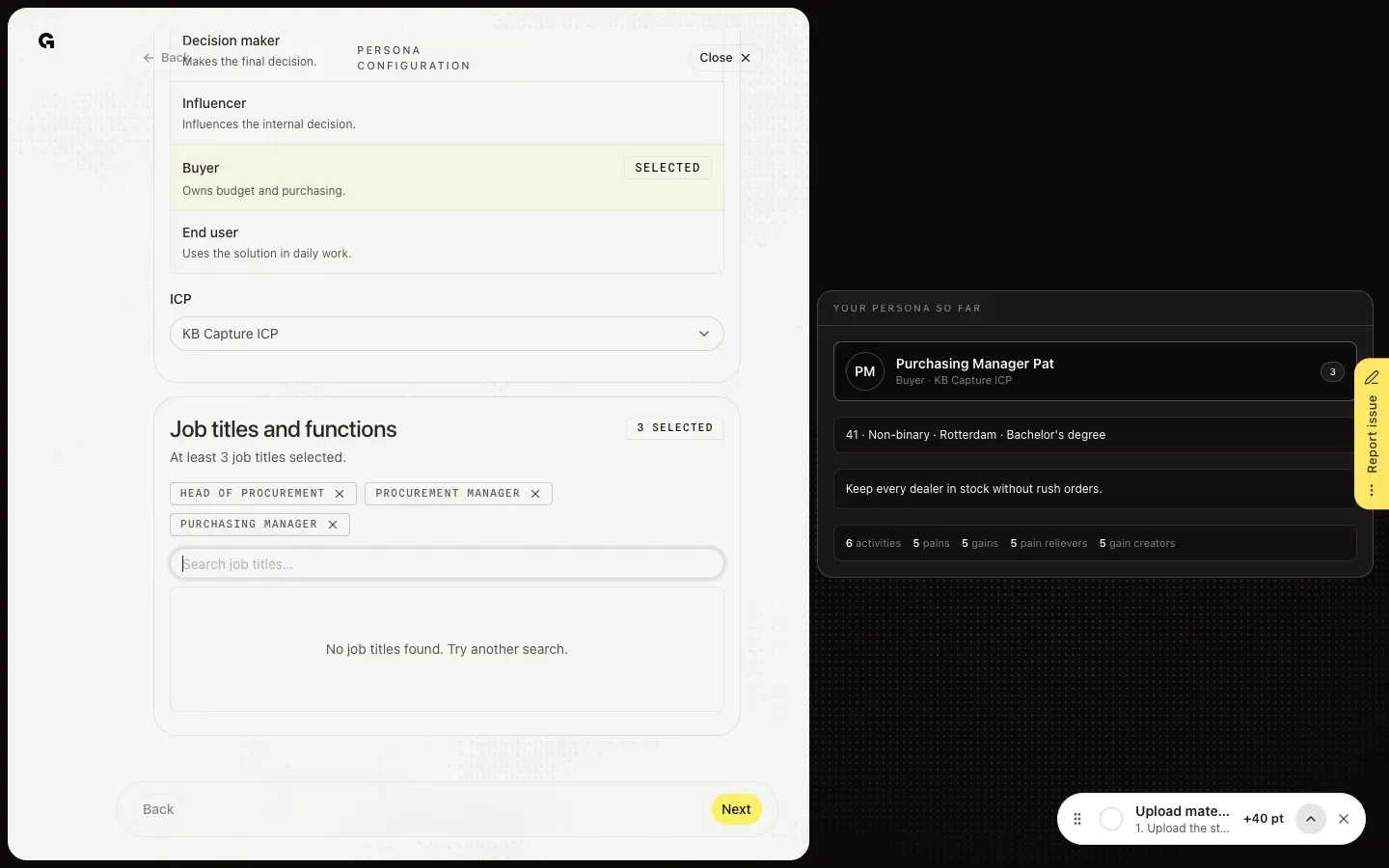
You change job titles in the first step of the persona's setup, Persona details. A persona you never set up opens there from the list, and Set up next to Job titles in the AI persona checklist opens it while that item is still open. Under Job titles and functions, search for a title and choose Add; the cross on a selected title removes it. A persona needs at least three job titles.
FAQ
Why can't I change the titles on the Job titles tab?+
The tab only lists them. Titles change in the setup's first step, Persona details, which needs permission to edit personas; Admin, Strategist and Creator have it by default.
I see No job titles linked.+
The persona has no job titles yet. Choose Set up next to Job titles in the AI persona checklist and add at least three. The checklist, and so publishing, needs three.
Why do these titles matter?+
They describe the roles this buyer holds. Growf uses them when it writes the persona's profile, and the LinkedIn audience shows how many people you can reach with them. Export puts them in a CSV file; see **Export persona job titles**.