Manage what the chat remembers
Ask the chat to remember a preference, check what it learned while working, and add, change or delete memories in Settings > Memory.
The chat keeps memories: short notes about your preferences, your tools and your data, so you don't have to repeat them. It saves a memory when you ask it to remember something, and learns some by itself while it works. You find them all in Settings > Memory. Memory takes permission to read chats; Admin, Strategist and Creator have it by default, and everyone keeps their own personal memories. Shared memories are added and edited by members who can edit the workspace, which Admin can by default.
4 steps · About 3 minutes
Ask the chat to remember something
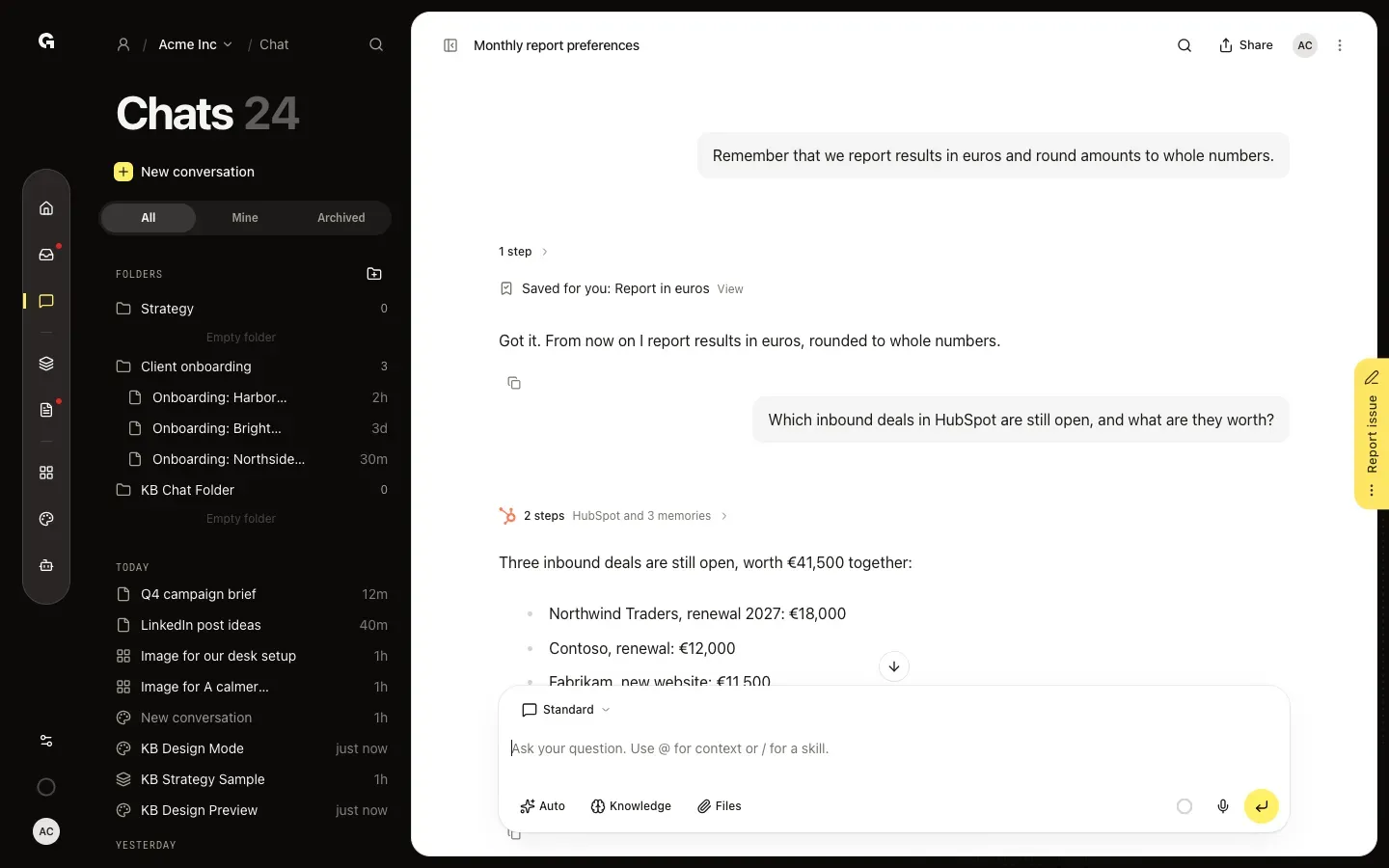
In a chat, say what the chat should remember, such as "Remember that we report results in euros." The reply then shows Saved for you, followed by the title of the memory, with View to open it in Settings. From then on the chat uses it whenever it works for you in this workspace. Only workspace admins can save memories for everyone. When someone else asks, the chat saves a personal memory and says so.
Check what the chat learned
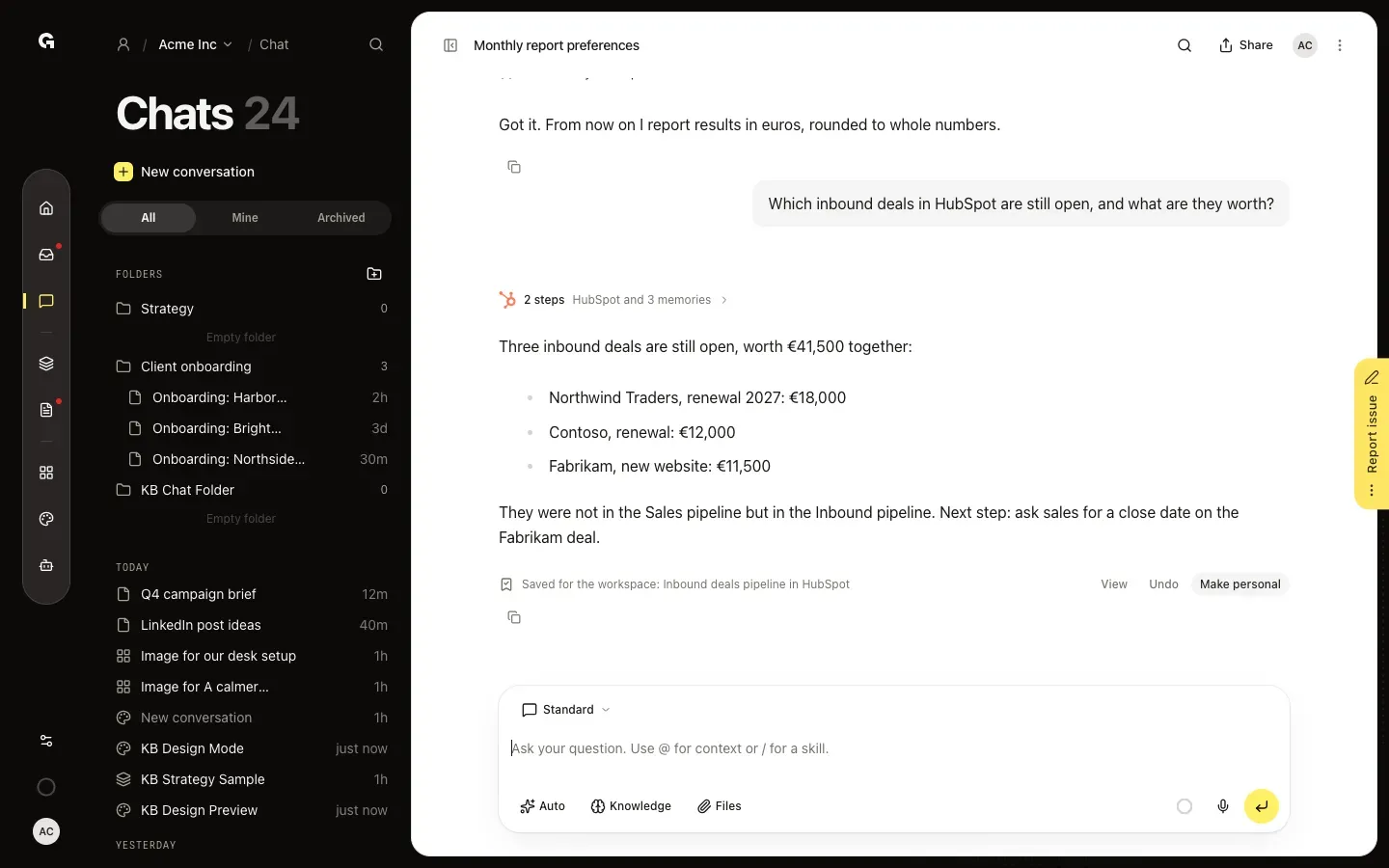
The chat also learns by itself while it works with your tools, for example where your data lives or a fix that worked. Under such a reply you see what it kept, such as Saved for the workspace, followed by the title. View opens it in Settings, Undo removes it right away, and Make personal keeps it for you only. The line with the steps above a reply also shows how many memories the chat used, such as HubSpot and 3 memories.
Review your memories in Settings
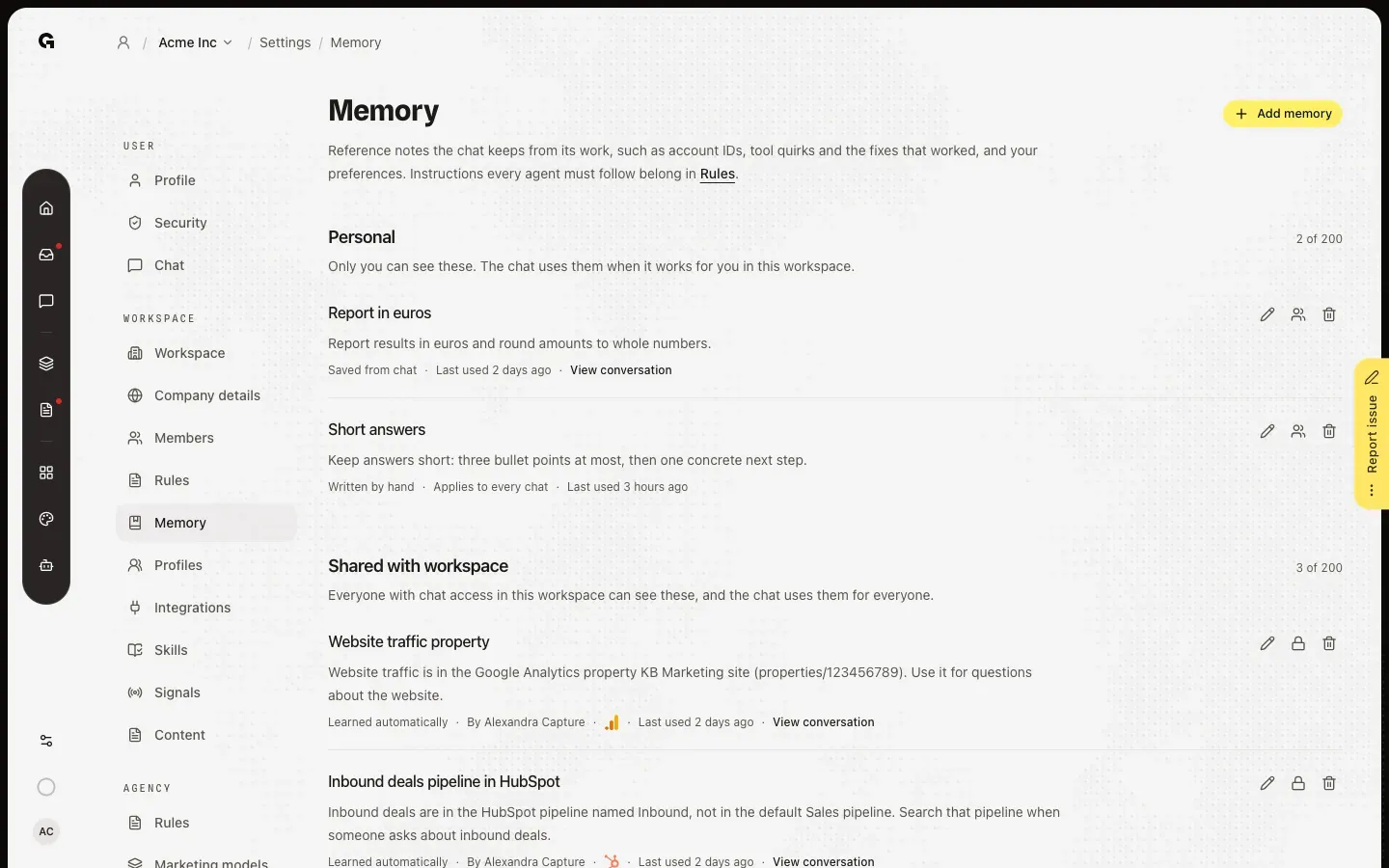
In the sidebar, click Settings, then Memory under Workspace. Personal holds what only you can see; the chat uses it when it works for you. Shared with workspace holds what everyone with chat access sees and the chat uses for everyone. Each memory shows where it came from, such as Saved from chat, Learned automatically or Written by hand, when it was last used and a link to the conversation. Use the buttons beside a memory to edit it, share it with the workspace or make it personal, or delete it.
Add a memory yourself
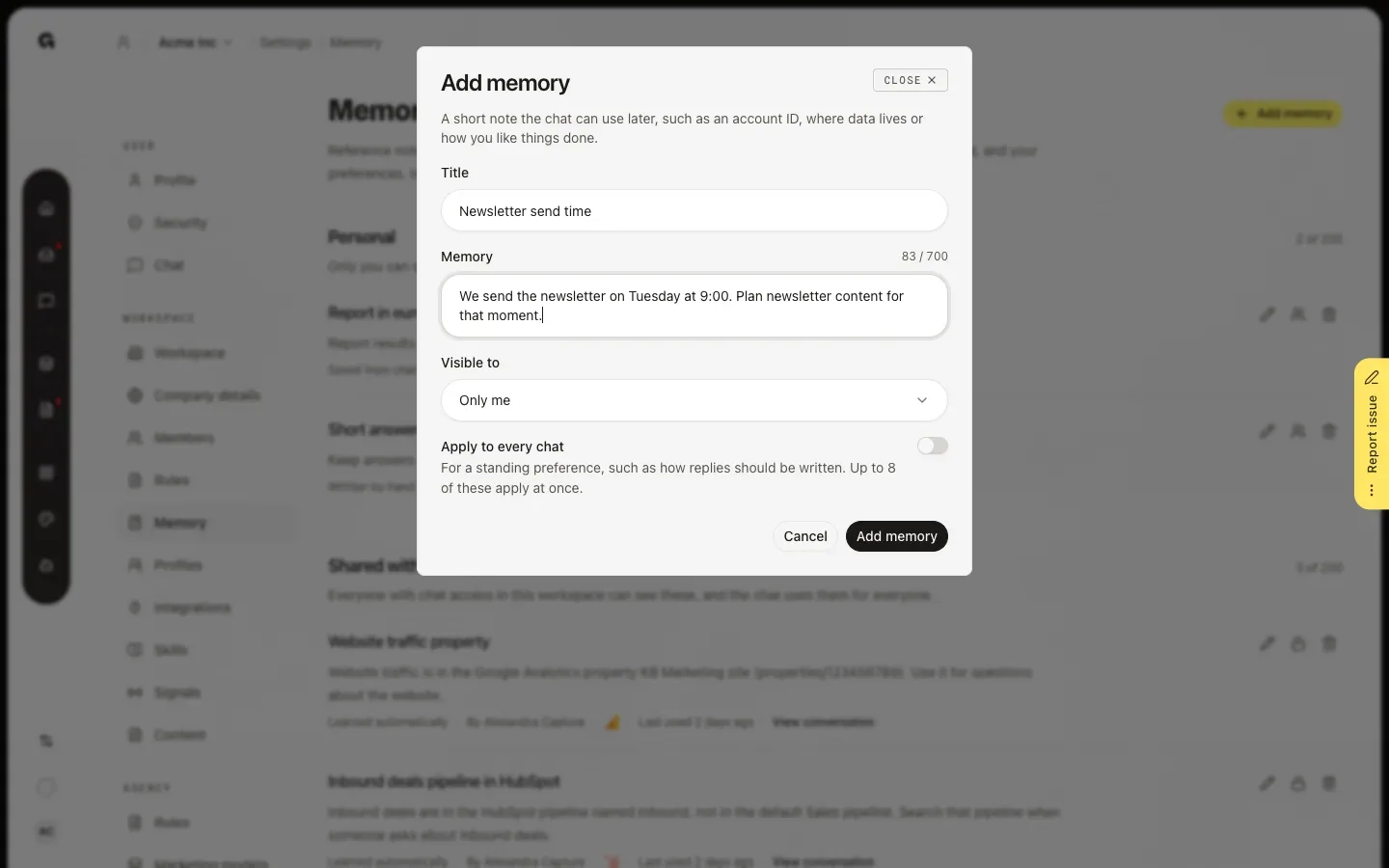
Click Add memory. Give it a Title and write the Memory itself, in up to 700 characters. Under Visible to, choose Only me or Everyone in the workspace. For a personal memory, switch on Apply to every chat to use it in every chat, such as how replies should be written; up to 8 of these apply at once. Click Add memory to save it.
FAQ
What does the chat remember by itself?+
After real work with your tools, such as a task with several steps or a fix after a failed attempt, the chat keeps what will help next time: account IDs, where data lives, quirks of a tool and the fix that worked, and preferences you stated. It does not keep one-off results, rules, passwords or other secrets. What it kept shows under its reply.
Who sees my memories?+
Personal memories are yours: nobody else sees them, admins neither. Shared memories are visible to everyone with chat access in the workspace, and the chat uses them for everyone. Adding or editing a shared memory takes permission to edit the workspace, which Admin has by default.
How do I make the chat forget something?+
Click Undo under the reply right after the chat learned it, or delete the memory in Settings > Memory: Delete memory warns that the chat will no longer use it and that this cannot be undone. The chat itself cannot delete or change memories. To correct one, edit it in Settings.
Does the chat remember what I say in My work?+
Yes. Memories from your chats in My work are personal and belong to your agency's own workspace, so the chat also uses them in that workspace's chats. They are not used in client workspaces. See **Use My work**.
How many memories can there be?+
Up to 200 personal memories per person and 200 shared memories per workspace, each up to 700 characters. When a list is full, the chat makes room by removing the least recently used memories it learned by itself. Saved and handwritten memories stay; when those fill the list, you see This list of memories is full.
Should I add a memory or a rule?+
A memory is a reference note, such as an account ID or how you like replies. Instructions that every agent must follow belong in rules; see **Manage workspace rules**.