Manage buyer personas
Open Personas to see buyer roles, search or filter the list, and open a persona to finish setup or review the profile.
A buyer persona is one role in the buying group: who they are, what they do, what hurts, and what they want. Content and chat use that profile so copy speaks to a named person, not a generic audience.
3 steps · About 3 minutes
Open Personas
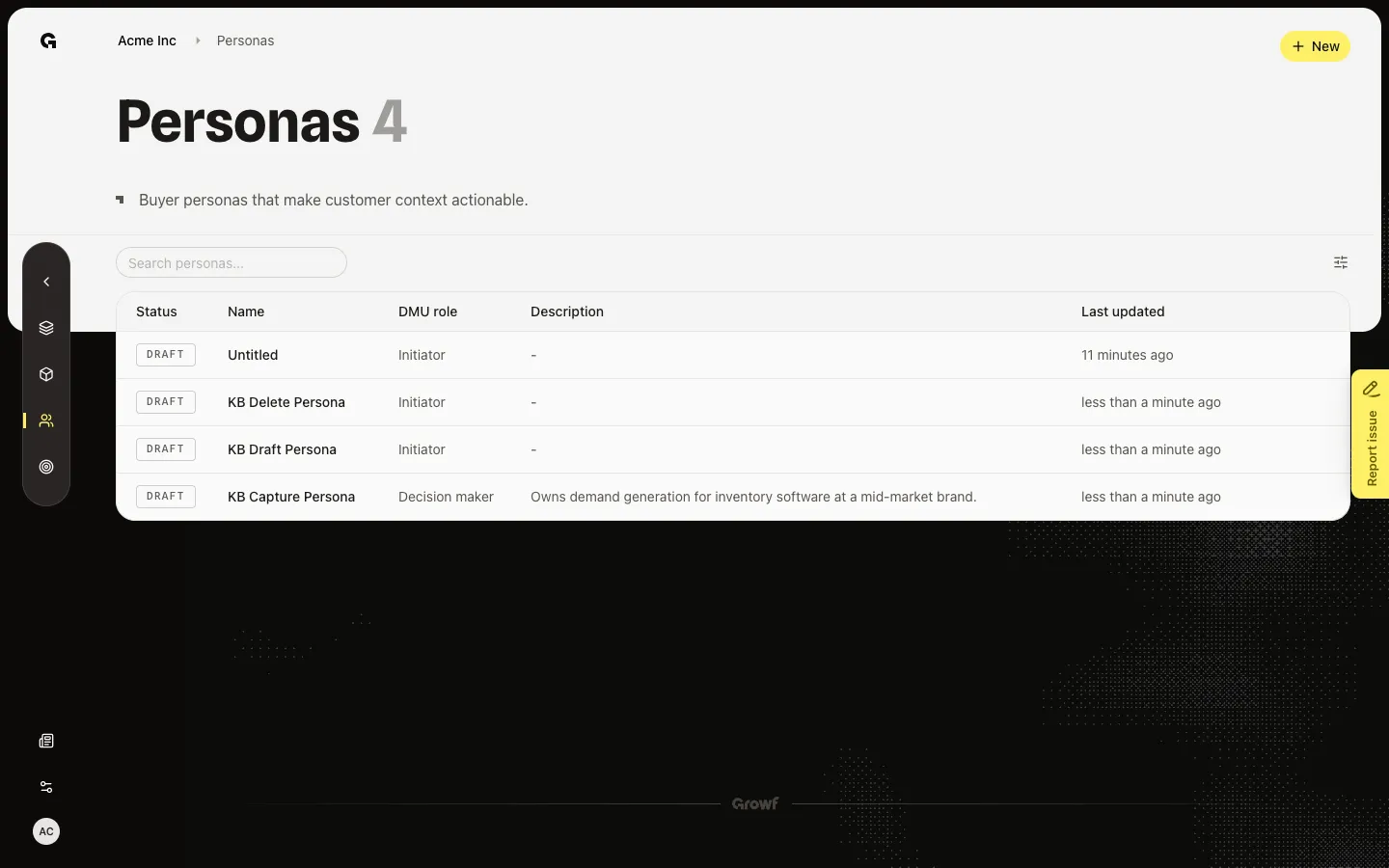
In the sidebar, choose Strategy, then Personas. The page title is Personas. The line under it says Buyer personas that make customer context actionable. New appears if you can create personas. Seeded rows such as KB Capture Persona and KB Draft Persona should already be here. A New status opens Configure. Draft and Published open the overview. If the list is empty, How to use Personas explains the job.
Search or filter the list
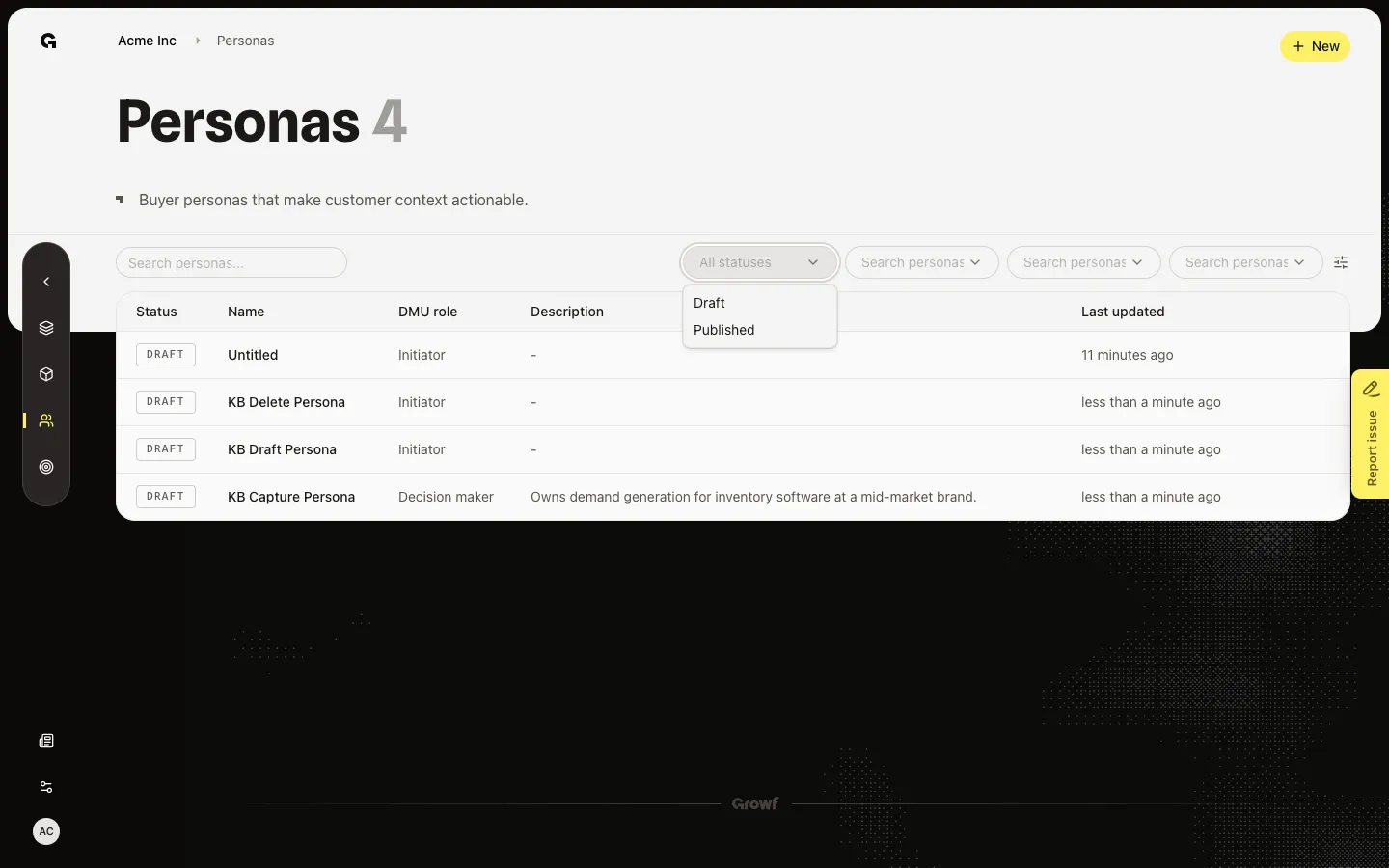
Search personas… filters by name. Filters can limit Status, DMU role, ICP, and Product. Product options are published products only. Clear all filters removes the chips.
Open a persona
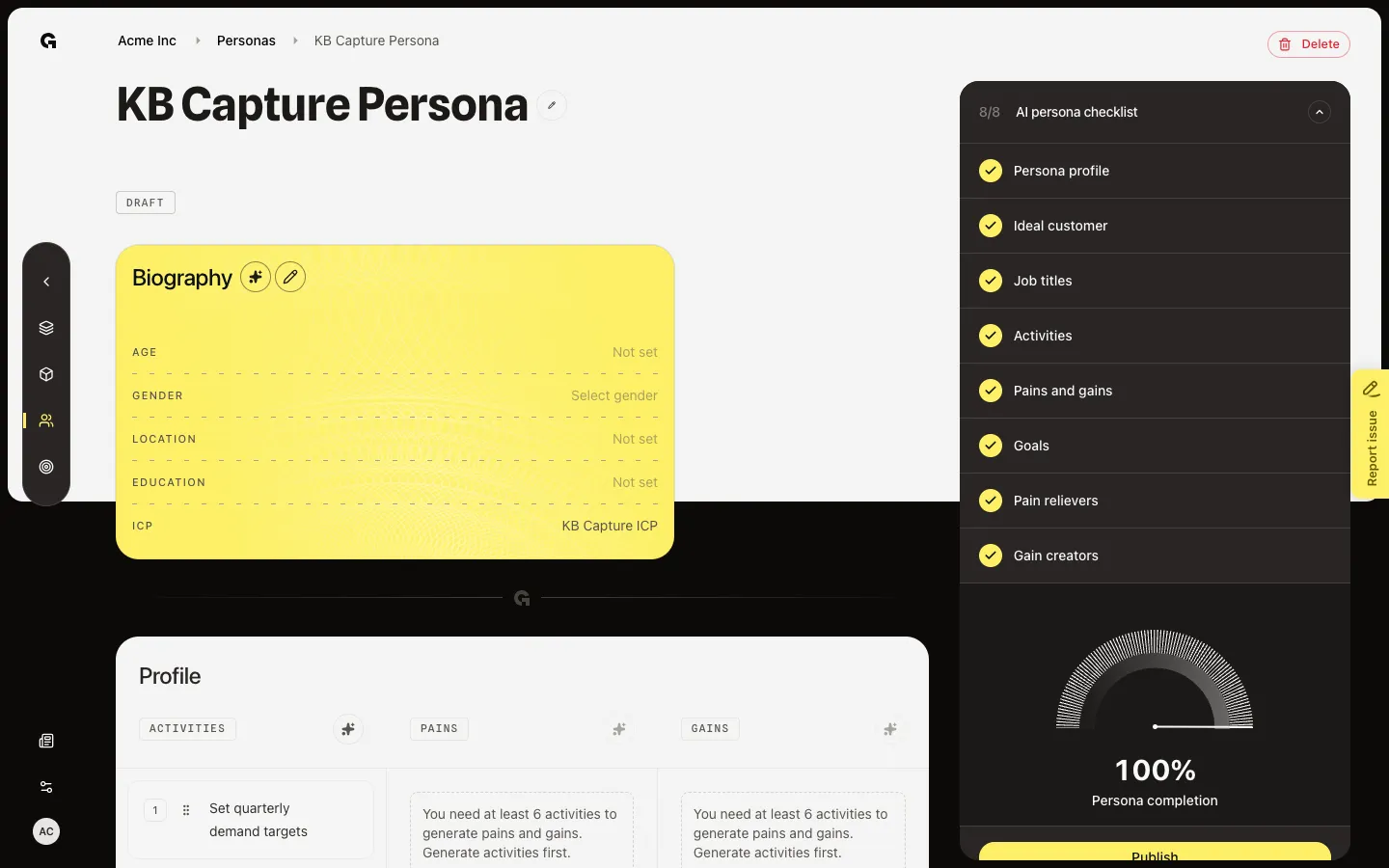
Choose KB Capture Persona. Draft and Published open the overview: biography, activities, goals, and the AI persona checklist. A New name such as KB Draft Persona opens Configure instead. Hover a Draft row to show Delete draft persona. New rows do not show trash on the list.
FAQ
I see How to use Personas and no table.+
Someone with create permission uses New, or workspace onboarding adds the first personas. If you only have read permission, ask an admin to add one.
Why does one name open Configure and another open the overview?+
Status New means setup has not started — that name opens Configure. Draft and Published open the overview. New on the list looks like Draft in the badge.
I do not see New.+
New needs persona create. Ask an admin.