Manage agency marketing models
Add frameworks to the agency stack so every workspace can fill them. Saved models stay.
Agency marketing models are the frameworks every client workspace can fill. Only the agency owner, on the agency workspace, can add to that stack.
3 steps · About 3 minutes
Open Marketing models
This page is only on an agency workspace, and only for the agency owner. Open Settings, then Agency → Marketing models. Active models are In stack and locked. You can add frameworks. You cannot remove a saved one. The count at the top is how many are already in the stack. Capture already includes 7P Marketing Mix.
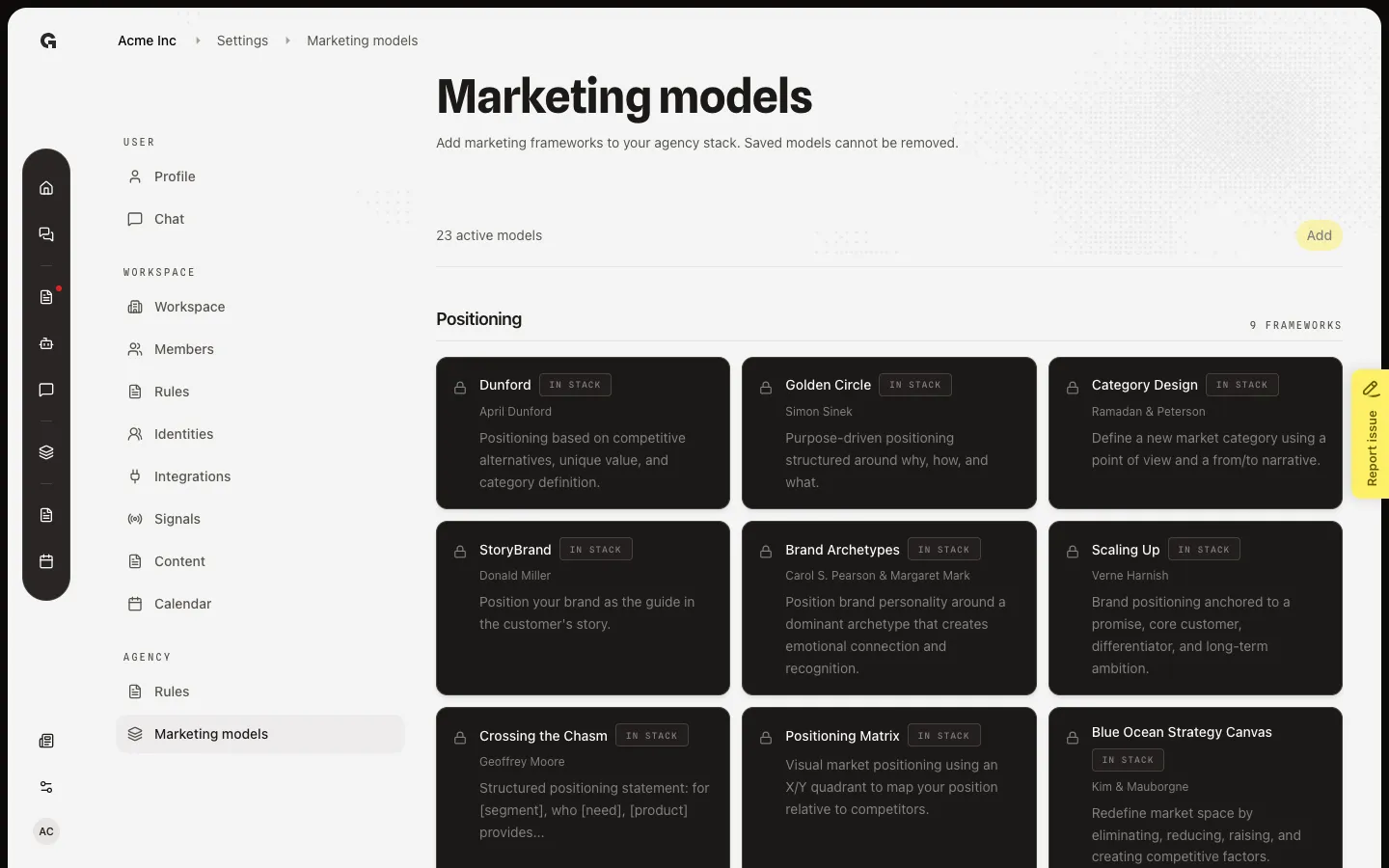
Open Models
After a framework is In stack, every workspace that uses this agency sees it on Strategy → Models. Open Models. 7P Marketing Mix is in the Marketing strategy group. Status is Published when a version is live, or Not configured until someone saves.
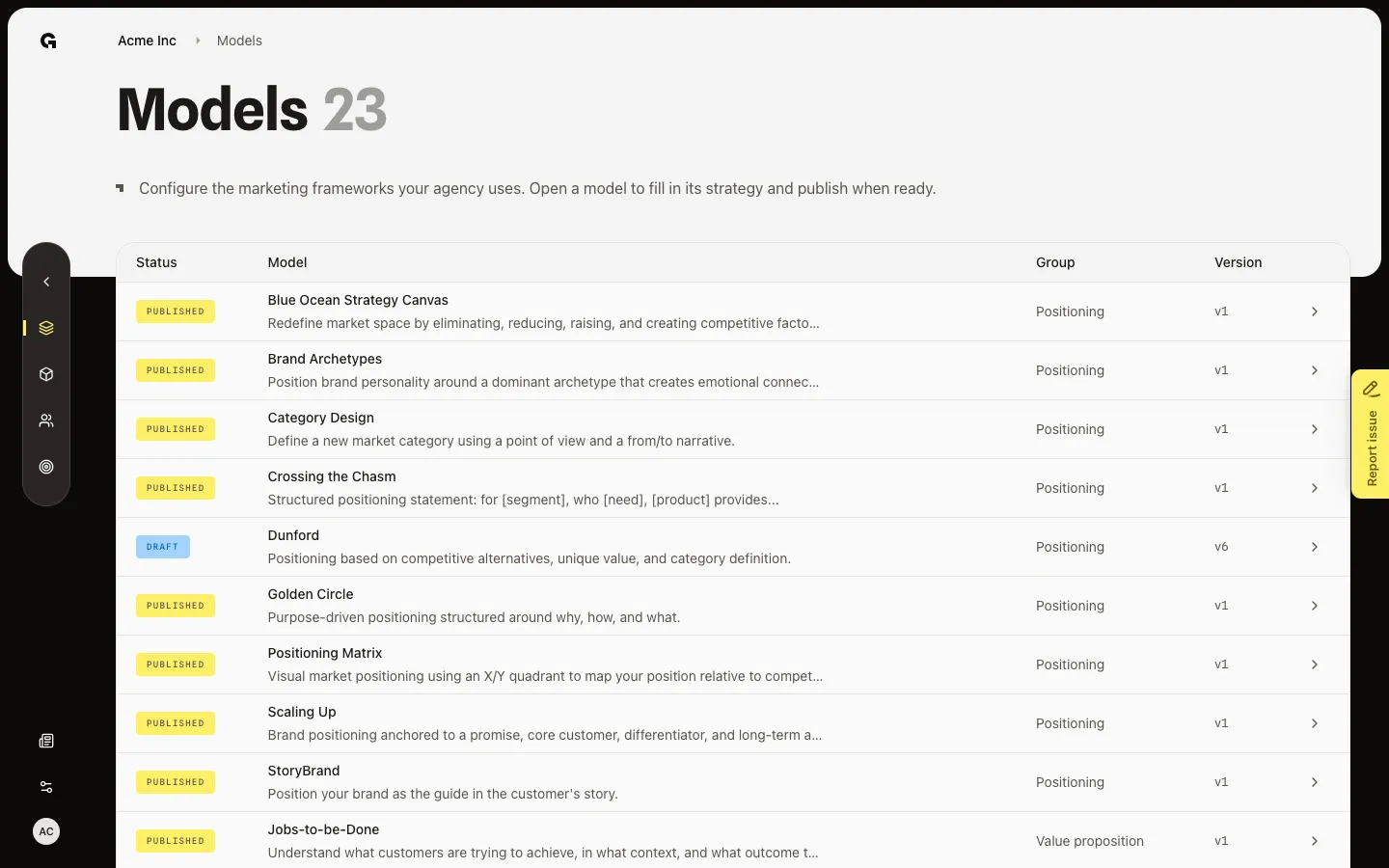
Open 7P from Models
Choose 7P Marketing Mix. A saved version opens Display. People fill and publish those rows per workspace. Add on Marketing models stays off until you select at least one unlocked card. You cannot remove a saved framework.
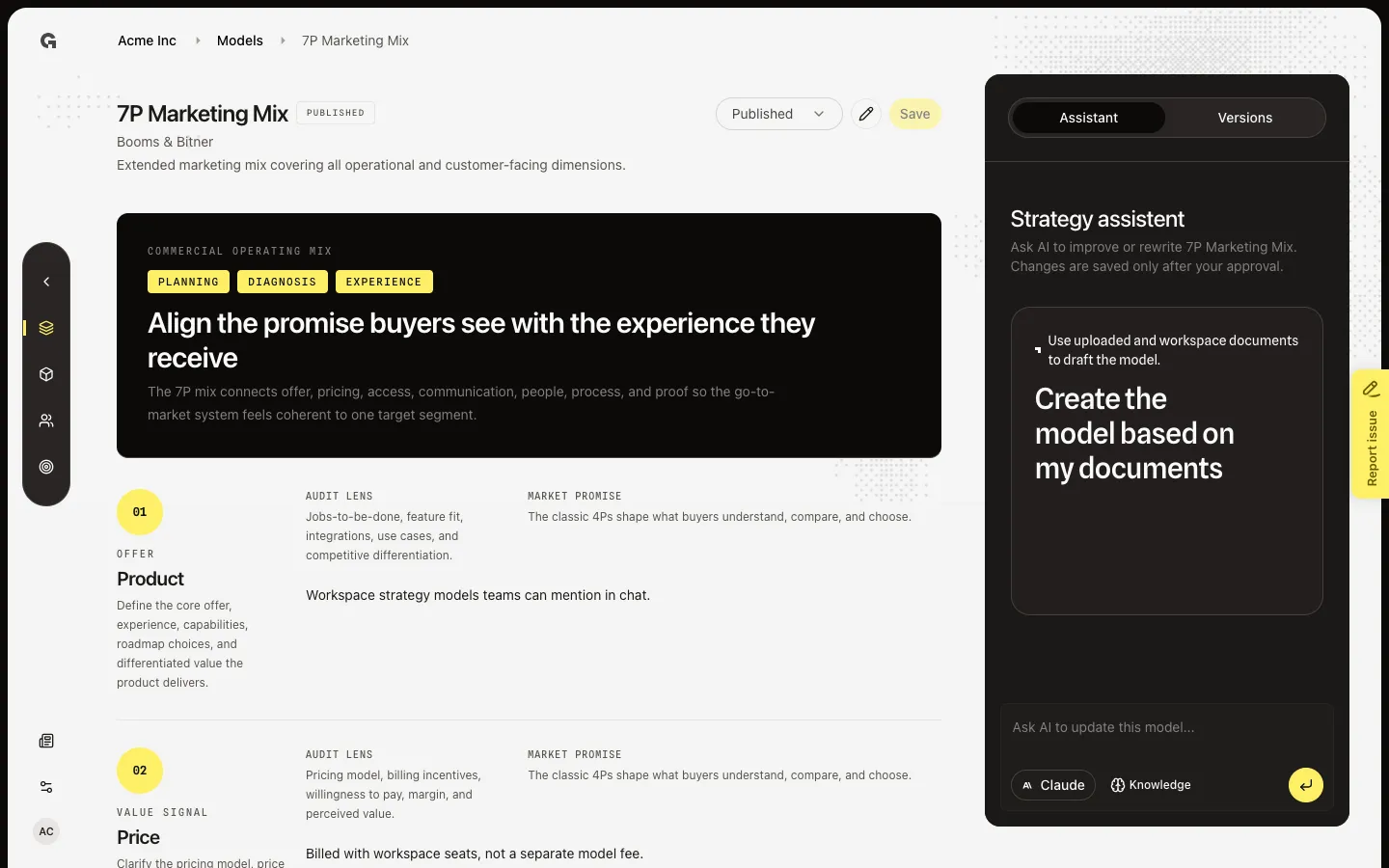
FAQ
I do not see Marketing models in Settings.+
The Agency group is only on an agency workspace, and only if you are the agency owner. Members and client workspaces do not get this page. They fill models on Strategy → Models.
Can I remove a model from the stack?+
No. Saved models stay In stack. Add the frameworks you will actually use. A locked model still appears on every workspace list; teams can leave it Not configured.
I added a framework. Where do people fill it?+
Strategy → Models in each workspace. The new row starts as Not configured until someone saves a version there. See Use strategy models, then the model’s own article (for 7P, Use the 7P Marketing Mix).
We already picked models during agency onboarding. Is this the same list?+
Yes. Onboarding writes the first stack. This page is how you add more later. It does not re-run detection.