Link knowledge in chat
Attach workspace documents to a message from Knowledge, so the reply can use that material.
Knowledge pins workspace Documents to the next message so the reply can use that brief or research. Anyone who can send in the thread can add files they are allowed to see.
3 steps · About 3 minutes
Find Knowledge
Open a conversation. Knowledge sits on the composer footer next to Files. This is how you pin Documents to a turn. Knowledge is not in the @ menu — @ is for products, ICPs, personas, identities, integrations, strategies, and agents. See Mention resources with @.
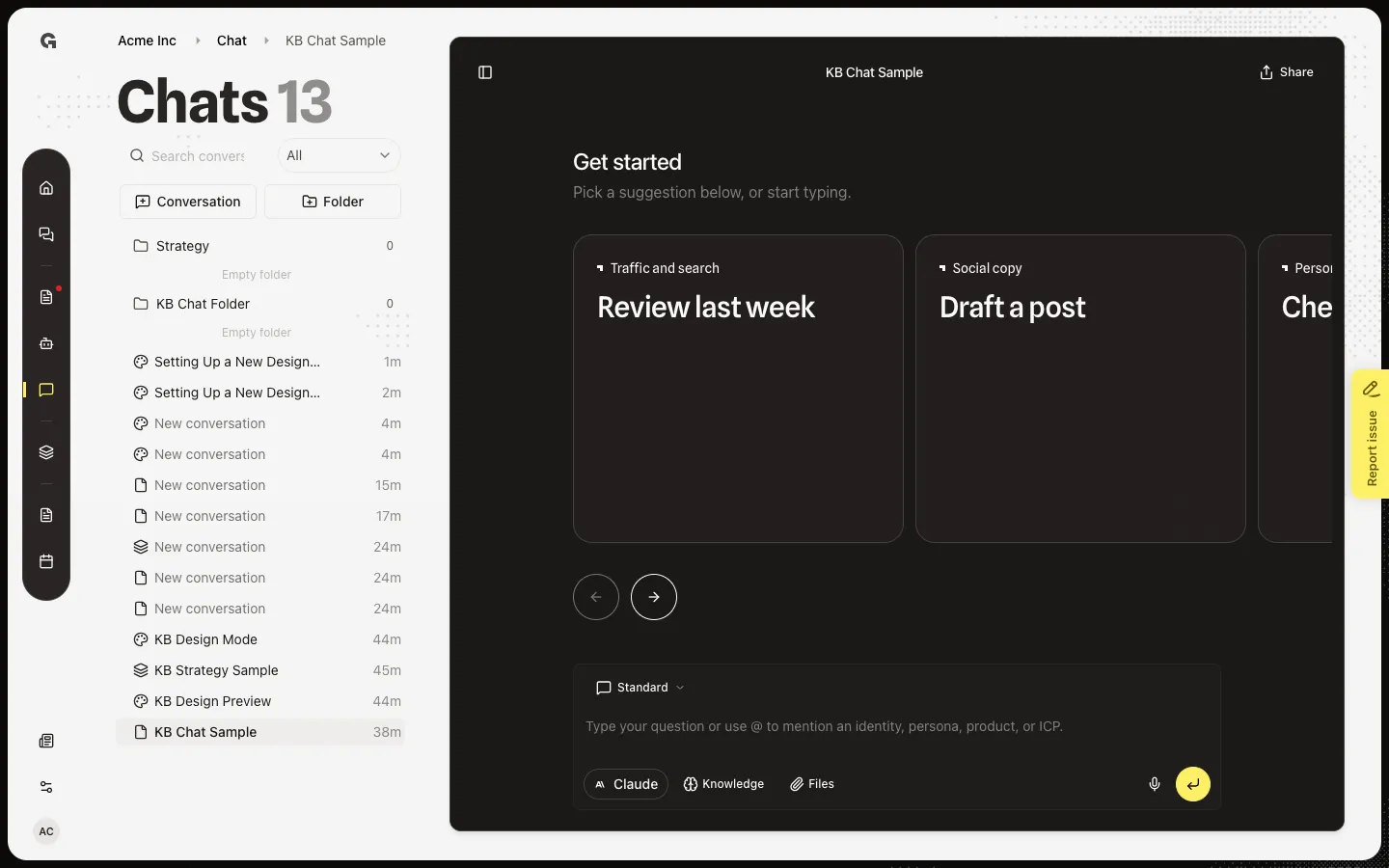
Open Add Knowledge
Choose Knowledge. Add Knowledge says Select documents to give the agent context. Search documents filters the list. All and My uploads sit above the rows. A file still processing is dimmed until Growf finishes reading it. Upload files in Manage workspace knowledge if the list is empty.
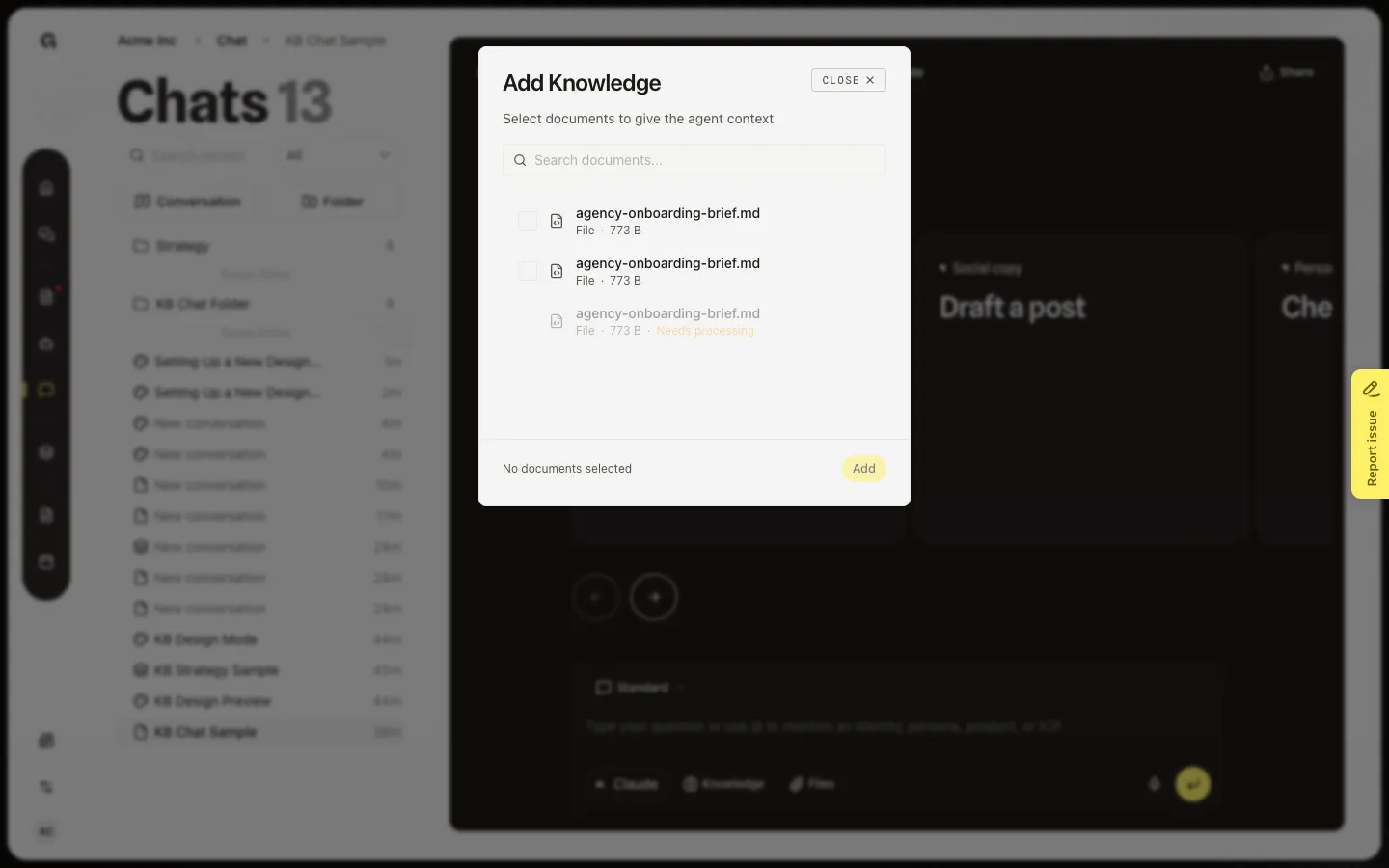
Add a document
Choose one or more ready files. The footer shows how many are selected. Choose Add. Chips appear on the composer. Knowledge shows a count. Remove a chip if you picked the wrong file. New empty chats can also start with default knowledge — turn that on in Set default chat knowledge, and review the list in Manage chat settings.
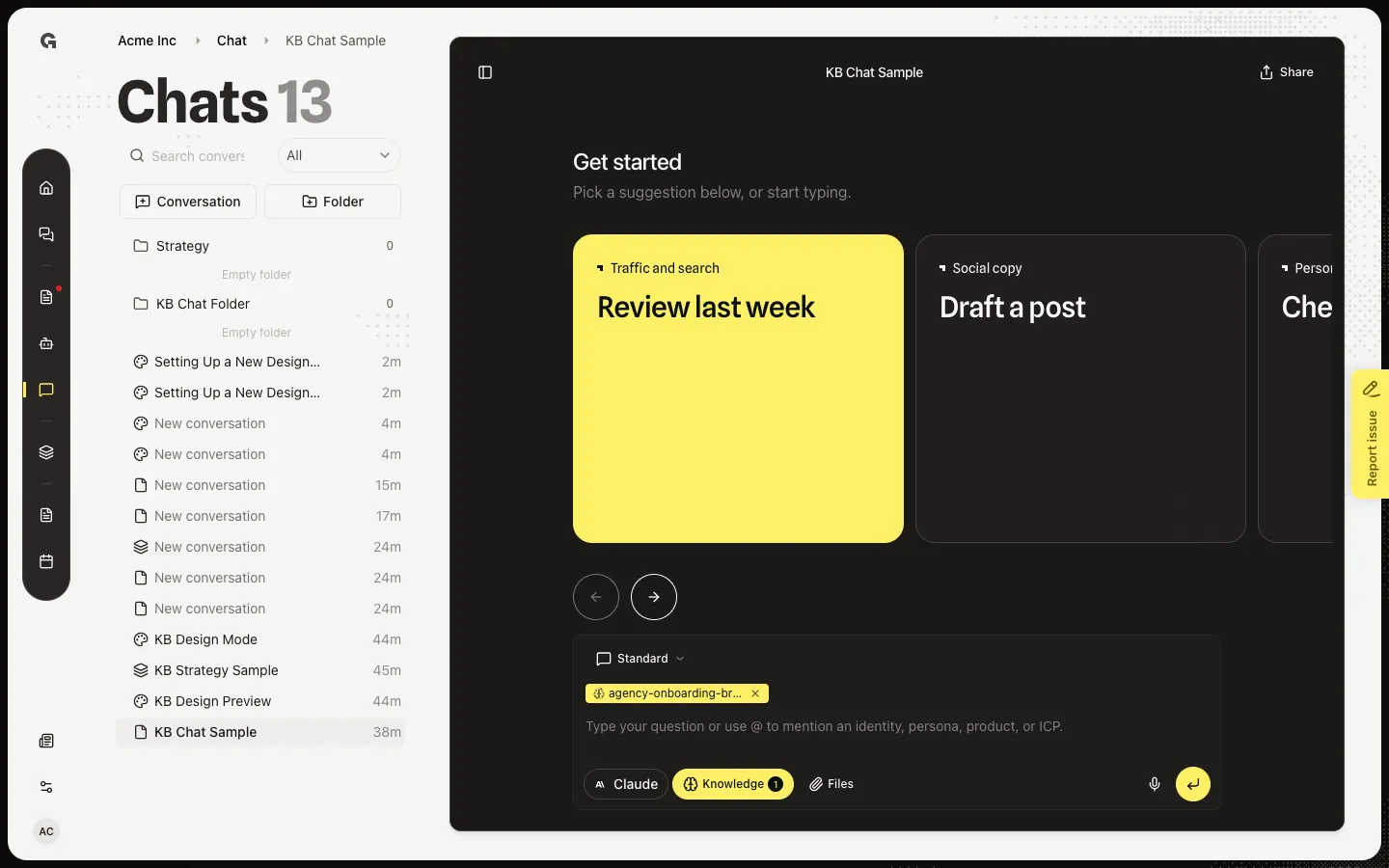
FAQ
The picker says No knowledge documents yet.+
The workspace has no files you can use, or none are ready. Upload in Manage workspace knowledge and wait until processing finishes. A dimmed row means Growf is still reading that file.
Why is my document missing from @?+
Knowledge is not an @ type. Use Knowledge on the composer. @ is for products, ICPs, personas, identities, integrations, strategies, and custom agents.
Knowledge was already selected when I opened a new chat.+
Those files are marked Default in chat on the document. The owner can remove them here or in Manage chat settings. See Set default chat knowledge.