Join a workspace
Join a client workspace your agency already manages, without an invite.
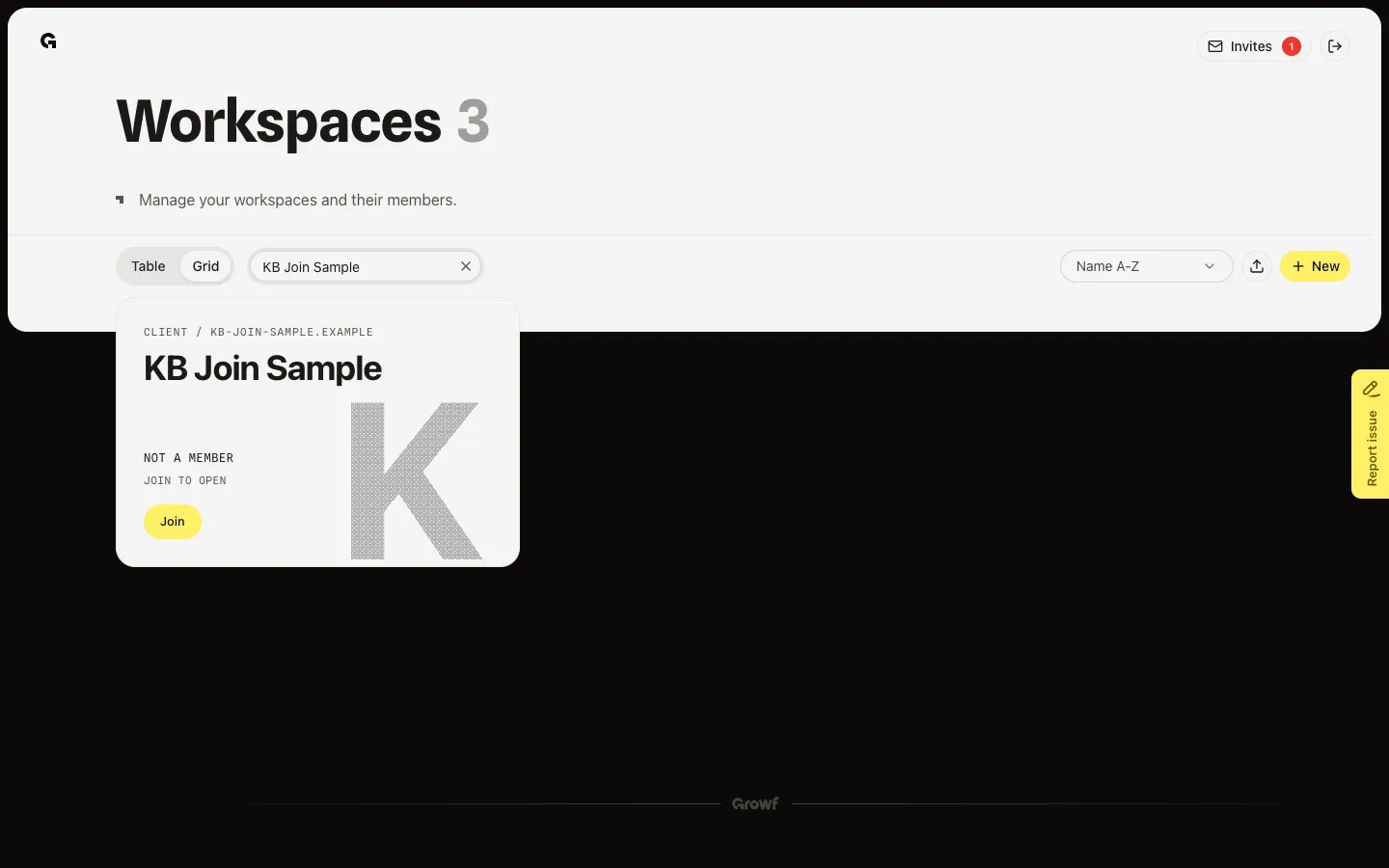
Join is for agency owners and admins. Client workspaces under your agency can appear on Workspaces even when you are not a member. The card shows Not a member and Join to open.
2 steps · About 2 minutes
Find a workspace you are not a member of
On Workspaces, agency owners and admins also see client workspaces under the agency. A card you have not joined shows Not a member and Join to open. Search if the list is long. Workspaces you already belong to show Open or Continue instead.
Confirm you want to join
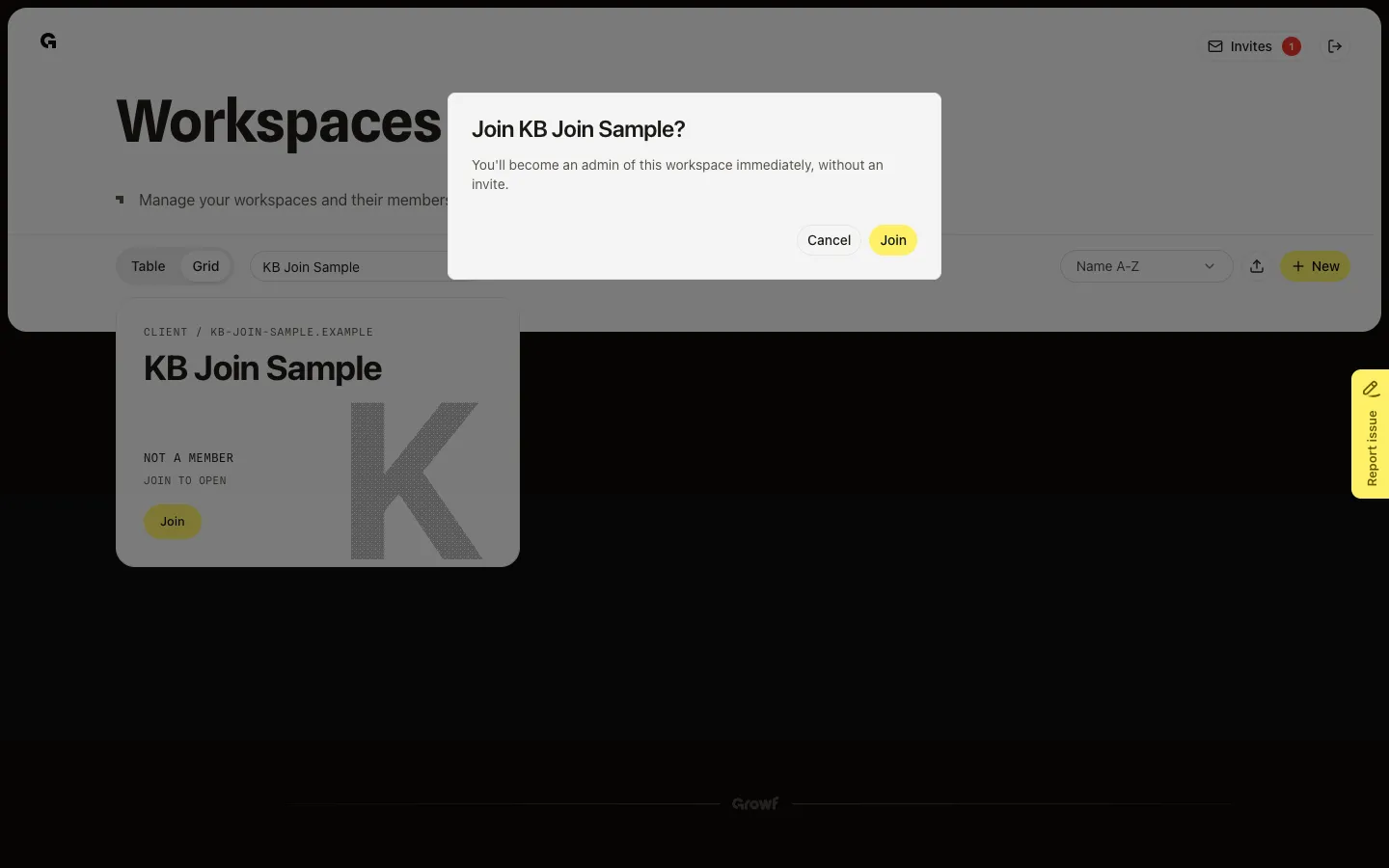
Choose Join. The dialog names the workspace and says you become an admin at once, without an invite. Choose Join again to confirm, or Cancel. Growf then opens the workspace.
FAQ
I do not see Join on any workspace.+
Join is only for agency owners and admins, and only on client workspaces under that agency. If you are not in the agency, ask an admin to invite you instead — see Accept a workspace invite.
How is this different from accepting an invite?+
An invite is sent to your email and can give any role. Join skips the invite: you become an admin immediately. Use Join when you already manage the agency and need to open a client workspace yourself.
Growf says I cannot join this workspace.+
The workspace is not a client under your agency, or you are not an agency owner or admin. You cannot join someone else's workspace this way.
What happens after I join?+
Growf sets that workspace as the one you are in and opens it. If setup is not finished, the card shows Continue — see Complete workspace onboarding. To start a new client workspace instead, see Create a workspace.