Invite someone to connect an identity channel
Email a link so a client or teammate can connect LinkedIn, Facebook, or Instagram without a Growf account.
Invite sends a connection link for one platform on one identity. Use it when you cannot sign in to the client’s LinkedIn, Facebook, or Instagram.
2 steps · About 2 minutes
Open Social platforms
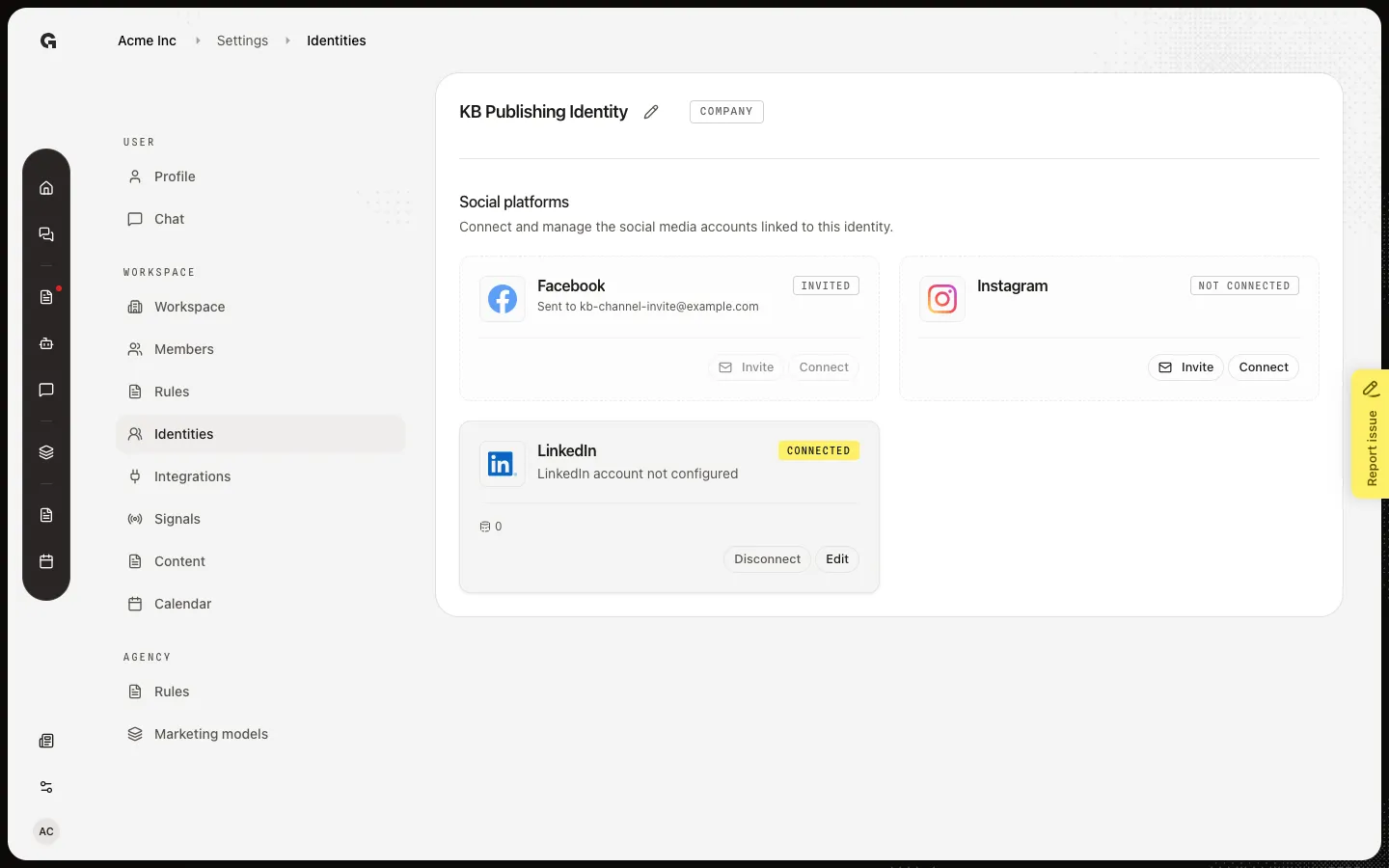
Open the identity. Each Not connected platform has Invite and Connect. Invited means a link is already out — both buttons stay off, and the card shows Sent to {email}. Capture seed invites Facebook on KB Publishing Identity. Instagram is still free for a new invite.
Open Send connection link
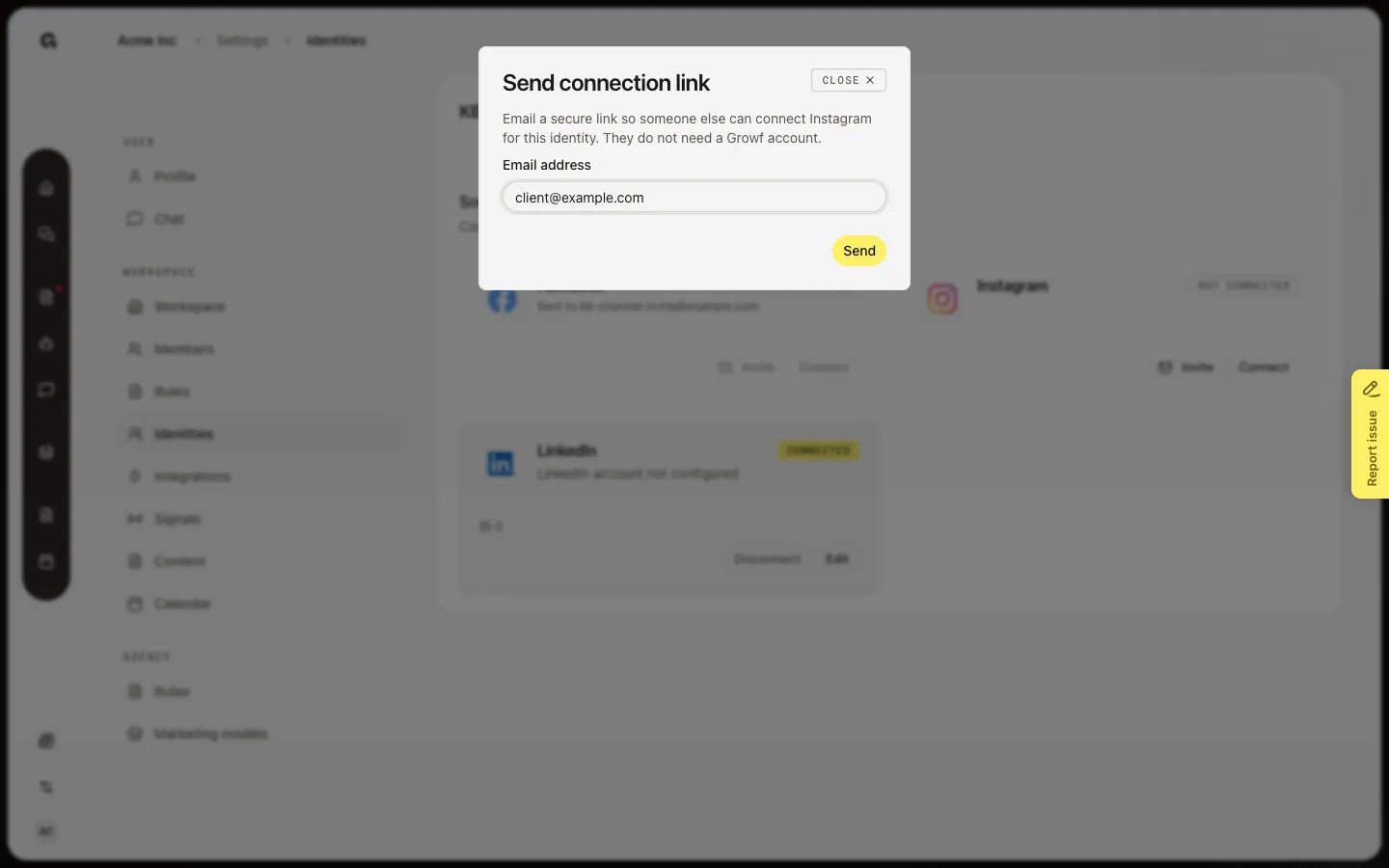
On a Not connected platform, choose Invite. Send connection link emails a secure URL. The recipient does not need a Growf account. They open the link, see Connect your account, and sign in to that network. The link lasts 7 days. One pending invite per platform — a second Invite is blocked until it expires or is used.
FAQ
Invite says an invitation has already been sent.+
That platform already has a pending link. Wait until it expires (7 days) or the recipient uses it. You cannot stack a second invite.
It says this platform is already connected.+
Someone already linked that network to this identity. Disconnect first if you need a different account, then invite again.
The recipient says the link is invalid, expired, or used.+
Invalid means a bad or old URL. Expired means more than 7 days passed — send Invite again. Used means they already connected. If the platform is already linked, the link will not connect a second account.
Does the recipient need a Growf login?+
No. They only need the email and access to the social account. After they connect, you finish page or author settings with Edit on the identity.