Import client workspaces
Create many client workspaces from an Excel file on Workspaces or during agency onboarding.
Import client workspaces creates one **client** workspace per spreadsheet row. It is for agency admins who already have a client list. People without permission to create workspaces do not see Import.
4 steps · About 3 minutes
Open Workspaces
Open All workspaces from the workspace switcher. The page lists every workspace you can see. Import is the upload icon next to New. You need permission to create workspaces, or the icon is hidden. This is for client workspaces. Your agency workspace already exists from agency setup.
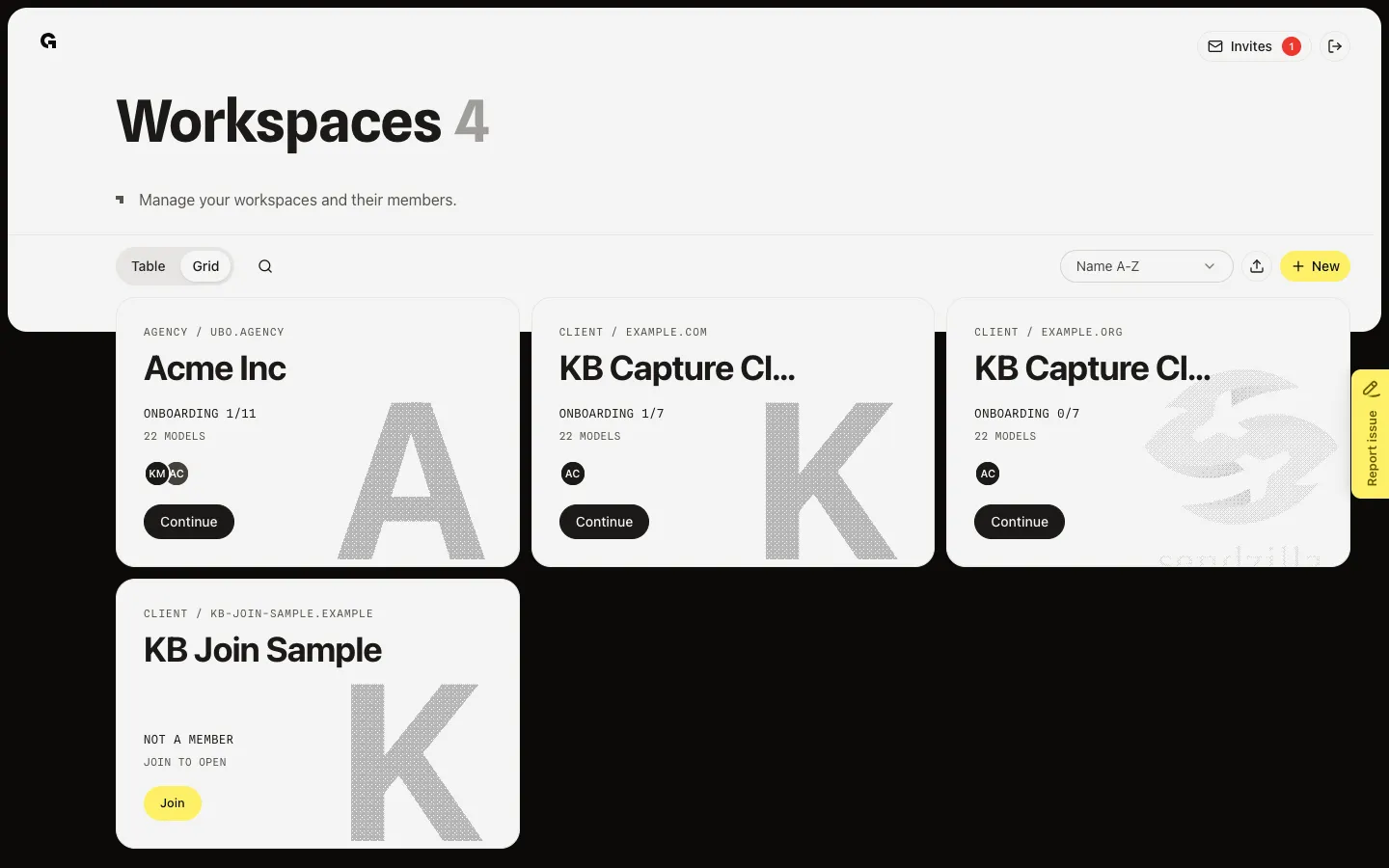
Open Import Workspaces
Choose the upload icon. Import Workspaces asks for an Excel file with Name and Website columns. Language and timezone apply to every row in that file. Use New instead when you only need one client.
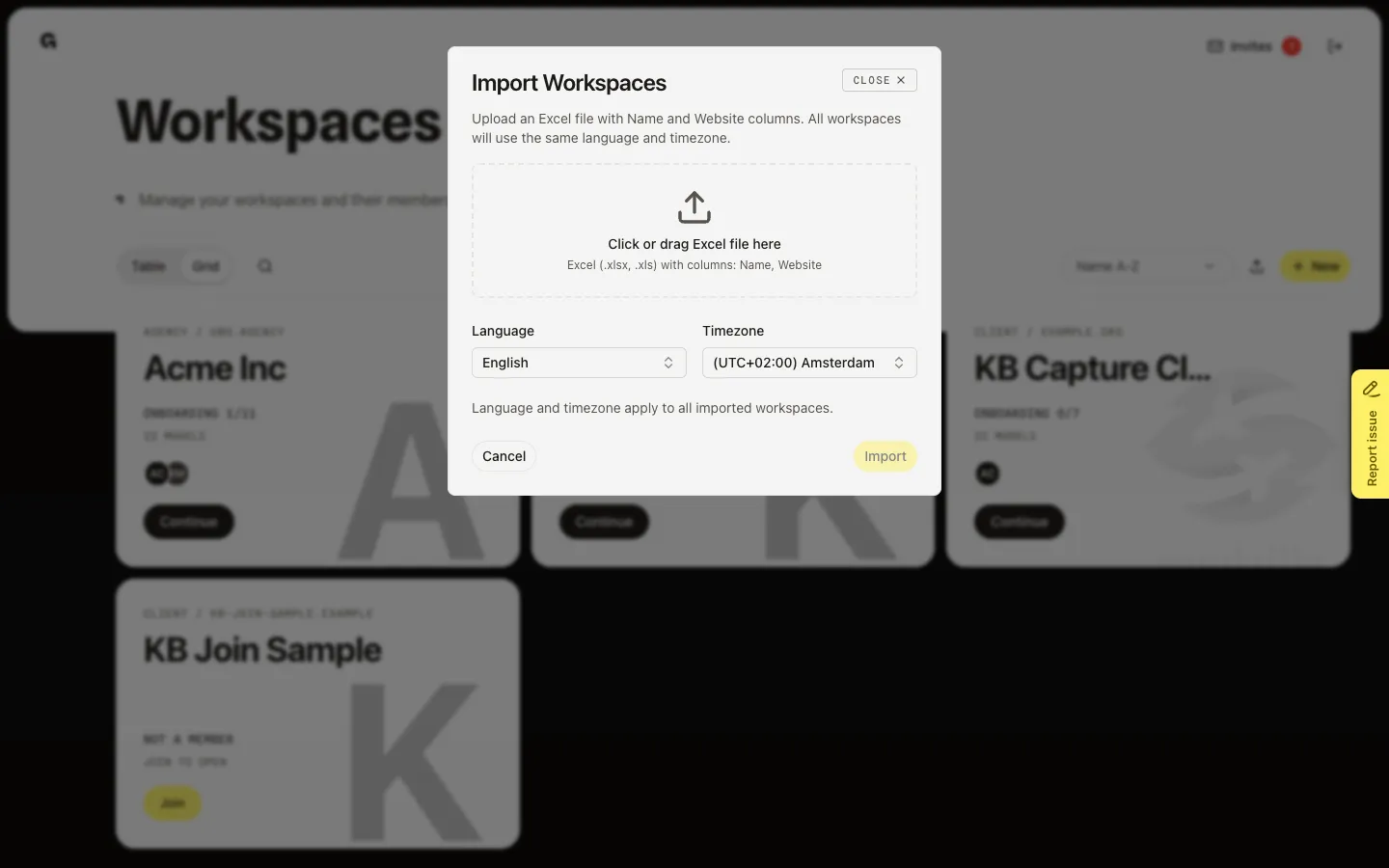
Upload the client list
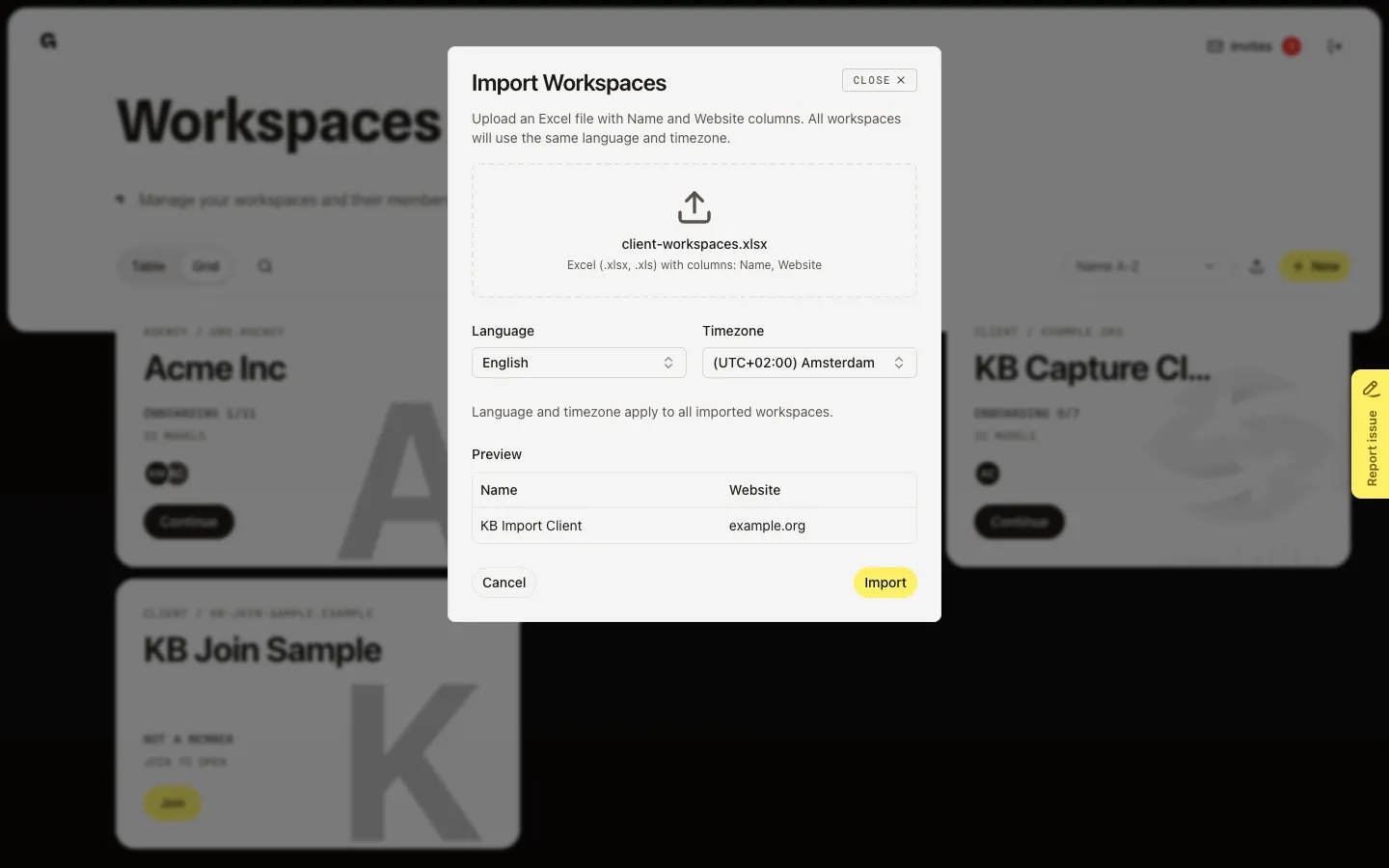
Drop an .xlsx or .xls on Click or drag Excel file here, or choose the dropzone. The first row must be a name column and a domain column (Name + Website, or Naam + Domein). Growf shows a Preview of the first 10 rows. Empty name or website cells fail on Import. Choose Import when the preview looks right.
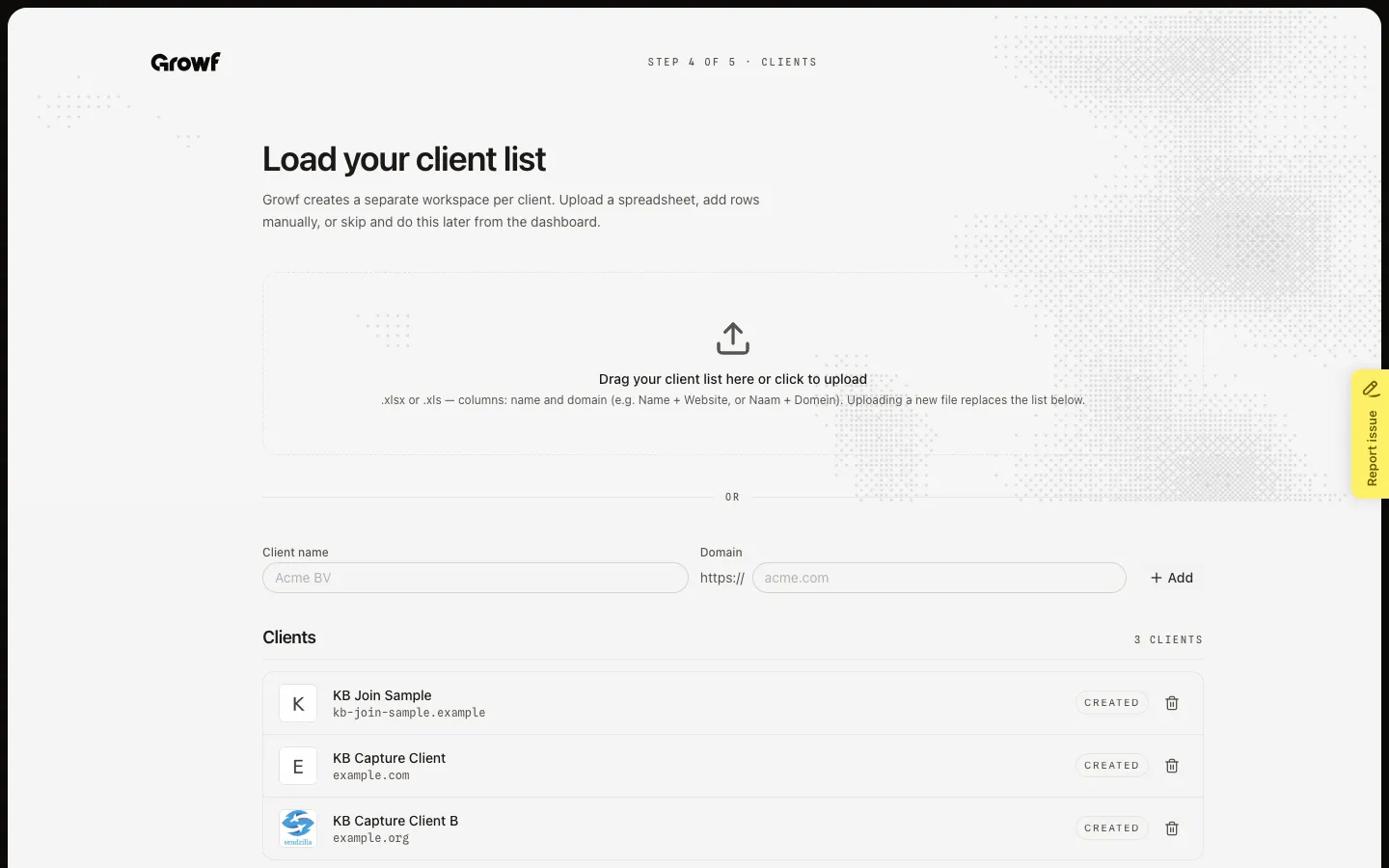
Import during agency onboarding
The same job appears on Load your client list (Step 4 of 5) during agency onboarding. Upload a file there, or type a Client name and Domain and choose Add. Choose Create when the list has new rows. Choose Skip for now if you will import later from Workspaces. A Created row is already a workspace — delete it only if you meant to remove that client.
FAQ
When should I import instead of New?+
Import when you have several clients in a spreadsheet. New creates one client workspace. Neither creates the agency workspace — that happens in agency setup.
I do not see the upload icon on Workspaces.+
Import needs permission to create workspaces. Ask an admin. You can still add clients on Load your client list if agency onboarding is still open.
What columns does the file need?+
A name column and a website or domain column in the first row. English or Dutch headers work (Name + Website, or Naam + Domein). Uploading a new file on the onboarding page replaces the staged list, not workspaces already marked Created.
Some rows failed. What should I check?+
Each row needs a name and a public website Growf can reach. A domain already used in this agency is rejected. Fix those rows and import again.