Group designs in projects
Keep the designs for one client, campaign or event together in a project, and move designs in or out of it.
A project keeps the designs for one client, campaign or event together. On the Design page, projects sit above the other designs in Your designs, each as a stack with its newest design on top. You need permission to edit chats to work with projects, and permission to delete chats to delete one; Admin and Strategist have both by default.
3 steps · About 3 minutes
Create a project
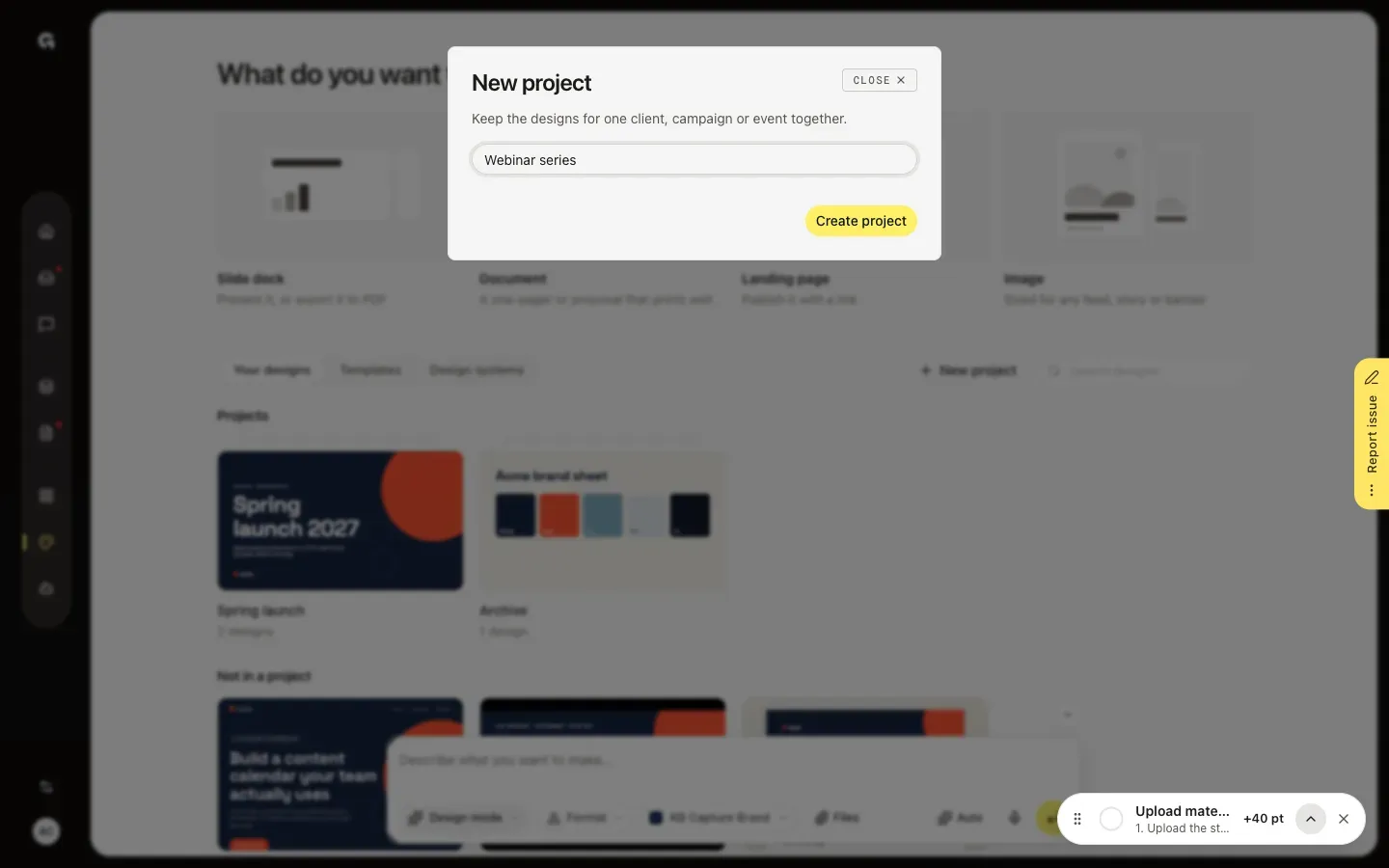
In the sidebar, click Design. Next to Search designs, click New project. Give the project a name, such as a client, campaign or event, and click Create project. The new, empty project opens right away.
Make designs in the project
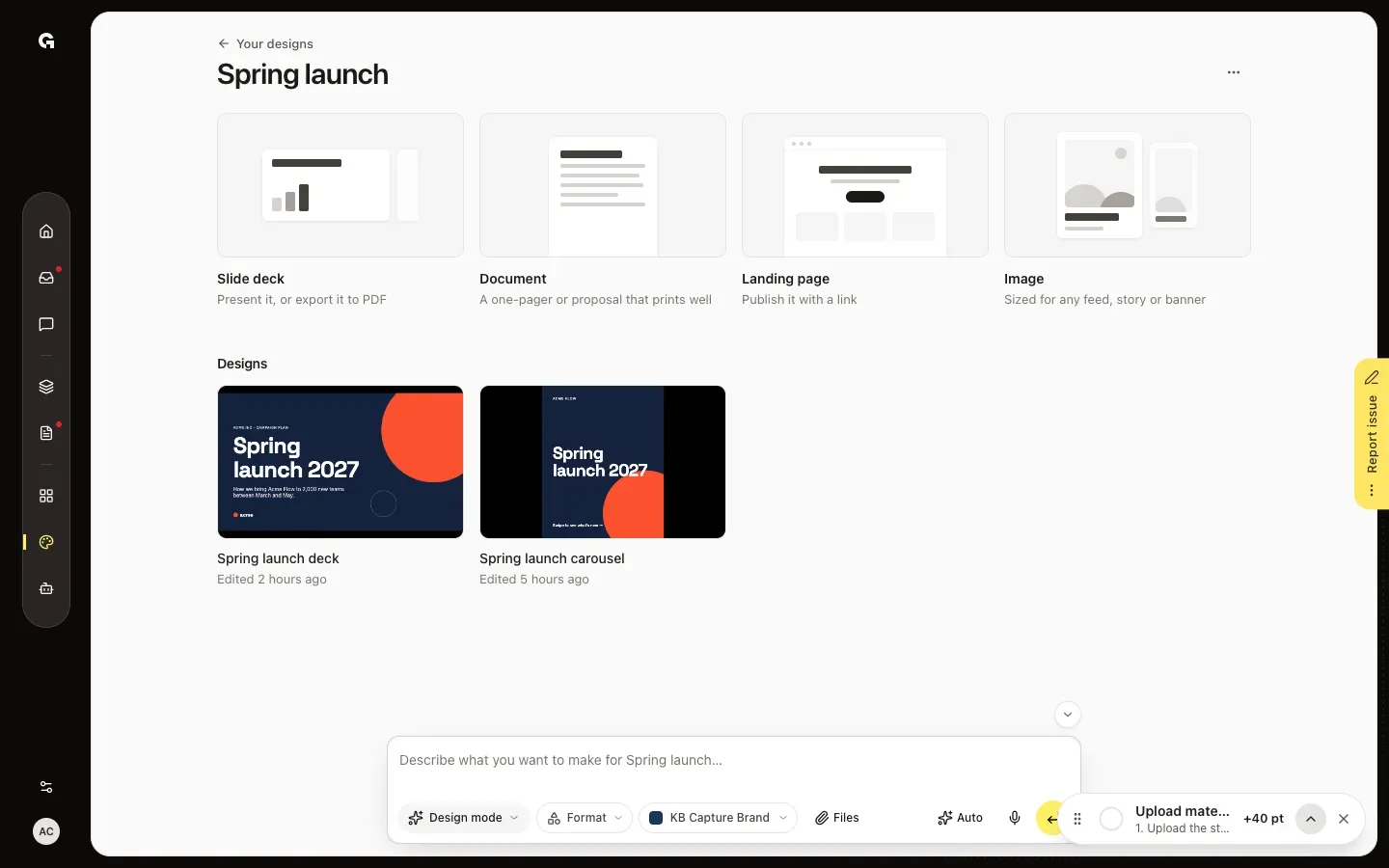
Click a project under Projects. It shows the formats and only its own designs, and the message box says Describe what you want to make for, followed by the project name. A design you make here is saved in this project. Your designs, at the top left, takes you back.
Move a design
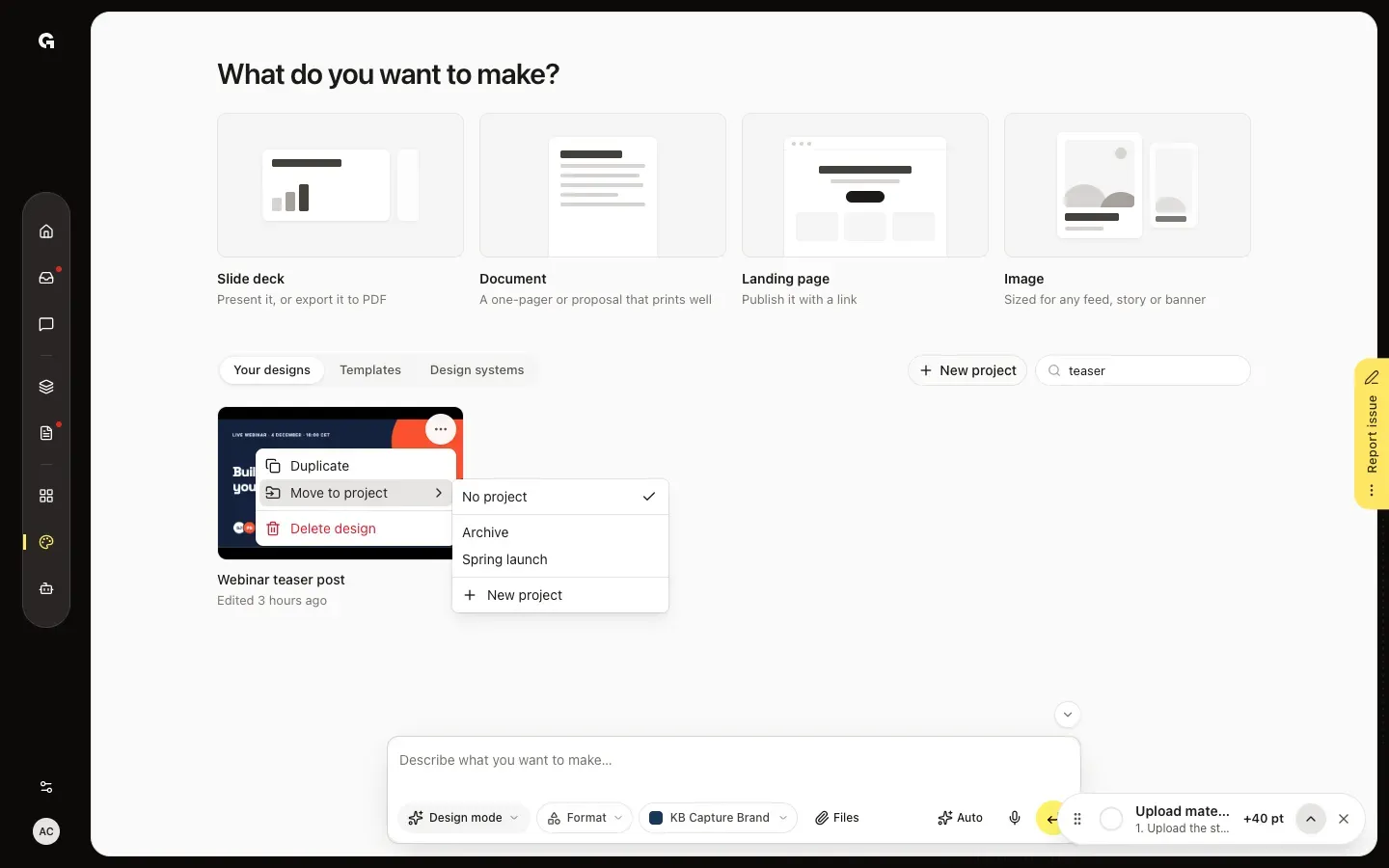
To move a design you made before, point at its card, click ··· and choose Move to project. Pick the project, or New project to make one for it. No project takes the design out of its project.
FAQ
What happens to the designs when I delete a project?+
They stay. Open the project, click ··· next to its name and choose Delete project. Its designs are then under Your designs, without a project.
How do I rename a project?+
Open the project and click its name at the top. Type the new name and press Enter.
Can a design be in more than one project?+
No, in one at most. To have it in a second project, choose Duplicate in its ··· menu and move the copy.
Can the chat make a project or move a design?+
No, you do that yourself in the ··· menu. The chat does know which project each design is in.
Who can work with projects?+
Making, renaming and filling projects take permission to edit chats, and deleting a project permission to delete chats. Admin and Strategist have both by default. Everyone who can open Design sees the projects.