Give a channel its own text
Give one channel of a social post a text of its own, such as a shorter version for X, while the other channels post the main text.
A social post in Content mode has one main text, which every channel posts unless you give that channel a text of its own: a shorter version for X, other hashtags for Instagram or a more formal tone for LinkedIn. You can do this on a post that goes out on two or more channels, with permission to edit content and to use the chat; Admin, Strategist and Creator have both by default. The texts are locked while the post is scheduled or waits for feedback, and once it is published.
4 steps · About 3 minutes
See what each channel posts
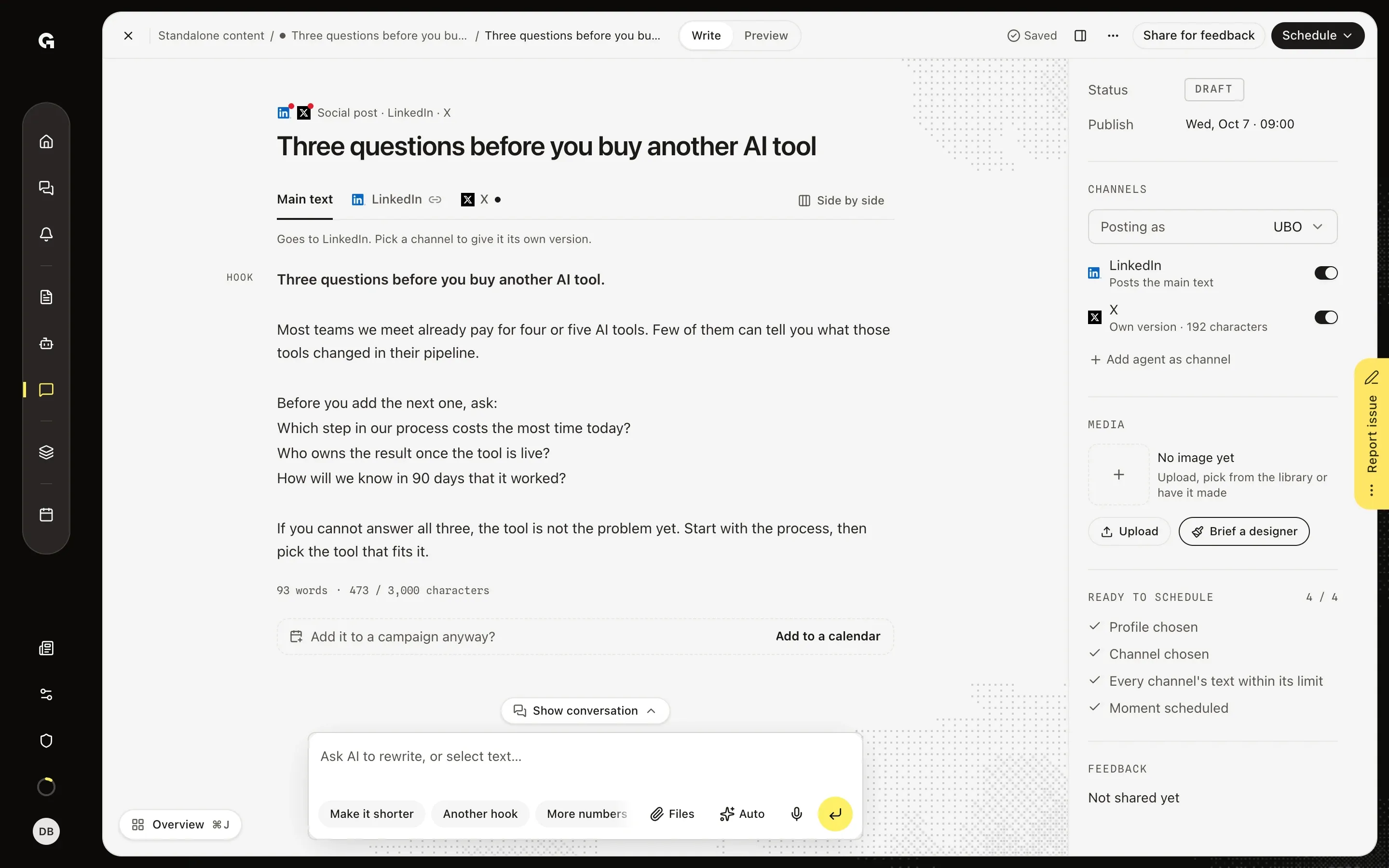
Open a social post that goes out on two or more channels. Above the text you see Main text and a tab for each channel: a link icon means the channel posts the main text, and a dot means it has an Own version. Under the tabs, a line such as Goes to LinkedIn says which channels get the main text. Under Channels on the right, each account says the same, such as Posts the main text or Own version · 192 characters; click one to open its text.
Write a version for one channel
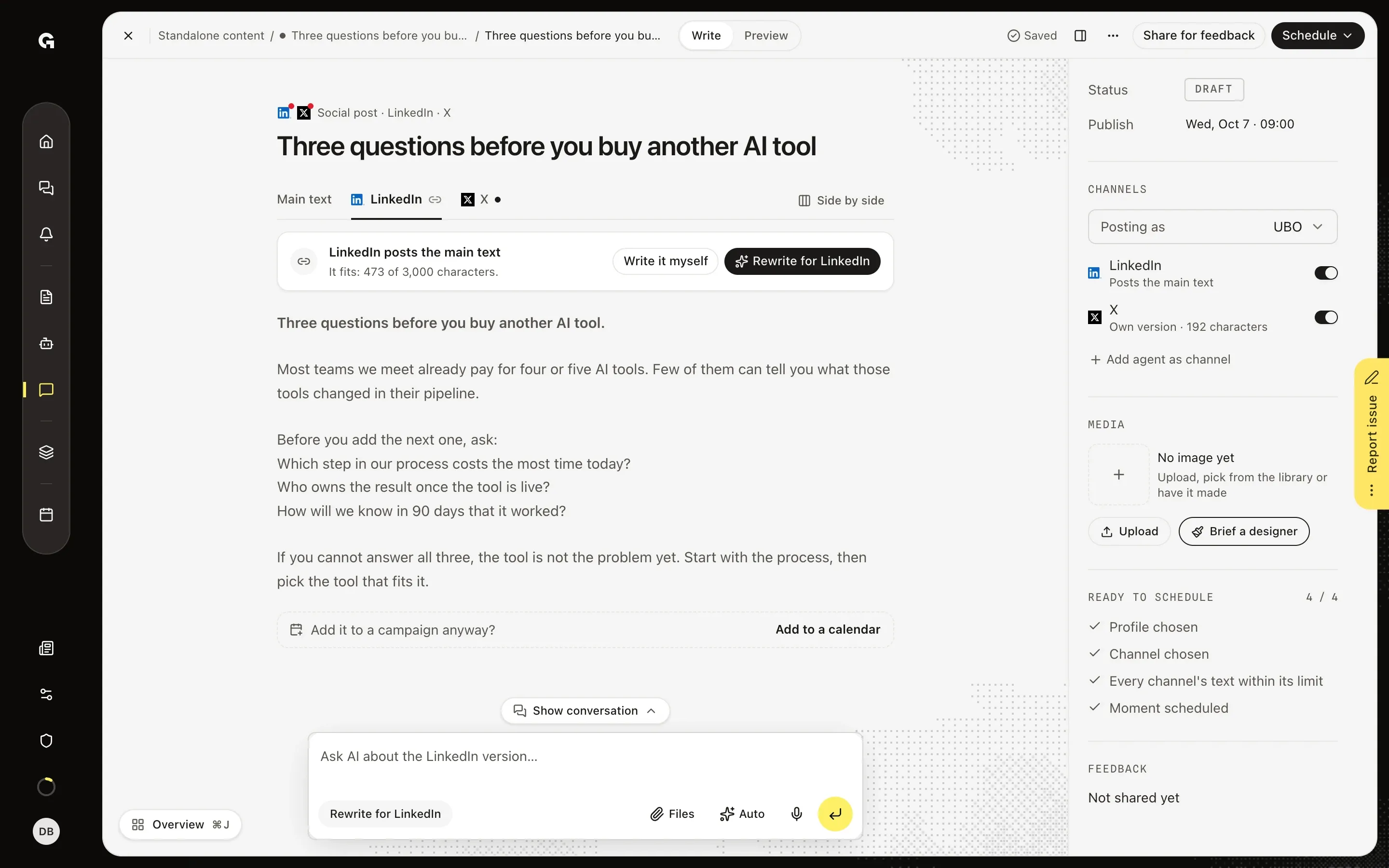
Click the tab of a channel that posts the main text. LinkedIn posts the main text says whether the text fits that channel, here It fits: 473 of 3,000 characters, and below it you read the main text as LinkedIn gets it. Write it myself copies the main text into an own version that you then change. Rewrite for LinkedIn has Growf AI write one: you see the AI proposal with its count, and you choose Use this, Try again or Discard. When the main text is too long for a channel, the notice says how many characters too long it is, and the part past the limit turns red.
Edit a channel's own version
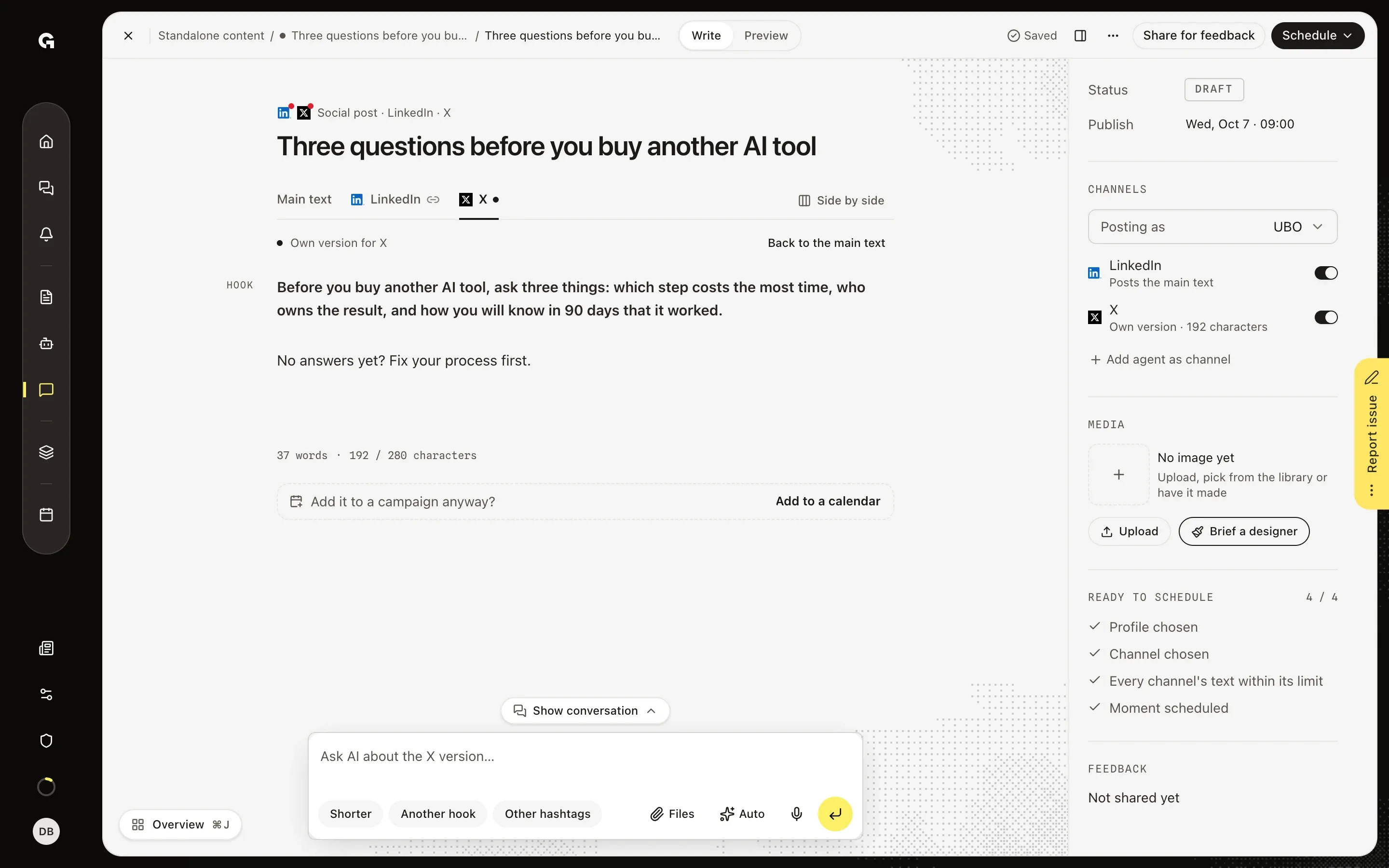
Click the tab of a channel with its own version. Own version for X sits above the text, which you edit like the main text and which saves on its own. The count under it, here 192 / 280 characters, uses the limit of that channel. The prompt now reads Ask AI about the X version…, and the chips under it work on this version only: Shorter, Another hook and, for X, Instagram and TikTok, Other hashtags. Back to the main text deletes the own version, and the channel posts the main text again.
Compare all texts side by side
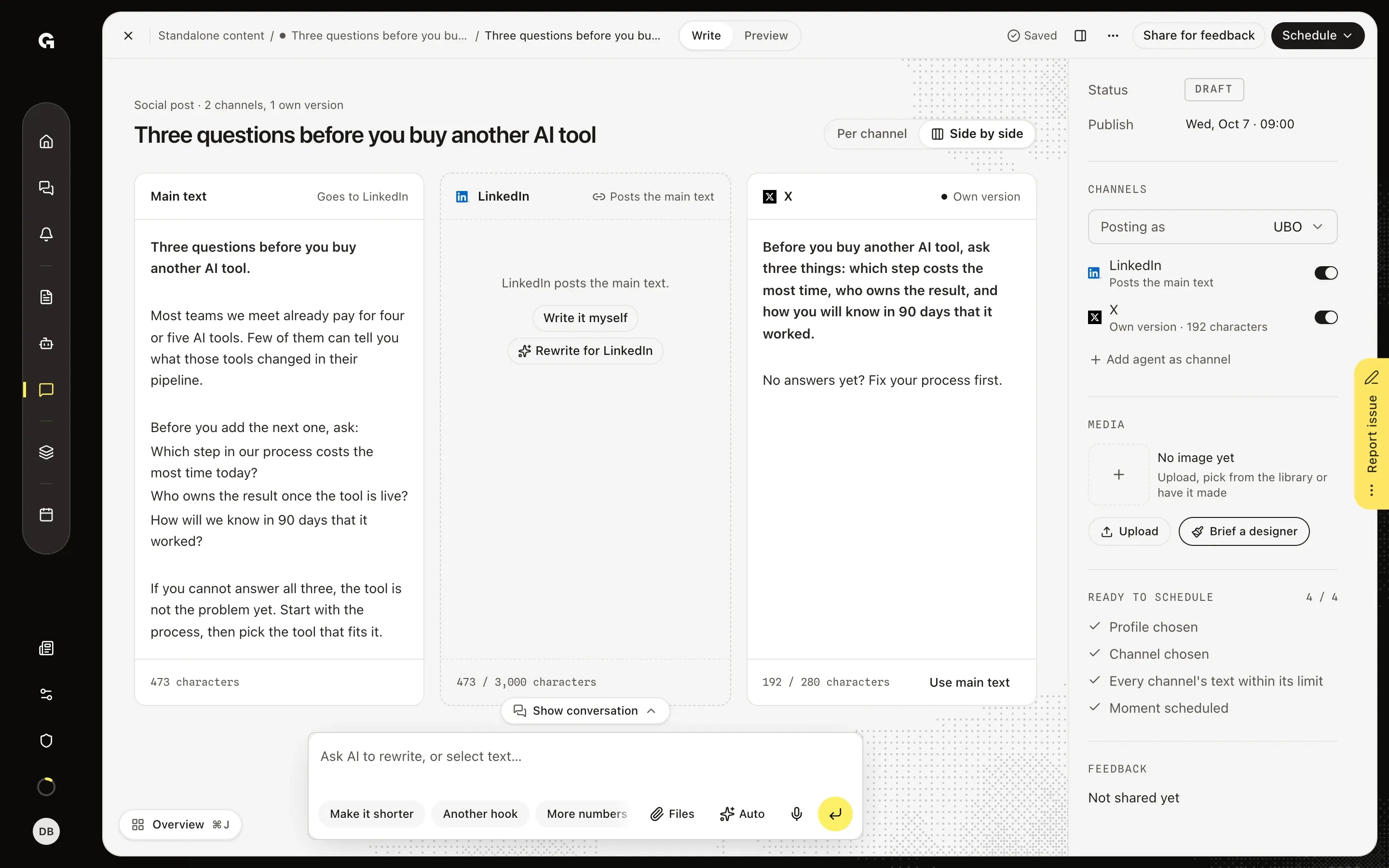
Click Side by side, to the right of the tabs, to see every text of the post next to each other. The first column is Main text with the channels it goes to, followed by a column per channel with its count against that channel's limit. You can edit the main text and each own version right there. A channel that posts the main text offers Write it myself and Rewrite for LinkedIn, and an own version offers Use main text. Per channel takes you back to the tabs.
FAQ
Which text goes out on which channel?+
Each channel posts its own version when it has one, and the main text when it does not. Preview shows the post per channel, with own version next to the name of a channel that has one. When every channel has its own version, the main text reads Every channel has its own version, so the main text is not posted anywhere. If you switch a channel off under Channels, its own version is gone; switch it on again and it posts the main text. The tabs only show on a social post with two or more channels. An email, article or web page has one text.
What happens when I change the main text later?+
An own version stays as it is, but it falls behind: its tab gets an amber dot (Behind the main text when you point at it), and under Channels it reads Own version · behind the main text. On the main text you see, for example, X is behind, with Keep as is and Carry over. Carry over opens Side by side with an AI proposal for each channel that is behind, and Use this takes it. On the channel itself, The main text changed after this version was written offers Keep as is and Carry over the change. Keep as is keeps the version and stops the warning. Until then, Ready to schedule lists Check the versions of X as an optional point, and Schedule says X goes out without your latest change to the main text.
How long can the text be on each channel?+
LinkedIn takes 3,000 characters, X 280, Instagram and TikTok 2,200, Pinterest 800, YouTube 5,000, Reddit 40,000 and Facebook 60,000. X counts a link as 23 characters and an emoji as 2. Under the main text, the count uses the strictest channel that posts it; under an own version, it uses the limit of that channel. A text over the limit shows its count in red on the tab, and under Channels as Main text too long or Own version too long. Ready to schedule then reads, for example, Too long for X: 473 of 280 characters, and you cannot schedule the post until every text fits. When they all fit and at least one channel has its own version, it reads Every channel's text within its limit.
Can the chat write the versions for me?+
Yes. On the main text, A version per channel under the prompt asks the chat for a version for each channel that needs one. With a channel tab open, the chips work on that channel: Rewrite for LinkedIn, or Shorter and Another hook on an own version. Unlike the button above the text, the Rewrite for LinkedIn chip under the prompt writes the version straight in. You can also ask in your own words, such as a more formal tone for LinkedIn. The chat writes the texts straight into the tabs, and its card reads, for example, Channel text of KB Channel Versions Sample changed; Back to the main text removes a version you do not want. Every request to the chat, and every rewrite for a channel, uses AI credits, and the chips need permission to write in the chat.