Generate an image in chat
Ask the chat for an image, also based on an image you already have, pick the model and generate it. The image goes to the media library.
The chat makes images for you: describe what you need, or start from an image you already have, and click Generate. The image goes straight into the workspace's media library. Generating takes permission to create documents, which Admin and Strategist have by default, and your agency decides which image models you can use.
2 steps · About 2 minutes
Ask the chat for an image
Describe the image you want, with its format if it matters, such as square for a feed post or wide for a website banner. To build on an image you already have, attach it or name one from the media library. The chat writes a prompt and shows Image ready to generate, with the format at the right and, when it builds on an image, Based on with that image. Below it you see the image model, the credits per image and Generate. Nothing is made yet.
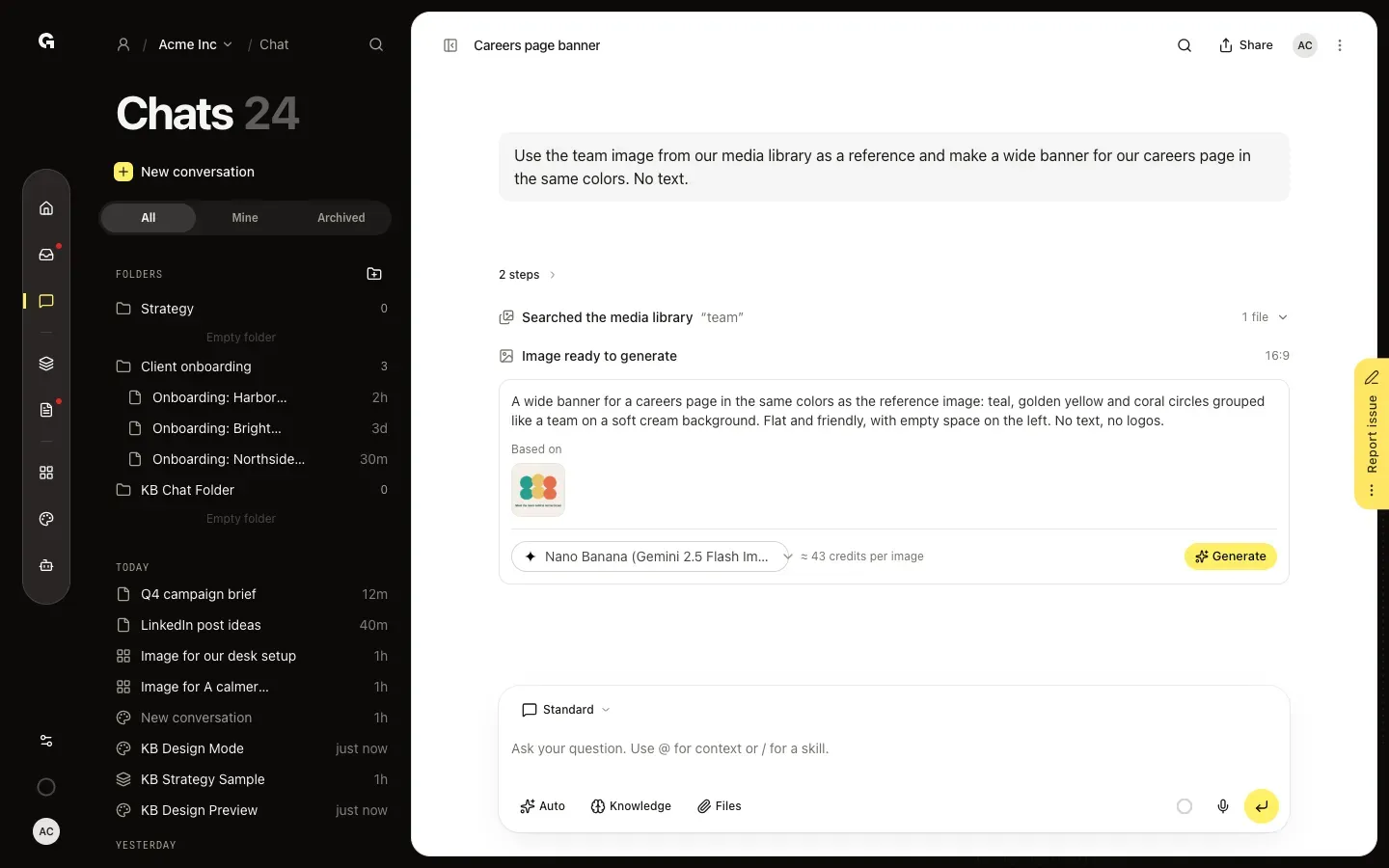
Generate the image
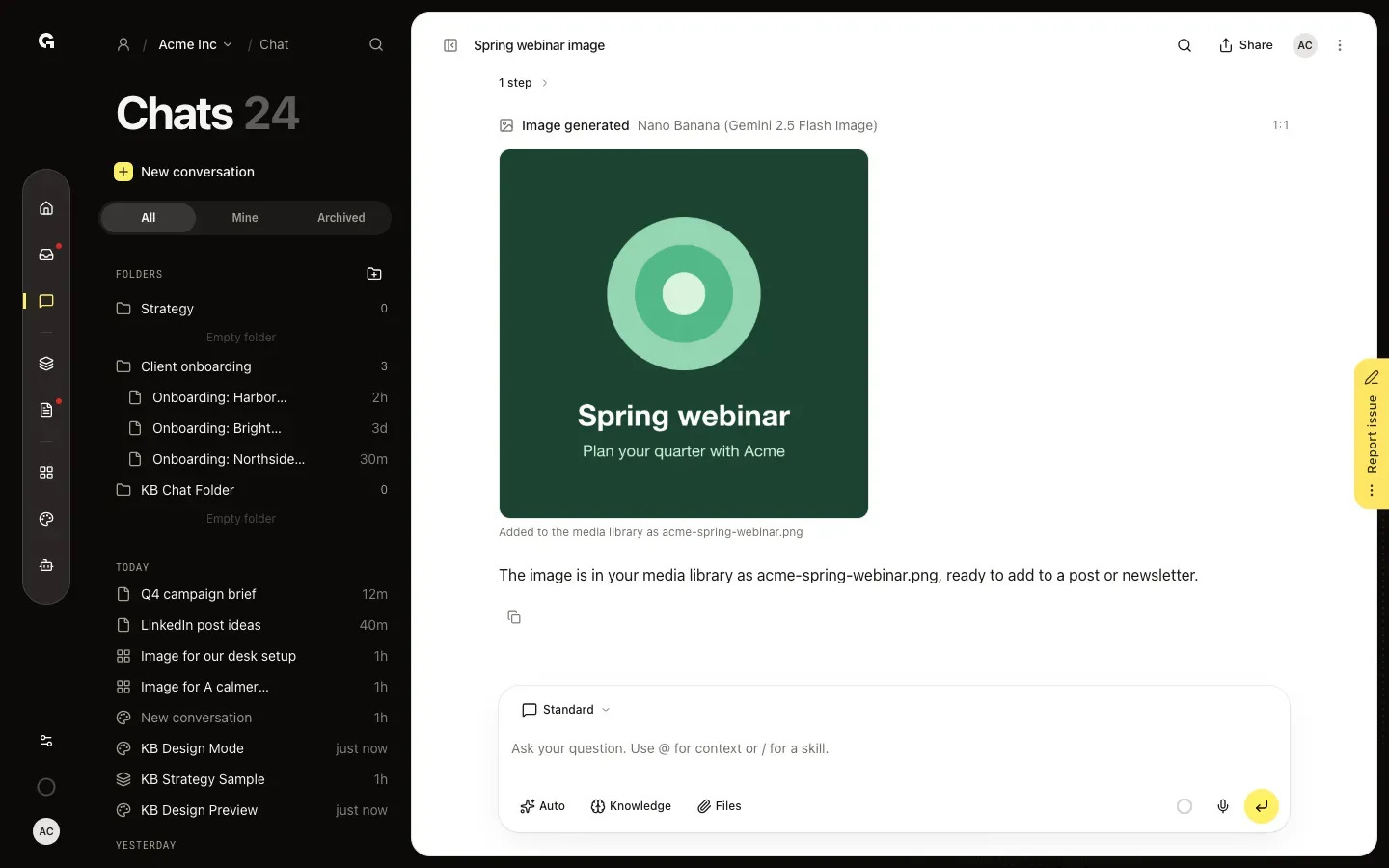
Check the prompt, pick another image model in the list if you want, and click Generate. This can take up to a minute. The card then shows Image generated with the image, and Added to the media library as, followed by the file name. Click the image to open it full size in a new tab. The image is now in the workspace's media library, ready to add to a post, newsletter or article.
FAQ
What does an image cost?+
The card shows the credits per image before you click Generate, for example ≈ 43 credits per image. The price depends on the image model you pick. Asking the chat for the prompt uses credits like any other message.
Where do generated images go?+
To the workspace's media library, where you pick them for a post, newsletter or article; see **Add an image to a post**. They are not listed in Documents. An image made in a chat in My work is kept privately for you in your agency's workspace.
Can the chat change an image I have, such as resize or crop it?+
Yes. Attach the image and ask, for example to make it square, crop it, convert it to PNG or add a line of text. The chat edits it and gives you the new image with Download. It does not go to the media library on its own.
Can I choose the format?+
Ask for it in your message: square (1:1), portrait (4:5, 3:4 or 2:3), stories (9:16) or wide (16:9, 3:2 or 4:3). The card shows the format at the top right. When a model cannot make that format, it uses the closest one.
The card says No image models switched on.+
Your agency has no image models on. An agency admin switches them on in the Agency cockpit under AI models; see **Manage AI models for your agency**. No image model for these images means none of the models can work from that many reference images: ask with fewer of them.
I see You do not have permission to add files to this workspace.+
Generating puts a file in the media library, which takes permission to create documents. Admin and Strategist have it by default.