Generate an image for a post
Ask the chat for a visual, pick one of your agency's image models and click Generate. The image goes into the media library and onto the post.
The chat can make an image for a post, email or article with one of the image models your agency switched on. It works in Content mode and in the other chats of a workspace. You need permission to write in the chat to ask for an image, and permission to add files to the workspace to generate it; Admin and Strategist have both by default.
3 steps · About 3 minutes
Ask the chat for an image
Open the post you want a visual for, from its project or the calendar. In the chat box at the bottom, which reads Ask AI to rewrite, or select text…, describe what the image should show and send it. Say which format you need when it matters: square for a feed post, portrait for Instagram or stories, wide for a LinkedIn or blog header. Because the post is open, the chat knows which post the image is for. To build on an image you already have, such as a product photo or your logo, attach it or name it from the media library, and say what to keep and what to change.
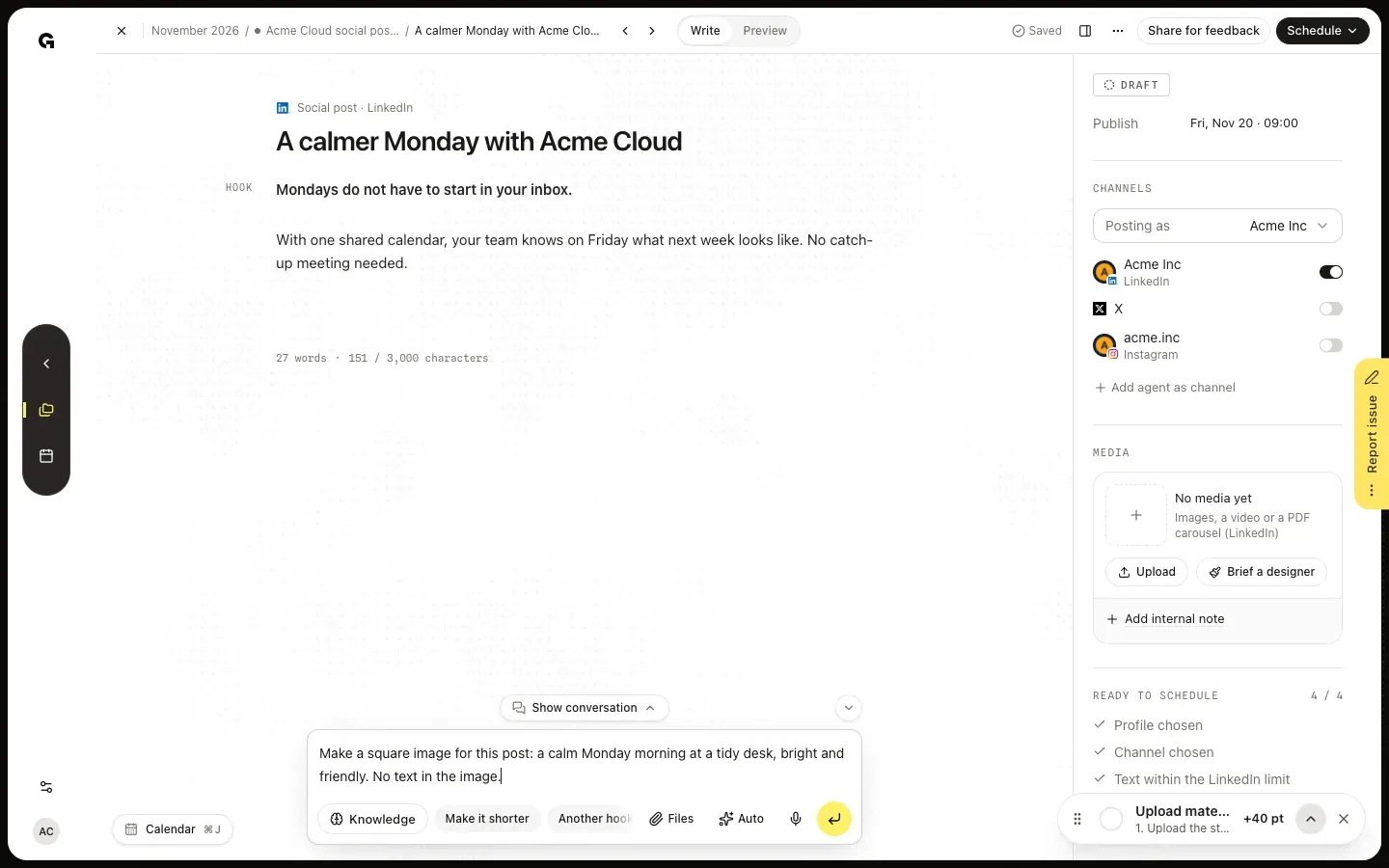
Read the image proposal
The chat does not make the image straight away. It writes a prompt for the image model and shows it in the card Image ready to generate. The format is at the right of the card's top line, here 1:1. A long prompt folds to a few lines: Show full prompt opens all of it. The prompt is in English; any text the image has to show stays in the language of your content. When the chat builds on images you gave it, they show under Based on. You cannot edit the prompt in the card, so tell the chat what should be different and it proposes a new one. When the conversation is folded, Show conversation opens it.
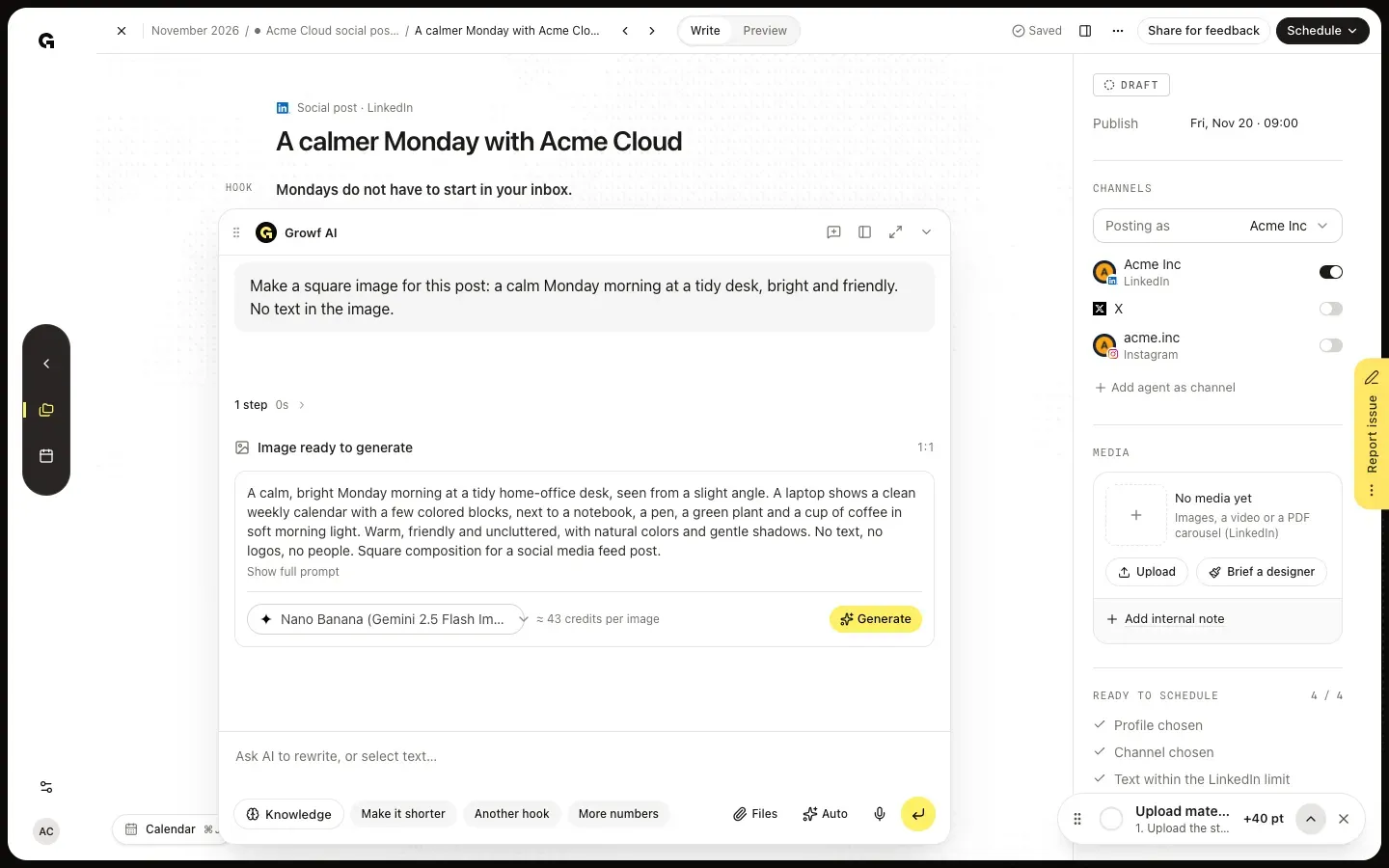
Pick a model and click Generate
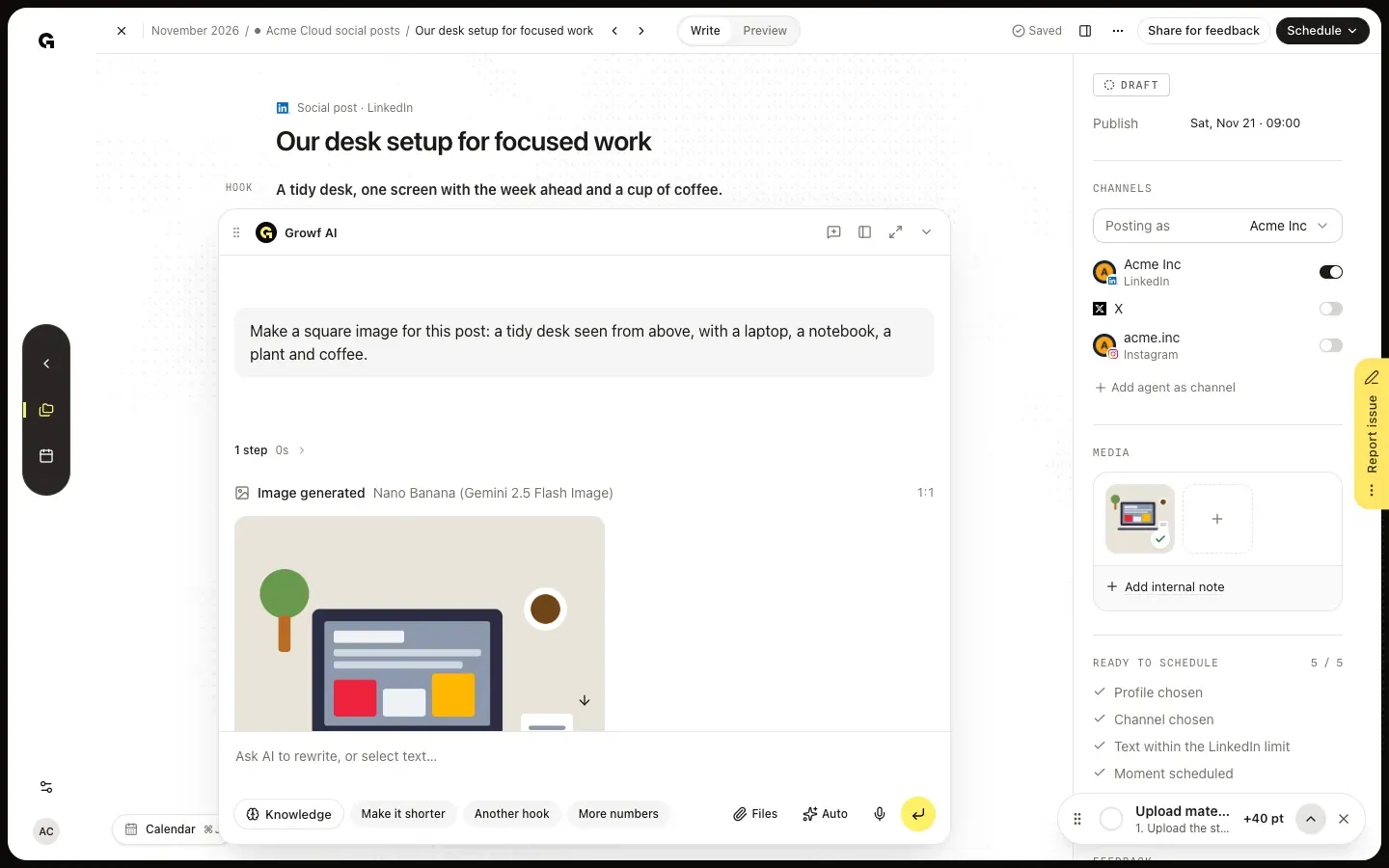
Under the prompt you see the image model the card starts on and its price, here ≈ 43 credits per image. Click the model to pick another of the models your agency switched on; each one shows its own estimate. Then click Generate. The card reads Generating image… and says this can take up to a minute. Next it reads Image generated, shows the picture and the line Added to the media library as, followed by the file name; click the picture to open it in a new tab. The chat then adds the image to the post, next to any media it already had, and its card reads Media set on 1 item; you find the image in the Media section of the post.
FAQ
Why does the chat say No image models switched on?+
Your agency has no image model switched on, so the chat cannot make images. The agency owner or an agency admin switches them on in Agency cockpit > AI models, on the Image models tab, and chooses the model under Images start with. Then ask the chat for the image again.
Which image model does the card start on?+
On the model your agency chose under Images start with in Agency cockpit > AI models. An agency that did not choose starts on GPT Image 2.6 Sunburst. The chat can suggest another model for a prompt, but only from the models your agency switched on. When your role may not pick models itself, set under Access per role, the card names the agency's default image model and shows no list.
Can the chat work from an image I already have?+
Yes. Attach an image in the chat, or name one from the media library or one the chat made earlier, and say what to keep, such as the product or the logo, and what to change. The card then shows those images under Based on. Not every image model takes images to start from, so the list only offers the models that do. When none of the models your agency switched on can work from that many images, the card reads No image model for these images: ask with fewer images, or ask an agency admin to switch on another model.
What if the image is not generated?+
The card says what went wrong, and Generate turns into Try again. When the model returned nothing, for example because it declined the prompt, the card reads The model returned no image, often because it declined the prompt. Try another model or ask for a different image. Pick another model before you click Try again, or ask the chat for a different image. When a model is no longer available to you, pick another one. Each card makes one image; for another version, ask the chat again.
What does an image cost?+
Each image uses your agency's AI credits, and a workspace can have its own credit limit. The card shows an estimate per image, and every model in the list shows its own; what you pay follows what the image actually cost. Asking the chat for the prompt and adding the image to the post use credits too, like any chat message. When the credits are used up, the card says so: Your agency has used its AI credits, or This workspace has used its AI credits. An agency admin sees where the credits go in **Monitor agency AI usage**.
Why can't I generate the image?+
Asking the chat needs permission to write in the chat. Generate also needs permission to add files to the workspace: Admin and Strategist have it by default, Creator does not and sees You do not have permission to add files to this workspace. In a personal chat in My work you can make images too; they go into the media library of your agency workspace.