Edit a message you sent
Change a message you sent in a chat to get a new answer, and switch back to the earlier version when you want.
Edit under a message you sent lets you change it and get a new answer, without starting a new chat. The previous version stays, so you can switch back. Everyone who can write in the chat can edit their own messages; Admin, Strategist and Creator can by default.
3 steps · About 3 minutes
Find Edit under your message
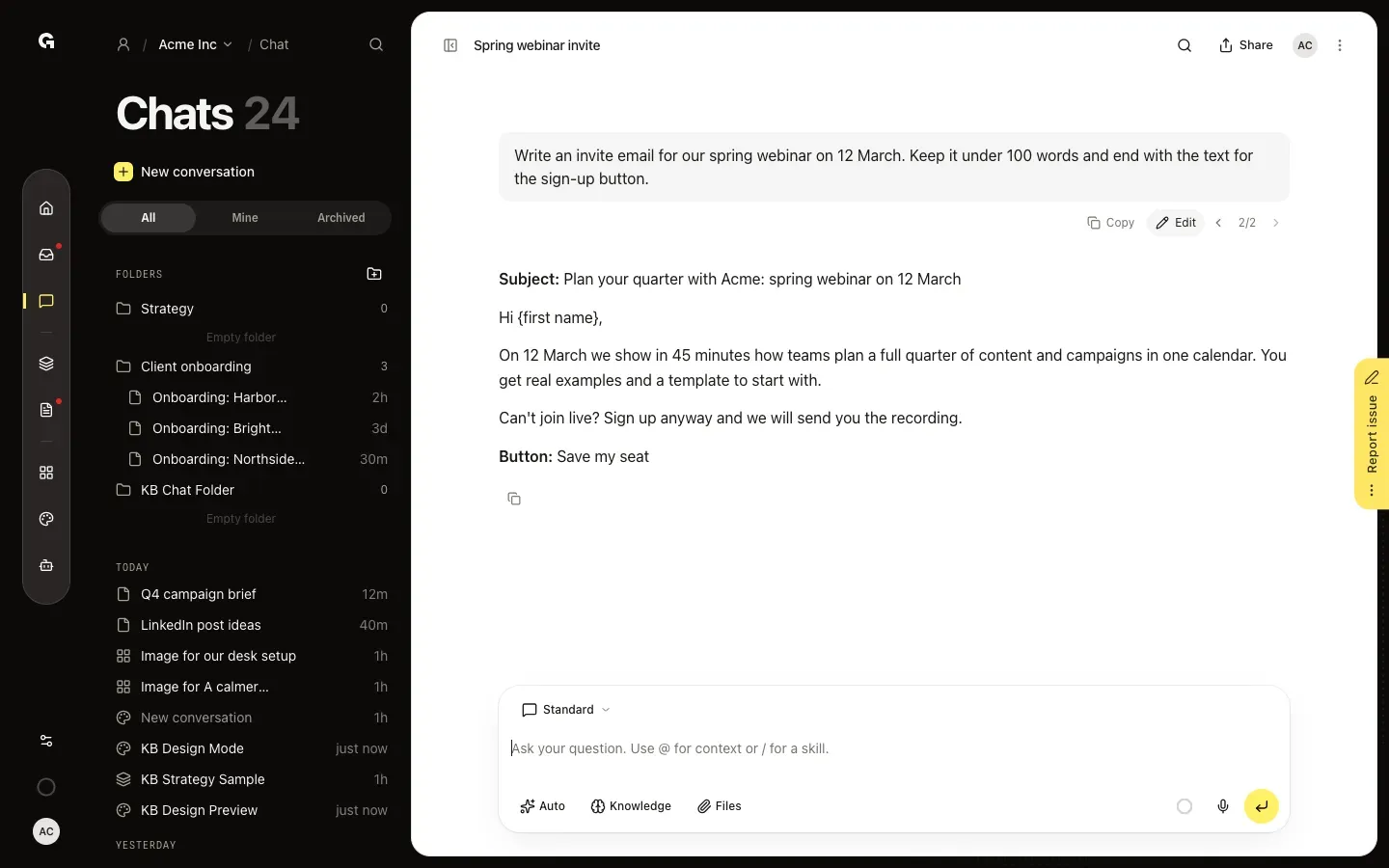
Open the chat and point at a message you sent. Copy and Edit appear under it. When a message has been edited before, the arrows and a counter such as 2/2 show which version you see.
Change the text and send
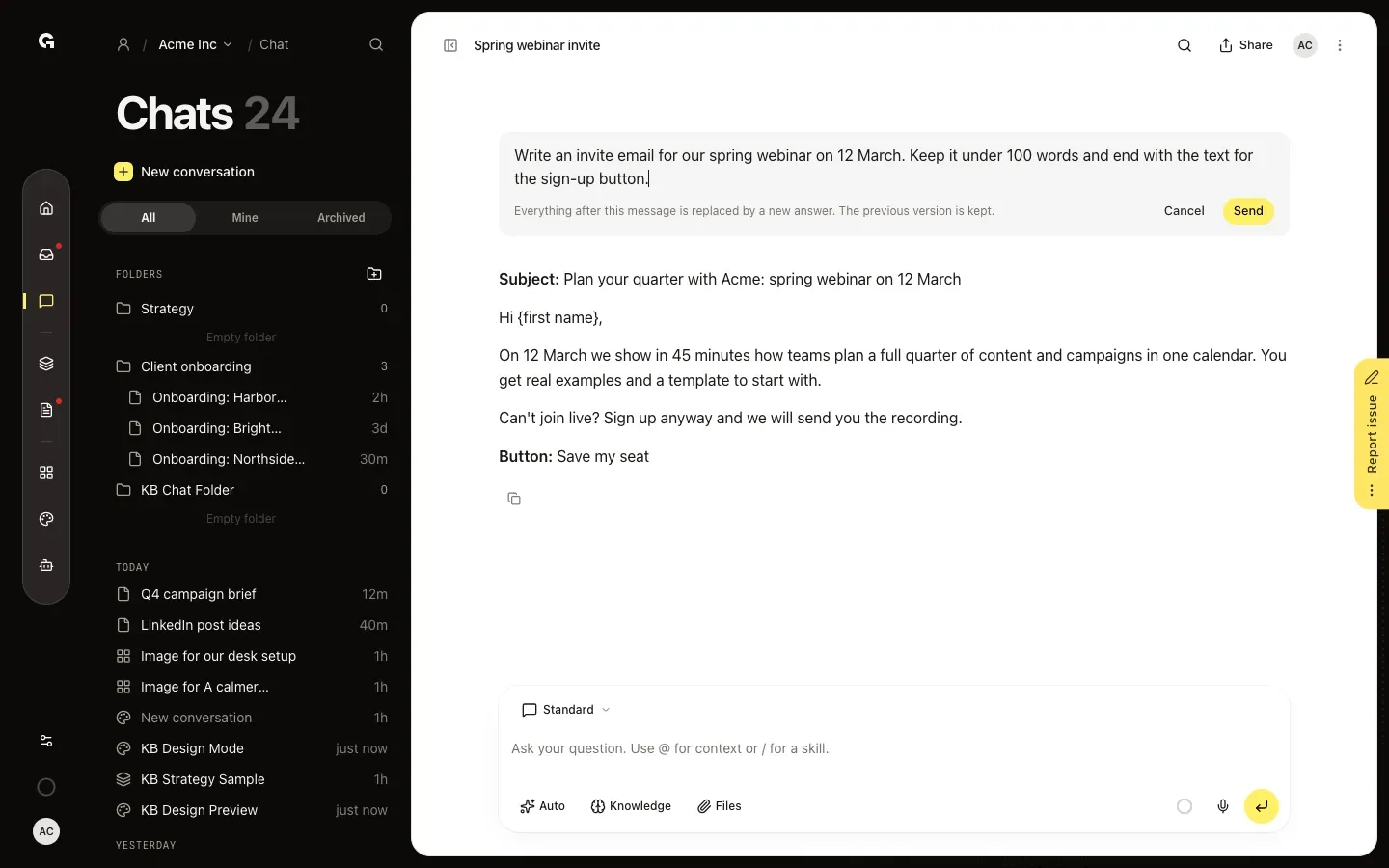
Click Edit. The message turns into a text box: Everything after this message is replaced by a new answer. The previous version is kept. Change the text and click Send, or press Enter. Cancel or Esc leaves the message as it was. Files and mentions in the message go along unchanged.
Switch between versions
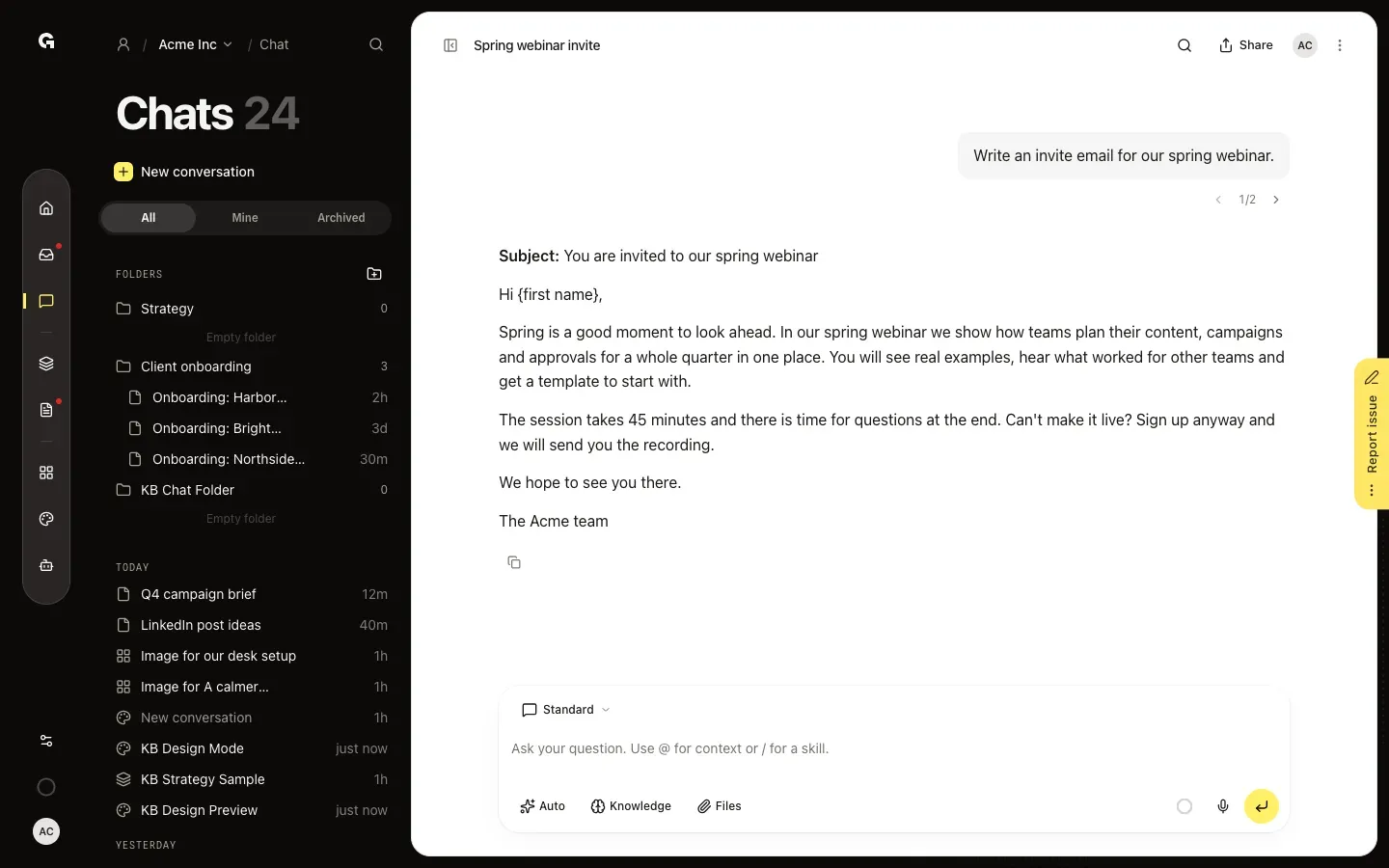
After you send, the chat writes a new answer. The earlier message and its answer stay available: use Previous version and Next version beside the counter to switch, here from 2/2 back to 1/2. The version you choose is the one everybody in the chat sees.
FAQ
What happens to the messages after the one I edit?+
They are replaced by the new answer. Nothing is lost: the old message and everything after it, colleagues' messages in a shared chat too, are kept as the previous version. Switch back with Previous version.
Which messages can I edit?+
Any message you sent yourself, not only the last one, as long as the chat is not busy answering. You cannot edit messages of colleagues or replies of the chat. Only the text changes; files, mentions and skills stay as they were.
Who can edit messages and switch versions?+
Everyone who can write in the chat; Admin, Strategist and Creator can by default. Anyone who can write can switch versions, which changes what everyone in the chat sees. People who can only read the chat see the counter without being able to switch.
Can I edit messages everywhere?+
You can edit messages in workspace chats and in your chats in My work. Chats with a custom agent, the test chat of a skill and the assistant on a model page do not have Edit.
Does editing a message cost credits?+
Sending an edited message starts a new answer, which uses AI credits like any other message. Switching between versions does not.