Disconnect an integration
Remove a workspace connection so chat, sync, and signals stop using that account.
Disconnect removes a workspace connection. The same people who can connect integrations can disconnect them.
2 steps · About 2 minutes
Find the connection
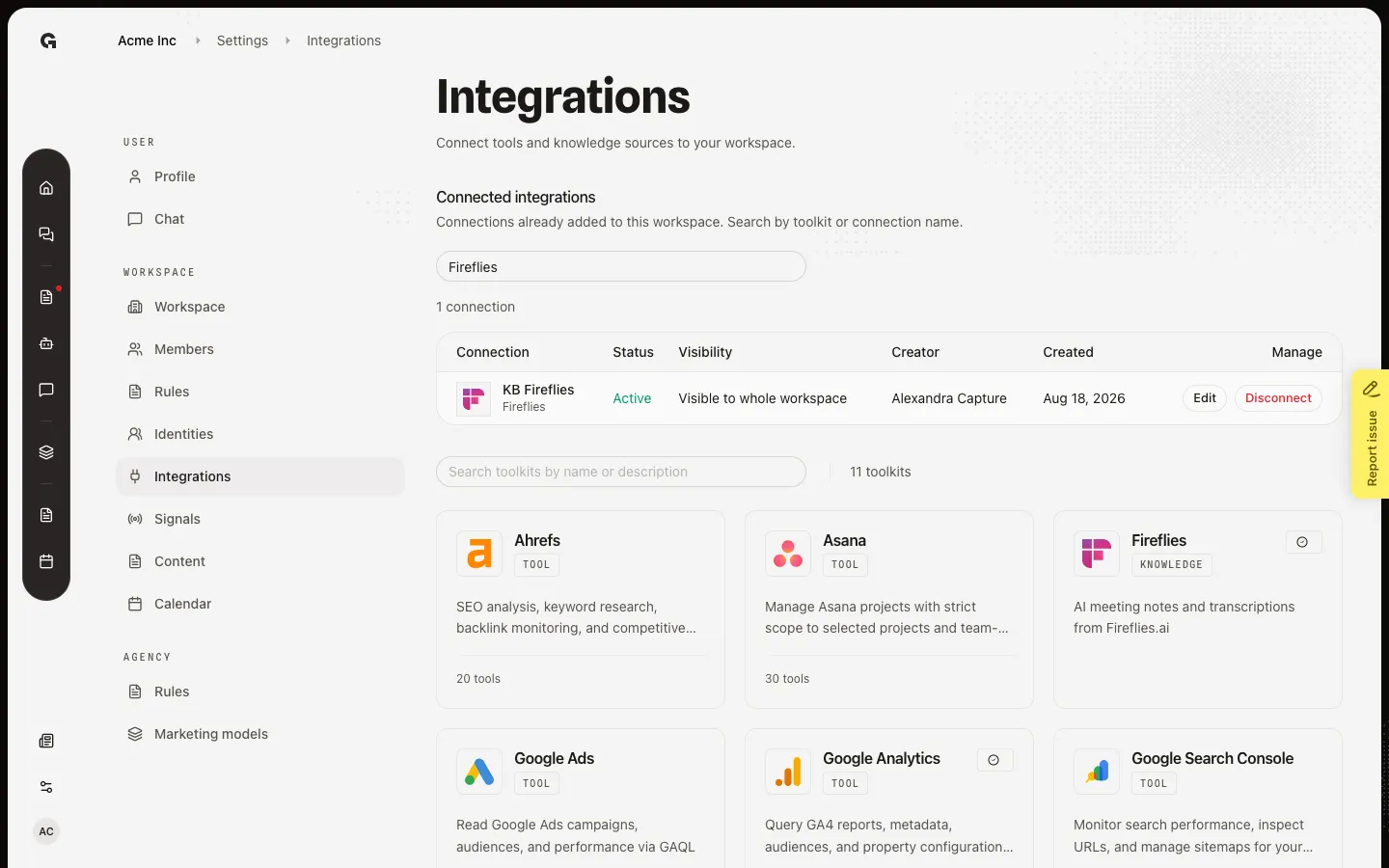
Open Settings → Integrations. Search connections filters the table by toolkit or label. Capture includes KB Fireflies. Disconnect removes this workspace link. You can connect the toolkit again later from the toolkit. It does not delete your account at Fireflies, HubSpot, or the other provider.
Confirm Disconnect
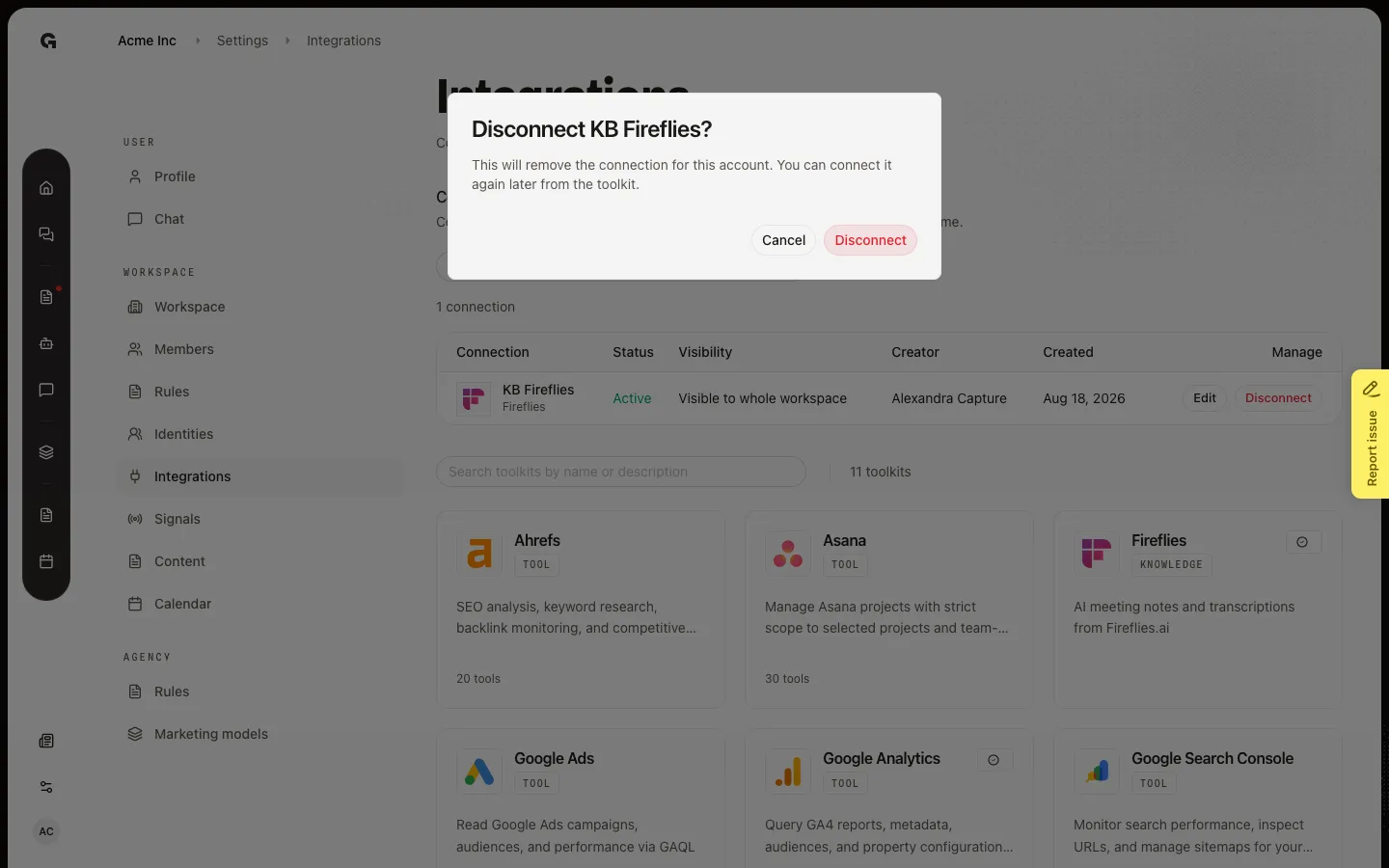
On the KB Fireflies row, choose Disconnect. The dialog asks Disconnect KB Fireflies? and says this will remove the connection for this account. You can connect it again later from the toolkit. For LinkedIn, Instagram, or Facebook, a second line warns that published posts and analytics for that account will be permanently deleted. Choose Disconnect to finish, or Cancel to keep the connection. This walk leaves the dialog open so later how-tos still have KB Fireflies.
FAQ
What disappears when I disconnect?+
Growf drops the connection. Chat can no longer use that account. Knowledge sync stops. A signal tied to that integration has nothing to run against. Published posts and analytics are deleted only for social accounts (LinkedIn, Instagram, Facebook). Your login at the provider stays.
Can I connect the same toolkit again?+
Yes. Open the toolkit in the library and choose Connect. You will sign in at the provider again and set a name and visibility. Old Incoming items from the removed connection are gone.
This is a LinkedIn channel on an identity. Is this the same Disconnect?+
No. Identity channels are disconnected on the identity overview. See Connect a publishing channel. This how-to is the Integrations table only.