Dictate a chat message
Speak a message into the composer, then confirm the transcript before you send.
Dictate a message turns speech into composer text. Anyone who can send in the thread can use it when the browser allows the microphone.
2 steps · About 2 minutes
Find Dictate a message
Open a conversation. Dictate a message is the microphone on the right of the composer, next to Submit. Use it when you would rather speak than type. The browser must allow the microphone on this site.
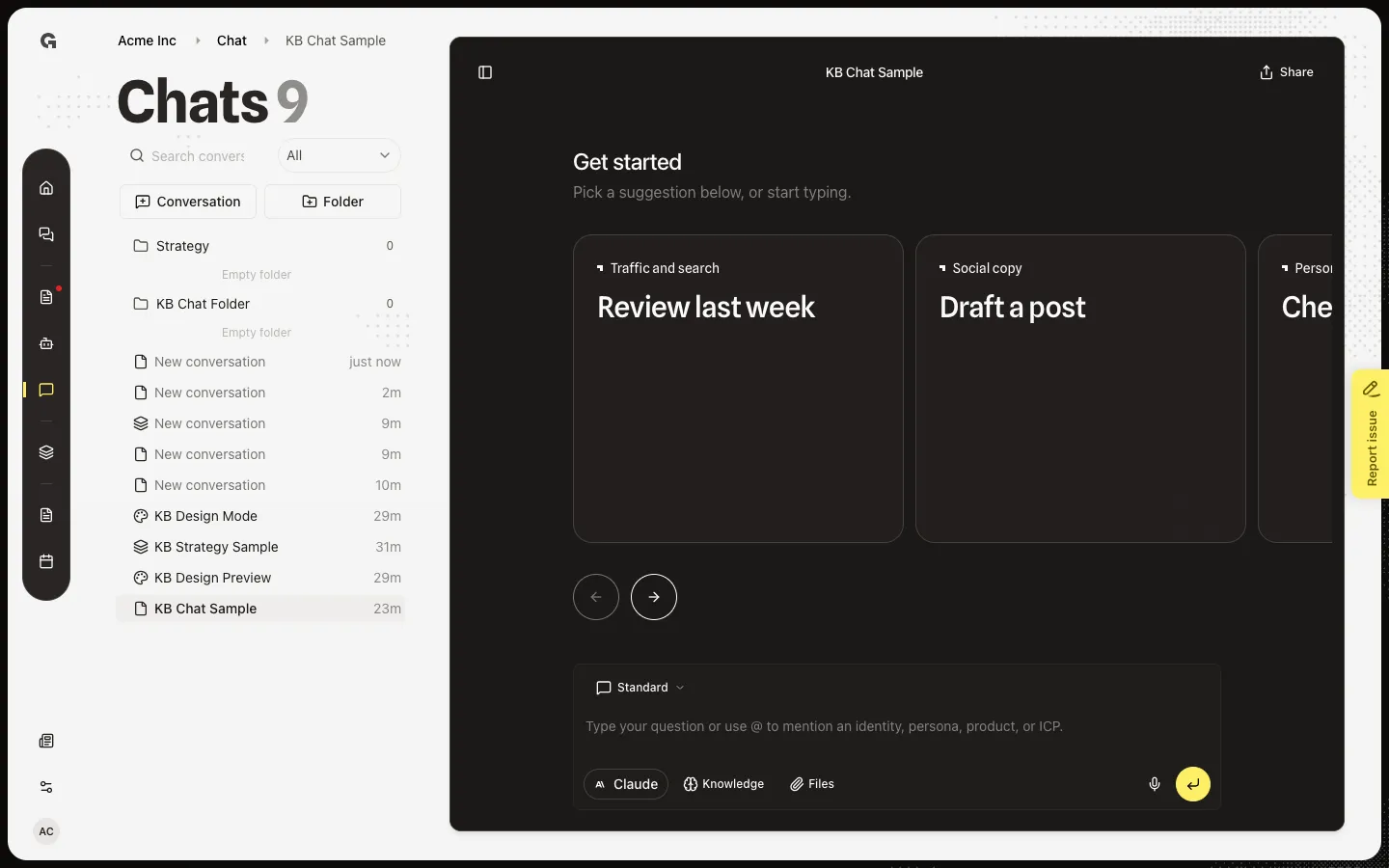
Start dictation
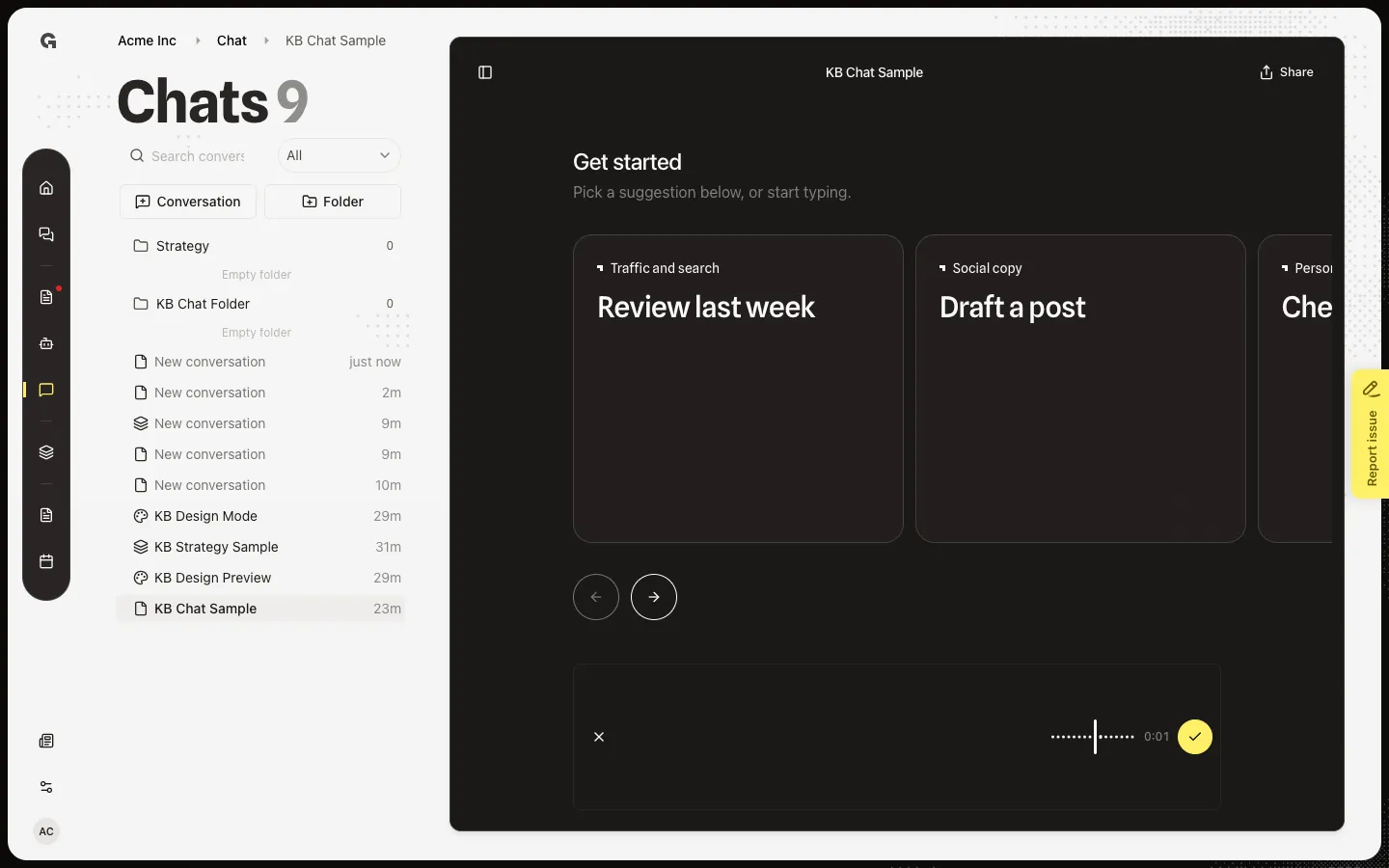
Choose Dictate a message. Speak, then choose Finish recording and insert text. Growf transcribes the audio and inserts the words in the composer. You can edit them before you send. Cancel voice recording discards the take. If the browser blocks the mic, you see Microphone access was denied or No microphone available.
FAQ
I see Microphone access was denied.+
The browser blocked the microphone. Allow it for this site in the browser settings, then choose Dictate a message again. No microphone available means this device has no mic Growf can use — type instead.
I see Couldn't transcribe your recording.+
The audio did not convert to text. Try a shorter take in a quieter room. You can still type the message.
Does dictation send the message?+
No. Finish recording inserts text in the composer. Review it, add @ mentions or files if you need them, then send.