Delete a content draft
Remove a draft from Content. Posted or scheduled pieces cannot be deleted until they are drafts again.
Delete removes a draft from the workspace list. Use it when the piece should not exist. The creator or anyone with delete permission can do this.
3 steps · About 3 minutes
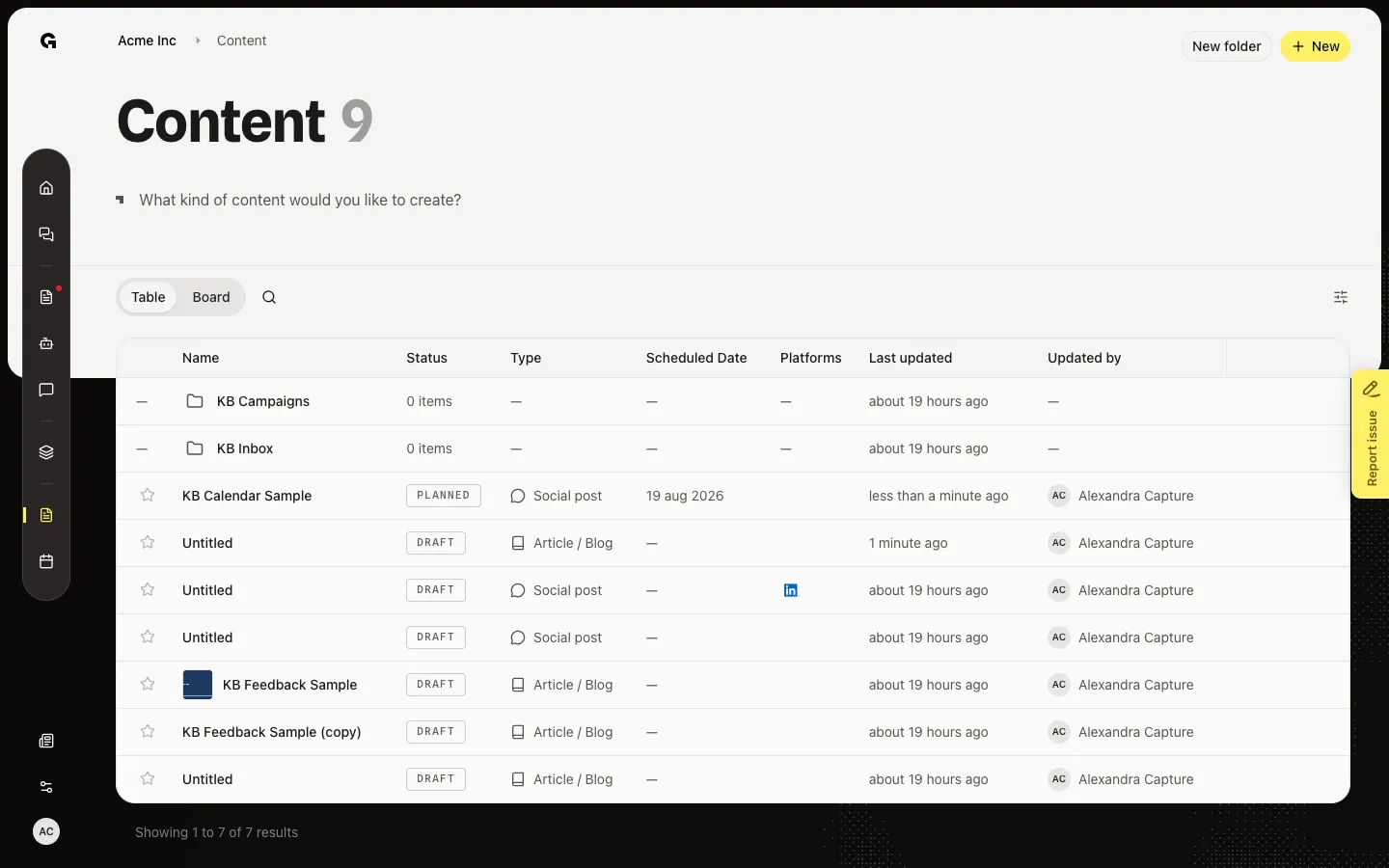
Open Content
Choose Content and stay on Table. You can delete if you have delete permission, or if you created the piece. Only drafts can be removed.
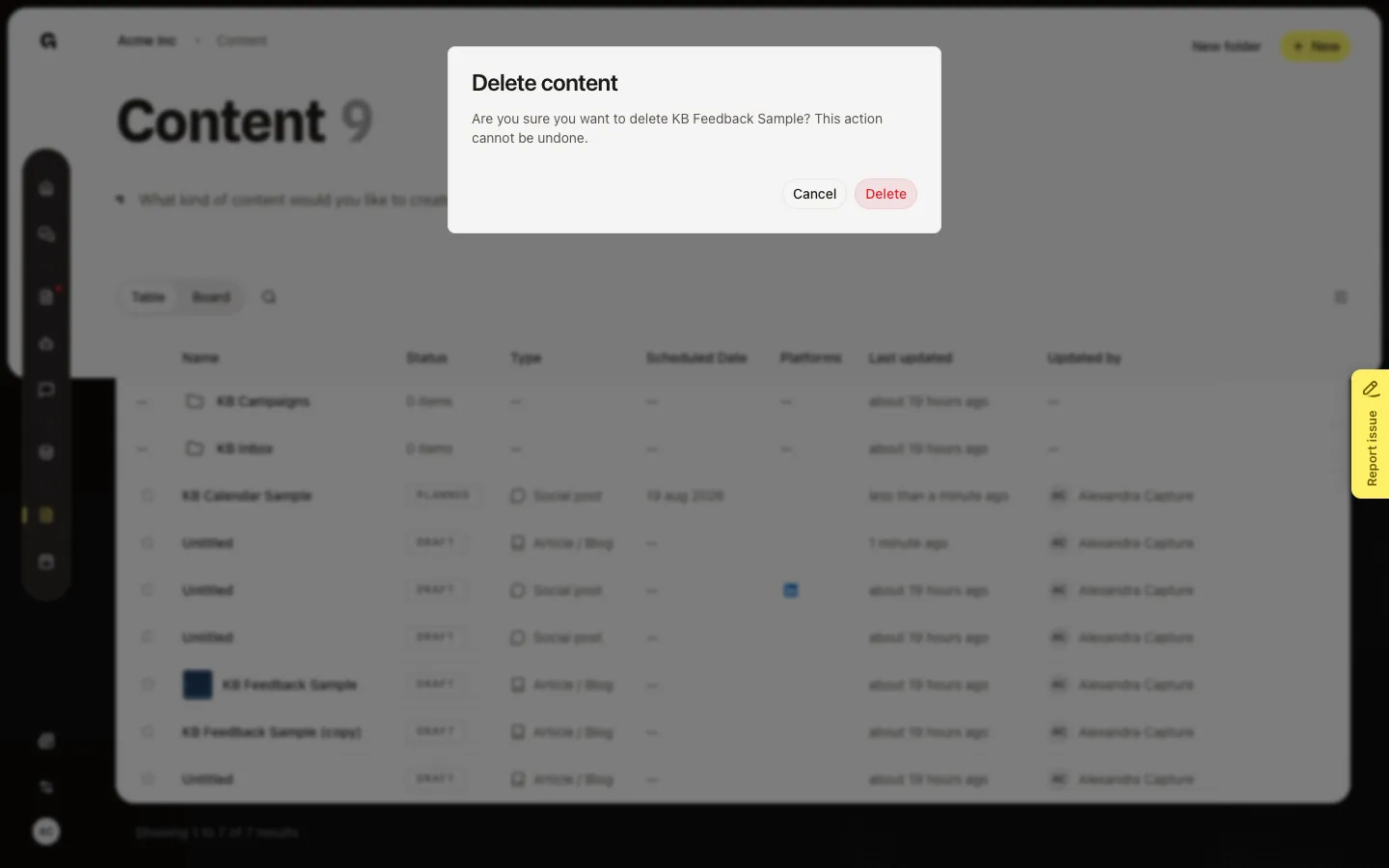
Read the delete warning
Hover the KB Feedback Sample row. Delete is the red control on the right. Click it. The dialog asks if you are sure. This cannot be undone. Cancel leaves the piece on the list. You can also delete from Details in the editor.
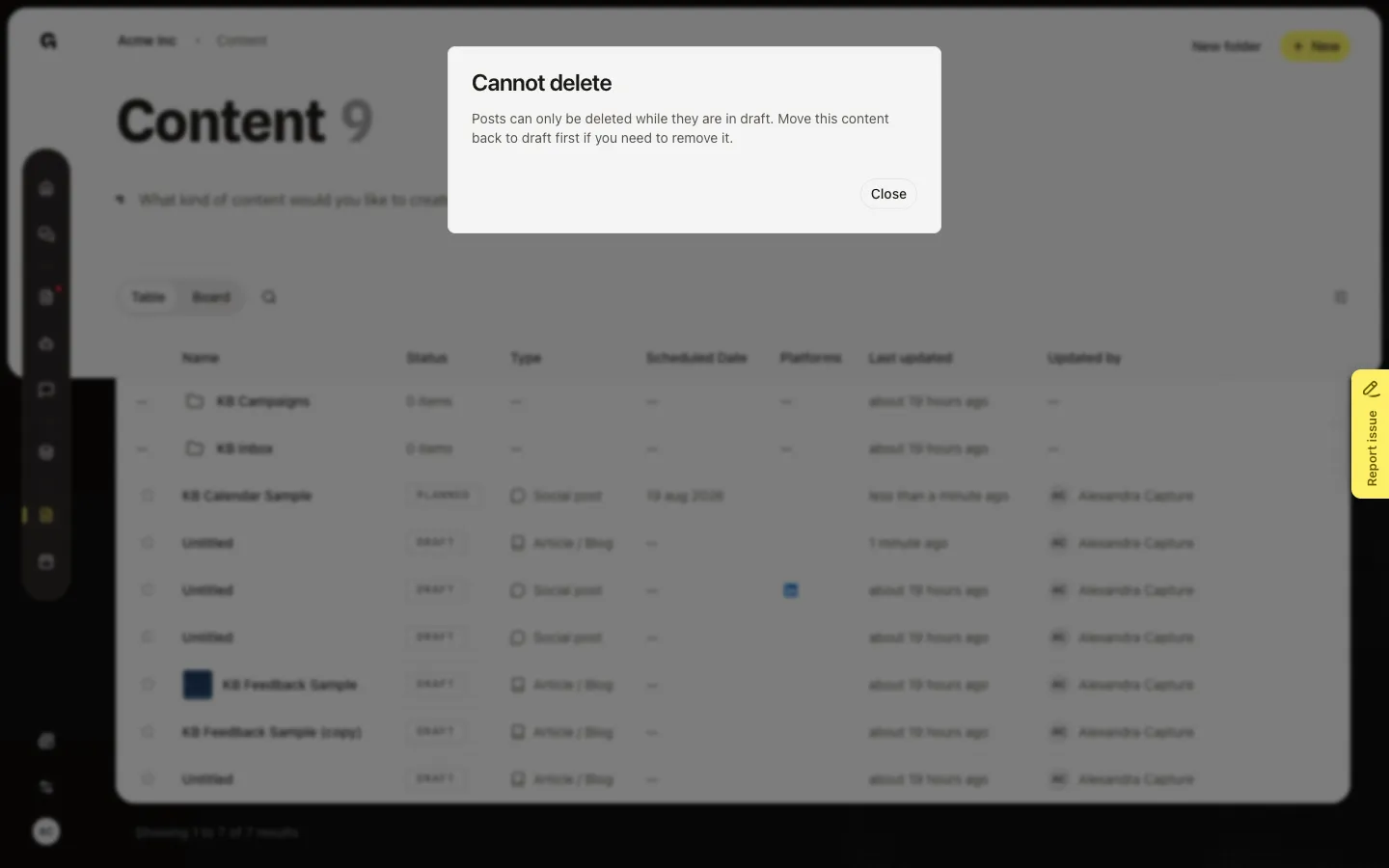
See Cannot delete on a scheduled piece
Scheduled and posted pieces cannot be removed. Hover KB Calendar Sample and click Delete. The title is Cannot delete — move it back to draft first. Close leaves the piece on the list.
FAQ
Why does Delete say Cannot delete?+
Only drafts can be removed. A scheduled or posted piece stays until its status is draft again. Duplicate as draft if you need a new version and want to keep the original.
I do not see Delete on the row.+
Hover the row on Table. You need delete permission, or you must be the creator. Board has no delete control.
Should I delete or duplicate?+
Delete when the draft is wrong and should not stay on the list. Duplicate when you want to keep the original and start a copy.