Delete a signal detector
Remove a detector so that integration no longer writes findings to Home.
Delete removes a detector from this workspace. Anyone who can update the workspace can do it.
2 steps · About 2 minutes
Open the Signals table
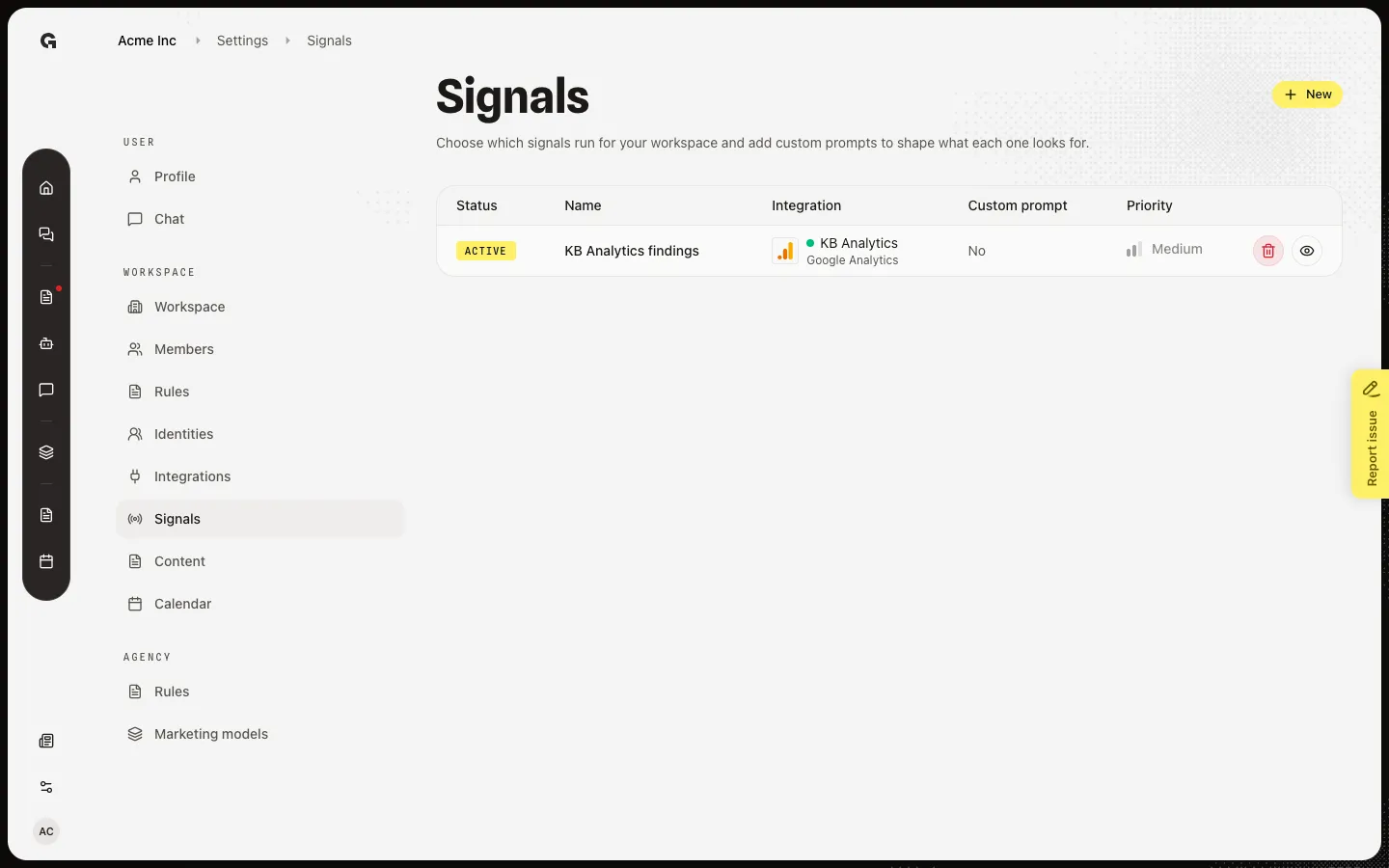
Open Settings → Signals. Delete lives on the table, not on the detector page. Capture includes KB Analytics findings. Deleting it frees Google Analytics so you can create a new detector for that connection later.
Confirm Delete signal
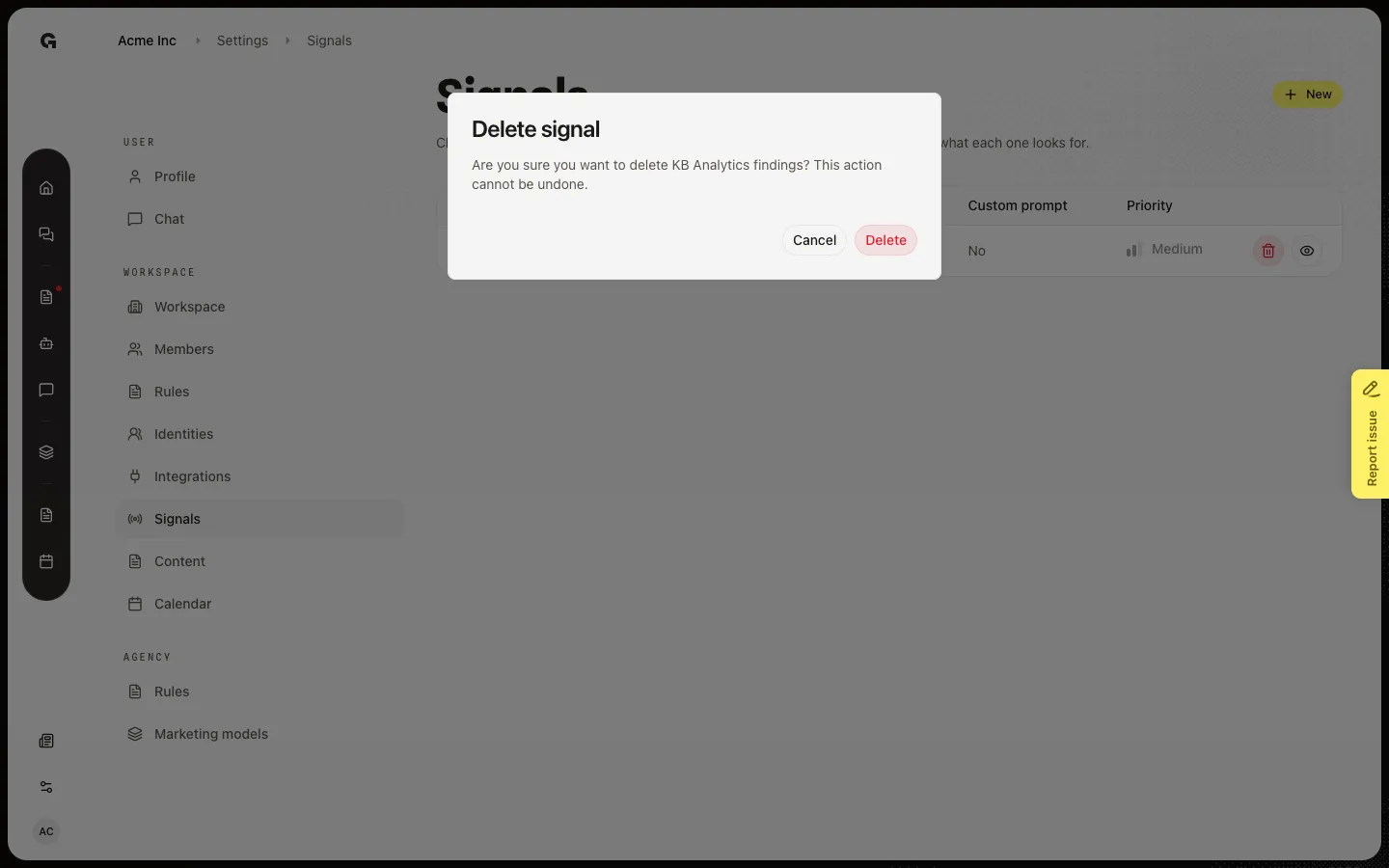
On the KB Analytics findings row, choose the trash control (Delete signal). The dialog title is Delete signal. It asks if you are sure you want to delete KB Analytics findings and says this cannot be undone. Delete removes the detector. Cancel keeps it. This walk leaves the dialog open so later how-tos still have the row.
FAQ
Do Home cards disappear when I delete the detector?+
The detector stops running. Cards already on Home for this week stay until you mark them done or the week changes. New findings will not appear.
Can I create the same signal again?+
Yes. After delete, that connection is free. Open New and pick it again. You will need to set the custom prompt and priority once more.
I opened the detector and cannot find Delete.+
Delete is only on the Signals table. Use the trash control on the row, not the detector page.