Delete a publishing identity
Soft-delete an identity from the list when you no longer publish as that person or company.
Delete removes a publisher from Identities. Use it when that person or company should no longer post from this workspace.
2 steps · About 2 minutes
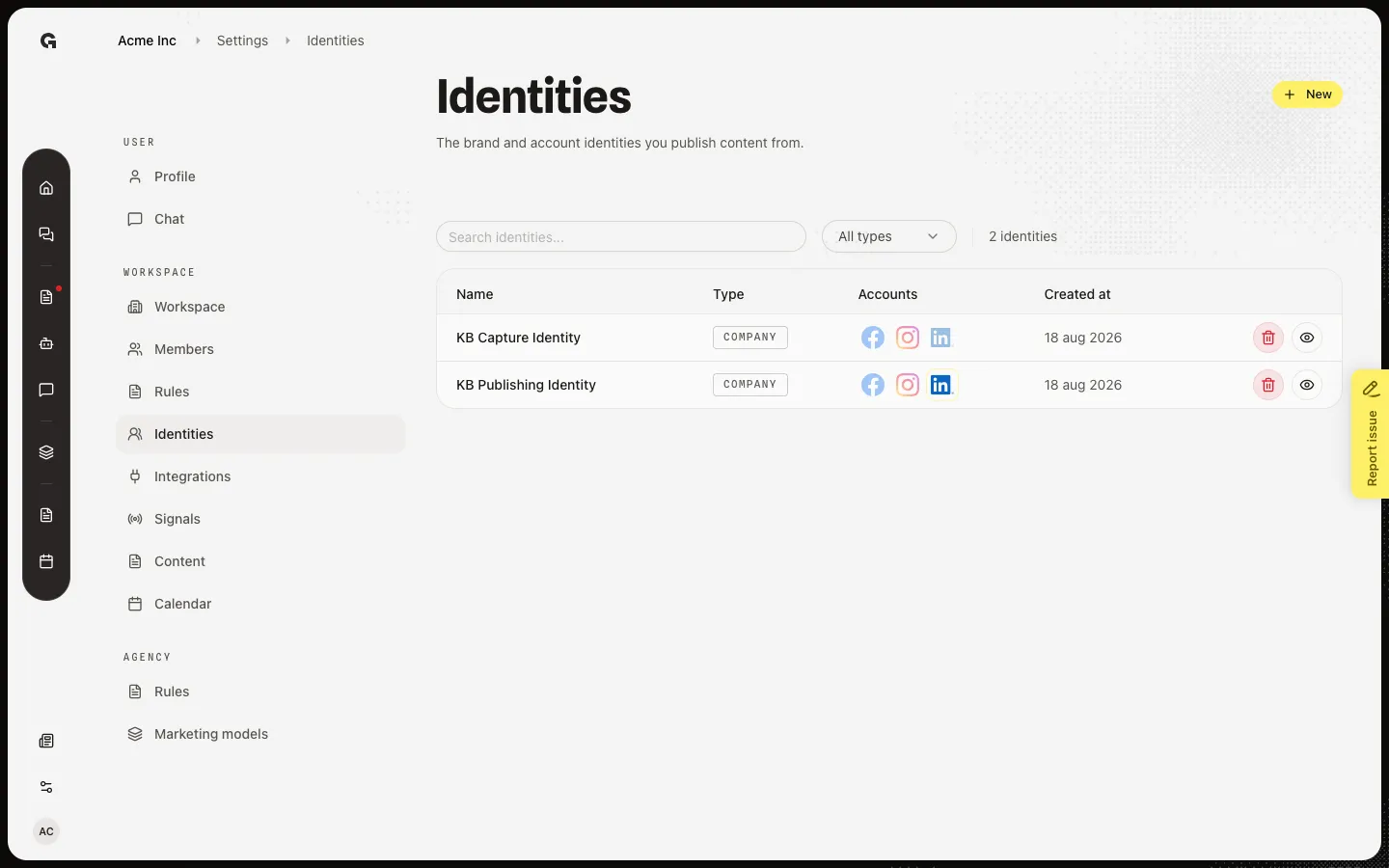
Find the identity
Open Identities. Each row has Delete identity (trash). Capture looks for KB Capture Identity from Create a publishing identity. Do not delete KB Publishing Identity — other how-tos and the calendar sample use it.
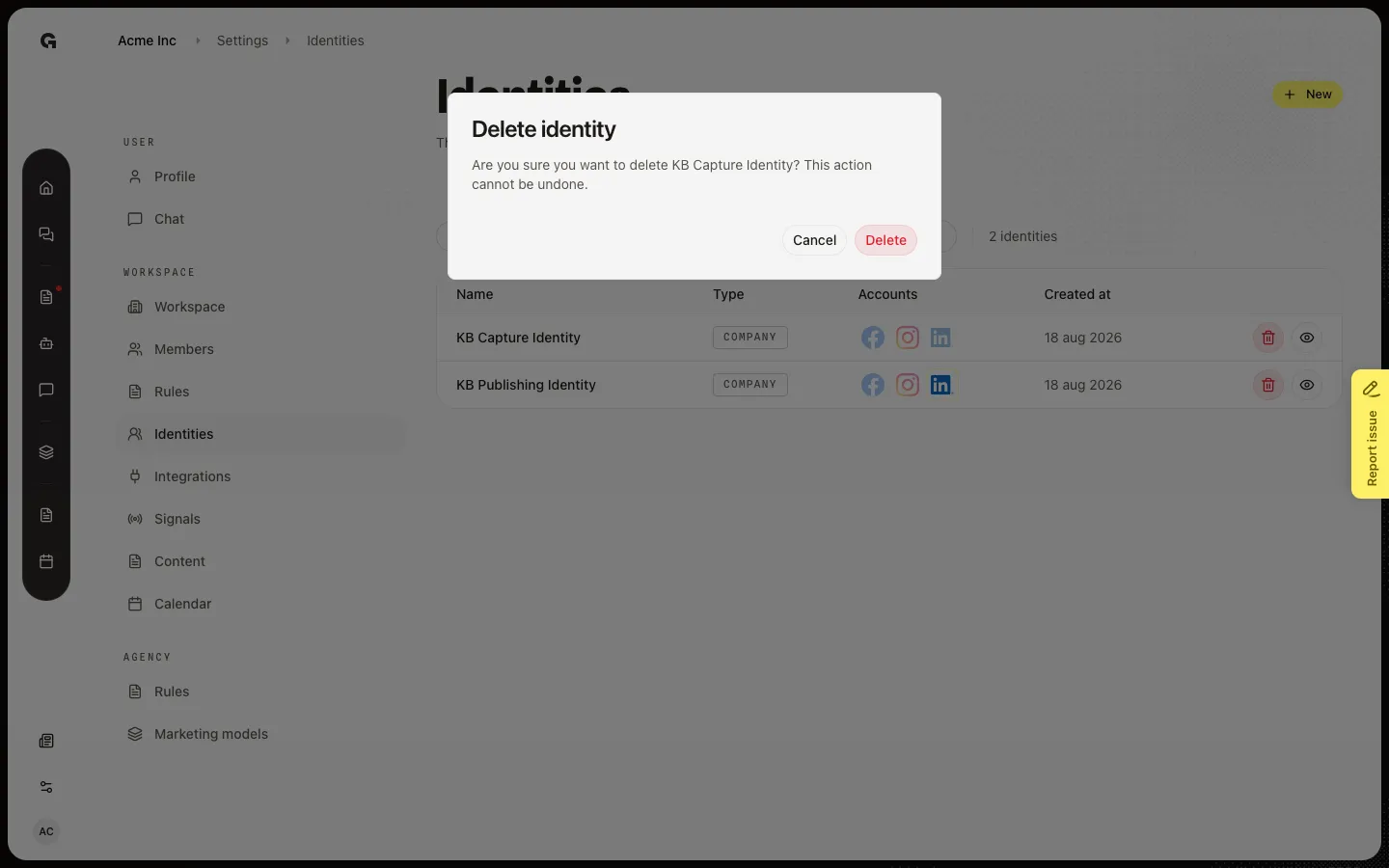
Confirm Delete identity
Choose Delete identity on the row. Delete identity asks if you are sure. This cannot be undone. Delete removes the identity from the list. Content that pointed at it keeps the draft but loses that publisher. Cancel leaves the row.
FAQ
Can I restore a deleted identity?+
No. Delete cannot be undone. Create a new identity and reconnect channels if you still need that publisher.
I do not see the trash icon.+
Delete needs permission to update the workspace and create content, same as the Identities page.
What happens to scheduled posts?+
Drafts stay. The identity link is cleared. Re-assign an identity before you schedule or publish a social post again. Connected channels on the deleted identity are no longer available for that publisher.