Delete a document
Remove a knowledge file and its extracted text from the workspace.
Delete removes a knowledge file from the workspace. The person who uploaded it can do this. So can anyone with permission to delete documents (admin and strategist on the default roles).
2 steps · About 2 minutes
Open the file
On Documents, open the file you want to remove (this walk uses agency-onboarding-brief.md from Manage workspace knowledge). You can delete it if you uploaded it, or if you have permission to delete any document (admin and strategist on the default roles). The Access sidebar ends with Delete document — Permanently remove this document and its extracted content.
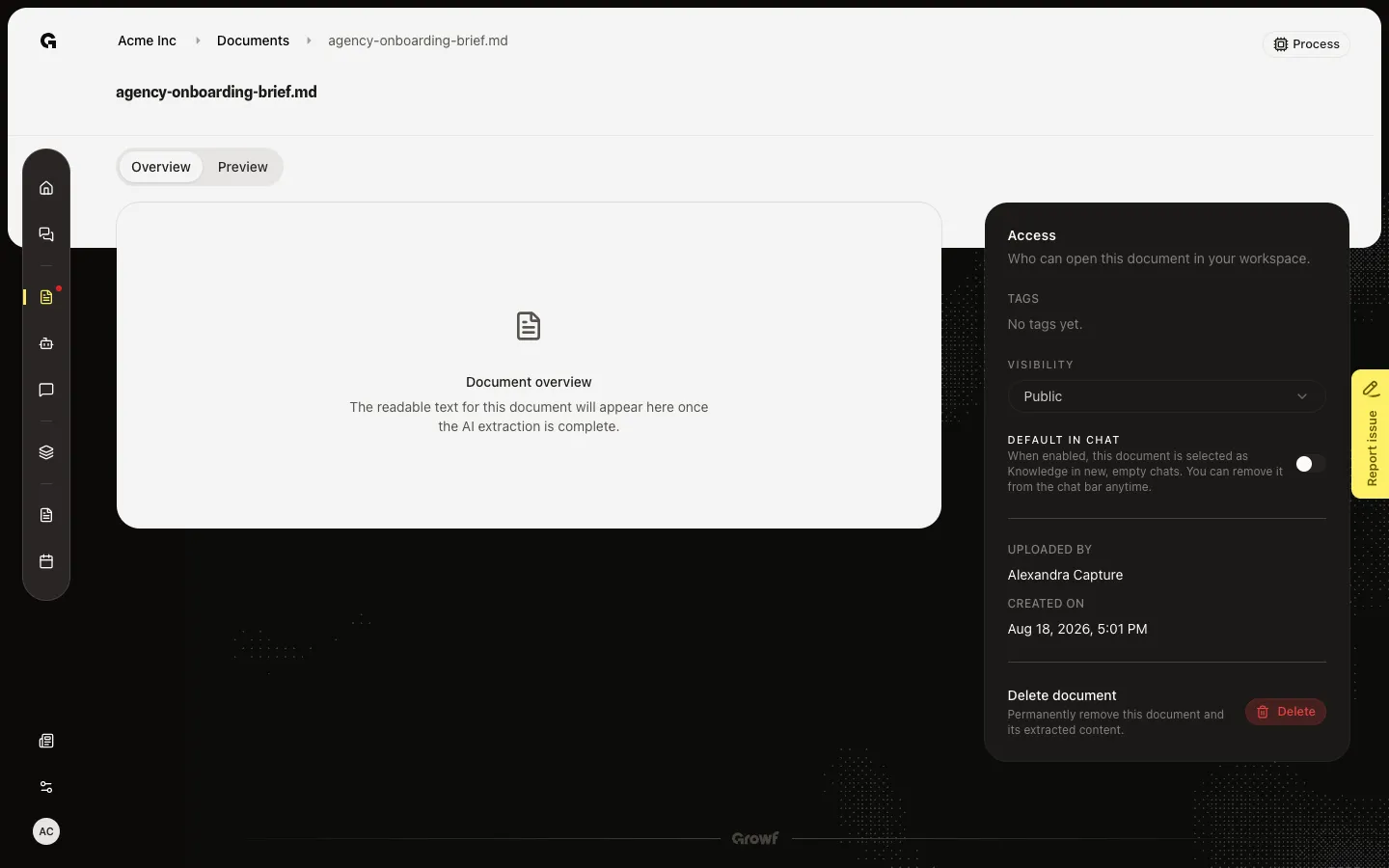
Open Delete document
Choose Delete. Delete document asks if you are sure and names the file. This cannot be undone. Choose Delete in the dialog to remove the file, its extracted text, and its search chunks. Growf then returns you to Documents. Choose Cancel if you only wanted to check the warning. This walk stops on the dialog so the file stays for the other knowledge how-tos.
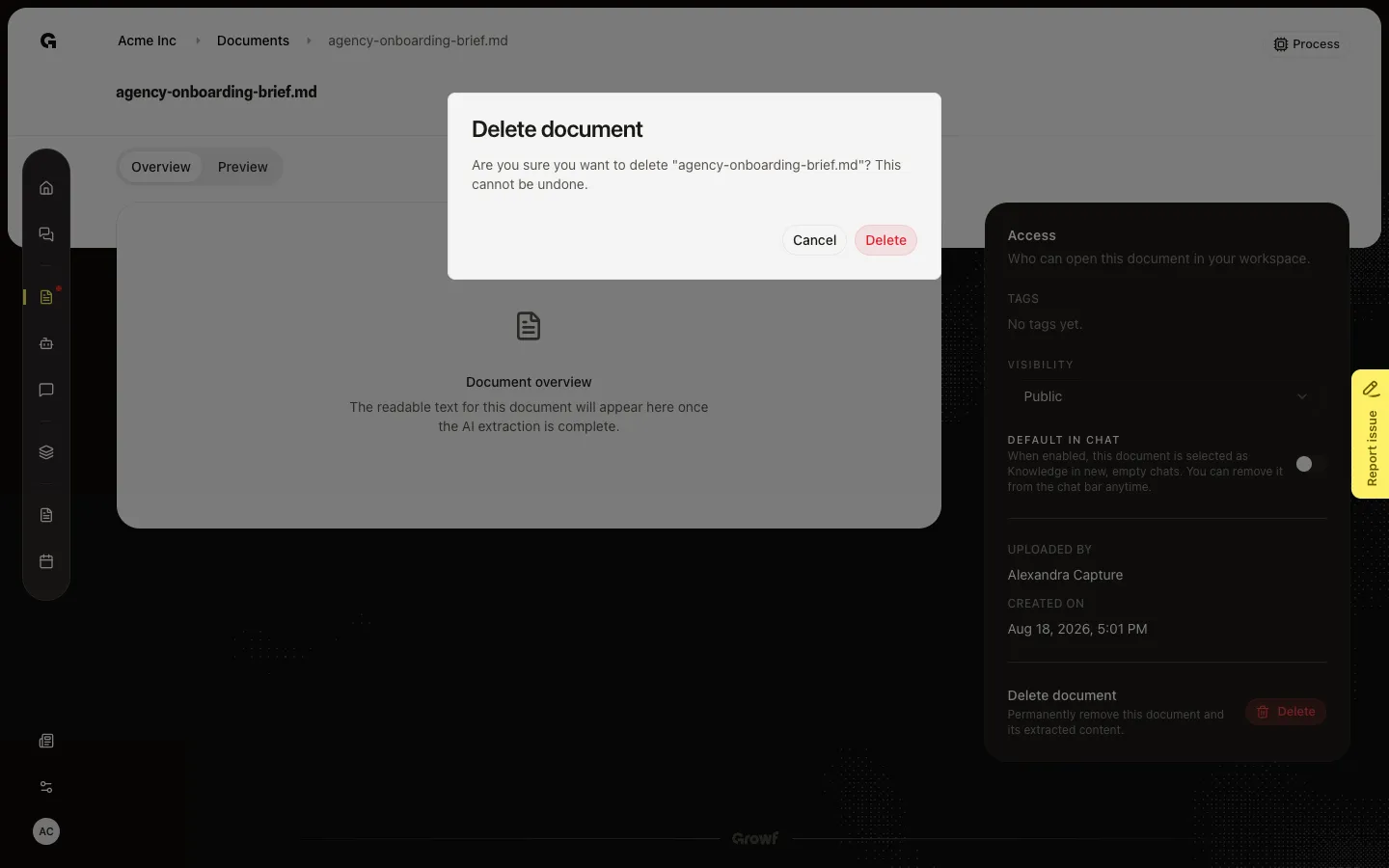
FAQ
I do not see Delete.+
You can delete a file you uploaded. You can also delete someone else’s file if you have permission to delete documents. If both are missing, ask an admin.
Can I delete from the list without opening the file?+
Yes. Switch to List, hover the row, and choose the delete control. The same Delete document dialog appears. The file stays in the workspace until you confirm.
What disappears after I confirm?+
The file, the Overview text, and the chunks chat used. Threads that already cited it keep their old messages, but the file is gone from Documents and from the knowledge picker. This cannot be undone — upload again if you still need it.